

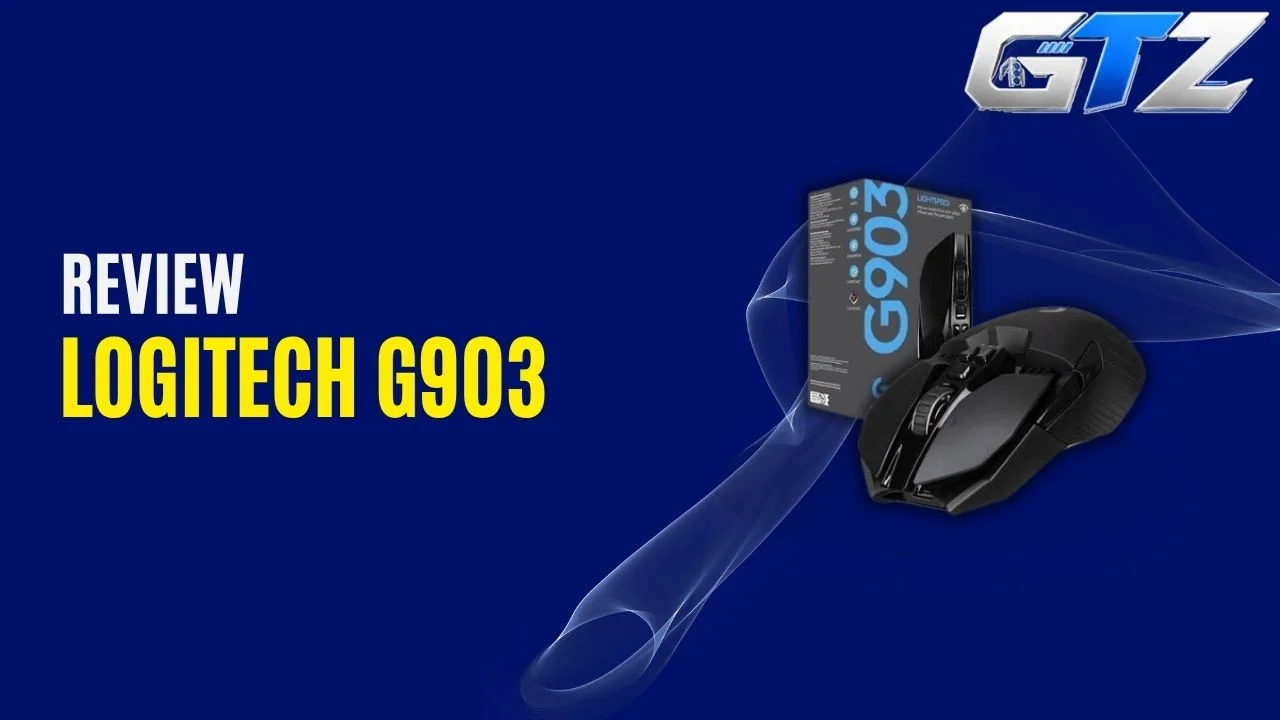
The Logitech G903 is one of those gaming mice that refuses to disappear despite being an older model.
It was originally introduced in 2017 for gaming PCs and gaming laptops, but its combination of comfortable design, LIGHTSPEED wireless connectivity, programmable buttons, RGB lighting, and POWERPLAY support still makes it relevant.
But the G903 is not a modern ultra-light mouse. At around 110–111 g, it is considerably heavier than many newer competitive gaming mice. So, is that a problem? Not necessarily.
If you prefer a substantial mouse with a comfortable shape and lots of controls, the G903 can still be an excellent choice. Here is my detailed Logitech G903 review, including its dimensions, weight, gaming performance, battery life, specifications, and software.
My Quick Assessment for Logitech G903
| Real-Life Performance | Assessment |
|---|---|
| FPS Gaming | Excellent |
| MMO Gaming | Excellent |
| Wireless Performance | Excellent |
| Sensor Accuracy | Excellent |
| Palm/Claw Grip | Very Good |
| Battery Life | Excellent |
| Button Customization | Excellent |
| Overall Gaming | Excellent |
In actual gaming, the Logitech G903’s biggest strengths are its responsive wireless connection, accurate tracking, comfortable shape, and extensive button customization.
RTINGS’ testing also rates it highly for FPS and MMO gaming, highlighting its low click latency, precision, build quality, customizable controls, and versatile shape.
What is Logitech G903?
The Logitech G903 is a premium wireless gaming mouse with an ambidextrous design, LIGHTSPEED connectivity, programmable buttons, RGB lighting, a high-performance HERO sensor, and compatibility with Logitech’s POWERPLAY wireless charging system.
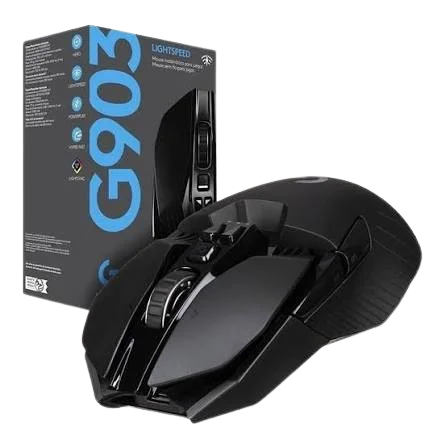
Key Features
| Feature | Logitech G903 |
|---|---|
| Release | June 2017 |
| Type | Palm Grip Mouse (Also suitable for claw grip) |
| Weight | 110 g |
| Dimensions | 130 × 67 × 40 mm |
| RGB Lighting | LIGHTSYNC RGB |
| Rubber | Rubberized components/grip areas |
| Software | Logitech G HUB |
| Wireless Technology | LIGHTSPEED |
| Sensor | HERO 25K |
| Maximum DPI | 25,600 |
| Programmable Buttons | Up to 11 |
| POWERPLAY | Yes |
The original G903 launched in June 2017 alongside Logitech’s LIGHTSPEED wireless technology and POWERPLAY charging system.
Logitech initially launched it with the PMW3366 sensor, while the later G903 HERO version upgraded to Logitech’s HERO sensor.
What is the Price of Logitech G903 Lightspeed Mouse?
The Logitech G903 Wireless gaming mouse is priced at $139.99 on the official site.
Is Logitech G903 LIGHTSPEED Wireless Gaming Mouse Worth It?
Yes, but it depends on what you want from a gaming mouse.
The G903 is still a strong choice if you want a wireless mouse with excellent tracking, low wireless latency, extensive customization, long battery life, and a larger, substantial design.
I would hesitate to recommend it to someone whose priority is an ultra-light mouse for competitive FPS gaming. The 110 g body is the main compromise compared with newer designs.
Who Should Buy It?
I would recommend the G903 if you:
- Want a genuinely ambidextrous gaming mouse
- Prefer a larger, substantial mouse rather than an ultra-light design
- Use a palm or claw grip
- Play FPS games and want accurate, responsive tracking
- Play MMOs and need several customizable controls
- Want long battery life
- Like Logitech’s G HUB ecosystem
- Want the option of POWERPLAY wireless charging
- Want a mouse that works comfortably with either hand
Who Should Not Buy It?
I will not recommend this wireless gaming mouse if you:
- Specifically want a mouse under 80 g
- Prefer an extremely lightweight design for competitive FPS gaming
- Have small hands and use a fingertip grip
- Require Bluetooth connectivity
- Frequently travel and want built-in receiver storage
The absence of Bluetooth and the lack of receiver storage are also limitations, and the small-handed fingertip users may find some controls harder to reach.
Logitech G903 Wireless Gaming Mouse Specifications
| Specification | Logitech G903 |
|---|---|
| Design | Ambidextrous |
| Dimensions | 130 × 67 × 40 mm |
| Weight | 110 g |
| Optional Weight | 10 g |
| Wireless | LIGHTSPEED 2.4 GHz |
| Connection | Wireless / USB |
| Report Rate | Up to 1,000 Hz |
| Sensor | HERO 25K |
| Maximum DPI | 25,600 |
| Buttons | Up to 11 programmable |
| RGB | LIGHTSYNC RGB |
| Scroll Wheel | Hyper-fast, tilt-enabled |
| Battery | Rechargeable Li-polymer |
| Battery Life | Up to 140 hours with RGB |
| Battery Life Without Lighting | Up to 180 hours |
| POWERPLAY | Compatible |
| Software | Logitech G HUB |
| Onboard Memory | Yes |
1. Aesthetics
The Logitech G903 is a predominantly palm-grip mouse due to its full-size body and broad shape that gives your palm plenty of support.
However, its symmetrical ambidextrous design also makes it comfortable for claw and fingertip grips, depending on your hand size and preference.
Its shape is versatile enough for different grips, although small-handed users may find fingertip use less comfortable because some buttons can be harder to reach.
If you don’t know the difference, you can read my guide on Palm Grip vs Claw Grip Mouse for a better understanding.
2. Battery Life and Charging
Battery life is one of the areas where the G903 HERO remains impressive.
Logitech rates the current G903 at up to 140 hours with LIGHTSYNC RGB enabled and up to 180 hours with lighting turned off.
That is more than enough for several days of normal gaming before you need to think about charging.
You can also connect the mouse through its USB cable and continue using it while charging. So even if the battery runs low in the middle of a gaming session, you do not have to stop playing.
3. Wireless Connectivity
The G903 uses Logitech’s proprietary LIGHTSPEED wireless technology rather than Bluetooth.
LIGHTSPEED was specifically developed for gaming, and Logitech specifies a 1 ms report rate for the technology.
This is one of the reasons I have no concern about using the G903 wirelessly for competitive gaming. The connection is designed to deliver the responsiveness expected from a wired gaming mouse.
There is no Bluetooth mode, which is the ultimate downside. You need the dedicated LIGHTSPEED receiver for wireless operation. RTINGS also lists Bluetooth support as a missing feature.
4. Sensor and DPI
The G903 HERO uses Logitech’s HERO 25K sensor, with sensitivity reaching up to 25,600 DPI.
My favorite Razer Viper V2 Pro also offers higher DPI, but you should not get too excited about the huge number itself. Almost nobody needs to game at 25,000 or 30,000 DPI.
What matters much more is consistent tracking at the DPI setting you actually use. For FPS games, that means your crosshair movements should remain predictable when making small adjustments or large swipes.
The original 2017 G903 used the PMW3366 sensor with a 200–12,000 DPI range, so it is worth checking which version you are buying if the sensor specification matters to you.
5. Buttons and Scroll Wheel
The G903 gives you a lot of control customization. Its removable side buttons allow the layout to be adapted for left- or right-handed use, while Logitech supports up to 11 programmable inputs.
This makes the mouse particularly useful for MMOs and other games where you need quick access to several commands.
The scroll wheel is another strong point. It supports both conventional scrolling and Logitech’s hyper-fast scrolling mode, along with left and right tilt inputs.
For everyday use, that makes the G903 more versatile than a basic two-side-button gaming mouse.
6. POWERPLAY Compatibility
The G903 is compatible with Logitech’s POWERPLAY wireless charging system.
POWERPLAY allows the compatible mouse to receive power from the charging mat while you continue using it. The original system was specifically designed to provide continuous charging during gameplay rather than requiring the mouse to sit in a charging dock.
The important catch is that POWERPLAY is an additional purchase.
For someone who plays every day, it can be extremely convenient. If you only play occasionally, the G903’s long battery life already reduces the need for frequent charging, so POWERPLAY may not be worth the additional expense.
7. Logitech G HUB Software
Logitech G HUB is where you can configure most of the G903’s gaming features.
You can assign commands to buttons, configure DPI levels, customize LIGHTSYNC RGB, create game-specific profiles, and adjust other settings.
The onboard memory is also useful because you can retain configurations on the mouse instead of depending entirely on software running on your computer.
For example, you could create one profile for an FPS game with a small number of essential controls and another profile for an MMO with additional commands assigned to the side buttons.
Pros and Cons of Logitech G903
| Pros | Cons |
|---|---|
| Excellent LIGHTSPEED wireless performance | Heavy compared with modern lightweight gaming mice |
| Accurate HERO 25K sensor | – |
| Very long battery life | – |
| Genuine ambidextrous design | – |
| Extensive button customization and POWERPLAY support | – |
Final Thoughts
The Logitech G903 is still a capable wireless gaming mouse despite its age. Its ambidextrous shape, accurate HERO sensor, LIGHTSPEED connection, long battery life, programmable controls, and POWERPLAY compatibility give it plenty of useful features.
I particularly recommend it if you prefer a substantial mouse for palm or claw grip instead of chasing the lightest possible design. The 110 g weight is its biggest weakness, especially when compared with today’s lightweight gaming mice.
If you find the G903 at a reasonable price and like its shape, I think it remains a worthwhile gaming mouse.
People Also Ask
Yes, the G903 delivers excellent gaming performance, with low latency, accurate tracking, and extensive customization.
Yes, although its 110 g weight makes it less attractive if you specifically prefer lightweight FPS mice.
Yes, its large symmetrical body provides good palm support and works well with palm grip.
No, the G903 uses LIGHTSPEED wireless and does not support Bluetooth.
The G903 HERO is rated for up to 140 hours with RGB lighting or up to 180 hours with lighting disabled.
