

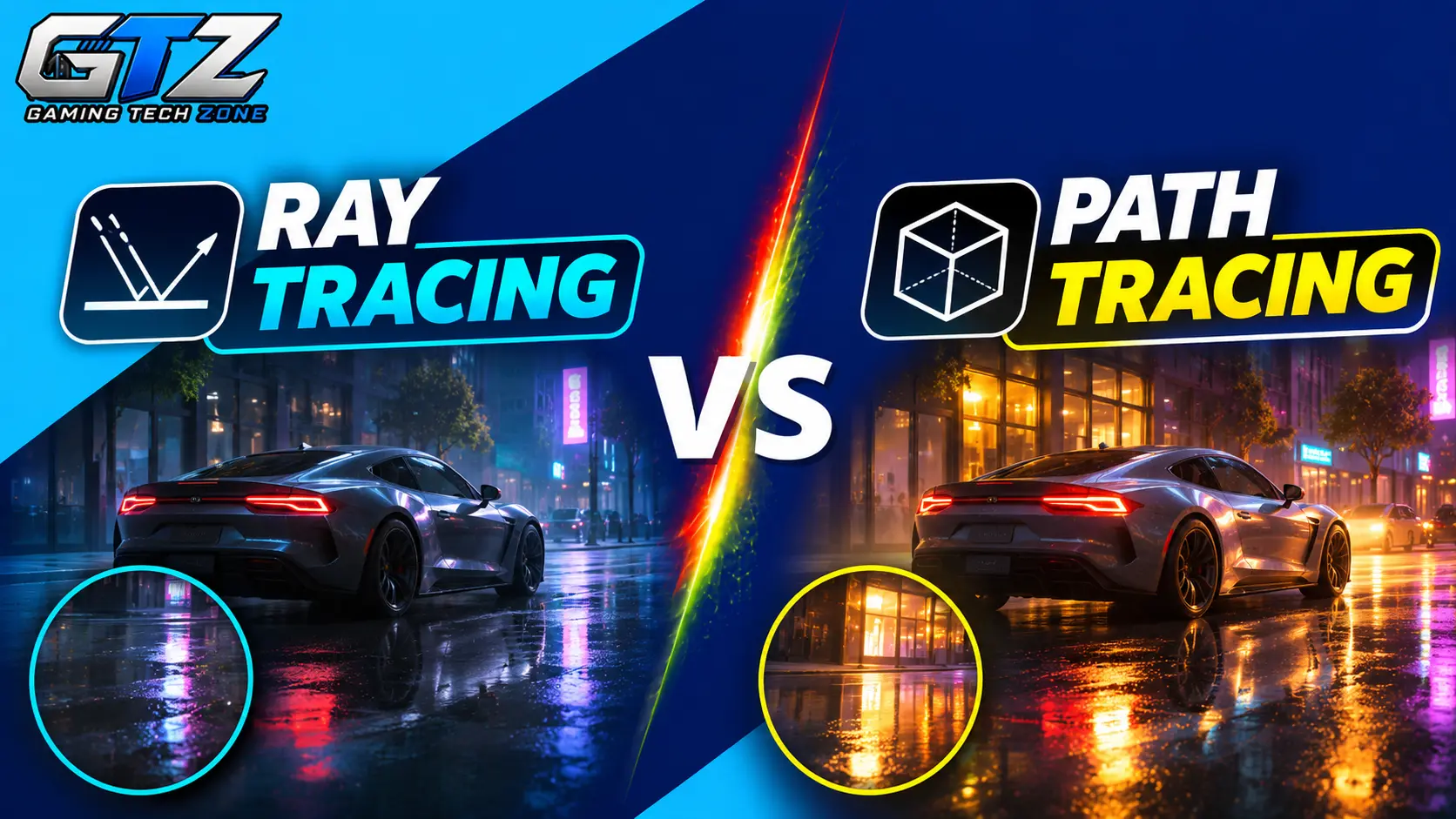
When I play modern games, I love how realistic lighting, reflections, and shadows can make a game world feel more immersive. Ray tracing and path tracing help achieve these effects, but they differ in how they handle light and affect gaming performance.
Understanding these differences can help you choose the right graphics settings for your gaming PC without sacrificing too much FPS. In this article, I’ll explain how both technologies work, compare their key differences, and explore their impact on gaming.
What Is Ray Tracing?
Ray tracing is a graphics technology that simulates how light interacts with objects in a game. It creates realistic reflections, shadows, and lighting by tracing selected light rays.
For example, it can show buildings reflected on a car’s surface or create natural-looking shadows. However, ray tracing requires extra GPU power, and its performance impact depends on the game, settings, and graphics card.
What Is Path Tracing?
Path tracing is an advanced rendering technique that simulates how light travels and bounces between surfaces. It calculates direct and indirect lighting, reflections, and shadows to create more realistic game environments.
For example, sunlight entering a room can bounce off walls and floors to illuminate nearby objects. Often called full ray tracing in gaming, path tracing simulates lighting more comprehensively than many ray-tracing implementations. However, it requires more GPU power and can significantly reduce FPS.
Ray Tracing vs Path Tracing: How Do They Work?
Both techniques use light rays to make game graphics more realistic. The main difference is how they use those rays to calculate lighting.
How Ray Tracing Works
Ray tracing follows light rays through a game environment to calculate specific visual effects. Developers can use it for reflections, shadows, or lighting, depending on the game.
Here is a simple example of how it works:
- The game identifies objects, surfaces, and light sources in a scene.
- The rendering system traces rays to check how light interacts with those objects.
- It calculates effects such as reflections, shadows, and lighting.
- The GPU combines these results with the rest of the scene to produce the final image.
Games often use ray tracing for selected effects while relying on traditional rendering for other parts of the scene. This helps balance visual quality and performance.
How Path Tracing Works
Path tracing uses ray tracing to simulate lighting across more of the entire scene. It follows sampled light paths through multiple interactions with surfaces to estimate how light spreads around the environment.
Here is how it works:
- The game identifies objects, materials, and light sources.
- The renderer traces rays and samples different light paths.
- It calculates how light bounces between surfaces and illuminates nearby objects.
- It combines these calculations to create the final image.
Because path tracing uses many light samples, the initial image can contain visual noise. A process called denoising helps clean up the image. Modern games may also use AI-based tools to improve image quality and performance.
Ray Tracing vs Path Tracing: Key Differences
Ray tracing and path tracing use related technology, but they differ in how they handle lighting, visual quality, and GPU workload.
1. Lighting and Rendering
Lighting and rendering determine how light interacts with objects and surfaces in a game. Both techniques improve these effects, but they use different approaches.
- Ray tracing: Calculates selected lighting effects, such as reflections and shadows.
- Path tracing: Simulates light bouncing between surfaces to calculate direct and indirect lighting more comprehensively.
2. Graphics and Realism
Realistic graphics make game environments look more natural and immersive. Both techniques improve visual quality, but the level of realism depends on how they simulate light.
- Ray tracing: Improves reflections, shadows, and selected lighting effects to make scenes look more realistic.
- Path tracing: Produces more complete lighting, with realistic light distribution, color blending, and indirect illumination.
3. GPU Requirements
Your GPU determines how well your system can handle demanding graphics effects. Both techniques require additional processing power, but their hardware demands differ.
- Ray tracing: Generally requires less GPU power when applied to selected effects.
- Path tracing: Usually requires more GPU power because it calculates lighting across a larger part of the scene.
4. Gaming Performance and FPS
Graphics settings can affect how smoothly a game runs. Both techniques can lower FPS compared with traditional rendering, but the performance impact varies.
- Ray tracing: Usually has a smaller performance impact when only selected effects are enabled.
- Path tracing: Generally causes a larger FPS drop because it requires more lighting calculations.
5. Game Support and Availability
Game support determines whether you can use these technologies on your preferred platform. Ray tracing is available in many modern games, while path tracing remains less common because of its higher hardware demands.
- Ray tracing: Supported by many modern PC games, with some console games also offering selected ray-traced effects.
- Path tracing: Available in fewer games, including Cyberpunk 2077 and Alan Wake 2 on supported PC configurations.
Impact of Ray Tracing and Path Tracing on Gaming
Ray tracing and path tracing affect more than just how a game looks. They can also change its performance and the hardware needed to run it.
More Realistic Game Worlds
Both techniques improve game graphics, but they differ in how realistically they simulate light.
- Ray tracing: Improves specific effects, such as reflections on water, shadows beneath objects, and lighting in indoor environments.
- Path tracing: Simulates more complete lighting, including how light bounces between surfaces and illuminates nearby objects.
Path tracing offers more realistic lighting overall because it simulates a wider range of light interactions, making game environments look more natural and immersive.
Lower Frame Rates
Both techniques can reduce FPS because they require additional GPU processing. However, their impact on performance differs.
- Ray tracing: Usually has a smaller performance impact because it often focuses on selected effects, allowing the GPU to maintain higher frame rates.
- Path tracing: Generally causes a larger FPS drop because it requires more calculations to simulate lighting across the scene.
Ray tracing is better for maintaining higher FPS while improving graphics, especially if your GPU struggles with demanding lighting effects.
Higher Hardware Requirements
Both techniques benefit from powerful GPUs, but path tracing generally places greater demands on hardware.
- Ray tracing: Works on a wider range of compatible GPUs, depending on the game, resolution, and graphics settings.
- Path tracing: Usually requires a more powerful GPU to deliver playable frame rates, particularly at higher resolutions.
Ray tracing is more accessible to gamers with mid-range hardware because it generally requires less processing power than path tracing. However, performance still depends on the specific game and settings.
A Better Balance Between Graphics and Performance
The best option depends on whether you prioritize visual quality or smooth gameplay.
- Ray tracing: Suits gamers who want improved reflections, shadows, and lighting without sacrificing too much performance.
- Path tracing: Suits gamers who prioritize realistic lighting and have powerful hardware to handle the additional workload.
Ray tracing is the more practical choice for most gamers because it provides noticeable visual improvements with a generally smaller performance cost. Path tracing is worth considering if you have a powerful GPU and want the most realistic lighting possible in supported games.
Ray Tracing vs Path Tracing: Which Requires More GPU Power?
Path tracing generally requires more GPU power than standard ray tracing. It calculates lighting across more of the scene, including multiple light bounces and indirect illumination. This creates a heavier workload for the graphics card.
The table below shows how their GPU demands compare.
| Feature | Ray Tracing | Path Tracing |
|---|---|---|
| GPU workload | High, depending on effects | Usually very high |
| FPS impact | Moderate to high | Often higher |
| Lighting calculations | Selected ray-traced effects | More complete lighting simulation |
| Hardware demand | Depends on settings and game | Generally more demanding |
| Best use | Improved graphics with a performance balance | Maximum lighting realism |
A GPU with dedicated ray-tracing hardware can handle both techniques, but performance depends on the game and settings. GPU power also matters here. For example, an NVIDIA GeForce RTX 4090 generally delivers better ray-tracing and path-tracing performance than an RTX 4080.
For smoother gameplay, you should use DLSS or another upscaling feature, which renders the game at a lower resolution and improves the image to boost FPS. Frame generation can further increase displayed FPS by creating additional frames on supported hardware.
Ray Tracing vs Path Tracing – A Direct Comparison
| Feature | Ray Tracing | Path Tracing |
|---|---|---|
| Working | Traces light rays for selected effects | Simulates multiple light paths and bounces |
| Lighting | Improves specific lighting effects | Simulates direct and indirect lighting more comprehensively |
| Visual Quality | Realistic reflections, shadows, and lighting | More complete and realistic lighting |
| GPU Requirements | Moderate to high, depending on settings | Generally very high |
| FPS Impact | Usually lower than path tracing | Usually causes a greater FPS drop |
| Hardware Support | Available on many modern GPUs | Requires stronger hardware for good performance |
| Game Support | Supported by many modern games | Available in fewer games |
| Performance Optimization | Can benefit from upscaling and frame generation | Often relies more heavily on upscaling and frame generation |
| Best For | Balancing graphics quality and FPS | Maximizing lighting realism |
| Main Drawback | May offer less complete lighting simulation | Higher GPU workload and lower FPS |
Which Games Support Ray Tracing and Path Tracing?
Several modern games support ray tracing, while a smaller selection offers path tracing or full ray tracing. Support varies by platform, hardware, and graphics mode.
Cyberpunk 2077
Cyberpunk 2077 supports ray tracing and a demanding RT Overdrive mode that uses path tracing on supported PCs. It improves lighting, reflections, and shadows.
Alan Wake 2
Alan Wake 2 supports ray tracing and path tracing on compatible PC hardware. These features improve lighting, reflections, and shadows but can significantly reduce FPS.
Portal with RTX
Portal with RTX recreates the original puzzle game using a path-traced rendering approach. It improves lighting, reflections, shadows, and indirect illumination for more realistic environments.
Minecraft
The supported Minecraft with RTX version offers ray-traced lighting, reflections, and shadows. It requires compatible hardware and the appropriate game version.
Before enabling either technique, check the game’s graphics settings and system requirements. A game may support ray tracing without offering path tracing, and some advanced graphics modes are available only on PC.
Ray Tracing vs Path Tracing: Which Is Better for Gaming?
The better option depends on your hardware and what you want from your games.
Choose ray tracing if:
- You want better reflections, shadows, and lighting without the highest possible GPU workload.
- You want to balance visual quality with smooth gameplay.
- You play games where a stable frame rate matters.
Choose path tracing if:
- More realistic lighting and reflections are your priority.
- You have a powerful GPU that can handle the extra workload.
- You mainly play visually rich, single-player games and are willing to adjust settings for better graphics.
For most gamers, standard ray tracing is the more practical starting point. Path tracing is worth trying if your hardware can handle it and you want to experience the most advanced lighting available in a supported game.
Final Words
Ray tracing and path tracing both make games look more realistic by improving how light interacts with virtual environments. Ray tracing often focuses on specific effects, while path tracing simulates a broader range of lighting interactions.
The main trade-off is performance. Ray tracing is generally easier to run, while path tracing offers more complete lighting at a higher GPU cost. If you want a balance between graphics and FPS, start with ray tracing. If you have a powerful gaming PC and prioritize visual realism, path tracing is worth exploring.
People Also Ask
Path tracing can produce more realistic lighting because it simulates light interactions across more of a scene. However, standard ray tracing may offer a better balance between visual quality and performance.
Yes, path tracing generally reduces FPS more because it requires additional lighting calculations. The actual impact depends on your GPU, resolution, game, and graphics settings.
No, not every GPU can run path tracing at playable frame rates. You need a compatible GPU and a game that supports the feature, and stronger hardware generally delivers better performance.
Yes, Cyberpunk 2077 supports ray tracing and path tracing through its RT Overdrive mode on compatible PCs. Path tracing improves lighting, reflections, and shadows but requires significantly more GPU power.
Yes, ray tracing can improve reflections, shadows, and lighting compared with traditional rendering methods. The visual improvement depends on how the game uses the technology and the quality of its implementation.
