

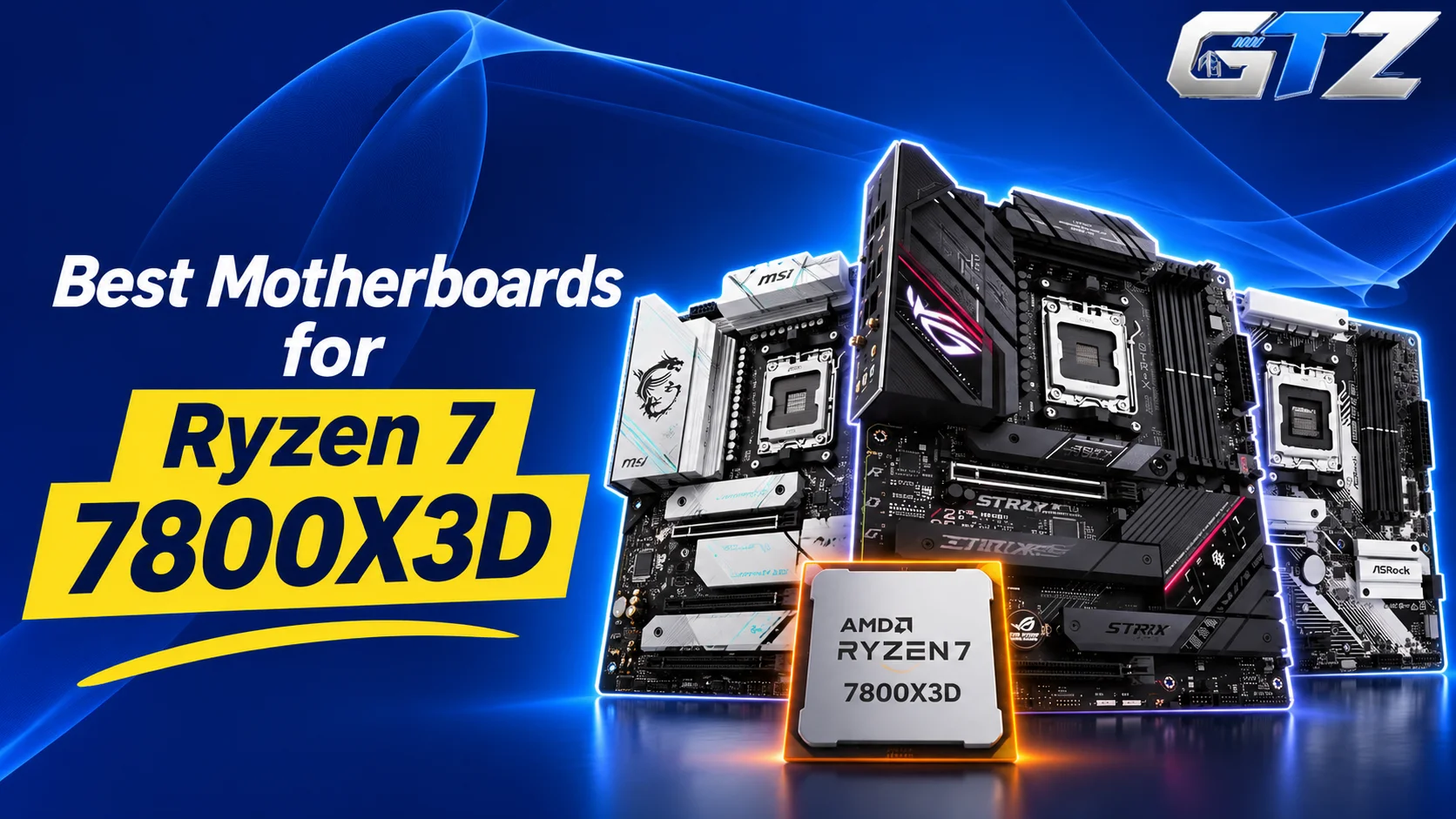
The Ryzen 7 7800X3D is a great CPU, and the easiest way to waste it is the wrong motherboard.
Picking the best motherboard for 7800X3D sounds simple because the chip runs on almost any AM5 board, yet I keep seeing builders overpay for a flagship it can’t use or buy a bare-bones board and run short on M.2 slots, BIOS options, or memory support.
In this guide, you’ll get seven picks checked against official specs, with ratings, pros and cons, and the board I recommend. By the end, you’ll know which one fits your budget, case, and upgrade plans.
My Quick Overview
- MSI MAG B650 TOMAHAWK WIFI ATX: Best overall value (9.2/10)
- ASUS TUF GAMING B650-PLUS WIFI ATX: Best for an ASUS budget build (8.3/10)
- Gigabyte B650 AORUS ELITE AX V2 ATX: Best for simple BIOS updates (8.5/10)
- ASUS ROG STRIX B650E-F GAMING WIFI: Best premium B650E pick (8.7/10)
- MSI X670E GAMING PLUS WIFI: My recommendation for a buy-once build (9.3/10)
- ASRock B650M Pro RS WiFi: Best budget micro-ATX board (7.7/10)
- MSI MAG B850 TOMAHAWK MAX WIFI: Best newest-platform pick (9.0/10)
Note: Ratings are my editorial scores out of 10. They come from official spec sheets, features that matter for a 7800X3D, and value.
How to Choose a Motherboard for the 7800X3D?
Chipset names get all the attention, but a handful of specs decide how a 7800X3D build feels day to day.
What The 7800X3D Actually Needs From a Board?
The 7800X3D needs an AM5 board with DDR5 memory, a current BIOS, and solid power and cooling for a 120W TDP chip. It doesn’t need PCIe 5.0 or a flagship VRM to reach its gaming performance. Choose by ports, M.2 slots, and networking instead.
What to Check on Any Board:
- Socket and chipset: AM5 with B650 or newer is enough for gaming.
- CPU power: Dual 8-pin or 8+4-pin connectors give the VRM a clean supply.
- Memory: AM5 only takes DDR5. Many builders target 32GB of DDR5-6000 CL30 with EXPO, on two sticks.
- BIOS recovery: A Flash BIOS or BIOS FlashBack button lets you update without a CPU.
- Storage: Count the M.2 slots and check which ones share lanes.
- Cooling: The 7800X3D doesn’t ship with a cooler, so budget for a good cooler or AIO.
7 Best Motherboards for Ryzen 7 7800X3D
The 7800X3D has a 120W TDP and runs cool in games, so it doesn’t need an extreme VRM. It does need stable memory support, a good BIOS, and the right ports for your case. These seven boards cover budget, mid-range, and premium builds.
1. MSI MAG B650 TOMAHAWK WIFI ATX: Best Overall Value
The MSI MAG B650 Tomahawk WiFi is the board I’d point most 7800X3D builders to. It combines a 14+2+1 power design, Wi-Fi 6E, 2.5G LAN, and three Gen4 M.2 slots, so you get a full gaming feature set without paying for PCIe 5.0 you may never use.
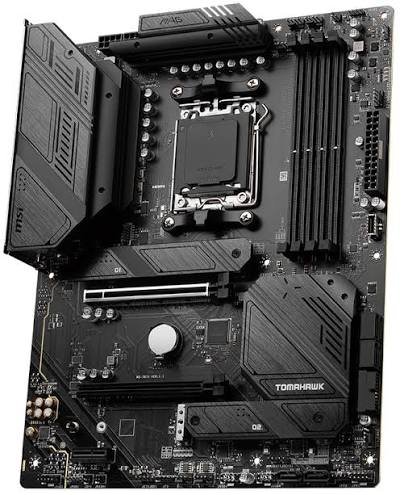
Key specs:
- Chipset: AMD B650, AM5 (Ryzen 9000, 8000, and 7000)
- Power: 14+2+1 Duet Rail, 80A power stages, dual 8-pin CPU connectors
- Memory: 4x DDR5 with AMD EXPO, up to 7600+ MHz (OC) with one single-rank module per channel
- Storage: 3x M.2 (all PCIe 4.0 x4) and 6x SATA
- Network: 2.5G LAN, Wi-Fi 6E, Bluetooth 5.3
- Extras: Flash BIOS button, EZ Debug LEDs, 6 system fan headers, plus a pump header
Best for: Gamers who want the most board for the money.
| Pros | Cons |
|---|---|
| 80A power stages with plenty of headroom | No PCIe 5.0 on the GPU slot or any M.2 slot |
| Flash BIOS button for easy updates | M.2_3 shares bandwidth with the PCI_E2 slot |
| Three M.2 slots and six SATA ports | Wi-Fi 6E, not Wi-Fi 7 |
| Wi-Fi 6E and 2.5G LAN included | Four-DIMM setups lose memory speed |
Recommendation: Use two RAM sticks instead of four because MSI’s memory table lowers the supported speed when all four slots are filled.
Rating: 9.2/10 | Price: $169.99 (Amazon).
2. ASUS TUF GAMING B650-PLUS WIFI ATX: Best for an ASUS Budget Build
The ASUS TUF Gaming B650-Plus WiFi is a no-fuss ATX board with a 12+2+2 power design and one PCIe 5.0 M.2 slot. It suits builders who like the ASUS UEFI and want a simple, sturdy setup. Check stock first, because ASUS’s US eShop and B&H both showed it unavailable when I looked.
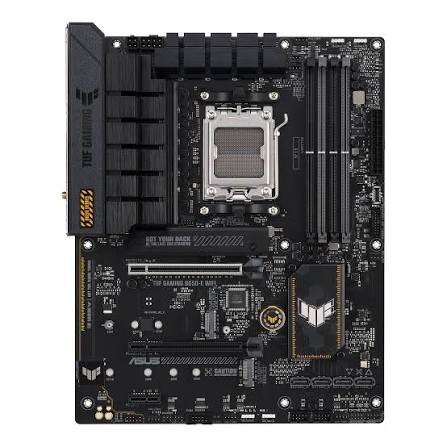
Key specs:
- Chipset: AMD B650, AM5
- Power: 12(60A)+2(60A)+2 power stages, 8+4-pin ProCool CPU connectors
- Memory: 4x DDR5 with AMD EXPO support
- Storage: 1x M.2 PCIe 5.0 x4, 2x M.2 PCIe 4.0 x4, 4x SATA
- Slots: PCIe 4.0 x16 from the CPU, plus a second PCIe 4.0 x16 slot running at up to x4
- Network: 2.5Gb Ethernet, Wi-Fi 6
- Extras: BIOS FlashBack, Q-LED, M.2 Q-Latch, rear USB 3.2 Gen 2×2 Type-C, 3-year warranty
Best for: Budget builders who want a Gen5 M.2 slot and ASUS tools.
| Pros | Cons |
|---|---|
| One PCIe 5.0 M.2 slot at an entry-level tier | Wi-Fi 6, not Wi-Fi 6E |
| BIOS FlashBack for CPU-free updates | GPU slot is PCIe 4.0 |
| Heatsinks on all M.2 slots | 60A stages rate lower than 80A boards |
| 20Gbps rear USB-C port | Stock looked limited in November 2026 |
Rating: 8.3/10 | Price: $119.99 (currently out of stock.)
3. Gigabyte B650 AORUS ELITE AX V2 ATX: Best for Simple BIOS Updates
The Gigabyte B650 Aorus Elite AX V2 gives the 7800X3D two CPU-connected M.2 slots, 2.5GbE, Wi-Fi 6E, and Q-Flash Plus updates with no CPU installed. Its main problem is a PCIe 4.0 graphics slot and limited expansion beyond it.
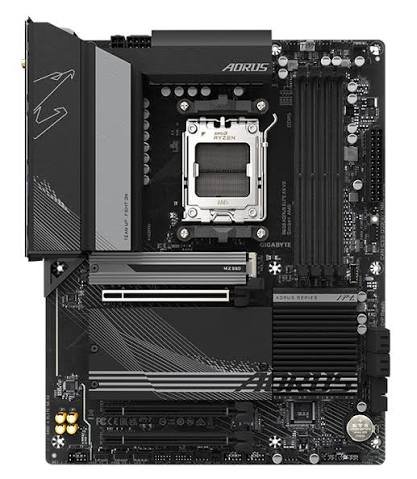
Key specs:
- Chipset: AMD B650, AM5 (Ryzen 7000, 8000, and 9000)
- Power: 12+2+2 phases [VERIFY on Gigabyte’s page]
- Memory: 4x DDR5 with EXPO and XMP, up to 8000 MT/s (OC)
- Storage: 3x M.2 (one PCIe 5.0 x4 and one PCIe 4.0 x4 from the CPU, one PCIe 4.0 from the chipset), 4x SATA
- Slots: PCIe 4.0 x16 for the GPU; the two other x16-size slots run PCIe 3.0 x1
- Network: 2.5GbE and Wi-Fi 6E (module varies by PCB revision)
- Extras: Q-Flash Plus button, 3 addressable RGB headers
Best for: Builders who want easy BIOS recovery and two fast SSD slots tied to the CPU.
| Pros | Cons |
|---|---|
| Q-Flash Plus works without a CPU | PCIe 4.0 only for the graphics card |
| Two CPU-connected M.2 slots | Extra x16-size slots run at x1 |
| EXPO and XMP support | Wi-Fi chip differs by PCB revision |
| Wi-Fi 6E and 2.5GbE | B&H lists it as discontinued |
Rating: 8.5/10 | Price: $129.99
4. ASUS ROG STRIX B650E-F GAMING WIFI: Best Premium B650E Pick
The ROG Strix B650E-F adds a PCIe 5.0 x16 graphics slot, which most B650 boards lack. Its power stages are rated at 80A each. It fits builders who want a premium ASUS board and plan to keep it through a future GPU upgrade.
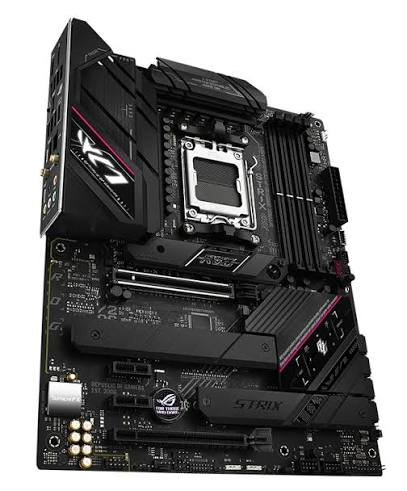
Key specs:
- Chipset: AMD B650E, AM5
- Power: 12+2 power stages rated at 80A each (some ASUS regional pages list 12+2+1)
- Memory: 4x DDR5, 6400+ MHz (OC)
- Slots: PCIe 5.0 x16 SafeSlot with Q-Release, one PCIe 4.0 x16, two PCIe 4.0 x1
- Storage: 3x M.2 (one PCIe 5.0 x4, two PCIe 4.0 x4), all with heatsinks
- Network: 2.5G LAN, Wi-Fi 6E
- Extras: Rear USB 3.2 Gen 2×2 Type-C, front USB 3.2 Gen 2 Type-C connector
Best for: Builders who want a Gen5 GPU slot and a premium ASUS board.
| Pros | Cons |
|---|---|
| PCIe 5.0 GPU slot and Gen5 M.2 | Premium price for features the 7800X3D won’t use |
| 80A power stages | Only three M.2 slots |
| Heatsinks on all M.2 slots | Wi-Fi 6E, not Wi-Fi 7 |
| 20Gbps rear USB-C | Gen5 GPU slot helps only with Gen5 cards |
Caveat: Today’s graphics cards lose like the RTX 5070 very little on a PCIe 4.0 slot, so the Gen5 slot is future insurance, not extra FPS.
Rating: 8.7/10 | Price: $267
5. MSI X670E GAMING PLUS WIFI: My Recommendation
My recommendation is the MSI X670E Gaming Plus WiFi. It combines a PCIe 5.0 x16 slot, one PCIe 5.0 M.2 slot, three more Gen4 M.2 slots, and a 14-phase 80A CPU power design. You won’t gain frames on a 7800X3D over a B650 board, but you will avoid running out of slots, which is the reason I picked it.
I am currently using this board also with a Ryzen 7 9800X3D, and from my experience, this board is best to buy if someone has a good budget and wants a board that allows him to use his 7800X3D for the ultimate performance. But, again, it does not make you gain more FPS from the 650 boards, but it will provide more benefits in other cases.
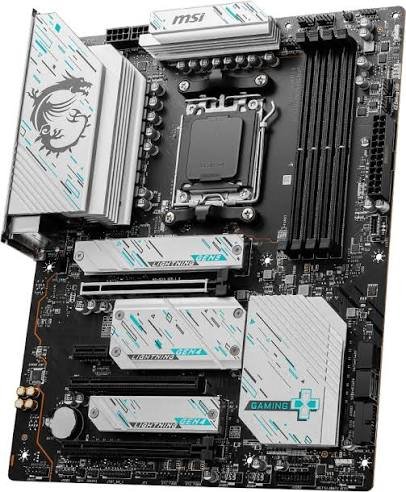
Key specs:
- Chipset: Listed by MSI as AMD X670, AM5 (Ryzen 9000, 8000, and 7000)
- Power: 14-phase 80A CPU power, 2-phase SoC, 1-phase misc, dual 8-pin connectors
- Memory: 4x DDR5 with AMD EXPO, up to 7800+ MHz (OC) with one single-rank module per channel
- Slots: PCIe 5.0 x16 from the CPU, plus PCIe 4.0 x4 and two PCIe 3.0 x1 chipset slots
- Storage: 4x M.2 (one PCIe 5.0 x4, three PCIe 4.0 x4) and 4x SATA
- Network: 2.5G LAN, Wi-Fi 6E, Bluetooth 5.3
- Extras: Flash BIOS button, rear USB 20Gbps Type-C, EZ Debug LEDs
Best for: Builders who want to buy once, with spare SSD slots and a Gen5 GPU path.
| Pros | Cons |
|---|---|
| PCIe 5.0 GPU slot plus one Gen5 M.2 slot | Realtek ALC897 audio, versus ALC4080 on MSI’s Tomahawk boards |
| Four M.2 slots | Wi-Fi 6E, not Wi-Fi 7 |
| 14-phase 80A CPU power | More board than a 7800X3D needs for gaming alone |
| Flash BIOS button | MSI’s spec sheet lists X670, not X670E, as the chipset |
Rating: 9.3/10 | Price: $219
Why I Chose It?
- Four M.2 slots mean a second and third SSD fit without adapters.
- The Gen5 GPU slot keeps the board relevant when you upgrade your graphics card.
- The CPU power design is far beyond what a 7800X3D needs, which leaves room for a newer X3D chip. AMD has confirmed AM5 support through 2029, per Tom’s Hardware.
6. ASRock B650M Pro RS WiFi: Best Budget Micro-ATX
The ASRock B650M Pro RS WiFi is the lowest-cost route to a working 7800X3D build in this list. It uses an 8+2+1 Dr.MOS power design with 2.5G LAN and Wi-Fi 6E in a micro-ATX layout. Expect fewer extras. It suits small cases and tight budgets more than long upgrade plans.
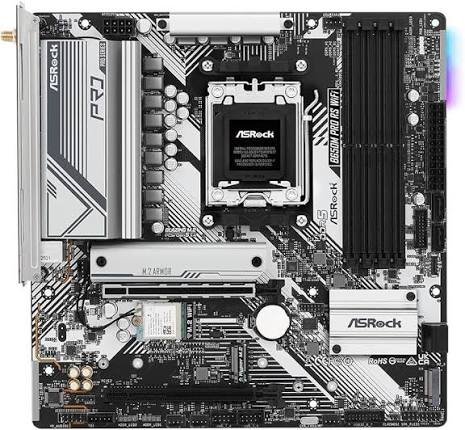
Key specs:
- Chipset: AMD B650, micro-ATX, AM5 (Ryzen 9000, 8000, and 7000)
- Power: 8+2+1 Dr.MOS
- Memory: 4x DDR5 with EXPO and XMP, up to 7200+ MHz (OC)
- Slots: One PCIe 4.0 x16 and one PCIe 3.0 x16 (x4 mode)
- Storage: 3x M.2, including one PCIe Gen5 slot
- Network: Dragon 2.5G LAN, Wi-Fi 6E
- Audio and video: Realtek ALC897 with Nahimic, HDMI and DisplayPort outputs
Best for: Compact gaming PCs on a tight budget.
| Pros | Cons |
|---|---|
| Lowest cost of the seven | Lightest power design of the seven |
| Micro-ATX fits small cases | Basic audio codec |
| Wi-Fi 6E and 2.5G LAN | One usable full-speed expansion slot |
| One Gen5 M.2 slot | Fewer extras than the MSI and ASUS boards |
Rating: 7.7/10 | Price: $149.99
7. MSI MAG B850 TOMAHAWK MAX WIFI: Best Newest-Platform Pick
The MSI MAG B850 Tomahawk Max WiFi is the ultimate pick if you want the newest mainstream AM5 platform. It adds a PCIe 5.0 x16 slot, two PCIe 5.0 M.2 slots, Wi-Fi 7, and 5G LAN to the same 14+2+1 80A power design as the B650 Tomahawk.
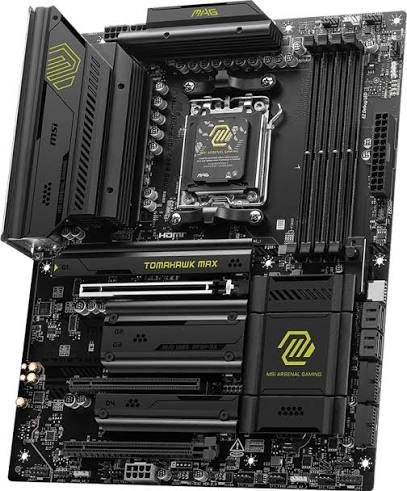
Key specs:
- Chipset: AMD B850, AM5 (Ryzen 9000, 8000, and 7000)
- Power: 14+2+1 Duet Rail, 80A power stages, dual CPU power connectors
- Memory: 4x DDR5 with AMD EXPO (MSI’s top speed figures are for Ryzen 9000, so check the memory list for Ryzen 7000)
- Slots: PCIe 5.0 x16 from the CPU, PCIe 4.0 x4 and PCIe 3.0 x1 from the chipset
- Storage: 4x M.2 (two PCIe 5.0 x4, one PCIe 4.0 x4, one PCIe 4.0 x2) and 4x SATA
- Network: Realtek 5G LAN, Wi-Fi 7, Bluetooth 5.4
- Extras: Flash BIOS and Clear CMOS buttons, EZ PCIe Release, tool-free M.2 shields
Best for: Builders who want Wi-Fi 7, 5G LAN, and Gen5 storage on a new board.
| Pros | Cons |
|---|---|
| PCIe 5.0 for the GPU and two M.2 slots | Gen5 features go unused in 7800X3D gaming |
| Wi-Fi 7 and 5G LAN | M.2_3 and the PCI_E3 slot share lanes |
| 80A power stages | Only four SATA ports |
| Flash BIOS and Clear CMOS buttons | Price check needed against B650 options |
Note: MSI’s spec sheet lists Windows 11 64-bit support only, so Windows 10 users should look elsewhere.
Rating: 9.0/10 | Price: $229.99
Quick Motherboard Comparison
All seven boards run the 7800X3D at full gaming speed, so the differences come down to power stages, PCIe 5.0 support, M.2 slots, and networking. The B650 Tomahawk wins on value, the X670E Gaming Plus on expansion, and the B850 Tomahawk Max on newest connectivity.
| Board | Chipset / size | Power stages | PCIe 5.0 | M.2 slots | Network | Rating |
|---|---|---|---|---|---|---|
| MSI MAG B650 Tomahawk WiFi | B650 / ATX | 14+2+1, 80A | None | 3 (all Gen4) | 2.5G, Wi-Fi 6E | 9.2 |
| ASUS TUF B650-Plus WiFi | B650 / ATX | 12(60A)+2(60A)+2 | M.2 only | 3 (1 Gen5) | 2.5G, Wi-Fi 6 | 8.3 |
| Gigabyte B650 Aorus Elite AX V2 | B650 / ATX | 12+2+2 [VERIFY] | M.2 only | 3 (1 Gen5) | 2.5G, Wi-Fi 6E | 8.5 |
| ASUS ROG Strix B650E-F | B650E / ATX | 12+2, 80A | GPU and M.2 | 3 (1 Gen5) | 2.5G, Wi-Fi 6E | 8.7 |
| MSI X670E Gaming Plus WiFi | X670 / ATX | 14+2+1, 80A | GPU and M.2 | 4 (1 Gen5) | 2.5G, Wi-Fi 6E | 9.3 |
| ASRock B650M Pro RS WiFi | B650 / mATX | 8+2+1 Dr.MOS | M.2 only | 3 (1 Gen5) | 2.5G, Wi-Fi 6E | 7.7 |
| MSI MAG B850 Tomahawk Max WiFi | B850 / ATX | 14+2+1, 80A | GPU and M.2 | 4 (2 Gen5) | 5G, Wi-Fi 7 | 9.0 |
Which Board Should You Buy For The 7800X3D?
| If You Want… | Pick |
|---|---|
| The best overall value | MSI MAG B650 Tomahawk WiFi |
| The lowest cost | ASRock B650M Pro RS WiFi |
| A board you won’t outgrow (my recommendation) | MSI X670E Gaming Plus WiFi |
| A PCIe 5.0 graphics slot with ASUS polish | ASUS ROG Strix B650E-F |
| The newest connectivity | MSI MAG B850 Tomahawk Max WiFi |
| ASUS tools on a budget | ASUS TUF B650-Plus WiFi |
| Q-Flash Plus and CPU-connected M.2 slots | Gigabyte B650 Aorus Elite AX V2 |
Mistakes Most 7800X3D Builders Don’t Notice
The costliest mistakes are paying for features the CPU can’t use and filling every memory slot. These small checks take five minutes and prevent most build-day headaches.
- Overpaying for PCIe 5.0: A Gen5 slot only helps with Gen5 hardware. A faster graphics card adds more frames than a Gen5 slot does.
- Filling Four RAM Slots: MSI’s memory tables show lower supported speeds with four modules, especially dual-rank ones.
- Missing Lane Sharing: On the MSI B650 Tomahawk, M.2_3 shares bandwidth with the PCI_E2 slot. On the B850 Tomahawk Max, M.2_3 shares with PCI_E3.
- Buying on Old Stock: Two boards in this guide showed as discontinued or out of stock at major retailers. Prefer boards with Flash BIOS, BIOS FlashBack, or Q-Flash Plus.
- Forgetting The Cooler: The 7800X3D doesn’t include one.
- Ignoring Case Fit: Micro-ATX boards fit small cases but give you fewer slots and headers.
Are B650 Boards Still Worth Buying in 2026?
Yes, if the price is right. B650 and B850 both run Ryzen 7000, 8000, and 9000 chips with DDR5, and a 7800X3D games the same on either. B850’s main guaranteed edge is Gen5 storage, so you should only pay extra if you’ll use it.
AM5 itself has a long runway. AMD confirmed support through 2029 at Computex 2026. A B650 board bought today should take future AM5 chips with a BIOS update, though board makers confirm support model by model.
| Choose This Chipset | When it Makes Sense |
|---|---|
| Choose this chipset | When it makes sense |
| B650 | The board is discounted and you don’t need a Gen5 GPU slot or Gen5 SSD |
| B850 | The price gap is small and you want Gen5 storage or Wi-Fi 7 |
| X670E | You want four or more M.2 slots, a Gen5 GPU slot, and extra USB in one board |
My Take: B650 is still worth buying at a real discount. But at a small price gap, I’d lean toward B850 or the X670E Gaming Plus.
