

Minecraft puts the entire world in your hands, one block at a time. With over 140 million monthly active players. It’s also one of my top recommendations in our guides to the best premium games and best paid games, thanks to its endless replayability and long-term value.
It remains the best-selling video game of all time. There’s no wrong way to play. I’ve been playing Minecraft for years, and no two worlds have ever felt the same. Some sessions I spend hours building, while others are all about exploring caves or hunting for diamonds.
You can spend hours building a castle, mining toward diamonds, or simply wandering a landscape nobody has ever seen before. This guide walks you through everything from your first download to your first crafted tool, so you can jump in without the guesswork.
Key Takeaways
- Core Gameplay: Minecraft is a sandbox game centered around breaking blocks, crafting tools, and surviving against nighttime monsters.
- Accessibility: Available across PC, consoles, and mobile devices with cross-platform multiplayer support via Bedrock Edition.
- Essential Basics: Mastering early-game crafting, like making beds, paper, and tools, is crucial for progression.
My Experience with Minecraft
Minecraft has been one of my favorite games for years, and I’ve invested hundreds of hours exploring its worlds. I’ve built survival bases, searched for diamonds, experimented with Redstone, explored the Nether and the End, and played both Java and Bedrock Edition.
Because I’ve personally experienced the challenges new players face, I’ve written this guide to share the tips and strategies that have consistently worked for me throughout my time playing Minecraft.
What is Minecraft?
Minecraft is built entirely around freedom. You choose your own goals, whether that means constructing a sprawling city, defeating the Ender Dragon, or simply farming carrots in peace. Personally, that’s what keeps me coming back. Every time I start a new world, I end up playing differently than the last one. Blocks are the building material for everything, from dirt and stone to rare ores and magical items.
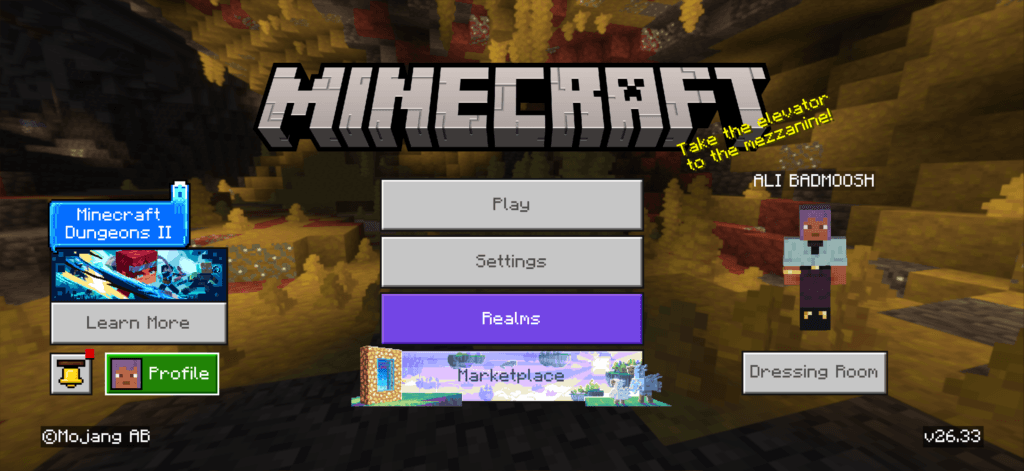
Who Created Minecraft?
Markus “Notch” Persson developed the original version and released it publicly in May 2009. Mojang Studios took over full development shortly after, refining the game through years of updates. Microsoft acquired Mojang in 2014 for 2.5 billion dollars, folding Minecraft into a broader ecosystem that now includes Minecraft Dungeons, Minecraft Legends, and Minecraft Education.
What Makes Minecraft a Sandbox Game?
A sandbox game gives you tools rather than a fixed story. Minecraft hands you a pickaxe, an axe, and an open world, then steps back. You decide whether to farm, fight, build, or explore. This is different from linear games where objectives are set for you from the start.
Which Platforms Support Minecraft?
Minecraft runs on Windows, macOS, Linux, Xbox, PlayStation, Nintendo Switch, iOS, and Android. Bedrock Edition connects all of these platforms into shared multiplayer worlds. Java Edition remains PC-exclusive and supports deeper modding through community-built tools.
How To Play Minecraft: Getting Started
Your first ten minutes in Minecraft set the tone for everything after. Once you’ve downloaded the game from the official launcher, Microsoft Store, or your console’s app store, you’ll choose a game mode before your world loads.
Survival Mode starts you with nothing. You gather wood, craft tools, build shelter, and manage hunger and health while fending off monsters at night. From experience, the first day is always the most exciting because every decision matters, from gathering wood to finding shelter before sunset.
Creative Mode removes those limits entirely. You get unlimited blocks, flight, and no threat from mobs, making it ideal for pure building projects.
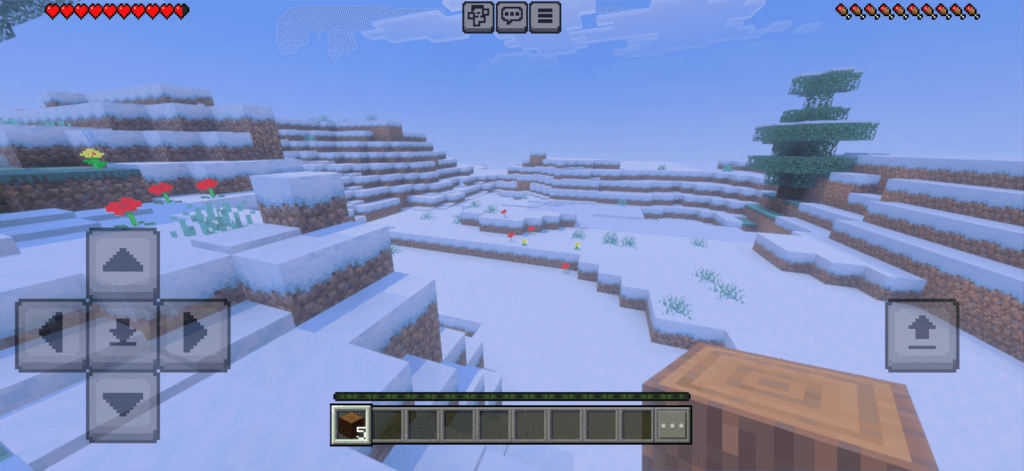
Basic Controls (PC / Console)
| Action | Control |
|---|---|
| Movement | WASD keys (Left Stick on console) |
| Jump | Spacebar (A / Cross) |
| Mine or Attack | Left Mouse Button (RT / R2) |
| Place Block or Interact | Right Mouse Button (LT / L2) |
| Inventory | E key (Y / Triangle) |
| Sprint | Double-tap W (Click Left Stick) |
| Crouch | Left Shift (B / Circle) |
System Requirements (PC)
| Component | Minimum Spec |
|---|---|
| OS | Windows 10/11 (64-bit) |
| Processor | Intel Core i3-3210 or AMD A8-7600 |
| Memory | 4 GB RAM |
| Graphics | Intel HD Graphics 4000 or AMD Radeon R5 series |
| Storage | 4 GB available space |
For a no-install option, Minecraft Classic runs directly in your browser, though it lacks survival mechanics and modern features.
Your First Night Survival Checklist
Surviving night one comes down to four priorities: wood, tools, shelter, and light. Miss any of these and you’re an easy target once the sun goes down.
- Chop at least one tree for wood logs, then craft a crafting table.
- Build a wooden pickaxe and axe as your first tools.
- Dig into a hillside or stack blocks into a simple 3×3 shelter.
- Place torches inside to prevent monsters from spawning near you.
Popular Minecraft Beginner Guides
Learning the most common Minecraft crafting recipes, resources, and commands will make surviving and exploring much easier. These beginner guides cover everything from building your first furnace to finding diamonds and using teleport commands.
Essential Minecraft Crafting Recipes
Crafting is one of the first mechanics every Minecraft player learns. These recipes will help you create the essential tools and items needed to survive and progress.
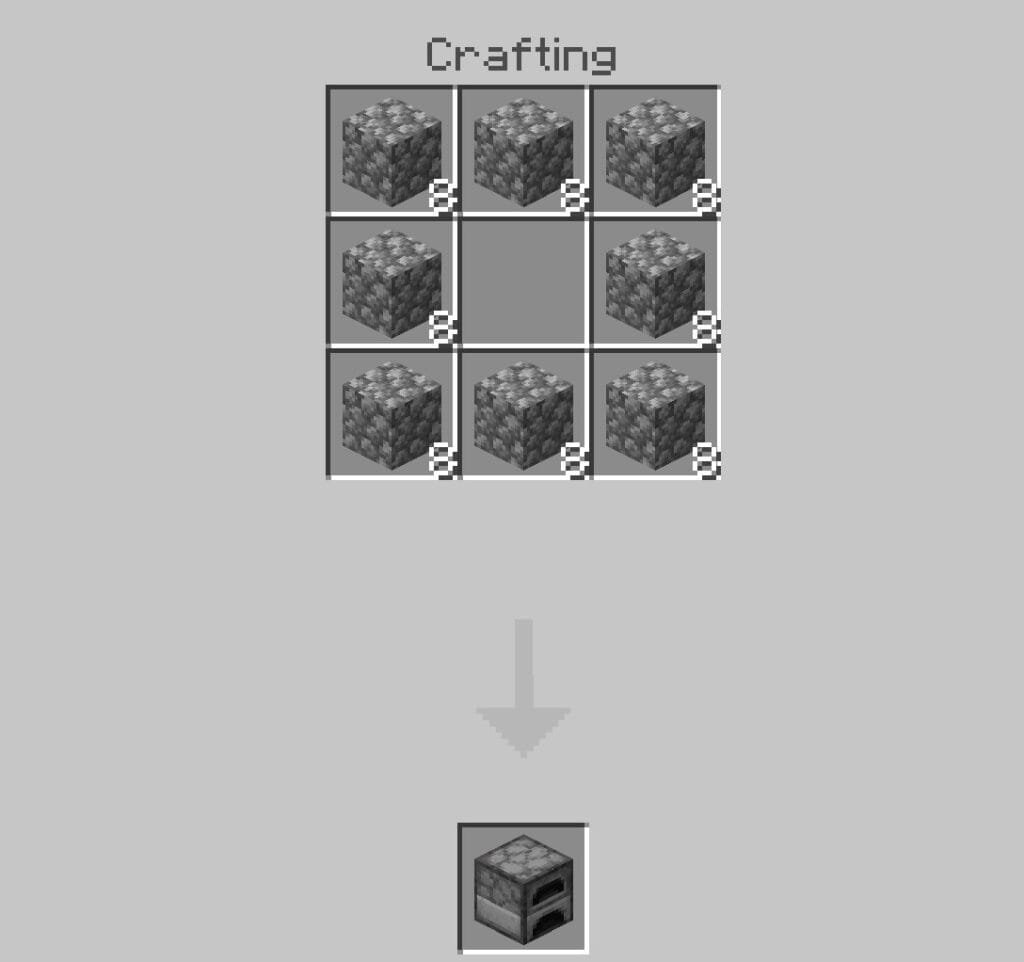
1. How to Make a Furnace in Minecraft?
- Arrange 8 cobblestone blocks in a ring around the crafting grid.
- Leave the center slot empty.
- This produces one furnace for smelting ores, food, and other materials.
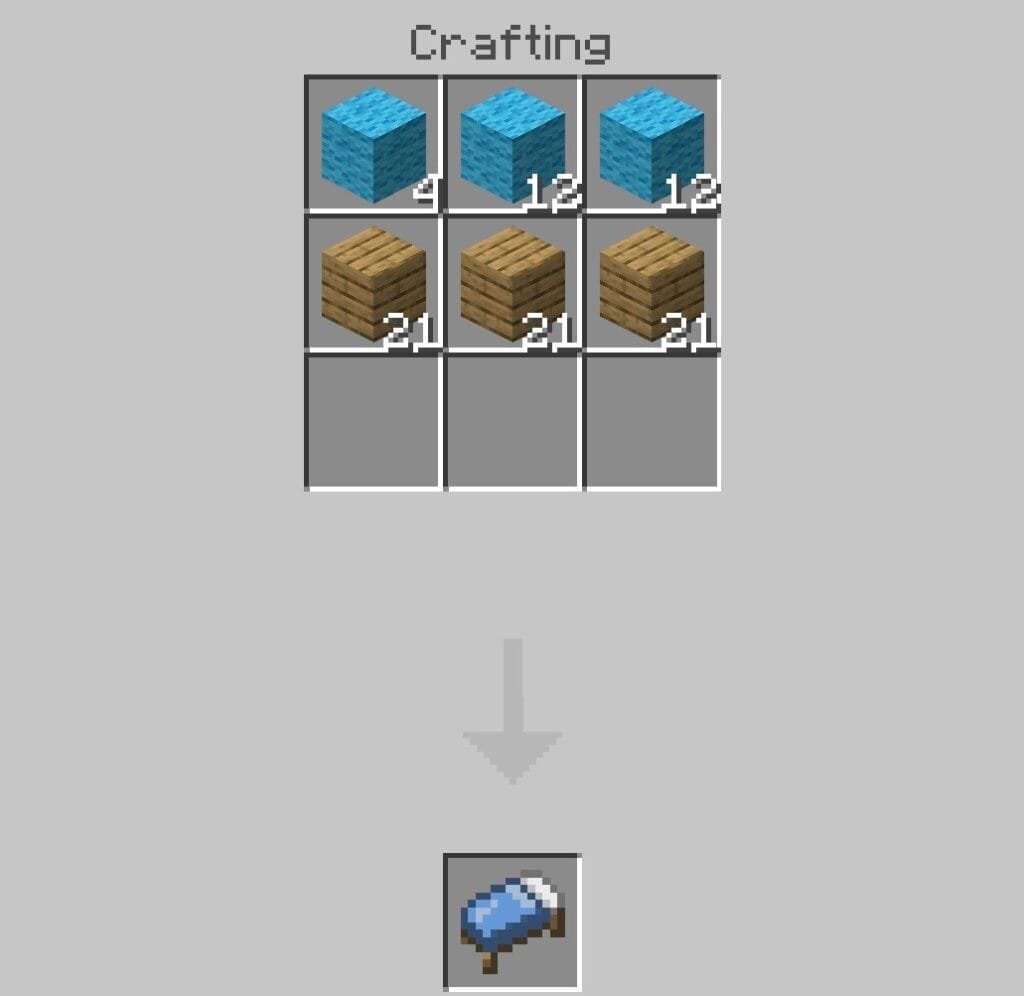
2. How to Make a Bed in Minecraft?
- Open your 3×3 crafting grid.
- Place 3 matching wool blocks in the middle row.
- Place 3 wooden planks in the bottom row, directly under the wool.
- Beds let you skip the night and set your spawn point.
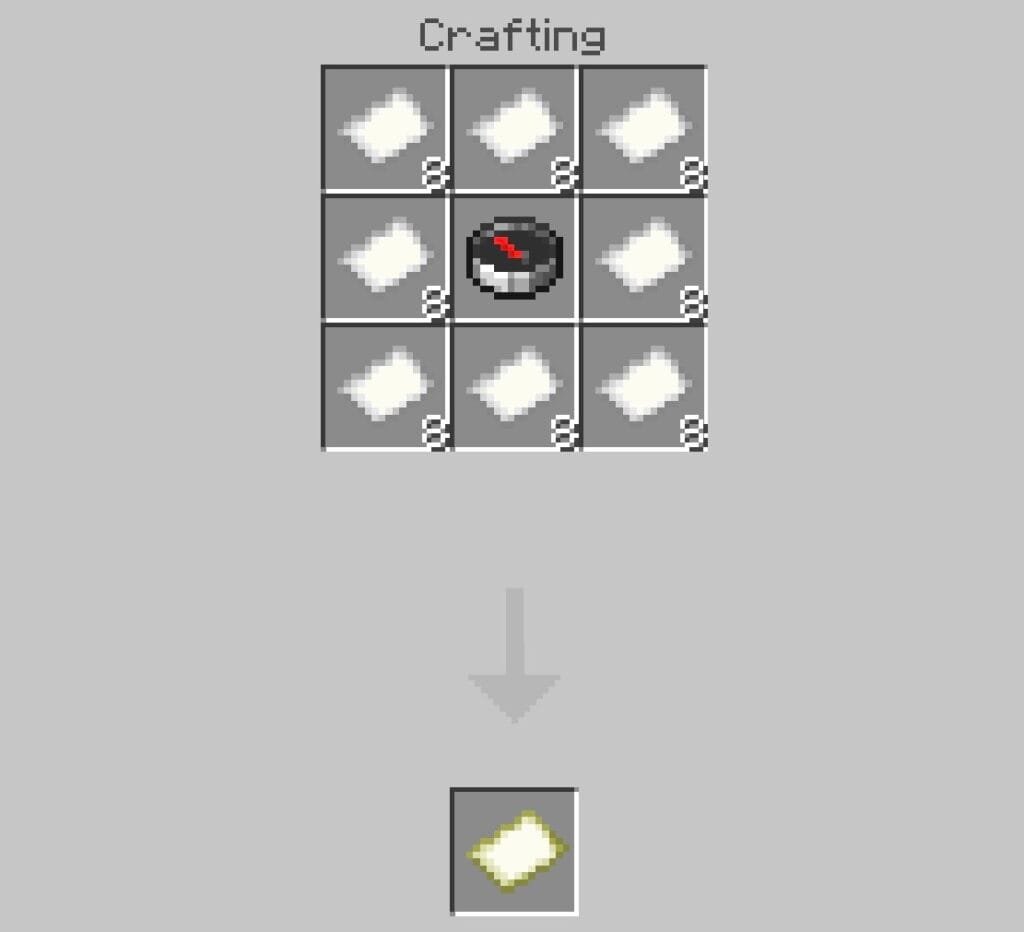
3. How to Make a Map in Minecraft?
- Place a compass in the center slot of a crafting table.
- Surround it with 8 sheets of paper.
- This crafts an empty locator map.
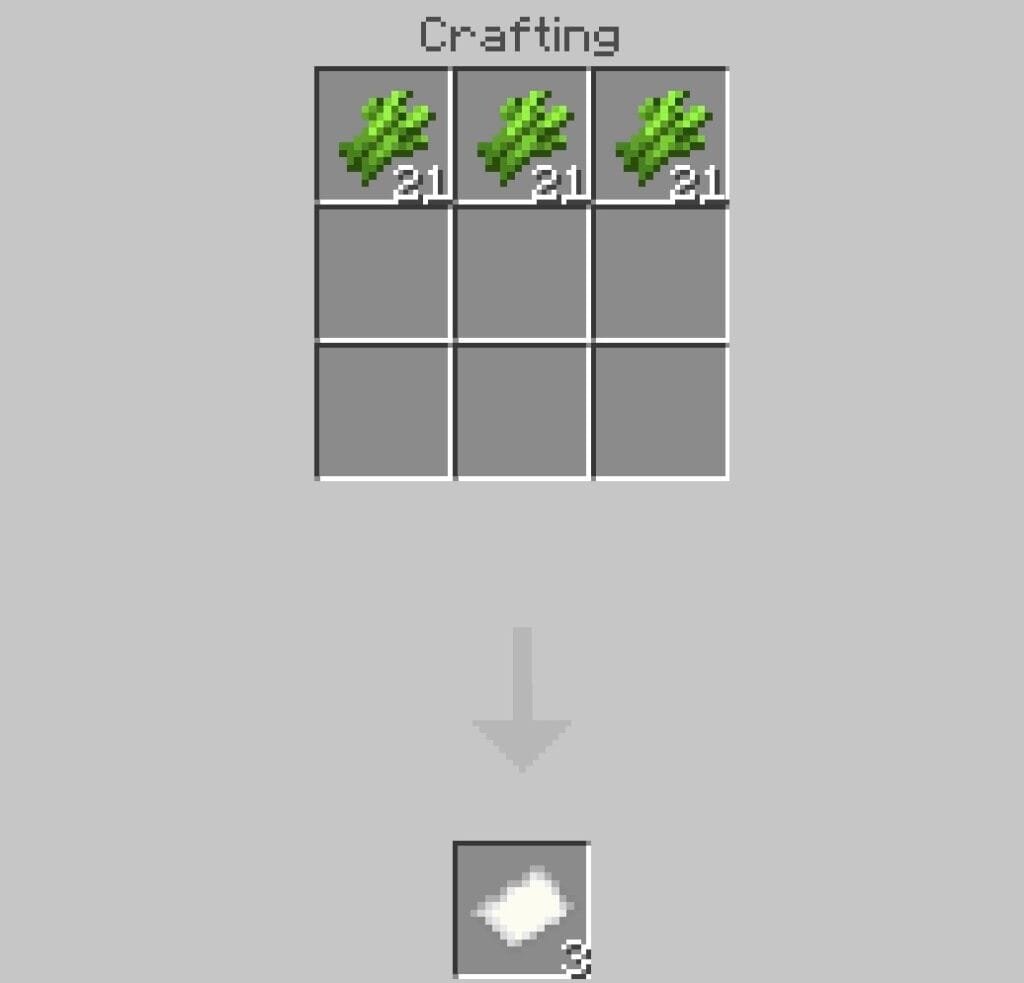
4. How to Make Paper in Minecraft?
- Place 3 sugar canes horizontally in a single row on the crafting grid.
- This yields 3 sheets of paper.
- Paper is used for maps and books.
Building Blocks & Decoration
Decorative blocks let you personalize your builds and create unique structures. These recipes cover some of the most commonly used building materials in Minecraft.
1. How to Make Smooth Stone in Minecraft?
- Smelt regular cobblestone in a furnace to get stone.
- Smelt that stone a second time to produce smooth stone.
- Use it for slab crafting and armor stands.
2. How to Make Concrete in Minecraft?
- Combine 4 sand, 4 gravel, and 1 dye of your choice in a crafting grid.
- This makes concrete powder.
- Place the powder down and touch it with a water block to harden it into concrete.
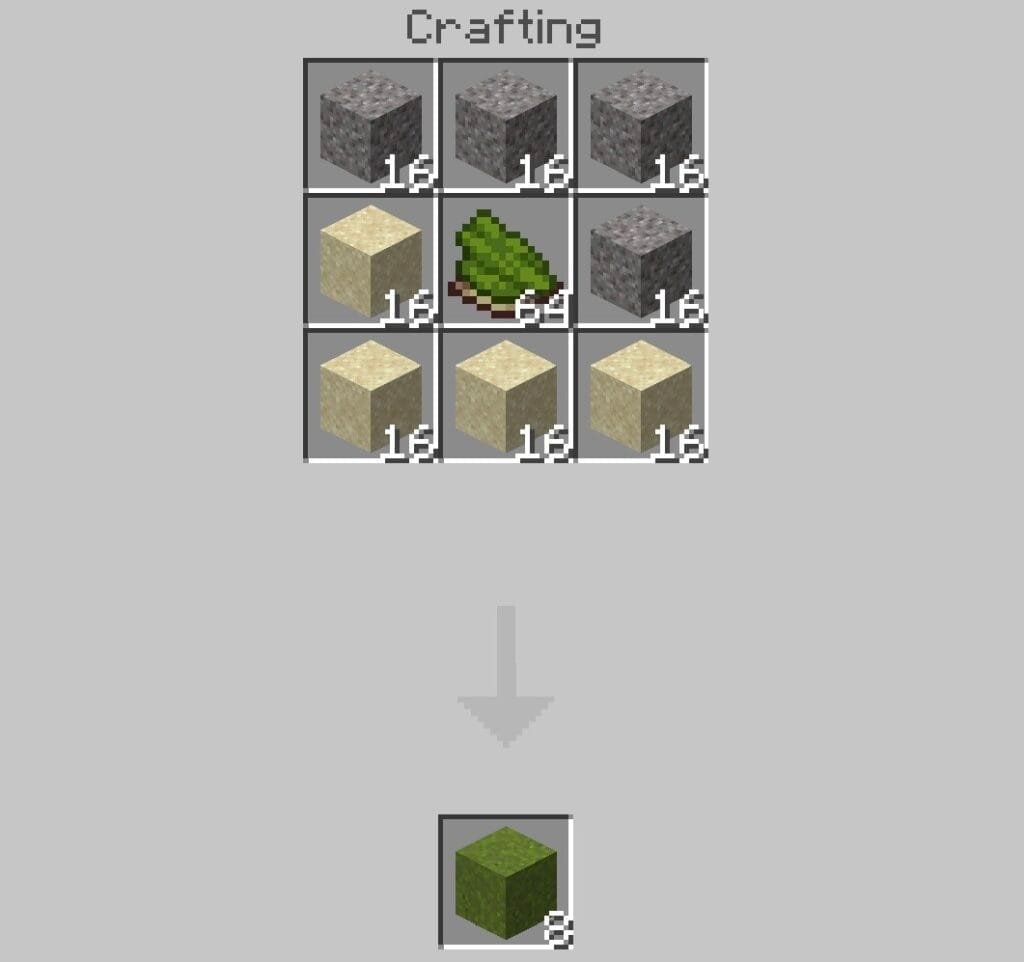
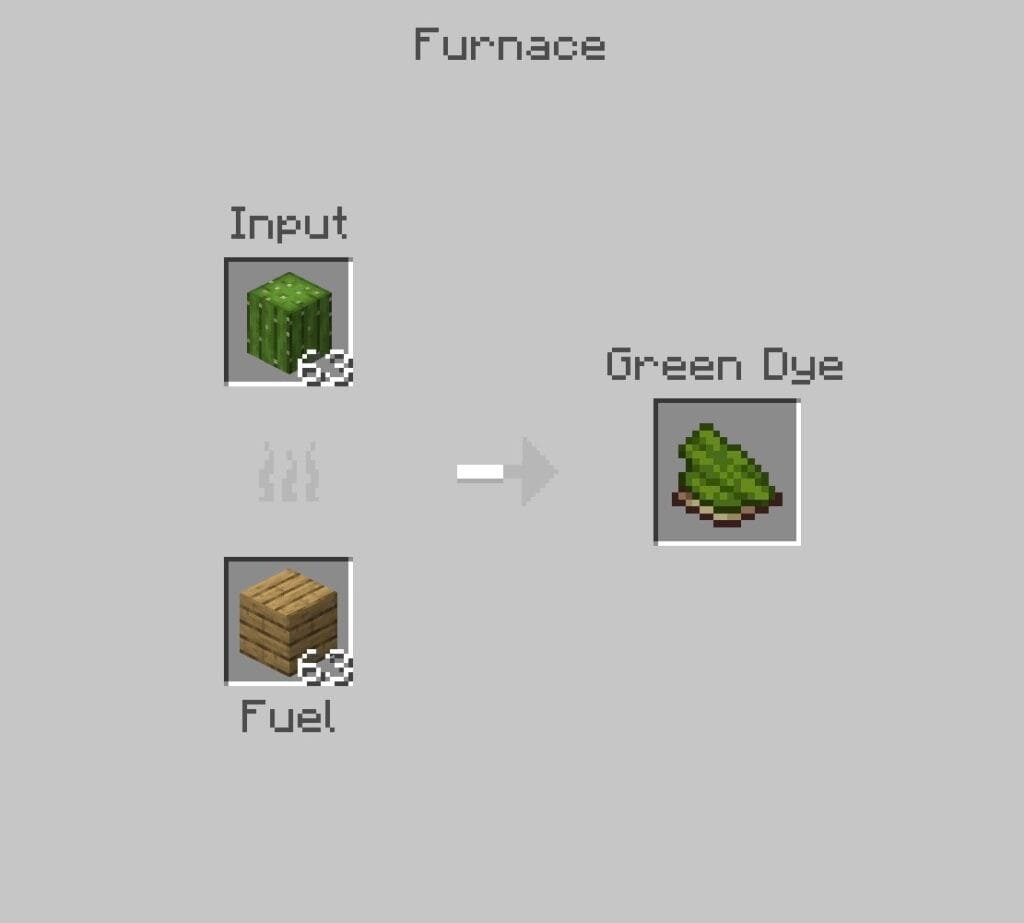
3. How to Make Green Dye in Minecraft?
- Place a cactus block in a furnace.
- Smelt it using any fuel source.
- This produces green dye.
Mining, Ores & Valuable Resources
Mining is the fastest way to gather rare materials and upgrade your equipment. These guides explain how to find valuable resources and craft useful blocks.
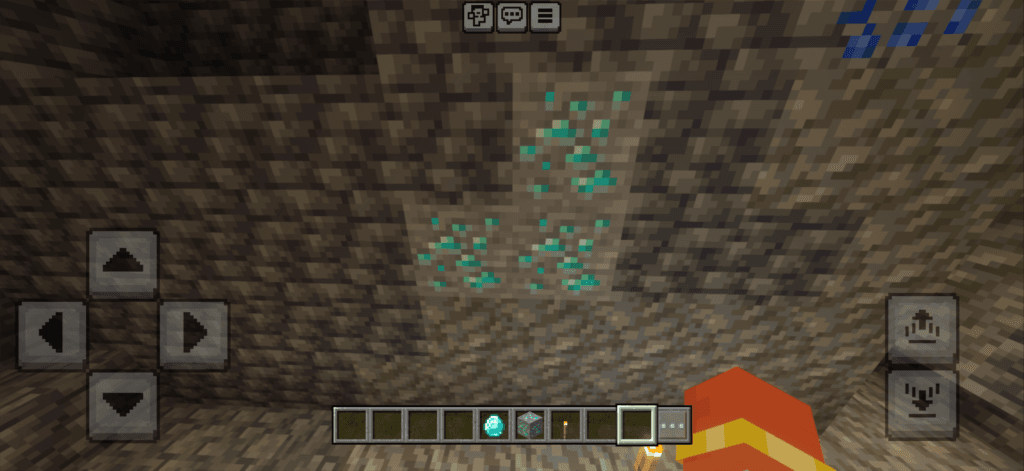
1. How to Find Diamonds in Minecraft?
- Diamonds generate most commonly between Y-levels -58 and -18 in newer versions.
- Bring an iron pickaxe or better.
- Diamonds cannot be mined with wooden or stone tools.
2. How to Make Obsidian in Minecraft?
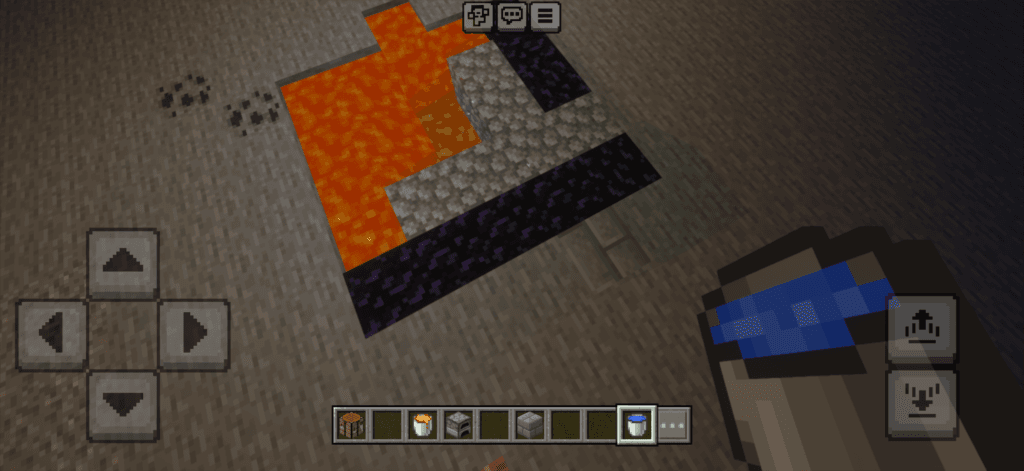
- Find a block of stationary lava source.
- Pour a water bucket directly over it.
- Mine the resulting obsidian with a diamond or netherite pickaxe.
3. How to Get Honeycomb in Minecraft?
- Find a full bee nest or beehive at honey level 5.
- Place a campfire underneath first so the bees stay calm.
- Use shears on the nest or hive to collect the honeycomb.
Animals, Mobs & Useful Companions
Friendly mobs can help with transportation, combat, and resource gathering. Learn how to tame, breed, and use them effectively.
1. How to Breed Horses in Minecraft?
- Tame two horses by riding them until hearts appear.
- Feed both horses Golden Apples or Golden Carrots.
- This triggers love mode and spawns a foal.
2. How to Tame a Wolf in Minecraft?
- Find a wild wolf.
- Feed it bones repeatedly until a collar appears around its neck.
- Tamed wolves fight alongside you.
- Right-click a tamed wolf to tell it to sit.
3. How to Make a Saddle in Minecraft?
- Saddles cannot be crafted at a crafting table.
- Find them in dungeon chests or nether fortresses.
- You can also get one by fishing.
- Or trade for one with a villager leatherworker.
4. How to Make a Copper Golem in Minecraft?
- Copper Golems were only a 2021 Mob Vote option, not part of the vanilla base game.
- Getting one requires installing Minecraft mods.
- For a similar automated helper in vanilla, build an Iron Golem instead.
- Stack 4 iron blocks in a “T” shape and top it with a carved pumpkin.
Minecraft Commands & Gameplay Tips
Commands make it easier to navigate worlds and manage gameplay. These beginner-friendly tips explain one of the most useful Minecraft commands.
1. How to Teleport in Minecraft?
- Enable cheats in your world settings.
- Open the chat window.
- Type
/tp [Player] [X] [Y] [Z]. - Replace the brackets with your desired coordinates or player name.
Minecraft Questions Most Beginner Asks
Minecraft was first publicly released in alpha form in May 2009, followed by its full official v1.0 release in November 2011.
Density is an enchantment exclusive to the Mace weapon. It increases the damage dealt per block fallen when performing a drop attack on an enemy.
In the Minecraft Launcher, go to Installations, select your version, click the three dots, then Edit and More Options. Change the -Xmx2G text in the JVM arguments to -Xmx4G or higher depending on your PC’s available memory.
Smite is a weapon enchantment for swords and axes that significantly increases extra damage dealt specifically to undead mobs like zombies, skeletons, and phantoms.
Horses eat sugar, wheat, apples, golden apples, golden carrots, and hay bales to heal health, speed up growth, or enable breeding.
No, Minecraft requires a one-time purchase on most platforms, though free trial versions and Minecraft Classic are available to test the game first.
A wooden or stone sword crafted early on provides basic defense until you can upgrade to iron, which offers significantly better damage and durability.
Final Thoughts on Minecraft
Every Minecraft world starts the same way: one block, one choice, one direction to explore. Mastering the basics of crafting, survival, and platform choice gives you the foundation to branch into anything the game offers, from redstone contraptions to sprawling multiplayer servers. Even after years of playing, I still start new worlds because every seed creates different adventures and challenges.
That’s a big part of why Minecraft has remained one of my favorite games. Grab your pickaxe, load up your first world, and start building the legacy only you can create.
