

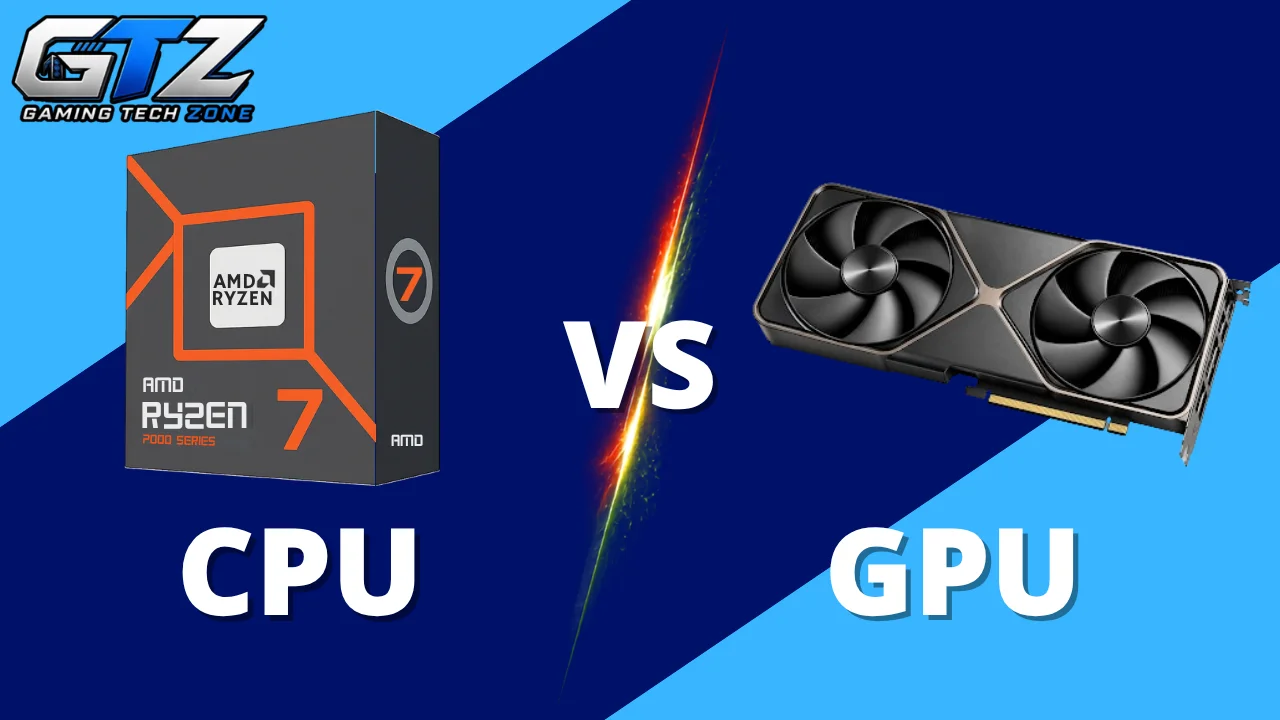
CPU and GPU are two PC components that confuse most gamers. I had to spend a lot of time figuring out which one mattered more for the games I wanted to play when I started working on my own gaming PC. Many gamers have the same question when deciding whether the CPU or GPU is more important.
The quick answer is that both are important, but the GPU usually has a bigger impact on gaming performance. It’s because the GPU handles most of the graphics work, while the CPU handles game logic, AI, physics, and other calculations.
In this guide, I am going to explain what each component does, when one matters more than the other, and which one you should upgrade.
The Quick Answer
- CPU and GPU both play an important role in gaming performance.
- The GPU usually has a bigger impact on graphics quality and FPS.
- CPU performance matters more in CPU-heavy games and high-FPS gaming.
- Gaming at higher resolutions generally puts more pressure on the GPU.
- Checking your system for bottlenecks can help you choose the right upgrade.
What Does the CPU Do in Gaming?
The CPU, or central processing unit, handles the calculations that make a game work. It processes player inputs, game logic, AI, physics, NPC behavior, and other background tasks.
The CPU also prepares information for the GPU to render each frame. It becomes especially important in games with large maps, many NPCs, or complex simulations, as well as when you want very high FPS.
What Does the GPU Do in Gaming?
The GPU, or graphics processing unit, renders game visuals such as textures, lighting, shadows, effects, and 3D objects.
It has a bigger impact at higher resolutions and settings. For example, 4K gaming and ray tracing put more load on the GPU than 1080p gaming.
AMD Radeon and NVIDIA GeForce are two popular GPU options for gaming PCs. They offer graphics cards across different performance levels, so gamers can choose a model based on their gaming needs and budget.
CPU Vs GPU Quick Comparison
| Feature | CPU | GPU |
|---|---|---|
| Main role | Handles game logic and calculations | Renders game graphics |
| Game AI and NPCs | Very important | Less important |
| Physics and simulations | Very important | Can assist in some games |
| Graphics and visual effects | Supports the process | Handles most of the work |
| High FPS gaming | Very important | Very important |
| 1080p gaming | Can be more important at high FPS | Important for demanding games |
| 1440p gaming | Important | Usually more important |
| 4K gaming | Important | Usually the main performance factor |
| Ray tracing | Limited role | Major role |
| Best upgrade when… | The CPU is limiting FPS | The GPU is limiting graphics performance |
Which is More Important for Gaming? CPU or GPU?
For most gaming PCs, the GPU is generally more important because it handles most of the work involved in rendering the game.
However, this does not mean you can ignore the CPU.
Your CPU and GPU work together to produce each frame. If one component is significantly slower than the other, it can limit the performance of the entire system.
For example, a high-end GPU like RTX 5070 paired with an old or weak CPU like Ryzen 7 3700X or 2700X may not reach its full potential. The CPU may struggle to prepare frames quickly enough, especially in CPU-heavy games or when targeting high FPS.
On the other hand, a powerful CPU like Ryzen 7 9800X3D with a weak GPU like RTX 3060 may handle game logic easily but struggle to render the game at high settings or resolutions and reduce performance.
The more useful question is not simply “CPU or GPU?” It is which component is limiting your particular gaming setup.
When is the CPU More Important?
The CPU becomes more important when a game requires a lot of processing outside the graphics workload.
This can happen in several situations.
Playing at High FPS
If you are trying to reach 120 FPS, 144 FPS, 240 FPS, or higher, the CPU can become a bigger factor.
At very high frame rates, the CPU has to prepare frames quickly enough for the GPU to render them. A weak CPU can therefore limit your FPS even when you have a powerful graphics card.
This is especially noticeable at lower resolutions such as 1080p.
Playing CPU-Heavy Games
Some games rely heavily on the CPU for things such as AI, physics, simulations, and large numbers of NPCs.
Strategy games, simulation games, and some open-world titles can place a lot of work on the processor.
In these games, upgrading the GPU may not solve a CPU-related performance problem.
Playing at 1080p
CPU performance becomes more important when you want to play at very high frame rates, especially at 1080p. The CPU has to prepare and process game data quickly enough to keep up with the higher number of frames.
This is why CPUs for gaming PCs should be chosen based on the type of games and frame rates you want to target. A powerful CPU can help maintain high FPS in competitive games, but you still need a capable GPU to render the game’s graphics.
When is the GPU More Important?
The GPU becomes more important when the game puts a heavy workload on the graphics card.
This is common when you increase the resolution, graphics settings, or visual effects.
Playing at 1440p or 4K
Higher resolutions require the GPU to render more pixels for every frame. Moving from 1080p to 1440p or 4K can therefore put significantly more work on the graphics card.
If you want smooth 1440p or 4K gaming, you will generally need to prioritize a capable GPU.
Using High Graphics Settings
Settings such as textures, shadows, lighting, ambient occlusion, and visual effects can increase the GPU workload.
If you lower these settings and your FPS increases significantly, your GPU may have been the main limitation.
Using Ray Tracing
Ray tracing can be particularly demanding because it adds extra calculations for realistic lighting, reflections, and shadows.
A strong GPU is important if you want to play games with ray tracing enabled while maintaining a high frame rate.
Playing Graphically Demanding Games
Some games put much more pressure on the GPU than others. Modern open-world games and visually detailed AAA titles can require a powerful graphics card to run smoothly at high settings.
In these situations, upgrading the GPU can have a much bigger effect than upgrading the CPU.
CPU vs GPU for Different Gaming Resolutions
The importance of the CPU and GPU can change depending on the resolution you play at.
| Gaming Resolution | CPU Importance | GPU Importance |
|---|---|---|
| 1080p | High, especially at high FPS | High |
| 1440p | Important | Very high |
| 4K | Important | Very high |
At 1080p, the CPU becomes especially important for very high FPS, while the GPU still matters for demanding games. At 1440p and 4K, the GPU generally becomes more important because it has to render more pixels.
These are general patterns, not fixed rules. A CPU-heavy game can still be CPU-limited at 1440p or 4K, while a demanding game can be GPU-limited at 1080p.
What is a CPU and GPU Bottleneck?
A bottleneck happens when one component limits the performance of another component.
In gaming, you will usually hear about CPU bottlenecks and GPU bottlenecks.
CPU Bottleneck
A CPU bottleneck happens when the processor cannot keep up with the game’s workload. This can limit your FPS even when your GPU still has unused capacity.
Before replacing the CPU, it is worth checking if other programs are using processing power in the background.
Closing unnecessary programs and lowering CPU usage can free up some processing resources. However, this will not fix a CPU bottleneck caused by the processor being too weak for the game.
You may notice that lowering graphics settings does little to improve FPS. This is common in CPU-heavy games or when you are trying to reach very high frame rates.
GPU Bottleneck
A GPU bottleneck happens when the graphics card is working near its limit. This is common when playing at high resolutions or using demanding graphics settings.
Lowering settings such as shadows, effects, or resolution can increase FPS when the GPU is the limiting component. High GPU usage itself is not a problem, as it is normal for the GPU to work hard while gaming.
Can a Game Switch Between CPU and GPU Bottlenecks?
Yes. A game does not have to be permanently CPU-bound or GPU-bound.
The same game can use the GPU more heavily in one scene and the CPU more heavily in another.
For example, a crowded area with many NPCs could put more pressure on the CPU, while a detailed outdoor scene with demanding lighting could put more pressure on the GPU.
Changing your resolution and graphics settings can also change which component becomes the bottleneck.
Which Should You Upgrade for Gaming?
The right upgrade depends on which component is limiting your current system.
Upgrade the GPU If…
A GPU upgrade may make sense if:
- Gaming pushes your GPU to very high usage.
- Moving to 1440p or 4K is one of your goals.
- Higher graphics settings are important to you.
- Ray tracing performance is holding you back.
- Lowering graphics settings noticeably increases your FPS.
- Your CPU can already handle your target frame rate.
A stronger GPU can provide a noticeable improvement when graphics performance is the main limitation. Before replacing your graphics card, it can also be useful to check your GPU health. Checking its temperature, performance, stability, and other signs can help you determine if the GPU is working properly or not.
Upgrade the CPU If…
A CPU upgrade may be worth considering if:
- Your GPU is often sitting below full utilization.
- Lowering graphics settings barely improves your FPS.
- You want to reach very high FPS at 1080p.
- CPU-heavy games make up a large part of your gaming.
- Games with many NPCs or complex simulations run poorly.
- Your processor is significantly older than the rest of your system.
A newer CPU can also help a high-end GPU reach its full potential when the processor is holding it back. If you are considering of upgrading, you can read my guide on how to pick a CPU for gaming for a more detailed look at what to consider before buying one.
CPU vs GPU: Which One Should You Prioritize?
The right choice depends on how you play games. If you mainly play AAA games at 1440p or 4K with high graphics settings, the GPU usually deserves more attention.
For competitive games at 1080p and very high FPS, the CPU can become more important. Your target frame rate also matters, since 60 FPS does not place the same demands on your CPU as 240 FPS.
Still, avoid pairing a high-end GPU with a weak CPU. A balanced combination helps both components perform well without one unnecessarily holding back the other.
Final Words
Both the CPU and GPU are important for gaming, but they handle different parts of the workload. The GPU usually has a bigger impact on graphics quality and performance, while the CPU becomes especially important for high FPS and CPU-heavy games.
Your resolution, graphics settings, games, and target frame rate all affect which component matters more. Instead of automatically spending more on one component, look at your current system and identify what is limiting your gaming performance.
People Also Ask
Yes, you need a CPU for general game processing and a GPU for rendering graphics. The exact balance depends on the games you play and the performance you want.
Most modern games rely heavily on the GPU for rendering graphics and visual effects. CPU usage can become more important in games with complex AI, physics, simulations, or when targeting very high FPS.
A better GPU can significantly increase FPS when the graphics card is limiting performance. The improvement depends on the game, resolution, graphics settings, and CPU.
Both can be important at 1080p. The CPU can become especially important when targeting high FPS, while the GPU still matters for demanding games and high graphics settings.
The GPU generally becomes more important at 4K because it has to render many more pixels. A capable CPU is still necessary, especially for CPU-heavy games and high frame rates.
