

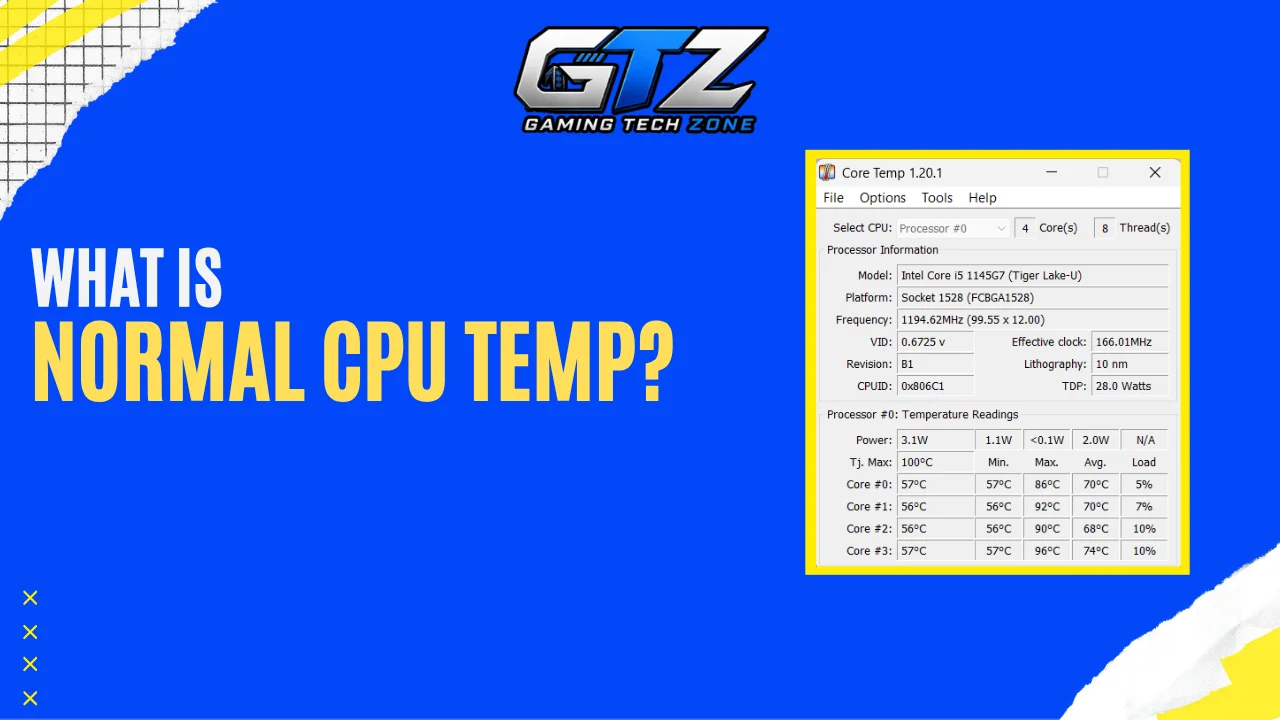
When I first started gaming on PC, one thing that I was always worried about was my CPU temperature. I would often check the temperature while playing and wonder if the numbers were too high. It is easy to get concerned when you see your CPU reaching 70°C, 80°C, or even 90°C during a demanding game.
But high temperatures do not always mean something is wrong. The normal CPU temperature for gaming can vary depending on your processor, cooler, airflow, and room temperature.
In this guide, I’ll explain what temperatures are normal, when you should be concerned, and what you can do if your CPU runs too hot.
My Quick Takeaways
- 60°C to 80°C is generally a normal CPU temperature range for gaming.
- CPU temperature limits vary between AMD and Intel processors.
- Temperatures near the CPU’s Tjmax can cause thermal throttling and lower performance.
- Game workload, cooling, airflow, dust, and room temperature can affect CPU temperature.
- Cleaning dust, improving airflow, and checking your cooler can help lower CPU temperatures.
What Is a Normal CPU Temperature While Gaming?
There is no single temperature that is considered normal for every gaming CPU. Modern processors can run at different temperatures depending on their design, power consumption, cooling system, and workload.
Your room temperature and PC case airflow can also make a noticeable difference.
As a general reference, these temperatures are reasonable for many desktop gaming PCs:
| CPU Temperature | What It Means |
|---|---|
| Below 60°C | Very cool for gaming |
| 60°C to 70°C | Cool and comfortable |
| 70°C to 80°C | Normal for many gaming PCs |
| 80°C to 85°C | Warm, but usually not a concern |
| 85°C to 90°C | High and worth checking |
| 90°C to 95°C | Very hot and may be close to the CPU’s limit |
| 95°C and above | Check your CPU’s maximum temperature and cooling |
These ranges are only general guidelines. Your CPU may be designed to operate safely at a higher temperature.
For example, some AMD Ryzen processors have a maximum temperature of 95°C, while some other models have lower limits. Intel processors also have different maximum temperatures depending on the model.
Normal CPU Temperature for AMD and Intel
CPU temperatures can vary between AMD and Intel processors, so there is no single normal temperature for either company. The exact limit still depends on the specific CPU model.
- AMD: Many modern Ryzen processors can have maximum temperatures around 89°C to 95°C, depending on the model.
- Intel: Many recent Intel processors have maximum temperatures around 100°C, although the limit varies by model.
This is why it’s important to know how to pick a CPU for gaming because different processors have different temperature limits, power requirements, and cooling needs.
60°C to 80°C Is a Good Target for Many Gaming PCs
If your CPU stays between 60°C and 80°C while gaming, there is usually little reason to worry. Many gaming PCs will fall somewhere within this range during normal gameplay.
You may see lower temperatures in less demanding games or when your CPU has a good cooler and plenty of airflow. More demanding games can push the CPU harder and cause the temperature to rise.
What If Your CPU Reaches 80°C or Higher?
When I see my CPU reach 80°C while gaming, I don’t automatically assume it is overheating. Modern processors can run at this temperature without problems, especially during demanding games.
Temperatures around 85°C or 90°C deserve more attention, especially if they stay there for long periods. At this point, check your CPU’s maximum temperature and look for signs like reduced clock speeds, stuttering, or thermal throttling.
The most important thing is to compare the temperature with the limit of your specific CPU model. Different processors have different temperature limits.
What Is the Maximum Safe CPU Temperature?
The maximum safe temperature depends on the CPU model. Instead of using one number for every processor, check the Tjmax, or maximum junction temperature, listed by the manufacturer.
Tjmax is the temperature limit at which the CPU’s built-in thermal controls begin working to keep the processor from overheating. Intel says this limit varies by processor and is usually between 100°C and 110°C for its processors.
AMD also sets a specific maximum operating temperature for each processor. For example, the Ryzen 7 8700G has a Tjmax of 95°C, while the Ryzen 7 2700X has a Tjmax of 85°C.
What Happens When a CPU Gets Too Hot?
When a CPU gets close to its thermal limit, it can lower its power and clock speed to reduce heat. This is called thermal throttling and can cause lower performance, FPS drops, or stuttering.
A brief temperature spike is usually different from constantly running near the limit. If your CPU repeatedly stays close to its Tjmax while gaming, check the cooler, airflow, and other cooling factors.
What Factors Affect CPU Temperature While Gaming?
Your CPU temperature can change significantly depending on your hardware and gaming conditions. Two PCs with the same processor can have different temperatures because of their cooling systems and room temperatures.
Here are some of the main factors that affect gaming temperatures:
- CPU model and workload: Different processors produce different amounts of heat, and games can put different levels of load on the CPU.
- CPU cooler: The quality and condition of your CPU cooler affect how effectively heat is removed.
- Case airflow: Good airflow helps bring in cool air and remove hot air from the case.
- Ambient temperature: A hotter room can increase your CPU temperature because the cooler has warmer air to work with.
- Dust buildup: Dust on fans, filters, and heatsinks can restrict airflow and reduce cooling performance.
- Overclocking and undervolting: Changes to CPU voltage and clock speeds can affect power consumption and temperature.
In most cases, the main reason is just high CPU usage. It increases the processor’s workload and causes temperatures to rise. So, if you are facing this issue, you should follow my 5 practical tips to lower your CPU usage. This will help you with reducing unnecessary CPU load and keep temperatures under control.
How to Check Your CPU Temperature While Gaming?
You can use several hardware monitoring programs to check CPU temperature. Tools such as HWiNFO, HWMonitor, and Core Temp can show temperature readings while Windows is running. AMD users can also use Ryzen Master to monitor supported Ryzen processors.
For a gaming PC, the most useful reading is the temperature while the game is actually running. Start your monitoring software, play a demanding game for at least 20 to 30 minutes, and then check the maximum temperature recorded during the session.
HWiNFO can show several CPU temperature readings because modern processors have multiple sensors. On supported systems, readings such as CPU Package, Core Max, or AMD’s Tctl/Tdie can provide useful information about CPU temperatures.
You can also check CPU temperature in your BIOS/UEFI, but this only shows the temperature while the system is sitting at a relatively light workload. It does not tell you how hot the CPU gets during gaming.
How to Lower CPU Temperature While Gaming?
If your CPU is running hotter than expected, start with these simple fixes before changing advanced settings.
1. Clean Dust and Check Airflow
Clean dust from the CPU cooler, fans, filters, and vents. Also make sure your case has a clear path for cool air to enter and hot air to leave.
2. Check the CPU Cooler and Thermal Paste
Make sure the CPU cooler is firmly installed and making proper contact with the processor. If the thermal paste is old or poorly applied, replacing it can improve heat transfer. If you are looking for a better cooling solution, you can read our review on a 360 mm AIO CPU Cooler to learn more about how it works and whether it’s worth it.
3. Check and Adjust Fan Settings
Make sure your CPU and case fans are working properly. You can also adjust the fan curve to make the fans spin faster as temperatures increase. If you are using a gaming laptop, check its built-in performance or cooling settings as well, as these can affect fan speed and CPU temperature.
4. Remove Unnecessary Overclocking
Overclocking can increase CPU power consumption and heat. Returning the processor to its standard settings can help if temperatures are too high.
5. Consider a Better Cooler
If your CPU still runs hot after checking airflow, fans, and thermal paste, your cooler may not be powerful enough. Upgrading to a better air or liquid cooler can improve temperatures.
Final Words
A CPU temperature between 60°C and 80°C is generally fine for gaming, but there is no single ideal temperature for every processor. Always compare your readings with your CPU’s Tjmax and watch for signs of thermal throttling.
If your CPU runs hotter than expected, simple steps like cleaning dust, improving airflow, checking the cooler, or adjusting fan settings can help keep temperatures under control.
People Also Ask
Yes, 90°C is considered a high temperature for a CPU while gaming. It may still be within the safe limit for some processors, but check your CPU’s maximum temperature if it stays this high.
No, 80°C is generally not too hot for a modern CPU while gaming. However, the safe range varies depending on the specific processor.
No, 72°C is generally a reasonable temperature for a CPU during gaming. It is well below the maximum temperature of most modern processors.
No, 70°C is generally a normal temperature for a CPU while gaming. It can vary depending on the processor, game, and cooling setup.
