

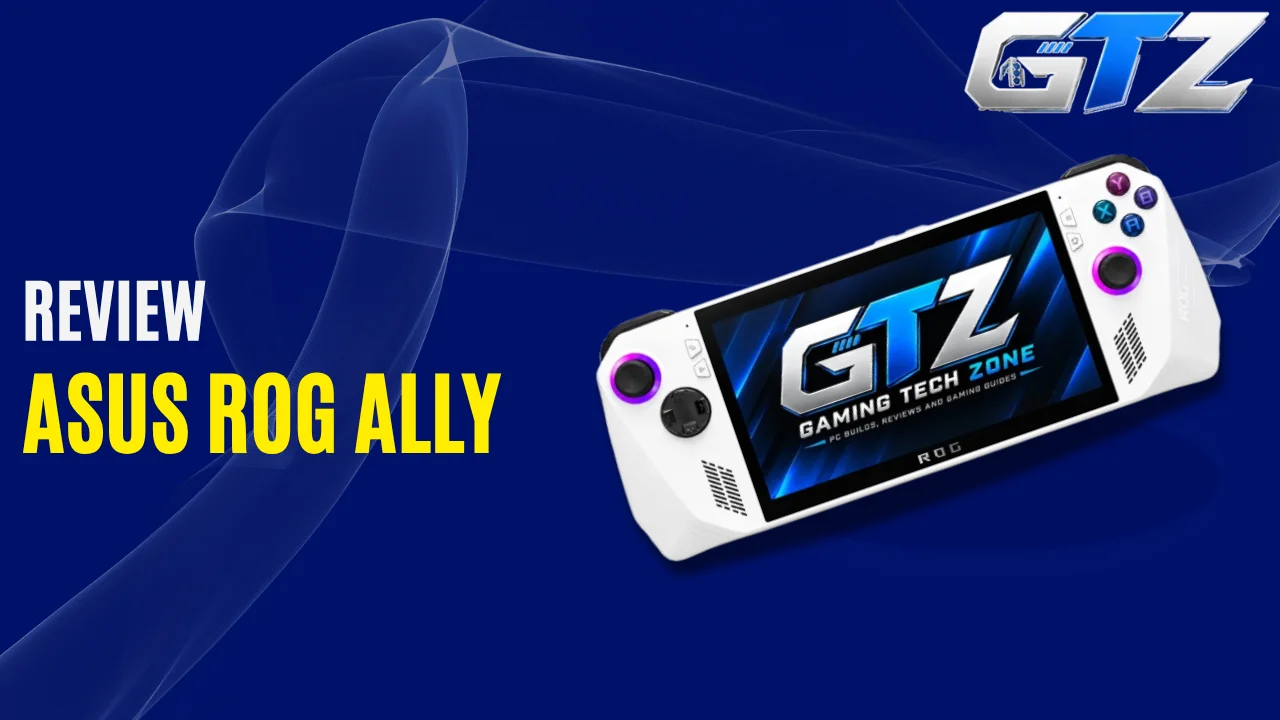
ASUS has built the ROG Ally as a handheld gaming PC for players who want the flexibility of Windows gaming in a portable form factor. But ASUS hasn’t stopped at one model.
The ROG Ally lineup includes three different variants. Each is designed with a slightly different type of gamer in mind.
I’ve broken down their specifications, features, gaming performance, battery life, pricing, and how they compare with the Steam Deck so you can see what separates these three handhelds and which one makes the most sense for you.
My Quick Overview
The ROG Ally is a good handheld gaming PC to buy, and each of its three variants targets a different resolution.
- Ally Z1 suits 720p.
- Z1 Extreme handles 900p well with FSR.
- Ally X surprised me most, with the best 1080p results of the three.
The Ally X costs more. However, if you find a second-hand unit at a fair price, I say go for it over a Steam Deck or an MSI Claw.
What Is the ROG Ally?
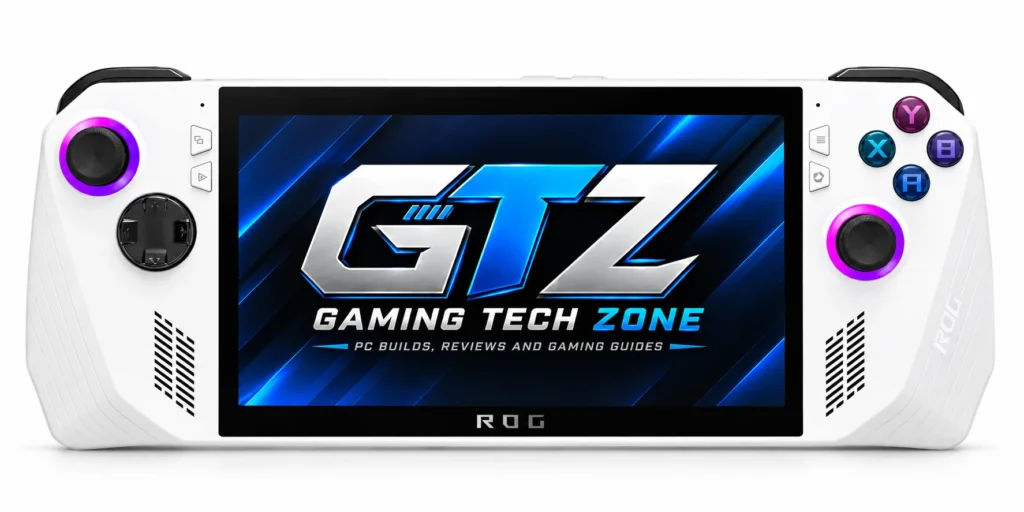
The ROG Ally is ASUS’s handheld gaming PC. It runs Windows 11 Home, so it opens Steam, Epic Games, and the Xbox PC app like any desktop. A 7-inch, 1080p, 120Hz touchscreen sits between the controls.
When Did the ROG Ally Launch?
The original ROG Ally launched on June 13, 2023, according to ASUS. Newer models followed over the next two years.
ROG Ally release timeline
- June 13, 2023: ROG Ally with Ryzen Z1 Extreme
- September 18, 2023: ROG Ally with Ryzen Z1
- July 22, 2024: ROG Ally X
- October 16, 2025: ROG Xbox Ally and ROG Xbox Ally X, built with Microsoft
How Many Variants Are There of the ROG Ally?
There are three: Ally Z1, Ally Z1 Extreme, and Ally X. The first two share the 2023 body. The Ally X is the 2024 refresh with the same chip as the Z1 Extreme, plus more memory, more storage, and double the battery.
My Recommendation: Which is Better?
The Ally X is the best of the three if you care about image quality. The Z1 or Z1 Extreme makes sense if you just want to play and do not mind a lower resolution. It comes down to how you play.
Real-world examples
- An hour on the couch after work: The Z1 Extreme is plenty.
- Travel days or long sessions: The Ally X’s 80Wh battery and 1080p results justify the extra money.
I play to see the best possible results, so the Ally X is the one I liked most.
What Are the Specs of the ROG Ally?
Here are the official ROG Ally specs for all three variants. The screen is the same on every model. The chip, memory, storage, and battery are where they split.
| Spec | Ally Z1 | Ally Z1 Extreme | Ally X |
|---|---|---|---|
| CPU | Ryzen Z1, 6 cores / 12 threads, up to 4.9GHz | Ryzen Z1 Extreme, 8 cores / 16 threads, up to 5.1GHz | Ryzen Z1 Extreme, 8 cores / 16 threads, up to 5.1GHz |
| GPU | RDNA 3, 4 CUs, up to 2.5GHz, 2.8 TFLOPs | RDNA 3, 12 CUs, up to 2.7GHz, 8.6 TFLOPs | RDNA 3, 12 CUs, up to 2.7GHz, 8.6 TFLOPs |
| RAM | 16GB LPDDR5-6400 | 16GB LPDDR5-6400 | 24GB LPDDR5X-7500 |
| Storage | 512GB PCIe 4.0 (M.2 2230) | 512GB PCIe 4.0 (M.2 2230) | 1TB PCIe 4.0 (M.2 2280) |
| Battery | 40Wh | 40Wh | 80Wh |
| Ports | USB-C 3.2 Gen 2 with XG Mobile, microSD, 3.5mm | Same as Z1 | USB-C 3.2 Gen 2, USB4 port, microSD, 3.5mm |
| Weight | 608g (1.34 lbs) | 608g (1.34 lbs) | 678g (1.49 lbs) |
All three share a 9–30W power range, a 7-inch 1080p IPS touchscreen, 120Hz refresh rate, 500 nits of brightness, FreeSync Premium, Wi-Fi 6E, Bluetooth 5.4, and Windows 11 Home.
Features of the ROG Ally
The ROG Ally specs only tell half the story. Comfort, size, game access, and battery decide how it feels after a week.
1. Comfortability & Experience
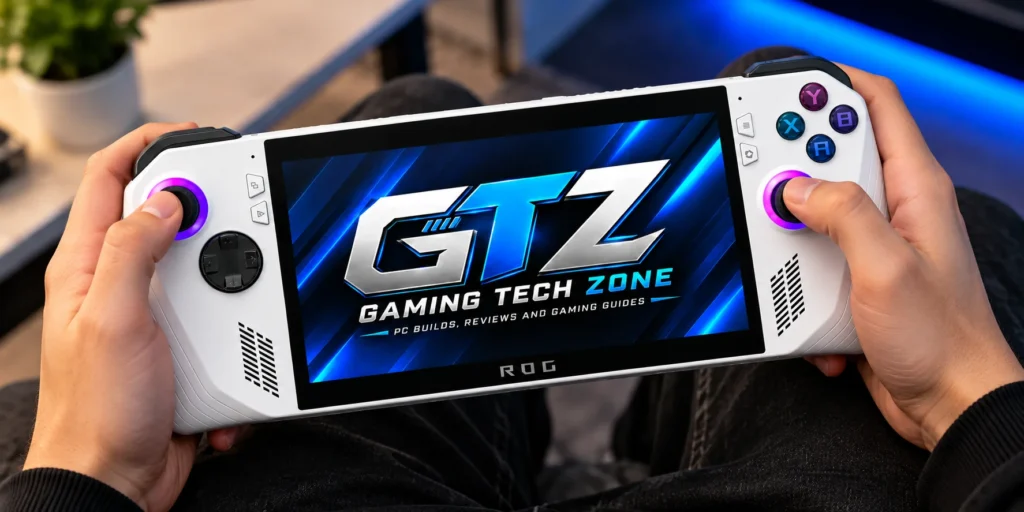
The Ally is comfortable for most sessions, but it is not perfect. The grips are shallow, so some hands tire sooner than on a Steam Deck. ASUS reworked the grips, sticks, and D-pad on the Ally X.
What it feels like in your hands
- The Xbox-style stick layout feels familiar, and the sticks are strong.
- Ultrabookreview’s long-term test found the 2023 D-pad feels cheap, and the shallow grips can strain the pinky fingers.
- ASUS lists stiffer-spring sticks and a more precise D-pad on the Ally X, per TechRadar.
Best for: Players who like Xbox-style controls.
2. Portability
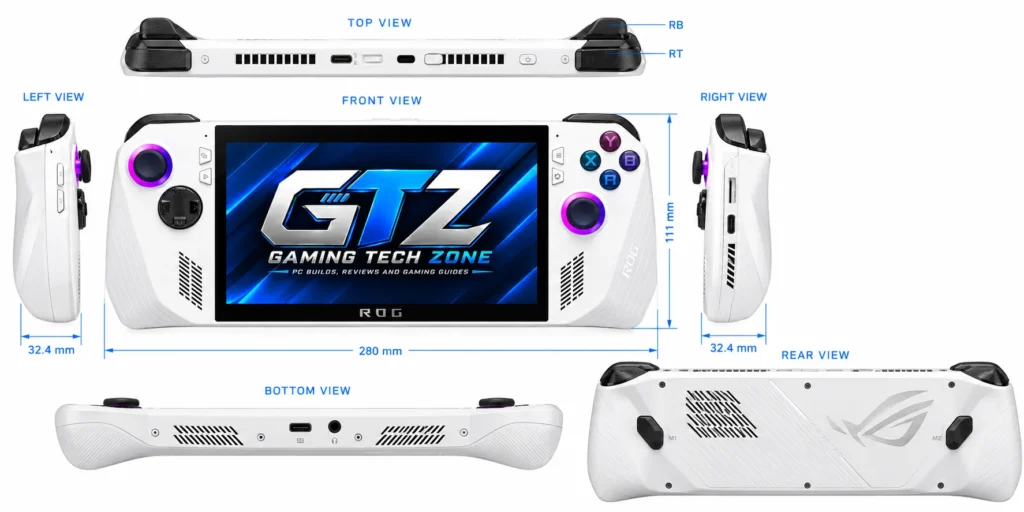
The Ally is portable, but it is not pocket-sized. The 2023 models weigh 608g (1.34 lbs), and the Ally X weighs 678g (1.49 lbs). Both fit a backpack easily.
Size and power at a glance
- Size: About 28cm (11 inches) wide, and up to 3.24cm thick (2023) or 3.69cm thick (Ally X).
- Charger: A 65W USB-C adapter, though ASUS says inclusion varies by region.
Best for: Travel and couch gaming.
Note: The Ally X is thicker and heavier than the 2023 models.
3. Gaming Library
Because it runs full Windows 11 Home, the Ally can use any PC launcher: Steam, Epic Games Store, GOG, and the Xbox PC app. That is a big edge over a Steam Deck for people who own games on several stores.
What you can play
- Armoury Crate SE gathers your installed games in one launcher.
- ASUS lists three months of Game Pass for PC with the Ally X.
Problem: Windows is busier than SteamOS, and it has no instant suspend-and-resume like the Deck.
4. Battery Life
Battery life is the weak spot of the 2023 models and the Ally X’s biggest upgrade. The Ally X packs an 80Wh battery, double the 40Wh in the Z1 and Z1 Extreme. Your power setting matters as much as battery size.
Ultrabookreview tested the 2023 Z1 Extreme at 120Hz and full brightness:
| Mode | TDP | Approx. runtime |
|---|---|---|
| Turbo | 25W | about 59 minutes |
| Performance | 15W | about 1 hour 34 minutes |
| Silent | 10W | about 2 hours 18 minutes |
How to stretch it
- Drop the refresh rate to 60Hz.
- Cap your frame rate.
- Use 15W for most games.
Gaming Performance of The ROG Ally
So, how well does the ROG Ally actually handle modern games? That’s where things get interesting. Below are Z1, Z1 Extreme, and Ally X gaming performance across different games and resolutions, and the performance gap between them is noticeable.
1. ROG Ally Z1
The Z1 delivers playable 40–55 FPS in the games tested, but it needs FSR. It works best at 720p, with some games reaching 900p.
| Game | Avg FPS | Test settings |
|---|---|---|
| Silent Hill: Townfall | ~55 | 720p, FSR 3, 30W |
| Call of Duty: Modern Warfare 4 | ~40 | 900p, FSR 3, 30W |
| God of War Ragnarök | ~42 | 1080p, FSR 3.1, 30W |
| Resident Evil 4 | ~44 | 900p, FSR 2, 15W |
Best for: Budget buyers and lighter games.
Caveat: On the 2023 models, the 30W mode needs the charger plugged in, according to Ultrabookreview’s testing.
2. ROG Ally Z1 Extreme
The Z1 Extreme lands around 40–48 FPS at 720p or 900p with FSR 3.1 at 30W. That is smooth enough for most single-player games.
| Game | Avg FPS | Test settings |
|---|---|---|
| Resident Evil Requiem | ~45 | 900p, FSR 3.1, 30W |
| Crimson Desert | ~40 | 720p, FSR 3.1 Balanced, 30W |
| Cyberpunk 2077 | ~42 | 900p, FSR 3.1, 30W |
| Forza Horizon 6 | ~48 | 900p, FSR 3.1.5, 30W |
Best for: Players who want 900p without paying Ally X money.
Note: The heaviest 2026 games still need upscaling.
3. ROG Ally X
The Ally X reaches roughly 60–65 FPS in several tests at 30W, and it is the only variant I would call a true 1080p handheld. It uses the same chip as the Z1 Extreme. The faster memory and redesigned cooling likely explain part of the gap.
| Game | Avg FPS | Test settings |
|---|---|---|
| 007 First Light | ~40 | 17W Performance mode, FSR on |
| Black Myth: Wukong | ~60 | 720p, FSR 3 with frame generation, 30W |
| Cyberpunk 2077 | ~65 | 1080p, FSR 3, 30W |
| Forza Horizon 6 | ~60 | 1080p, FSR 3 Balanced, 30W |
Best for: 1080p gaming and long sessions.
Important: Wukong’s ~60 FPS used frame generation at 720p, so it looks smooth but does not match native frames.
What Is the Price of the ROG Ally?
Prices move often, so check before you buy.
| Model | Specs | Launch price (USD) |
|---|---|---|
| ROG Ally (Z1) | Ryzen Z1, 16GB, 512GB | $599.99 |
| ROG Ally (Z1 Extreme) | Ryzen Z1 Extreme, 16GB, 512GB | $699.99 |
| ROG Ally X | Ryzen Z1 Extreme, 24GB, 1TB | $799.99 |
| ROG Xbox Ally | Ryzen Z2 A, 16GB, 512GB | $599.99 |
| ROG Xbox Ally X | Ryzen AI Z2 Extreme, 24GB, 1TB | $999.99 |
Steam Deck vs ROG Ally X
Valve raised Steam Deck OLED prices on May 27, 2026, to $789 for 512GB and $949 for 1TB. The Ally X at $799.99 comes with 1TB, so it undercuts the 1TB Deck by about $150.
| Components | ROG Ally X | Steam Deck OLED |
|---|---|---|
| CPU | Zen 4, 8 cores / 16 threads | Zen 2, 4 cores |
| GPU | RDNA 3, 12 CUs | RDNA 2, 8 CUs |
| Operating system | Windows 11 | SteamOS |
| Price | $799.99 (1TB) | $789 (512GB) / $949 (1TB) |
Steam Deck tests at 720p:
| Game (720p) | Avg FPS |
|---|---|
| God of War Ragnarök | ~35 |
| Resident Evil 4 | ~38 |
| Ghost of Tsushima | ~40 |
| The Last of Us Part 2 | ~35 |
| Helldivers 2 | ~40 |
These are not the same games I ran on the Ally X, so do not compare them one-to-one. Still, the Deck plays modern games at 720p, which makes it a rival to the Z1 more than the Ally X. The Ally X delivers better 1080p performance, so I think it is worth more.
Public Review on the Ally
Everyone just gives normal specs and a gaming experience, but mostly what reviewers miss is what the actual users say about the device.
While scrolling through forums, I read what people say about the Ally. One owner was angry that his Ally X, which he said cost around $1,000, could not hold 60 FPS in newer games. He had to lower settings, and his hands hurt after 20 to 30 minutes.
I think his expectations were too high for a handheld. Most replies agreed, and one person even called it rage bait.
My takeaway
- His comfort complaint is fair, since the Ally X weighs 678g.
- 60 FPS at maximum settings in new games is a lot to ask from a 9–30W chip.
Source: Reddit.
Is the ROG Ally Worth It?
Yes, if you pick the right variant. I would buy the Ally X because I play to see the best results, and it is the only one that felt like true 1080p gaming. If you only want casual play, the Z1 Extreme is the safer value.
| What I Like | What I Dislike |
|---|---|
| Full Windows 11 and every PC game store | Windows is busier than SteamOS |
| Sharp 7-inch 1080p, 120Hz screen | 2023 models last about an hour at 25W |
| Ally X delivers strong 1080p results | Ally X is heavier at 678g |
Buying second-hand? Check these first
- Model number: RC71L is the 2023 Ally, and RC72LA is the Ally X, per ASUS.
- Controls: test both sticks, the D-pad, and the X button.
- Heat: Ultrabookreview noted microSD cards can overheat near the exhaust.
- Support: ASUS lists a security update period for the 2023 Ally until December 30, 2026. Ask ASUS what happens after that.
Final Verdict
Now you have seen the ROG Ally specs and the real tests, and the choice is clear. The Z1 is a budget 720p pick. The Z1 Extreme is a balanced 900p pick. The Ally X is my pick for true 1080p handheld gaming.
If you can find a fair second-hand Ally X, grab it. Check today’s price and the model number, then choose the variant that matches how you play.
