

While I was building a gaming PC, I was very attentive to the CPU and GPU pair because if I pair a weak processor with a high-end graphics card, the PC will hit a bottleneck. I lose FPS, and games feel worse than the parts should allow.
The reverse wastes money too. If I put a top-tier CPU next to the same GPU, I’ll see no gains because the graphics card is already the limit.
That is why I studied real pairings at 1080p, 1440p, and 4K. Below, you get my picks, the GPU and CPU usage I measured, and the mistakes to avoid before you spend.
Best CPU and GPU Combos at a Glance
| Resolution | CPU | GPU | GPU VRAM | Best for |
|---|---|---|---|---|
| 1080p | Ryzen 5 7600X | RTX 5060 Ti | 16GB GDDR7 | High-refresh 1080p on a tight budget |
| 1440p | Ryzen 7 7800X3D | RTX 5070 Ti | 16GB GDDR7 | High-settings 1440p with ray tracing |
| 4K | Ryzen 7 9800X3D | RTX 5080 | 16GB GDDR7 | 4K with DLSS 5 |
| 4K, no compromises | Ryzen 7 9850X3D | RTX 5090 | 32GB GDDR7 | 4K with upscaling off |
| 1080p, older GPU | Ryzen 5 7600X | RTX 3080 | 10GB GDDR6X | Reusing a strong older card |
| 1440p, older GPU | Ryzen 7 7800X3D | RTX 4070 Ti | 12GB GDDR6X | Frame generation on an older card |
| 4K, older GPU | Ryzen 7 9800X3D | RTX 4090 | 24GB GDDR6X | Reusing a flagship card |
Why Is It Important to Pair a GPU With a Compatible CPU?
A matched CPU and GPU keep the graphics card working near full load, so you get the FPS you paid for. If the CPU is too slow, the GPU waits for frames and sits idle. If the CPU is far faster than you need, the extra money adds no FPS.
How a Bottleneck Actually Happens?
The CPU prepares each frame, including game logic and draw calls. The GPU then renders it. Whichever part is slower sets your FPS.
Signs You Have a CPU Bottleneck
- GPU usage stays well below about 90% while FPS is lower than expected.
- Lowering the resolution does not raise FPS.
- 1% lows drop, and the game stutters even when the average FPS looks fine.
Real-World Example of My Friend
I have a friend who installed an RTX 5070 Ti in his older PC and started gaming at 1080p. He noticed that GPU usage rarely went above 90%, even though the graphics card was capable of delivering much higher performance.
Then he invited me to his house to come and see the problem, and I found the problem, which was his older CPU, Ryzen 5 5700X, which couldn’t keep up with the GPU. When he switched to 1440p, the performance gap became less noticeable, but upgrading to a faster CPU was still the proper solution.
What to Match Before Buying the CPU or GPU?
The same hardware can be GPU-limited in one game and CPU-limited in another. So match the pair to what you play.
| Your goal | What Matters Most |
|---|---|
| 1080p at 240Hz in esports titles | CPU speed and cache |
| 1440p at high settings | GPU, with a solid CPU behind it |
| 4K | GPU, because the CPU has the most headroom |
All the CPUs in this guide use the AM5 socket and support DDR5, so you also get an upgrade path inside one platform.
How I Choose These Combos
I don’t choose CPU and GPU combinations based on specifications alone. I start by reading independent reviews and performance tests of each product to understand how they perform in different games and resolutions.
Watched a plenty of benchmark videos featuring real gamers using these combinations, paying close attention to FPS, GPU utilization, CPU usage, and overall gaming performance.
However, the Ryzen 7 9800X3D is an exception because I’ve tested it myself, so I can share my own experience with its gaming performance rather than relying entirely on third-party results.
Best 1080P CPU and GPU Combo
At 1080p, the CPU matters more than at any other resolution, because the GPU finishes frames quickly. My pick keeps both parts busy without wasting money.
Ryzen 5 7600X With RTX 5060 Ti
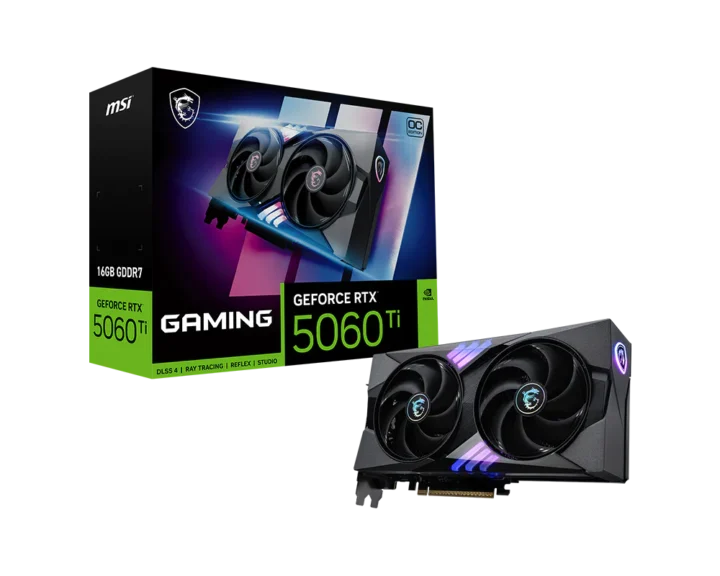
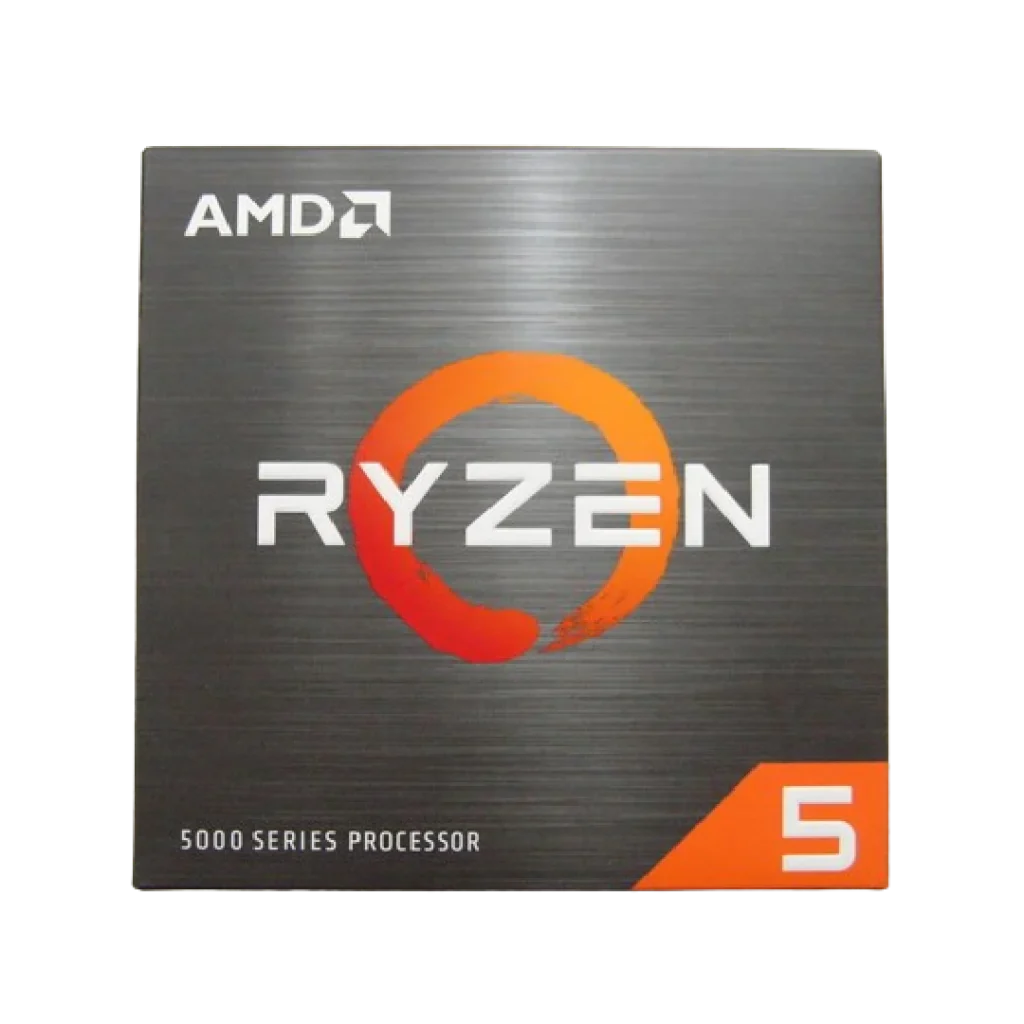
The Ryzen 5 7600X with the RTX 5060 Ti is my pick for 1080p. It holds a stable 250 FPS in CS2 and 75 FPS in Doom: The Dark Ages at ultra settings. GPU usage sat at 97% to 98%, so the graphics card, not the CPU, set the limit.
1080p Test Results
| Game | Settings | GPU usage | CPU usage | FPS | 1% lows |
|---|---|---|---|---|---|
| CS2 | 1080p, very high | 97% | 40% | 250 (stable) | 143 |
| Doom: The Dark Ages | 1080p, ultra | 98% | About 44% | 75 | 63 |
Specs of The Components
| Part | Key Specs |
|---|---|
| Ryzen 5 7600X | 6 cores, 12 threads, 4.7GHz base, up to 5.3GHz boost, 32MB L3, 105W TDP, AM5 |
| RTX 5060 Ti 16GB | 16GB GDDR7, 128-bit bus, 448 GB/s bandwidth, 180W power rating |
Why this Combo Works?
- Headroom: CPU usage stays at 40% to 44% while the GPU runs at 97% to 98%. That is a GPU-limited result.
- Upgrade path: The 7600X sits on AM5, so you can later move to an X3D chip such as the 7800X3D without changing the platform. Check your motherboard’s BIOS support first.
- VRAM: I recommend the 16GB card. As Tom’s Hardware also said, paying $50 more for double the memory is an easy call for most gamers.
Best 1440P CPU and GPU Combo
1440p is where balance matters most. The GPU does the heavy lifting, but a weak CPU still shows up in your 1% lows.
Ryzen 7 7800X3D With RTX 5070 Ti
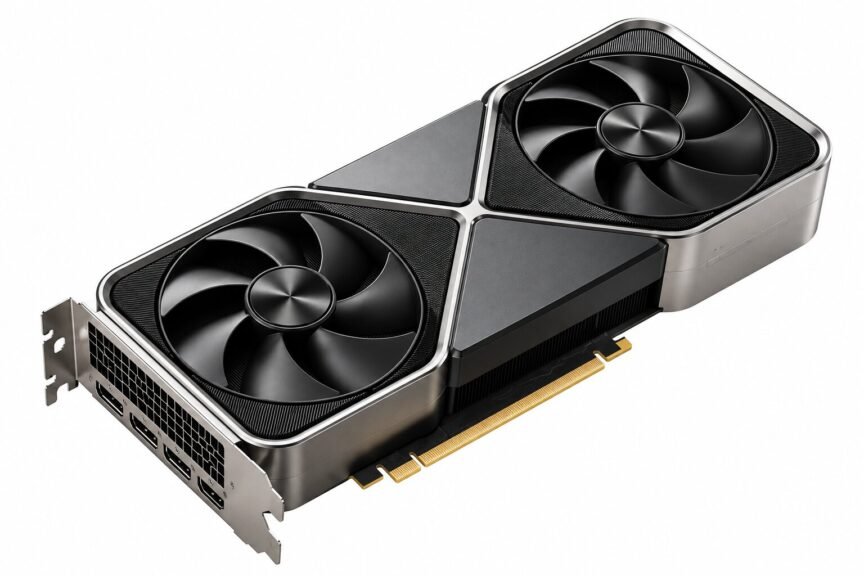
The Ryzen 7 7800X3D with the RTX 5070 Ti is my pick for 1440p. In Forza Horizon 6, it held a stable 100 FPS with 1% lows of 78 FPS. In Black Myth: Wukong at cinematic settings, it held 60 FPS with 1% lows of 51 FPS.
1440p Test Results
| Game | Settings | GPU usage | CPU usage | FPS | 1% lows |
|---|---|---|---|---|---|
| Forza Horizon 6 | 1440p | 98% | 68% | 100 (stable) | 78 |
| Black Myth: Wukong | 1440p, cinematic | 98% | 30% | 60 (stable) | 51 |
Specs
| Component | Key specs |
|---|---|
| Ryzen 7 7800X3D | 8 cores, 16 threads, 4.2GHz base, up to 5GHz boost, 96MB L3, 120W TDP, AM5 |
| RTX 5070 Ti | 16GB GDDR7, 256-bit bus, 8,960 CUDA cores, 300W total graphics power, 750W recommended PSU |
Why this Combo Works?
- CPU headroom: Forza Horizon 6 pushed the CPU to 68%, my highest 1440p reading. That is why I do not drop to a six-core chip at this tier.
- GPU strength: Tom’s Hardware’s GPU hierarchy lists the 5070 Ti at 116.8 FPS in raster and 66.2 FPS with ray tracing at 1440p ultra. The 5060 Ti 16GB lists 73.4 FPS in raster.
- Cache: The 7800X3D carries 96MB of L3 cache, three times the 7600X’s 32MB, which helps keep 1% lows steady.
Tip: If you have the budget, then go choose the Ryzen 7 9800X3D upgrade over the 7800X3D here. Both have eight cores and 96MB of L3 cache. But the 9800X3D adds a higher base clock (4.7GHz) and boost clock (up to 5.2GHz).
Best 4K CPU and GPU Combo
At 4K, the GPU does almost all the work. The CPU still shapes your 1% lows, but the graphics card sets your FPS ceiling, so I spend more on the GPU here.
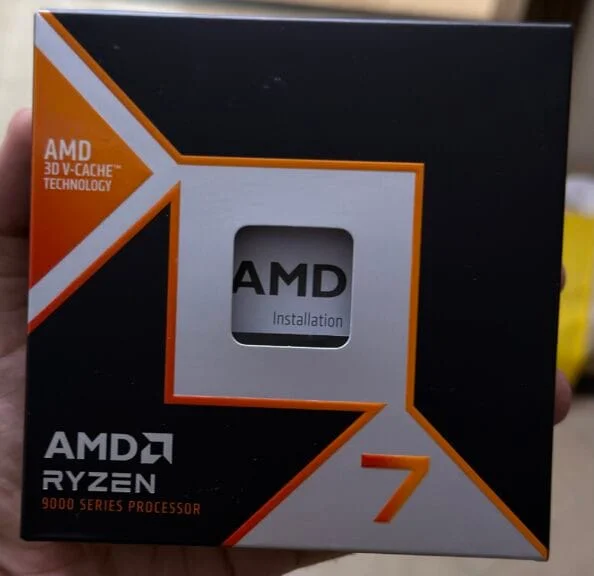
1. Ryzen 7 9800X3D With RTX 5080
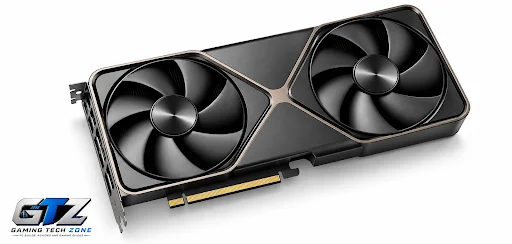
The Ryzen 7 9800X3D with the RTX 5080 is my pick for 4K gaming with DLSS 4. In Silent Hill 2 with DLSS 4 and Multi Frame Generation, it held 100 FPS. In Hellblade 2 with DLSS Quality, it held 60+ FPS.
4K Test Results
| Game | Settings | GPU usage | CPU usage | FPS | 1% lows |
|---|---|---|---|---|---|
| Silent Hill 2 | 4K, DLSS 4 with Multi Frame Generation | 94% | 28% | 100 (stable) | 64 |
| Hellblade 2 | 4K, DLSS Quality | 96% | 20% | 60+ (stable) | 53 |
Frame generation adds AI-made frames, so a 100 FPS result with it on is not the same as 100 FPS of native rendering. Use the 1% lows as the better guide to how the game feels.
Specs of The Parts
| Part | Key specs |
|---|---|
| Ryzen 7 9800X3D | 8 cores, 16 threads, 4.7GHz base, up to 5.2GHz boost, 96MB L3, 120W TDP, AM5, launched November 7, 2024 |
| RTX 5080 | 16GB GDDR7, 256-bit bus, 10,752 CUDA cores, 360W total graphics power, 850W minimum recommended PSU |
Why This Combo Works?
- Low CPU load: CPU usage was only 20% to 28% in these 4K tests. A faster CPU would not add FPS here.
- Why I still pick the 9800X3D: It is my personal favorite gaming CPU. It keeps 1% lows steady and leaves room for a future GPU upgrade on the same platform.
- Other Reviewers Data: The RTX 5080 averages 77.4 FPS in raster and 42.1 FPS with ray tracing at 4K ultra.
2. Ryzen 7 9850X3D With RTX 5090
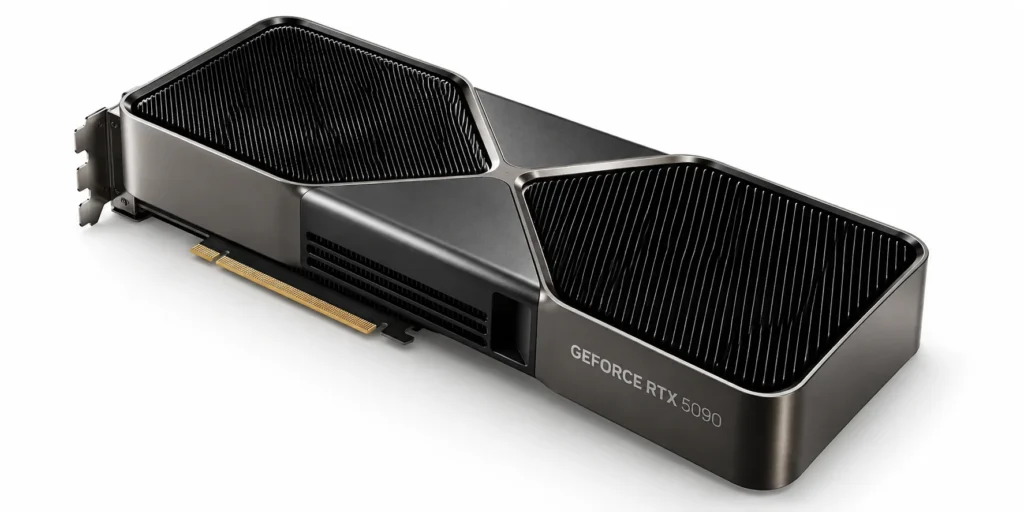
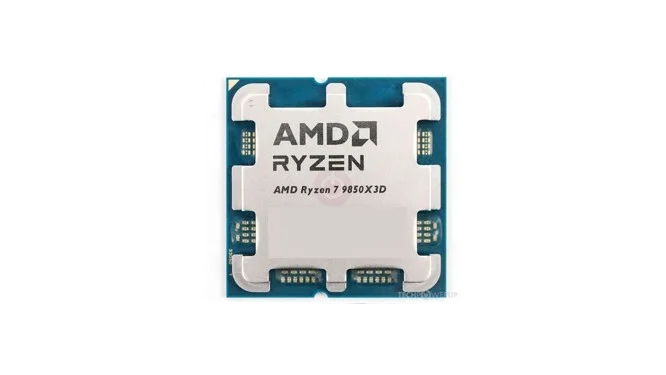
The Ryzen 7 9850X3D with the RTX 5090 is my no-compromise 4K pick. With DLSS and FSR off, it held a stable 80 FPS in 007 First Light and 166 FPS in Resident Evil Requiem.
4K Test Results
| Game | Settings | GPU usage | CPU usage | FPS | 1% lows |
|---|---|---|---|---|---|
| 007 First Light | 4K, DLSS and FSR off | 97% | 63% | 80 (stable) | 70 |
| Resident Evil Requiem | 4K, DLSS and FSR off | 92% | 40% | 166 | 124 |
Specs of Components
| Part | Key Specs |
|---|---|
| Ryzen 7 9850X3D | 8 cores, 16 threads, 4.7GHz base, up to 5.6GHz boost, 96MB L3, 120W TDP, AM5, $499 launch price, released January 29, 2026 |
| RTX 5090 | 32GB GDDR7, 512-bit bus, 21,760 CUDA cores, 575W total graphics power, 1000W system power listed by NVIDIA |
Why this Combo Works?
- Heavier CPU load: 007 First Light pushed the CPU to 63%, my highest 4K reading. A flagship GPU like this one deserves a top gaming CPU.
- Small CPU gap: The 9850X3D matches the 9800X3D on cores, cache, and TDP. Its edge is the 5.6GHz boost clock, 400MHz higher. AMD claims up to 7% better gaming.
- Value route: Because the two chips are so close, I see the 9800X3D as the sensible way to save money with an RTX 5090. Read our guide on Ryzen 9800X3D vs 9850X3D for a more detailed explanation.
Why I Prefer RTX 5090 More?
| Spec | RTX 5080 | RTX 5090 |
|---|---|---|
| VRAM | 16GB GDDR7 | 32GB GDDR7 |
| Memory bus | 256-bit | 512-bit |
| CUDA cores | 10,752 | 21,760 |
| Total graphics power | 360W | 575W |
| 4K ultra raster | 77.4 FPS | 110.8 FPS |
| 4K ultra ray tracing | 42.1 FPS | 64.1 FPS |
The 5090 has double the VRAM and a much wider bus. That gives it real headroom for 4K textures, ray tracing, and future games. So if you can afford it, I give the 5090 the edge over the 5080.
Best For
- Native 4K with upscaling off.
- High-end builds that will last several GPU generations.
| Pros | Cons |
|---|---|
| 32GB of VRAM for future games | Highest power draw in this guide |
| 80 to 166 FPS at native 4K in my tests | Most expensive pairing here |
| Faster at 4K than the RTX 5080 | Overkill for 1080p and 1440p |
Best Old GPU Combo With CPUs
Not everyone is buying new. If you already own an older RTX card, the right CPU keeps it from being held back.
| Resolution | Older GPU | CPU | GPU VRAM |
|---|---|---|---|
| 1080p | RTX 3080 | Ryzen 5 7600X | 10GB GDDR6X |
| 1440p | RTX 4070 Ti | Ryzen 7 7800X3D | 12GB GDDR6X |
| 4K | RTX 4090 | Ryzen 7 9800X3D | 24GB GDDR6X |
1080P: RTX 3080 With Ryzen 5 7600X
The RTX 3080 with the Ryzen 5 7600X is a strong 1080p pair if you already own the card. The 3080 is fast enough that a quick six-core chip keeps it fed at high refresh rates. I use an RTX 3080 as my main GPU, and it runs GTA V (FiveM), Valorant, and Resident Evil Requiem very well.
Key Specs (10GB model)
- 8,704 CUDA cores, 10GB GDDR6X, 320-bit bus.
- 320W graphics card power, with NVIDIA listing a 750W recommended system PSU.
Best for: Players who want to reuse a proven card and spend on the platform instead.
Issue: 10GB of VRAM is the limit to watch. Newer games at high textures can use more, so turn textures down before you turn resolution down.
1440P: RTX 4070 Ti With Ryzen 7 7800X3D
The RTX 4070 Ti with the Ryzen 7 7800X3D is a balanced 1440p pair. The X3D cache keeps 1% lows steady, and the RTX 40 series adds DLSS 4 and Frame Generation, which the RTX 3080 does not have.
NVIDIA has also confirmed that the RTX 40 series cards are getting DLSS 5 support after they are finished with the RTX 50 series DLSS optimization.
Key Specs
- RTX 4070 Ti: 12GB GDDR6X, 192-bit bus, 7,680 CUDA cores, 285W graphics power.
- Ryzen 7 7800X3D: 8 cores, 16 threads, 96MB L3.
Best for: 1440p players who want high 1% lows and frame generation on an older card.
Problem: The 192-bit bus and 12GB of VRAM make it less comfortable at 4K.
4K: RTX 4090 With Ryzen 7 9800X3D
The RTX 4090 with the Ryzen 7 9800X3D is the best older-GPU pair for 4K. The 4090 has 24GB of VRAM, which is more than the newer RTX 5080’s 16GB, and the 9800X3D is my personal favorite CPU to feed it.
Key Specs
- RTX 4090: 24GB GDDR6X, 384-bit bus, 16,384 CUDA cores, 450W graphics power.
- Ryzen 7 9800X3D: 8 cores, 16 threads, up to 5.2GHz boost, 96MB L3, AM5.
Best for: 4K players who want a lot of VRAM and already have the card.
Mistakes to Avoid While Choosing CPU and GPU
- Judging a Bottleneck by CPU Usage Alone: CPU usage is an average, so it can look low while one thread is maxed out. Check GPU usage first.
- Overspending on the CPU at 4K: A faster CPU would not add FPS here. I would recommend putting the extra money into the GPU instead.
- Underspending on the CPU: At High Refresh Rates At 1080p, the CPU limit shows up first. If you chase 240Hz or more in esports titles, an X3D chip such as the 7800X3D gives you more cache to work with than the 7600X.
- Buying Too Little VRAM: The 8GB cards are aging, and 4K is too demanding for 8GB. 8GB can work at 1080p, but 16GB gives you room to grow. Read our VRAM guide to get a complete understanding of how much you actually need.
- Ignoring the Power Supply: High-end GPUs need a proper PSU. Check your PSU before upgrading your PC parts.
Why Did I Only Choose NVIDIA?
I chose NVIDIA because my own card, my test data, and the features I use all sit on that side. DLSS 4 with Multi Frame Generation, stronger ray tracing, and NVIDIA’s NVENC encoder for streaming matter to me. AMD’s Radeon RX 9070 XT is a real rival in raster, so this is a preference, not a rule.
What the Numbers Say?
Tom’s Hardware’s GPU hierarchy shows the two cards nearly tied in raster at 1440p ultra. NVIDIA pulls ahead once ray tracing is on.
| 1440p Ultra, Average FPS | RTX 5070 Ti | RX 9070 XT |
|---|---|---|
| Raster | 116.8 | 116.5 |
| Ray tracing | 66.2 | 55.5 |
My Reasons
- Familiarity: I already use an RTX 3080 as my main GPU, so I know the NVIDIA ecosystem well.
- DLSS 4 and Multi Frame Generation: I used both in my Silent Hill 2 test, and NVIDIA’s RTX 5070 Ti page lists them as supported features.
- Ray Tracing: The 5070 Ti leads by about 10 FPS in ray tracing in the data above.
- Consistent Testing: Every GPU number in this guide comes from NVIDIA cards, so I would rather not guess at Radeon results.
When AMD Makes Sense?
If you play mostly raster games and a Radeon card costs less where you shop, the RX 9070 XT is worth a look. The raster numbers above are almost identical. Compare live prices and check the ray tracing gap against the games you play.
Can You Pair an AMD CPU With an NVIDIA GPU?
Yes. Every combo in this guide does exactly that. The CPU and GPU brands do not need to match. Pick each part for its own performance, then check the usage pattern.
My Final Answer on CPU and GPU Combos
The pattern is simple. At 1080p, the CPU matters most. 1440p, you want balance. At 4K, spend on the GPU. In every test, the GPU ran at 92% to 98% usage, and that is the sign of a well-matched pair.
My personal favorite is still the Ryzen 7 9800X3D. It works at every tier in this guide, and AMD’s 9850X3D adds only a 400MHz higher boost clock on the same cores and cache.
| Tier | My Pick | Why |
|---|---|---|
| 1080p | Ryzen 5 7600X with RTX 5060 Ti | GPU-limited at 97% to 98% usage, with CPU headroom to spare |
| 1440p, value | Ryzen 7 7800X3D with RTX 5070 Ti | 96MB of L3 cache and strong 1440p ray tracing |
| 1440p, if you have the budget | Ryzen 7 9800X3D with RTX 5070 Ti | My recommendation: same eight cores, higher clocks |
| 4K, best | Ryzen 7 9850X3D with RTX 5090 | 32GB of VRAM versus 16GB, and higher 4K FPS than the 5080 |
| 4K, more affordable | Ryzen 7 9800X3D with RTX 5080 | CPU usage of only 20% to 28% in my 4K tests |
| Older GPU, 1080p | Ryzen 5 7600X with RTX 3080 | Reuses a strong card on a cheap, upgradeable platform |
| Older GPU, 1440p | Ryzen 7 7800X3D with RTX 4070 Ti | 12GB of VRAM plus DLSS 3 Frame Generation |
| Older GPU, 4K | Ryzen 7 9800X3D with RTX 4090 | 24GB of VRAM at 4K |
Your next step: Pick your resolution, match one row in the table, and run the 3-minute bottleneck check on your current PC. Then compare live prices before you buy, because retail prices often differ a lot from launch prices. Tell me in the comments which combo you are building.
