

When you are building a gaming PC on a budget, spending too much on a CPU cooler can leave less money for components that matter more, such as your graphics card or processor. But using a basic stock cooler isn’t always the best option either.
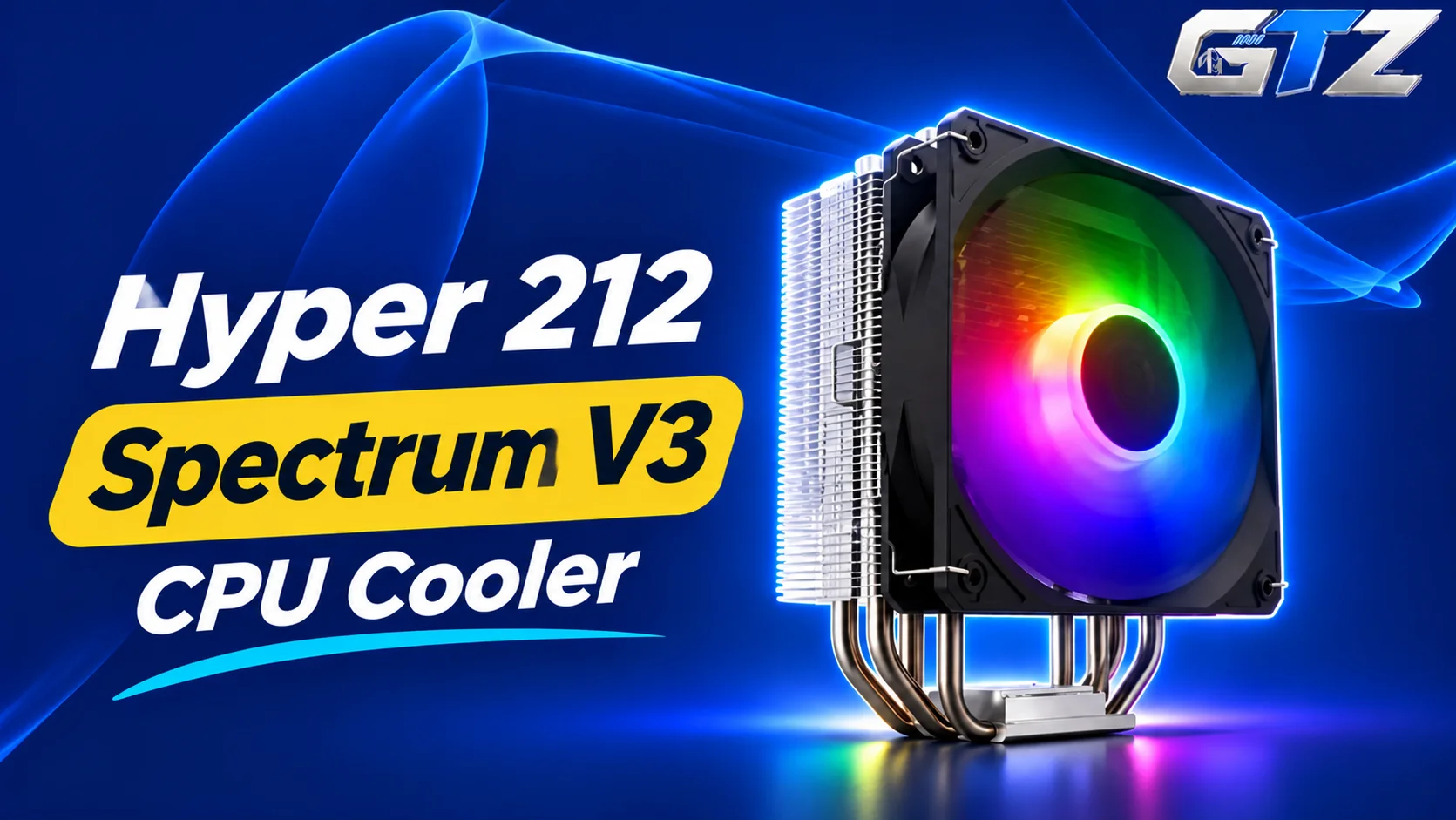
That’s where the Cooler Master Hyper 212 Spectrum V3 comes into consideration. It combines a traditional tower heatsink, four direct-contact heat pipes, and an ARGB fan in a relatively compact design.
In this review, I’ll take you through its cooling design, compatibility, noise specifications, installation, and value to help you decide whether it’s the right cooler for your build.
Cooler Master Hyper 212 Spectrum V3 at a Glance
- Four Direct-Contact Heat Pipes: Transfer heat from the CPU into the aluminum heatsink.
- 120mm Spectrum ARGB Fan: Adds customizable lighting to your PC build.
- 71.93 CFM Airflow: Offers a specified maximum airflow suitable for its single-fan design.
- 650 to 1750 RPM Fan Speed: Supports automatic speed adjustment through PWM control.
- Nickel-Plated Heat Pipes: Gives the cooler a silver finish.
- AM5 and LGA 1851 Support: Compatible with modern AMD and Intel platforms.
- 152mm Cooler Height: Fits many standard PC cases.
- Two-Year Warranty: Comes with a manufacturer-listed limited warranty.
What Is the Cooler Master Hyper 212 Spectrum V3?
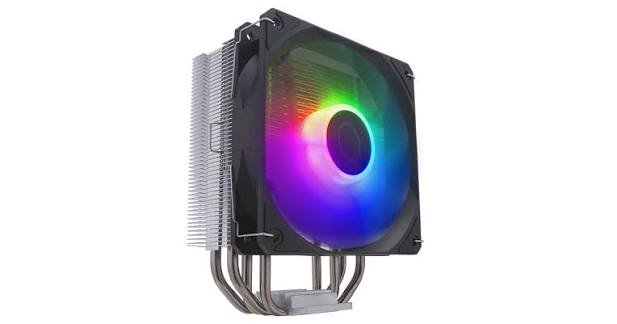
The Cooler Master Hyper 212 Spectrum V3 is a single-tower CPU air cooler featuring 4 direct-contact heat pipes, an aluminum fin stack, and one 120mm ARGB fan.
It is designed for mainstream gaming PCs that need an affordable alternative to basic stock cooling.
My Quick Assessment
The Hyper 212 Spectrum V3 is best for a budget gaming PC or everyday desktop build where you want a tower cooler without spending too much. Its four heat pipes, 120mm PWM fan, and modern socket compatibility make it a practical option.
| What I Like | What I Don’t Like |
|---|---|
| Four direct-contact heat pipes | Single-tower cooling design |
| 120mm ARGB fan | Only one fan included |
| Supports AM5 and LGA 1851 | No separate ARGB controller included |
| Compact 152mm height | Check CPU cooler clearance |
| PWM fan control | High-power CPUs may need stronger cooling |
What is the Price of the Cooler Master Hyper 212 Spectrum V3?
The price of the Cooler Master Hyper 212 Spectrum V3 is $29.99.
However, the prices are subject to change, so you should confirm it before making a purchase decision.
Is the Cooler Master Hyper 212 Spectrum V3 Worth Buying?
The Cooler Master Hyper 212 Spectrum V3 is worth considering if you want a relatively compact tower air cooler with ARGB lighting and support for modern AMD and Intel sockets.
What Users Are Saying?
Everyone has different opinions about the Cooler Master Hyper 212 Spectrum V3. One Reddit user said that he loved using the Hyper 212 and maybe he still uses it if he hadn’t upgraded to a 7700X.
Another user is saying that it is an older model and is worthy enough for low-end CPUs.
Who Should Buy the Hyper 212 Spectrum V3?
- Budget gaming PC builders looking for an affordable tower cooler.
- Users upgrading from a basic stock CPU cooler.
- AMD AM4 and AM5 system builders.
- Intel LGA 1700 and LGA 1851 system builders.
- Users who want ARGB lighting without buying an expensive cooling solution.
Who Should Avoid the Hyper 212 Spectrum V3?
You should look at larger 360mm AIO CPU Coolers if you:
- Are building a high-end PC with a power-hungry processor.
- Regularly run sustained CPU-intensive workloads.
- Want a dual-tower cooler with multiple fans.
- Can find a significantly better-performing cooler at a similar price.
Cooler Master Hyper 212 Spectrum V3 Specifications
Here are the important specifications you should know before purchasing this CPU cooler.
| Specification | Details |
|---|---|
| Product Name | Cooler Master Hyper 212 Spectrum V3 |
| Model Number | RR-S4NA-17PA-R1 |
| Cooler Type | Single-Tower Air Cooler |
| Heat Pipes | 4 |
| Heat Pipe Finish | Nickel-Plated |
| Heatsink Material | Aluminum |
| Fan Size | 120mm |
| Fan Quantity | 1 |
| Fan Speed | 650–1750 RPM ±10% |
| Maximum Airflow | 71.93 CFM |
| Maximum Air Pressure | 1.86 mmH₂O |
| Maximum Noise | 27.2 dBA |
| Fan Bearing | Rifle Bearing |
| Fan Connector | 4-Pin PWM |
| Lighting | Addressable RGB |
| Cooler Dimensions | 124 x 73 x 152mm |
| AMD Compatibility | AM5, AM4 |
| Intel Compatibility | LGA 1851, 1700, 1200, 1151, 1150, 1155, 1156 |
| Warranty | 2 Years |
1. Design and Build Quality
The Hyper 212 Spectrum V3 follows a conventional tower air cooler design. It has an aluminum heatsink, four heat pipes, and a 120mm fan mounted on the front.
What I particularly like about its appearance is the silver finish of the nickel-plated heat pipes. Instead of leaving the heat pipes with a conventional copper-colored appearance, Cooler Master gives them a more consistent finish that matches the heatsink.
The overall dimensions are 124 x 73 x 152mm. This is worth considering if you’re building inside a mid-tower case with limited CPU cooler clearance.
You also get an ARGB fan that adds some personality to your build. If you’re using other RGB components, you can synchronize the lighting through a compatible motherboard.
2. Four Direct-Contact Heat Pipes
The four heat pipes are responsible for transferring heat away from your processor. They use direct-contact technology, which means they make contact with the CPU’s heat spreader to transfer heat into the cooler.
Once the heat reaches the pipes, it moves toward the aluminum fins. The fan then pushes air through the fin stack to help dissipate the heat.
This is a familiar cooling arrangement, but it remains practical for mainstream desktop systems. Just remember that 4 heat pipes do not automatically make a cooler suitable for every processor. The overall heatsink design, airflow, fan performance, and CPU power consumption all matter.
3. 120mm Spectrum ARGB Fan
Cooler Master includes one 120mm Spectrum ARGB fan with the Hyper 212 Spectrum V3.
The fan operates between 650 and 1750 RPM, with a maximum airflow rating of 71.93 CFM. It also has a maximum static pressure rating of 1.86 mmH₂O.
You can synchronize its addressable RGB lighting with compatible ASUS Aura Sync, ASRock RGB, Gigabyte RGB, and MSI RGB motherboards.
I would recommend checking your motherboard’s ARGB header availability before purchasing. Cooler Master does not include a separate lighting controller with this cooler.
4. Cooling Performance
Cooling performance is where you should pay the most attention before buying this CPU cooler.
The Hyper 212 Spectrum V3 uses four direct-contact heat pipes and a single 120mm fan. This configuration is designed to transfer heat from the processor into the heatsink and move warm air away through the aluminum fins.
For a mainstream gaming PC, this design can be a reasonable upgrade over a basic stock cooler. However, you shouldn’t compare it directly with larger dual-tower coolers without looking at independent testing.
Your processor also plays an important role in determining whether this cooler is suitable.
A lower-power processor generally places less demand on the cooling system. On the other hand, high-power CPUs can generate considerably more heat during gaming, rendering, video editing, and other demanding workloads.
5. Noise Level
Cooler Master lists a maximum noise level of 27.2 dBA for the included fan.
The fan operates between 650 and 1750 RPM, so its noise output can change depending on the processor’s temperature and your motherboard’s fan curve.
For everyday tasks, you can configure the fan to operate at lower speeds when the processor doesn’t need much cooling. During demanding workloads, the motherboard can increase fan speed to move more air through the heatsink.
The fan also uses a rifle bearing design, with a manufacturer-specified mean time to failure of more than 160,000 hours. Still, the noise level is far lower than a 360mm cooler.
6. CPU Compatibility
One advantage of the Hyper 212 Spectrum V3 is its support for several AMD and Intel processor sockets.
AMD Compatibility
The cooler supports:
- AMD AM5
- AMD AM4
This means you can consider it for compatible Ryzen desktop builds using either platform.
Intel Compatibility
The supported Intel sockets include:
- LGA 1851
- LGA 1700
- LGA 1200
- LGA 1151
- LGA 1150
- LGA 1155
- LGA 1156
This gives you flexibility if you’re building a newer Intel system or upgrading a compatible older platform.
However, socket compatibility doesn’t tell you whether the cooler can handle your processor’s power requirements. I would check independent thermal testing for your exact CPU before purchasing it for a demanding system.
7. Case Compatibility
The Hyper 212 Spectrum V3 measures 152mm in height, which makes it compatible with many standard PC cases.
However, don’t assume that every mid-tower or compact case can accommodate it. Check the maximum CPU cooler clearance listed by your case manufacturer.
Your case should provide at least 152mm of CPU cooler clearance, with a little additional room being preferable.
You should also check the motherboard layout and memory clearance before installation. Although the cooler has a relatively compact footprint, nearby components can still affect how comfortably it fits inside your system.
8. Installation and Connectivity
Cooler Master has redesigned the installation brackets to simplify mounting on supported AMD and Intel platforms.
The cooler’s fan uses a standard 4-pin PWM connector, which allows your motherboard to control its speed. The ARGB lighting uses a separate connection, so you should check whether your motherboard has a compatible lighting header.
Before installation, make sure you have the correct mounting hardware for your CPU socket. Follow the included instructions to install the brackets, apply thermal paste, and secure the heatsink.
I would also recommend installing the cooler with your motherboard placed on a flat surface if you find it difficult to access the mounting hardware inside your case.
Final Verdict
The Cooler Master Hyper 212 Spectrum V3 is a practical budget air cooler with four direct-contact heat pipes, a 120mm ARGB fan, and support for modern AMD and Intel platforms.
I like its compact 152mm height and straightforward tower design, especially for mainstream PC builds. However, I wouldn’t recommend buying it based on specifications alone. Compare its price and independent thermal performance with competing coolers before making your decision.
If you’re building a budget gaming PC and your processor’s cooling requirements are within its capabilities, the Hyper 212 Spectrum V3 deserves a place on your shortlist.
