

I wanted a handheld for gaming in bed, and the MSI Claw A1M kept showing up in my search. The specs looked great, like a 1080p 120Hz screen, an Intel Core Ultra chip, and a 53Wh battery. Then I read public reviews and forum threads, and the picture changed.
The Claw A1M has real drawbacks in performance, battery life, and heat. In this guide, I’ll explain what I found, why it matters, and who can still enjoy this handheld in 2026.
My Quick Verdict
The MSI Claw A1M isn’t for every gamer. Its short battery life and 30–35 FPS performance at 1080p in demanding games make it difficult to recommend over newer rivals.
I’d only consider the Claw A1M if you find it at a significant discount and mainly play lighter or shorter gaming sessions. Otherwise, I’d skip it and choose a competing handheld instead.
What Is the MSI Claw A1M?
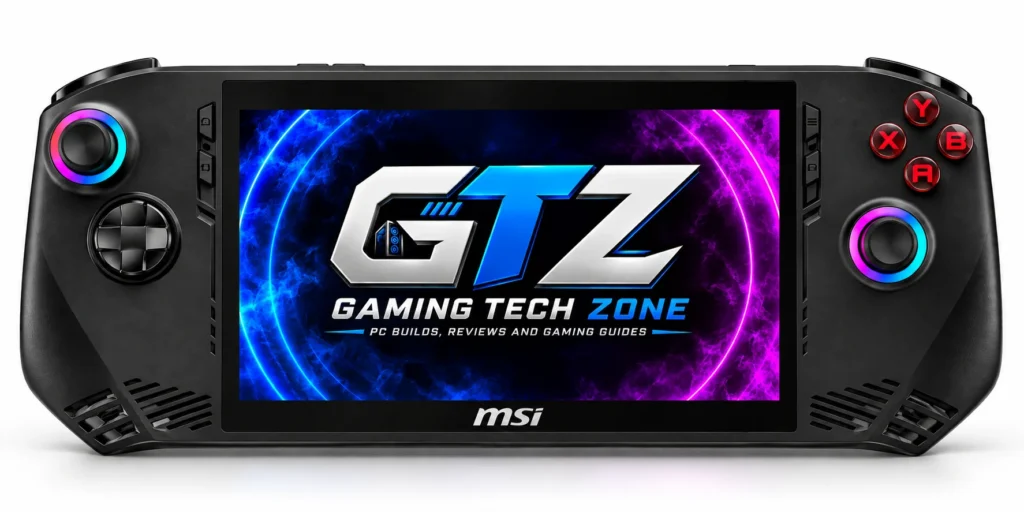
The MSI Claw A1M is MSI’s first Windows gaming handheld. It uses Intel Core Ultra chips with Arc graphics, while most rivals use AMD chips. That makes it unusual, but not automatically better.
When Did the Claw A1M Release?
The Claw A1M launched in the US on March 8, 2024.
Quick facts:
- It’s an older design in handheld terms.
- Three models shipped: one Core Ultra 5 and two Core Ultra 7 versions.
- MSI has since released newer Claw models.
What Are the Specifications of the MSI Claw A1M?
These are MSI’s listed specs, with retail details added where I could verify them.
| Spec | Details |
|---|---|
| Processor | Up to Intel Core Ultra 7 with AI Boost NPU |
| Graphics | Intel Arc |
| Memory | LPDDR5-6400 (retail units ship with 16GB) |
| Storage | 1x M.2 2230 NVMe PCIe Gen4; microSD reader |
| Display | 7″ 1920×1080, 120Hz IPS touchscreen |
| Battery / Charger | 53Wh, 6-cell; 65W PD adapter |
| Wireless | Wi-Fi 7 (Intel Killer BE), Bluetooth 5.4 |
| Ports | 1x Thunderbolt 4, microSD, 3.5mm combo jack |
| Controls | Hall Effect sticks and triggers, RGB ABXY, D-pad, macro buttons, HD haptics |
| Audio | 2x 2W speakers, array microphone |
| Size / Weight | 294 x 117 x 21.2 mm / 675 g |
| OS | Windows 11 Home |
Issue: There’s only one Thunderbolt 4 port, so charging and accessories share it.
Where the MSI Claw A1M Shines?
The Claw isn’t a bad device. A few things are genuinely good, and I want to give credit where it’s due.
1. Design and Build Quality
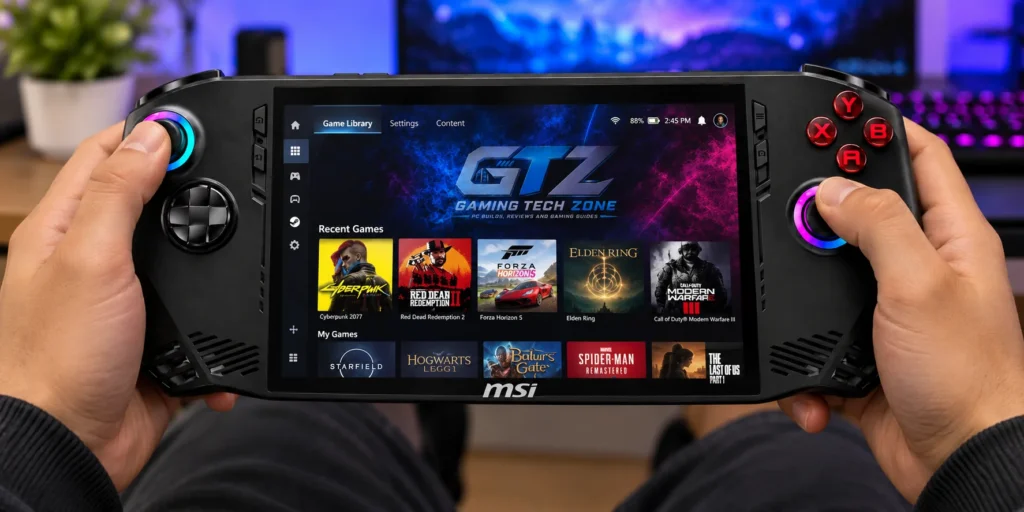
The Claw is comfortable and well built, with Hall Effect sticks that resist drift. It weighs 675 g, and GamersNexus measured about 55 g more than the ROG Ally.
What works:
- Magnetic sticks and triggers are built for longevity.
- The layout feels familiar to Xbox controller users. (ABXY)
2. 1080p 120Hz IPS Display
The 7-inch 1080p 120Hz IPS screen is sharp and bright. Engadget measured roughly 450 nits. That’s sharper than the Steam Deck’s 1280×800 panel.
Best for: Lighter games, indie games, and menus.
Important: The Arc graphics rarely reach 120 FPS at 1080p in demanding games, so the panel’s potential often goes unused.
3. Audio Quality
The Claw has two 2W speakers and a 3.5mm combo jack. I couldn’t find measured audio data from major reviewers, so I won’t overstate it.
My tip: For bed gaming, use headphones. Bluetooth 5.4 is supported, and the wired jack avoids latency.
4. Fan Noise
According to NextRift, the MSI Claw A1M handles fan noise quite well. Even when running demanding games, the fans don’t get excessively loud.
Other reviewers have also pointed out that the A1M isn’t completely silent. In a quiet room, you can hear the fans working, but that’s not necessarily a major issue in my opinion.
As long as the noise doesn’t reach the level of a jet engine, I wouldn’t consider it a dealbreaker for a gaming handheld.
Best for: Balanced mode, which trades a little speed for a calmer machine.
What I Didn’t Like About the MSI Claw A1M
This is where the Claw loses me. Performance, battery, and heat all fall short of what the price promised.
1. The Main Performance Issue
I can only get 25 to 30 FPS at 1080p on medium settings on games. In The Witcher 3, it gives 30 to 35 FPS at 1080p on high. New areas stutter badly with big frame drops. After you move around a while, it settles at a steady 60 FPS, which is strange.
GamersNexus saw similar behavior. In Cyberpunk 2077 at 1080p, it averaged 27 FPS with the worst lows on their chart. In Resident Evil 4, frame-time spikes reached 600 ms.
Why it matters:
- Average FPS hides stutter. The Claw can top some charts and still feel worse than rivals.
- Stutter that fades on a revisit can point to shader caching, but I can’t confirm that here.
2. Low Battery Life
MSI lists a 53Wh battery, larger than the Ally’s 40Wh. In practice, you get only 1 to 2 hours at 1080p medium. At launch prices, I think MSI should have done better.
The issues:
- The lowest power profile lasted nearly 2 hours in F1 23.
- In lighter Dead Cells, the best run was ~4 hours, against 8 hours on the Steam Deck OLED.
Note: Battery life swings widely by game and power profile.
3. Heating Issue
While browsing the MSI forum, I found a user who said temperatures skyrocketed to 100% after an update while plugged into AC power. They dropped to normal once unplugged. That’s one report, so I can’t verify it.
Individual reviewers did find something related. While charging in the maximum profile, CPU-heavy moments pushed the hottest core to 101°C. Heavy GPU loads sat around 75°C average, with the hottest core near 86°C.
What to do:
- Update the BIOS and drivers first.
- Watch temperatures with HWiNFO.
- Test plugged in and on battery.
The Price Update of the MSI Claw A1M
The Claw A1M launched at up to $799.99. From my research, current market prices are around $550 to $650.
Note: Stock and pricing have been volatile, and some listings show discontinued or clearance stock. Always confirm the live price.
| Version | Launch Price |
|---|---|
| Core Ultra 5, 512GB | $699.99 |
| Core Ultra 7, 512GB | $749.99 |
| Core Ultra 7, 1TB | $799.99 |
| Current market | ~550–650 |
Compared to the Competitors
The Claw only makes sense when compared against the alternatives you’d actually cross-shop.
Claw A1M vs Steam Deck
The Steam Deck OLED wins on battery, frame-time consistency, and software polish. The Claw wins on screen resolution, refresh rate, and Windows compatibility.
| Feature | MSI Claw A1M | Steam Deck OLED |
|---|---|---|
| Display | 7″ 1080p 120Hz IPS | 7.4″ 1280×800 HDR OLED, up to 90Hz |
| Battery | 53Wh | 50Wh (Valve claims 3–12 hrs) |
| OS | Windows 11 | SteamOS |
| Price | ~550–650 (my research) | ~$789 (512GB) / $949 (1TB) on Valve’s store |
Caveat: Valve notes possible stock-outs from memory and storage shortages. The Deck now costs more than the Claw’s street price, which softens the value gap.
ASUS ROG Ally vs A1M
The Claw matches the Ally’s screen and beats the original Ally’s battery capacity. But the Ally X has double the battery and more RAM, and GamersNexus found the Claw’s frame pacing less consistent.
| Feature | MSI Claw A1M | ROG Ally | ROG Ally X |
|---|---|---|---|
| Chip | Core Ultra 7 155H | Ryzen Z1 Extreme | Ryzen Z1 Extreme |
| Battery | 53Wh | 40Wh | 80Wh |
| RAM | 16GB | 16GB | 24GB LPDDR5X |
| Launch price | 699.99–799.99 | $699.99 | $799.99 |
Fair point for the Claw: In light games like Dead Cells, GamersNexus recorded ~5 hours against 3 hours on the Ally Z1X.
Pros and Cons of the A1M
| Pros | Cons |
|---|---|
| Sharp 7″ 1080p 120Hz screen | Short battery life |
| Hall Effect sticks | Inconsistent frame pacing |
| Thunderbolt 4 and Wi-Fi 7 | Heat while charging |
| Full Windows 11 access | One port for everything |
Who Should Buy or Avoid A1M?
Buy it if:
- You find it at a steep discount.
- You mostly play indie or older games.
Skip it if:
- You want stable AAA performance.
- You need long unplugged sessions.
Mistakes to Avoid Before You Buy
- Check whether the listing is Core Ultra 5 or 7.
- Budget for a hub or dock. MSI says BIOS updates need a USB drive plus a hub or dock with power connected.
- Confirm the return policy before you commit.
What’s My Final Answer?
My final answer is that I don’t recommend the MSI Claw A1M just because of its design and 1080p IPS screen. The performance issue is major. You mostly get 30 to 35 FPS in games, which I consider poor. As someone who uses a high-end gaming PC, that’s a drawback. The real battery life also falls far short of what the 53 Wh figure suggests.
I’d only recommend it if you’re on a tight budget or find it heavily discounted. If you can spend more, look at the alternatives. Compare the live prices of the Steam Deck OLED and ROG Ally X before you decide. Nintendo is also a great option.
