


A handheld from 2023 should feel outdated by now. Yet when I saw 007 First Light on the Lenovo Legion Go, it ran at 45 FPS on a screen that is still one of the largest on any gaming handheld. I was surprised by that.
In this review, I cover the specs, FPS numbers, the price, and how it stacks up against the ROG Ally X, Steam Deck, Ayaneo 3, and MSI Claw. By the end, you will know if the Legion Go is still worth your money in 2026.
My Quick Verdict
- Best For: Players who want a full Windows 11 handheld with a big screen
- Strongest Points: 8.8-inch QHD+ display, detachable controllers, solid FPS at 25W
- Weak Point: Short battery life and a bulky body
- My Take: Worth it, but only at a good deal
What Is the Lenovo Legion Go?
The Lenovo Legion Go is a Windows 11 handheld gaming PC with detachable controllers. It runs on an AMD Ryzen Z1 Extreme chip, so it plays Steam, Epic Games, and Xbox PC titles like a small desktop. Lenovo built it to compete with the ROG Ally and Steam Deck.
Think of it as a gaming laptop squeezed into a Nintendo Switch-style body.
When Did the Legion Go Launch?
Lenovo announced the original Legion Go on September 1, 2023, and released it in October 2023. That makes it about three years old in October 2026.
Launch timeline
- Announced: September 1, 2023, at IFA in Berlin
- Released: October 2023
- Newer Siblings: Lenovo has since released the Legion Go S and Legion Go 2
What Are the Legion Go Specifications?
Here are the Legion Go specifications from Lenovo’s official product page.
| Spec | Lenovo Legion Go |
|---|---|
| Processor | Up to AMD Ryzen Z1 Extreme with RDNA graphics |
| Chip layout | Up to 8 cores and 16 threads; 12 RDNA 3 compute units on the Z1 Extreme |
| Memory | 16GB LPDDR5X-7500, soldered on board |
| Storage | 256GB, 512GB, or 1TB PCIe 4.0 NVMe M.2 2242 |
| Display | 8.8-inch WQXGA (2560 x 1600) IPS, 16:10, up to 144Hz, 500 nits, 97% DCI-P3, 10-point touch |
| Battery | 2-cell 49.2Wh, plus 900mAh in each controller |
| Charger | 65W USB-C adapter |
| Weight | 640g (1.41 lbs) body; 854g (1.88 lbs) with controllers |
| Ports | 2 x USB-C (USB 4.0, DisplayPort 1.4, Power Delivery 3.0), microSD reader (up to 2TB), 3.5mm combo jack |
| Wireless | 2 x 2 Wi-Fi 6E, Bluetooth 5.3 |
| Audio | 2 x 2W speakers, dual-array microphone |
| Operating system | Windows 11 Home |
Features of the Lenovo Legion Go
The Legion Go is known for four things:
- Big screen
- Removable controllers
- Full Windows 11 access
- Comfortable grip.
1. Display
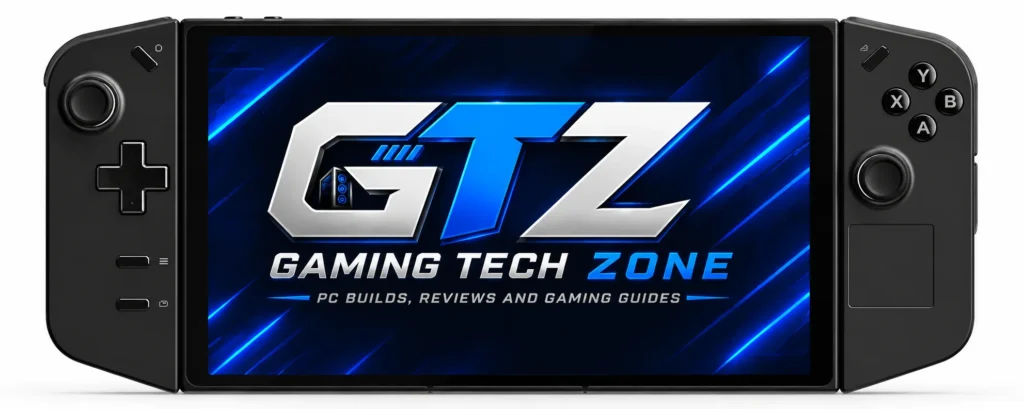
The Legion Go has an 8.8-inch QHD+ (2560 x 1600) IPS screen that runs up to 144Hz at 500 nits. That is larger than the 7-inch panels on the ROG Ally X and Ayaneo 3 and the 7.4-inch Steam Deck OLED, so text and menus are easier to read.
Note: It is IPS, not OLED, unlike the Legion Go 2, which uses an OLED panel
2. Detachable Controllers
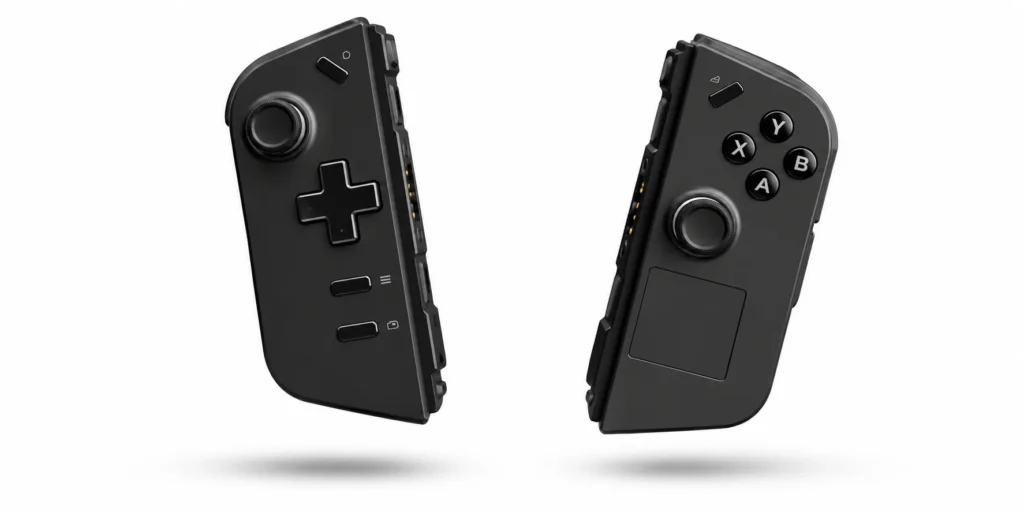
The Legion Go’s TrueStrike controllers detach like Nintendo Switch Joy-Cons and carry their own 900mAh batteries. They use Hall effect joysticks, which Lenovo says remove stick drift, and add a trackpad, six assignable grip buttons, and an FPS mode.
Why the controllers matter
- Best For: switching between handheld, tabletop, and kickstand play
- Strong Point: the right controller has a mouse sensor and wheel for FPS mode
- Issue: the extra buttons add a learning curve, which reviewers also noted on the newer Legion Go 2
3. Windows 11 Compatibility
The Legion Go runs Windows 11 Home, which makes it a full PC in your hands. You can install Steam, Epic Games, Xbox PC games through Game Pass, and any software that supports Windows. That gives you far more game choices than a console-style handheld.
Problem: Windows is not built for handhelds, so expect some touchscreen taps and settings tweaks.
4. Comfort
The Legion Go is comfortable for couch and desk sessions, but it is big. With controllers attached it weighs 854g (1.88 lbs), about 176g more than the ROG Ally X and 214g more than the Steam Deck OLED.
What to Expect in Hand
- My View: Comfort is one of the things I like most about it
- Best For: Long sessions at home with the built-in kickstand
- Drawback: It is bulky for bags and heavy next to 7-inch rivals
What Is the Gaming Performance of the Legion Go?
| Game | Legion Go (FPS) | Power | Test settings |
|---|---|---|---|
| 007 First Light | 45 | 25W | 800p, FSR Balanced, Medium preset |
| Forza Horizon 6 | 50 | 25W | 1200p, FSR Balanced, Medium preset |
| Resident Evil Requiem | 53 | 25W | 800p, FSR Balanced, mixed settings |
How To Read These Numbers?
- Upscaling Carries The Load: FSR Balanced renders at a lower resolution, then scales the image up to the screen
- Power Matters: Every result is at 25W, and lowering the power limit to save battery usually costs FPS
Is It Worth It for Gaming?
Yes. Even though it launched a while ago, the Legion Go still delivers excellent performance in modern games, and I like how it plays. It uses the same Ryzen Z1 Extreme chip as the ROG Ally X, so you give up little raw chip power against many 2024 rivals.
Caveat: At 25W the battery drains fast, and that is the real limit on play time.
What Is the Price of the Legion Go?
The Legion Go price starts at $827.99 and goes up to $999.99, depending on the configuration. That is well above the $699 starting price reported at its 2023 reveal.
Buying Checklist Before You Order
- Storage Size: Lenovo’s datasheet lists 256GB, 512GB, and 1TB, and modern games are large, so 1TB is the safer pick
- Upgrade Path: The SSD is an M.2 2242 drive, a shorter format than the common 2280 size, so confirm compatibility before upgrading
- What is in the Box: Confirm the 65W USB-C charger is included
- Seller and Returns: Third-party prices can swing, so confirm the warranty and return policy before you commit
Who Should Buy This Handheld?
Buy it if You:
- Want one of the biggest screens on a Windows handheld
- Mostly play at home, at a desk, or near a power outlet
- Like tweaking power modes and resolution for each game
Skip it if You:
- Travel a lot and cannot charge during long trips or flights
- Want a light device you can hold for hours
- Prefer a console-style experience with no Windows tweaking
Should You Buy the Legion Go 2 or Legion Go S Instead?
Only if the price and your needs fit. The Legion Go 2 adds an OLED screen and newer Ryzen Z2 chips but costs $1999.99. The Legion Go S is smaller, with no detachable controllers or kickstand.
- Legion Go 2: 8.8-inch 1920 x 1200 OLED; Thurrott averaged about 2.5 hours of Call of Duty: Black Ops 6 and reported reliability issues
- Legion Go S: 55Wh battery and a smaller, lower-resolution screen, other reviewers found it far better on SteamOS than on Windows
- Original Legion Go: The better pick if you want detachable controllers and find a good deal
Legion Go vs Rivals
I compared the Legion Go with four handhelds buyers often cross-shop:
| Rival | Winner | Main reason |
|---|---|---|
| ASUS ROG Ally X | Draw | Legion Go has the bigger screen; Ally X has the bigger battery |
| Steam Deck | Legion Go | More graphics power and a larger, sharper display |
| Ayaneo 3 | Draw | Ayaneo has OLED and modular controls; Legion Go has the bigger screen |
| MSI Claw | Legion Go | Larger screen and a handheld-focused chip |
1. ASUS ROG Ally X
Both use the Ryzen Z1 Extreme, though power limits and cooling differ by device. The Legion Go has an 8.8-inch 1600p 144Hz screen and detachable controllers. The Ally X has an 80Wh battery and weighs 678g.
- Pick the Legion Go if screen size and controller flexibility matter most
- Pick the Ally X if battery life and weight matter most
2. Steam Deck
The Steam Deck OLED has a 7.4-inch 1280 x 800 screen and a 50Wh battery. The Legion Go has far more graphics power, 8.6 teraflops versus 1.6 per Windows Central, plus a sharper and larger display. The Steam Deck still wins on weight and simplicity.
- Pick the Legion Go if: You want more power and a full Windows library
- Pick the Steam Deck if you want longer battery life; Valve rates it at 3 to 12 hours
3. Ayaneo 3
The Ayaneo 3 has a 7-inch OLED, a 49Wh battery, an OCuLink port, and modular controls. Chips range up to the Ryzen AI 9 HX 370. The Legion Go has the larger screen and a simpler purchase from a major brand.
- Pick the Legion Go if: You want a bigger display and an easier buying path
- Pick the Ayaneo 3 if you want OLED, modular controls, or OCuLink
4. MSI Claw
The original MSI Claw uses an Intel Core Ultra 5 or 7 chip, a 7-inch 1080p 120Hz screen, and a 53Wh battery. In my research, the Legion Go’s larger 1600p screen and handheld-focused Ryzen chip give it the edge. Newer Claw 8 AI+ models carry 80Wh batteries, so compare those separately.
- Pick the Legion Go if you want the larger screen
- Pick the Claw if you want a slightly larger battery and Intel XeSS
How I Compared Them: This is our comparison. It uses only the data I have: my Legion Go research and public specs from each maker and trusted outlets. It is research-based, not a lab-grade side-by-side test.
My Thoughts on the Legion Go
| What I Like | What I Don’t Like |
|---|---|
| Smooth FPS at 25W in recent games | Battery lasts about 60 to 90 minutes of gaming |
| 8.8-inch QHD+ 144Hz screen | Heavy and bulky at 854g with controllers |
| Detachable controllers and kickstand | Windows 11 needs handheld tweaking |
| Full Windows 11 and all major PC launchers | IPS panel, not OLED |
| Up to 1TB PCIe 4.0 storage | Price reaches $999.99 |
How I Would Stretch the Battery?
You cannot fix the Legion Go’s battery, but you can soften the problem. Use the power-saving preset in Legion Space, lower the power limit, cap the frame rate, and charge smartly. Lenovo says battery life depends on brightness, power settings, and usage.
Battery Tips That Help
- Use the Power-Saving Preset: LaptopMedia measured 5 hours 16 minutes of web browsing that way at 120 nits, which shows light use lasts far longer than gaming
- Lower the Power Limit and Cap FPS: You trade some frame rate for time, and my tests used 25W
- Charge While it Sleeps: Lenovo’s fast-charge figures, 0 to 70% in 30 minutes, assume the included charger and a sleeping or powered-off device
- Carry a USB-C Power Bank: Pick one with USB-C Power Delivery, since the Legion Go ships with a 65W USB-C adapter
Is the Legion Go Worth It in 2026?
Yes. The Lenovo Legion Go is still worth buying in 2026, and it still delivers strong performance next to its competitors. The one real issue is battery life. You will need a power bank or a charger after 60 to 90 minutes of gameplay.
If gaming is your only focus and you can manage the power problem, this is a handheld I can recommend, as long as you find it at a good deal. Its 8.8-inch 144Hz screen, detachable controllers, and full Windows 11 access still make it feel special.
If you travel a lot or hate charging, check the ROG Ally X first, since its 80Wh battery is the bigger one.
Found it near the low end of the $827.99 to $999.99 range? Grab it and enjoy 2026’s games on that big screen.
