
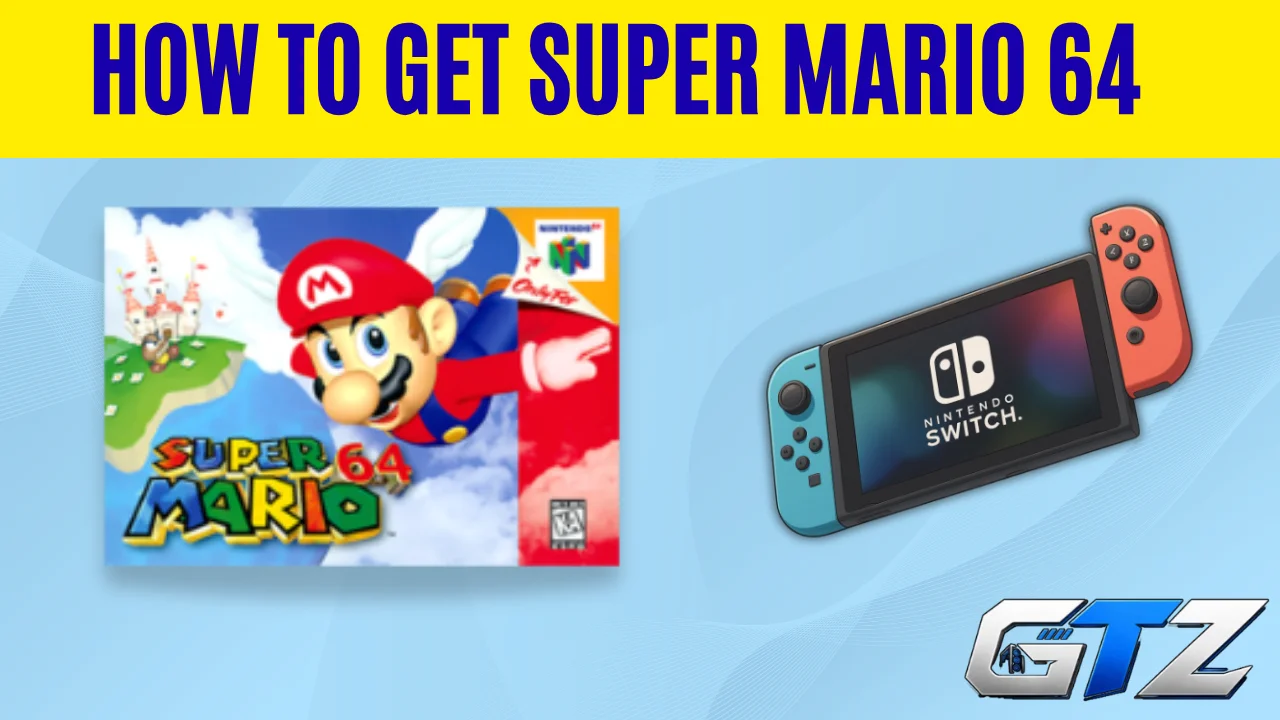
Super Mario 64 is still a fun game to revisit, especially if you grew up playing it on the Nintendo 64. I recently wanted to play it again on Nintendo Switch and found that you cannot simply search for it as a standalone Switch game.
Instead, Super Mario 64 is available through the Nintendo 64 – Nintendo Classics library with a Nintendo Switch Online + Expansion Pack membership. The setup only takes a few steps once you know where to find the right option.
Quick Takeaways
- Super Mario 64 is available through the Nintendo 64 – Nintendo Classics library.
- You need a Nintendo Switch Online + Expansion Pack membership to access it.
- You can download the Nintendo 64 library from the Nintendo Switch Online section.
- After downloading the software, open it from the Switch HOME Menu.
- Select Super Mario 64 from the Nintendo 64 game library to start playing.
Can You Still Get Super Mario 64 on Nintendo Switch?
Yes. You can play Super Mario 64 on Nintendo Switch through Nintendo Switch Online + Expansion Pack.
The Switch has a large library of games, which ranges from classic Nintendo titles to modern games such as Minecraft. But to play Super Mario 64, you have to access it through the Nintendo 64 – Nintendo Classics library included with the Expansion Pack.
Nintendo includes Super Mario 64 in its Nintendo 64 classic game library. You do not need to buy Super Mario 64 separately when you have the required membership.
There was also another way to play the game on Switch through Super Mario 3D All-Stars. That collection included Super Mario 64, Super Mario Sunshine, and Super Mario Galaxy. However, Nintendo stopped selling its digital version after March 31, 2021.
So, for most players today, Nintendo Switch Online + Expansion Pack is the simpler option.
How to Get Super Mario 64 on Nintendo Switch
Follow these steps to get the game through the Nintendo 64 library.
1. Make Sure You Have Nintendo Switch Online + Expansion Pack
You need an active Nintendo Switch Online + Expansion Pack membership to access the Nintendo 64 – Nintendo Classics library. The regular Nintendo Switch Online membership does not include the Nintendo 64 library.
2. Open Nintendo Switch Online
- Go to the Nintendo Switch HOME Menu.
- Select Nintendo Switch Online from the options at the bottom of the screen.
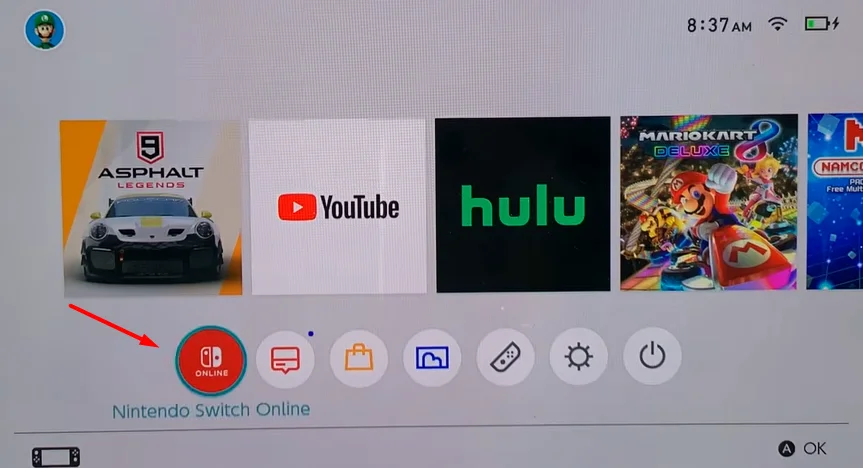
- This opens the Nintendo Switch Online section.
3. Select Nintendo 64 – Nintendo Classics
- Look at the options on the left side of the Nintendo Switch Online screen.
- Select the option for the classic game libraries.
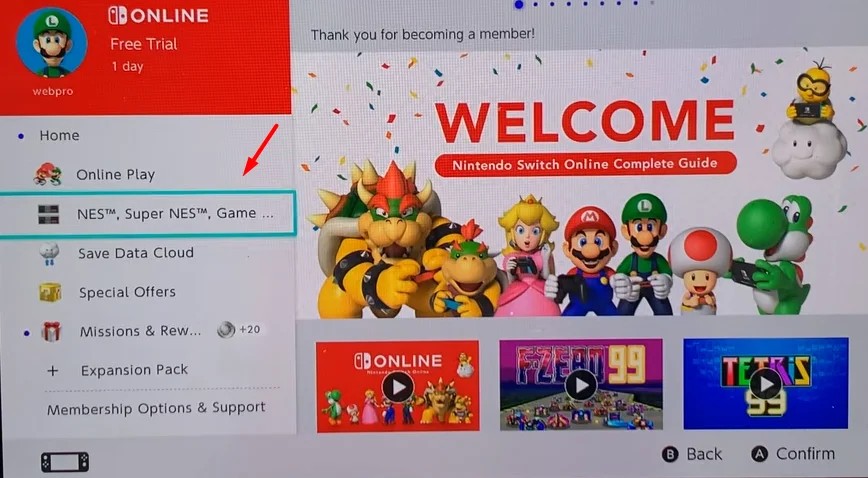
- Select Nintendo 64 – Nintendo Classics from the available libraries.
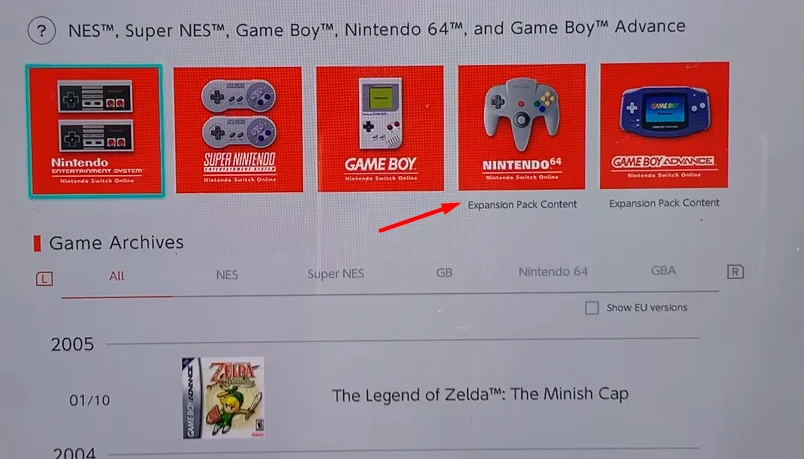
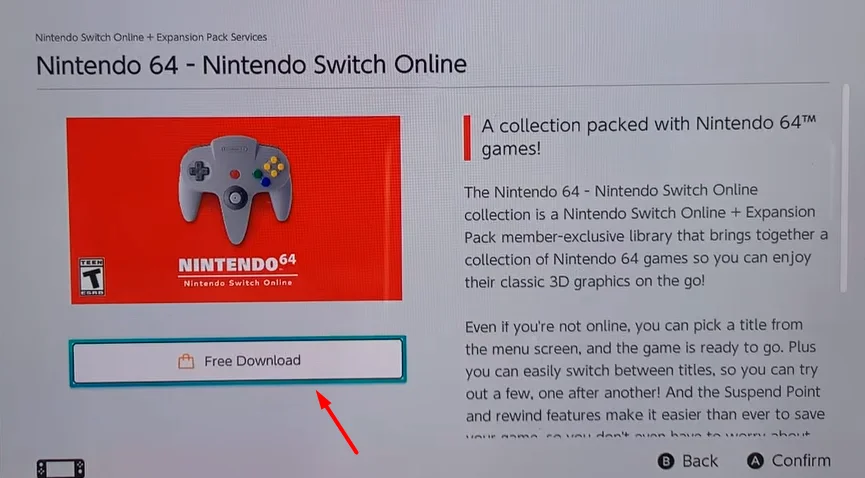
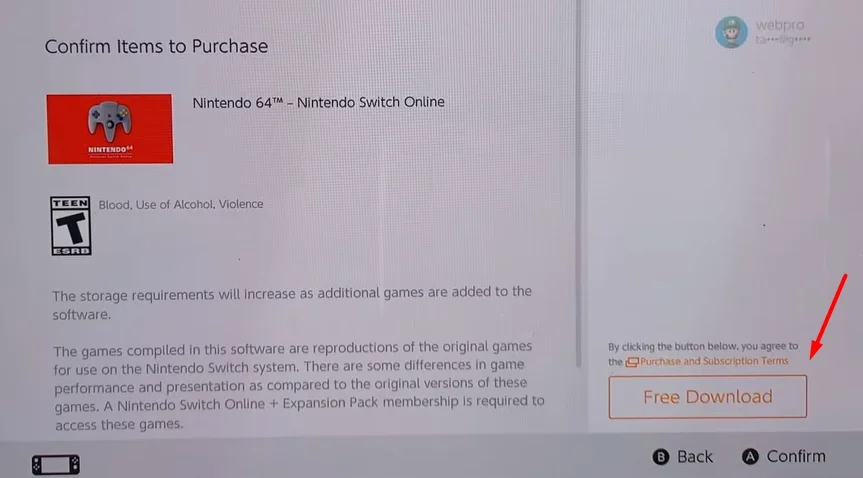
4. Select Free Download
- Select Free Download on the Nintendo 64 – Nintendo Classics page.
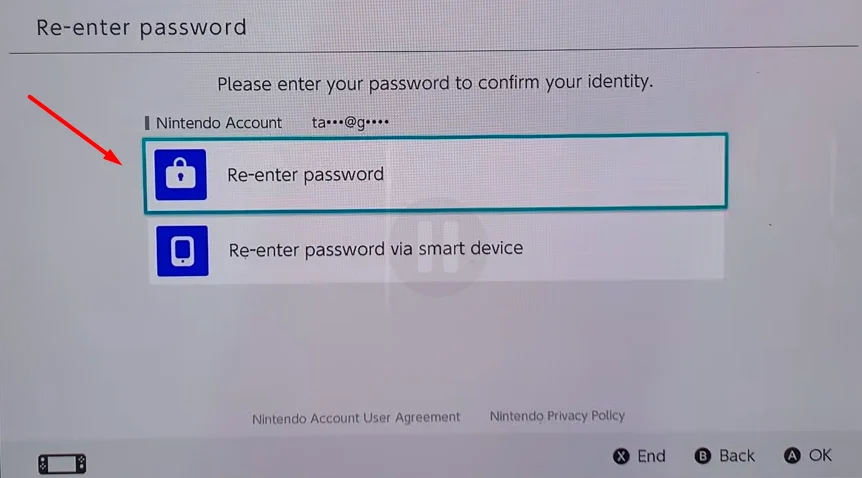
- If your Switch asks for your Nintendo Account password, enter it to continue.
- Select Free Download again when the Nintendo eShop page appears.
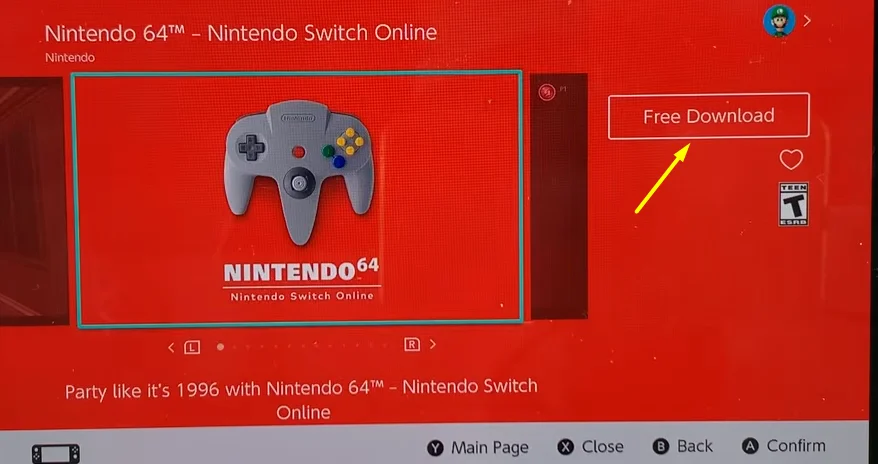
- If another confirmation screen appears, select Free Download again.
5. Open Nintendo 64 – Nintendo Classics
- Return to the HOME Menu after the download finishes.
- Find and open Nintendo 64 – Nintendo Classics.
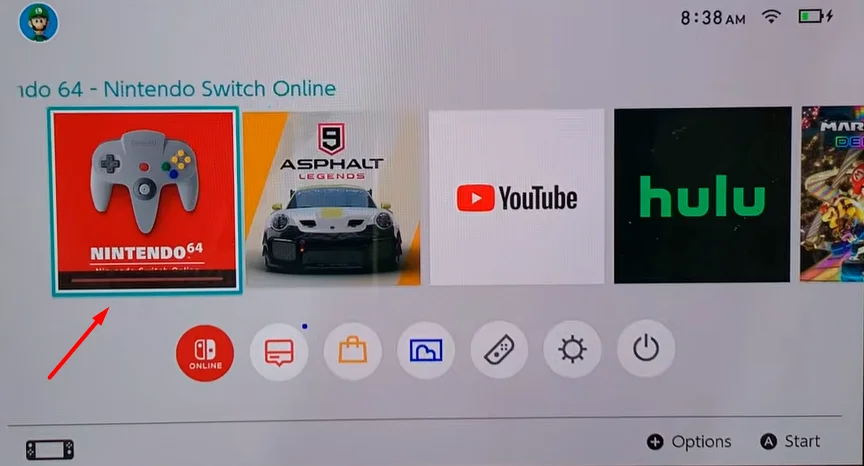
- Wait while any additional software data downloads.
- Once the library loads, browse the available Nintendo 64 games.
6. Select Super Mario 64
- Find Super Mario 64 in the Nintendo 64 game library.
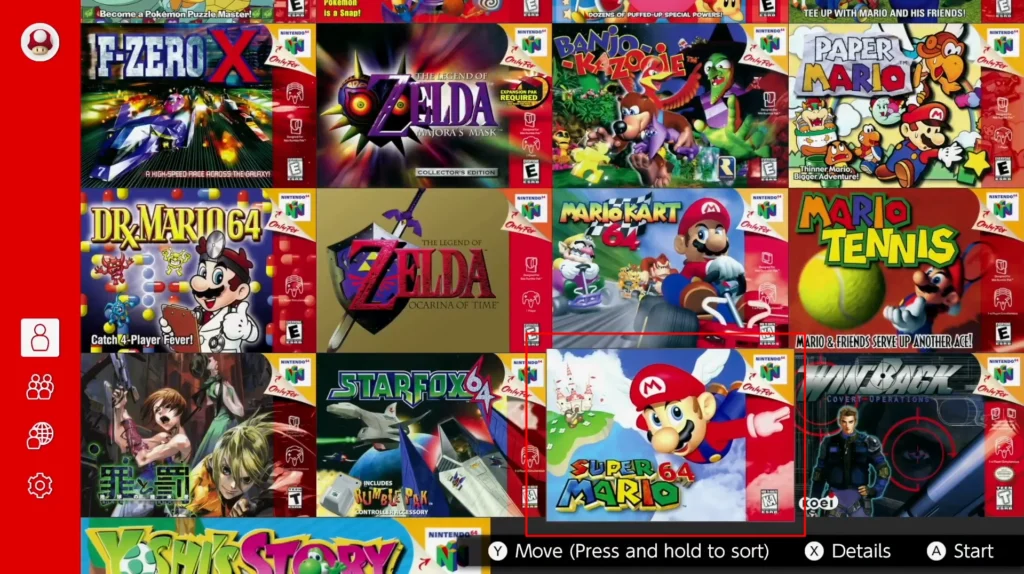
- Select the game.
- Follow the on-screen instructions to start playing.
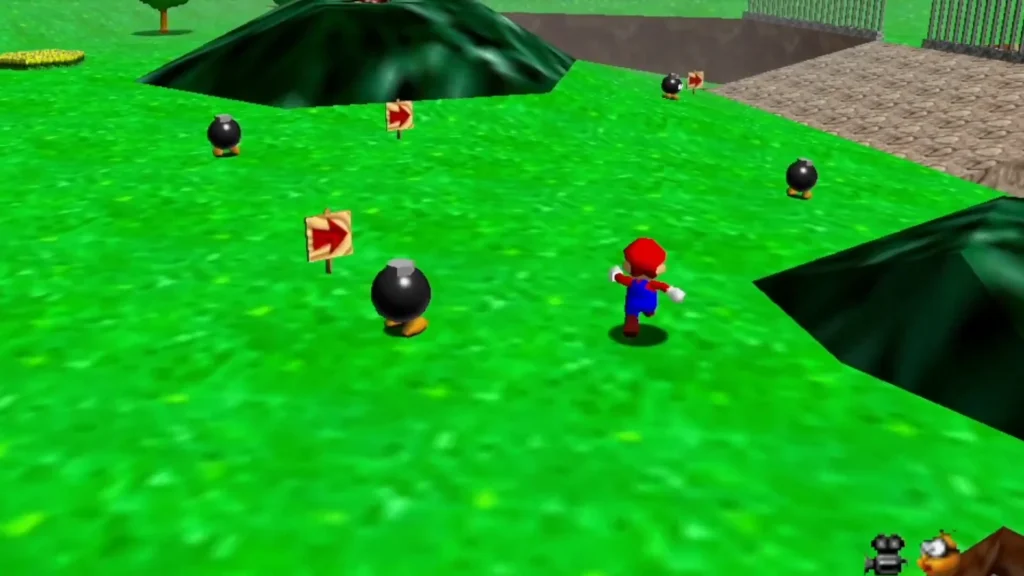
- You can play in TV, tabletop, or handheld mode with compatible controllers.
Do You Need to Buy Super Mario 64 Separately?
No. You do not need to purchase Super Mario 64 separately if you have an active Nintendo Switch Online + Expansion Pack membership.
The game is included in the Nintendo 64 – Nintendo Classics library. You can access the included games for as long as your required membership remains active.
This is different from buying a regular Switch game. You are accessing Super Mario 64 as part of the classic game library.
Can You Still Buy Super Mario 3D All-Stars?
The digital version of Super Mario 3D All-Stars is no longer available for purchase from the Nintendo eShop. Nintendo ended digital sales on March 31, 2021.
However, players who purchased the digital version before it was removed can still play and redownload it. The physical version was also sold through retailers until March 31, 2021, or while supplies lasted.
If you already own a physical copy of Super Mario 3D All-Stars, you can use it to play Super Mario 64 on your Switch.
What if You Already Own Super Mario 3D All-Stars?
If you purchased the digital version before it was removed from the eShop, you can still redownload it. Nintendo allows previous purchasers to redownload the game even if they deleted or archived it from their console.
If you have the physical version, insert the game card into your Switch and launch Super Mario 3D All-Stars. You can then select Super Mario 64 from the collection.
Can You Play Super Mario 64 Without Nintendo Switch Online?
If you do not already own Super Mario 3D All-Stars, you need Nintendo Switch Online + Expansion Pack to access Super Mario 64 through the Nintendo 64 – Nintendo Classics library.
The regular Nintendo Switch Online membership does not include the Nintendo 64 library. So, the Expansion Pack is required if you want to use Nintendo’s current Nintendo 64 library to play Super Mario 64.
Do You Need a Nintendo 64 Controller?
No. A Nintendo 64 Controller is optional. You can play Super Mario 64 with compatible Nintendo Switch controllers. Nintendo also offers a Nintendo 64-style controller for Nintendo Switch Online members. The N64 Controller can give you a control layout that is closer to the original Nintendo 64 experience, but you do not need one to play the game.
Does Super Mario 64 Work on Nintendo Switch 2?
Yes. The Nintendo 64 – Nintendo Classics library is available on both Nintendo Switch and Nintendo Switch 2, and Super Mario 64 is included in the library. Nintendo Switch 2 also supports additional features for Nintendo 64 games, including a CRT filter and Rewind functionality.
Since these features are tied to Nintendo’s online services and software access, it is also worth knowing how Nintendo handles access restrictions on the console. Recent reports about the Nintendo Switch 2 ban wave show how server-side restrictions can affect a console’s access to online services.
What Happens if Your Nintendo Switch Online Membership Expires?
Access to the Nintendo 64 – Nintendo Classics library requires an active Nintendo Switch Online + Expansion Pack membership.
If your membership expires, you cannot access the classic games until you renew the required membership. Your save data remains on the console and can be used again after you renew.
You can play the classic games offline, but Nintendo requires your Switch to connect to the internet at least once every seven days to verify your membership.
Super Mario 64 on Nintendo Switch: Quick Overview
| Method | Available now? | What you need |
|---|---|---|
| Nintendo 64 – Nintendo Classics | Yes | Nintendo Switch Online + Expansion Pack |
| Super Mario 3D All-Stars digital | No | Only available to previous purchasers |
| Super Mario 3D All-Stars physical | Existing copies | Physical game card |
| Standalone Super Mario 64 | No current standalone eShop purchase | Not available as a separate Switch game |
Final Words
The easiest current way to get Super Mario 64 on Nintendo Switch is through the Nintendo Switch Online + Expansion Pack membership.
Download the Nintendo 64 – Nintendo Classics library from the eShop, open it, and select Super Mario 64. If you already own Super Mario 3D All-Stars, you can also play the game through that collection.
People Also Ask
The Nintendo 64 – Nintendo Classics software is free to download, but you need an active Nintendo Switch Online + Expansion Pack membership to access its games, including Super Mario 64.
There is currently no standalone Super Mario 64 purchase on the Nintendo eShop. The current digital option is to access it through the Nintendo 64 classic game library.
Yes, you can play the classic games offline, but your Switch must connect to the internet at least once every seven days to verify your Nintendo Switch Online membership.
Yes. You can play the Nintendo 64 classic games with compatible Switch controllers. A Nintendo 64 Controller is optional.
Yes. Super Mario 3D All-Stars includes Super Mario 64, Super Mario Sunshine, and Super Mario Galaxy. However, Nintendo no longer sells the digital version of the collection.
