

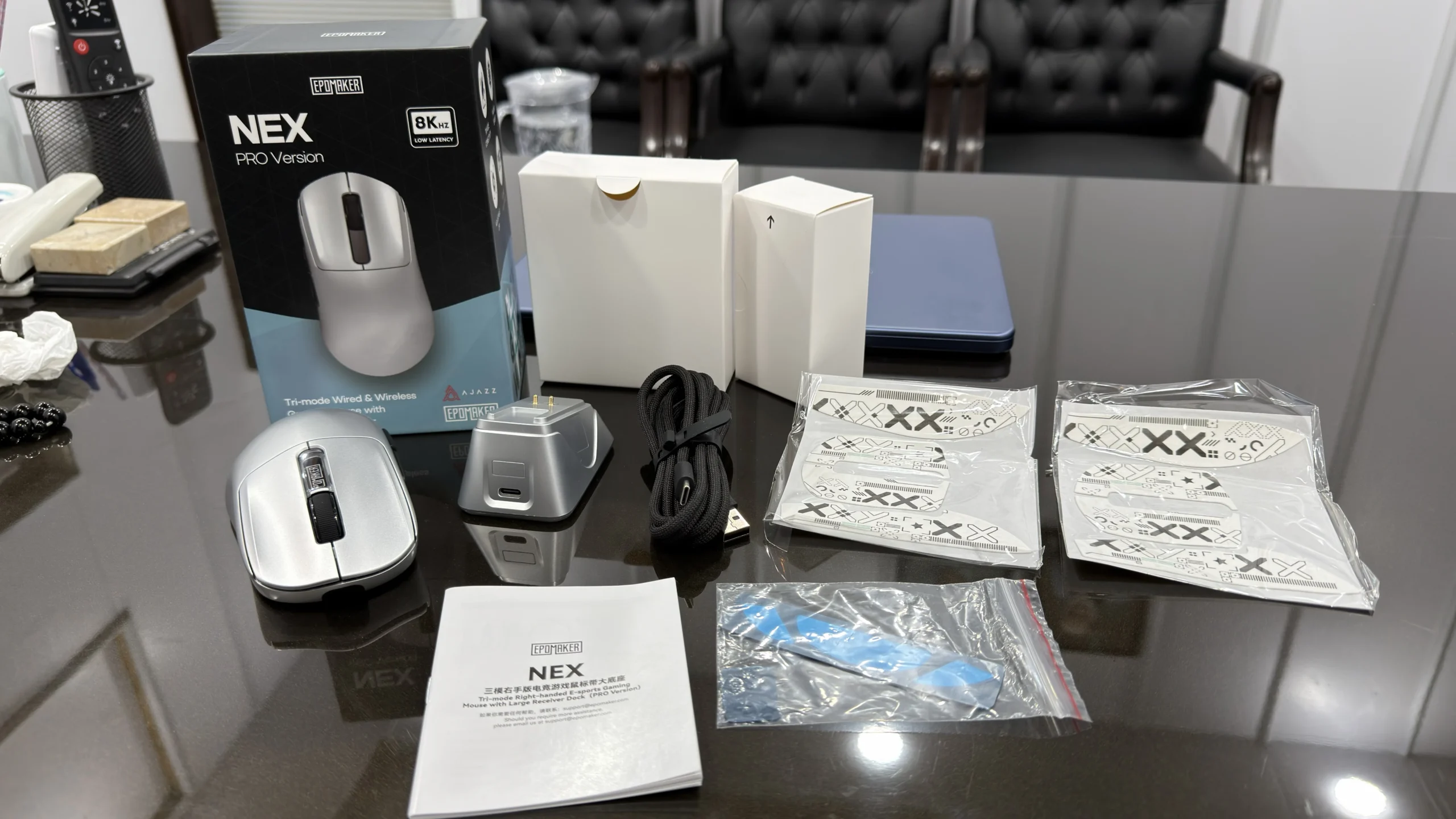
Review Disclosure: EPOMAKER provided the Nex Pro gaming mouse to Gaming Tech Zone (GTZ) for review. Our team tested it for one week, and all opinions, observations, and conclusions are based on our own hands-on experience.
I am not very fond of purchasing an expensive gaming mouse, but the famous saying “Quality comes at a cost” keeps me spending more on products like the G PRO X2 SUPERSTRIKE and Razer DeathAdder V4 Pro for better performance.
However, recently I have had my hands on the EPOMAKER Nex Pro. This $79.99 gaming mouse is something that changed my perspective with its exceptional design and performance. I am not saying it is perfect, but the value it brings for the money is simply amazing.
After using this for around a week, I am going to share my experience with the EPOMAKER Nex Pro so you will know where this mouse takes the lead and where it still needs a bit of improvement.
What is EPOMAKER Nex Pro?
The EPOMAKER Nex Pro is a lightweight, tri-mode wireless gaming mouse featuring a PixArt PAW3950 sensor, up to 42,000 DPI, 8,000Hz polling rate, customizable controls, and a magnetic RGB charging dock.
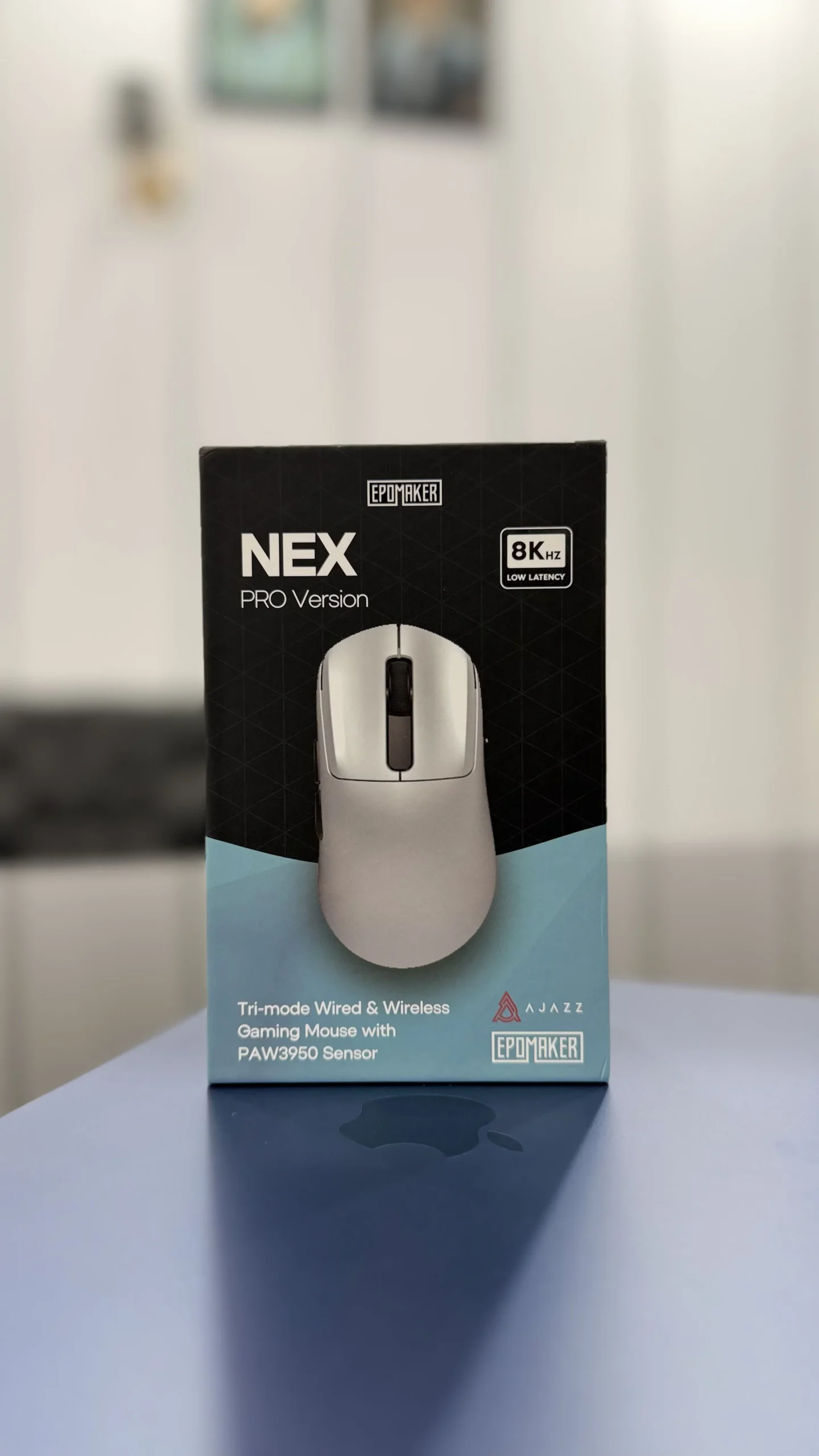
EPOMAKER Nex Pro Specifications
Before getting into my gaming experience, let’s look at the hardware and features EPOMAKER offers with the Nex Pro.
| Specification | Details |
|---|---|
| Model | EPOMAKER Nex Pro |
| Price | $79.99 |
| Sensor | PixArt PAW3950 |
| Maximum DPI | 42,000 |
| Default DPI | 1,600 |
| Maximum polling rate | 8,000Hz |
| Default polling rate | 1,000Hz |
| Connectivity | 2.4GHz wireless, Bluetooth, USB-C wired |
| Weight | 65g |
| Battery capacity | 500mAh |
| Maximum tracking speed | 750 IPS |
| Maximum acceleration | 50G |
| Switch lifespan | Up to 100 million clicks (manufacturer-rated) |
| Programmable buttons | 5 |
| Charging | Magnetic charging dock |
| RGB lighting | Charging dock only |
| Shape | Right-handed ergonomic |
| Software | Browser-based configuration software |
The specifications above are based on EPOMAKER’s official product information. Some of the battery and performance figures in the following sections come from my own testing rather than the manufacturer’s advertised results.
My Gaming Experience With EPOMAKER Nex Pro
The EPOMAKER Nex Pro offers an enjoyable gaming experience with smooth tracking, responsive controls, and a comfortable grip. I found it reliable during gameplay, and its overall performance has made me genuinely happy with this mouse.
My Testing Conditions
I tested the EPOMAKER Nex Pro for approximately one week, primarily using its 2.4GHz wireless connection. Rather than switching between different settings throughout the testing period, I kept my configuration consistent to evaluate its performance during actual gaming.
Here are the settings I used:
| Testing parameter | My configuration |
|---|---|
| Game played | Call of Duty |
| DPI | 1,600 |
| Polling rate | 2,000Hz |
| Connectivity | 2.4GHz wireless |
| Battery runtime | Approximately 65 hours |
| Full charging time | Approximately 110 minutes |
| Testing duration | Around one week |
My Experience
The first thing I noticed was how comfortable the mouse felt during gaming. Its right-handed ergonomic design worked particularly well with my claw grip, allowing me to maintain a comfortable hand position without struggling to reach the side buttons.
The 1,600 DPI setting also felt responsive. Although I generally prefer 800 DPI for Call of Duty, I used 1,600 DPI during my main testing and was satisfied with the tracking performance. I found the mouse responsive enough for quick movements and regular aiming adjustments.
The 2,000Hz polling rate was another positive aspect. I used the 2.4GHz wireless connection throughout my testing, and the mouse delivered the responsive experience I expected from a gaming peripheral in this price range.
Battery performance was equally impressive. I managed to get approximately 65 hours of use from a full charge, while charging it from completely empty to full took around 110 minutes.
Overall, my one-week experience was very positive. I did identify a few areas where EPOMAKER could improve the design, but the mouse performed well in the areas that matter most to my gaming experience.
GTZ Team’s Experience With EPOMAKER Nex Pro
Alongside me, GTZ team has also tested Epomaker Nex Pro at their desired settings to see how well it can perform for them. Below are their thoughts on this mouse.
Fawad Malik’s Experience
Fawad Malik and I often use the same DPI and polling rates while playing COD, so our testing conditions were the same. For him, the performance was also the same, but the one thing he found to be problematic was the weight.
Although Epomaker weighs only 65g, it’s a bit heavier than industry leaders like Razer DeathAdder V4 Pro, the mouse Fawad Malik actually uses. His exact words about Epomaker Nex Pro are:
- “Mouse seems to be a perfect fit for competitive gameplay owing to its wide range of customizable settings, but for me, it’s a bit heavier maybe because I am used to playing with a lighter one.”
Ali Mustafa’s Experience
He said he normally uses the Razer DeathAdder 1 as his main gaming mouse and was curious to see how the Epomaker Nex Pro would perform in comparison. He played Valorant for around five hours with the Nex Pro, and the difference was impressive.
He said its gaming performance was excellent, and he felt comfortable using it throughout his gaming period.
He said, at first glance, the Nex Pro looked like a regular gaming mouse to him, but once he began using it, its performance spoke for itself. It genuinely impressed him enough to consider replacing his current main mouse.
His exact words about the Epomaker Nex Pro were:
- “I am not the type of guy who buys products frequently, but this mouse made me seriously consider buying one for myself.”
What’s My Assessment of the EPOMAKER Nex Pro’s Specs and Features?
My testing gave me a better understanding of how the Nex Pro performs beyond its advertised specifications. Here is my assessment of its major features.
1. Design
The EPOMAKER Nex Pro features an ergonomic, asymmetrical design specifically suited to right-handed users. Its shape provides a natural resting position for the hand, while the thumb area makes the side buttons accessible.
I particularly like how it accommodates a claw grip. My fingers naturally settle into position, and I can maintain control without having to adjust my grip repeatedly.
This design is especially useful in FPS games where you frequently reposition the mouse and make quick movements.
The mouse measures approximately 65g, which also contributes to its overall handling. It feels light enough for fast movements without giving me the impression that I am using an excessively fragile peripheral.
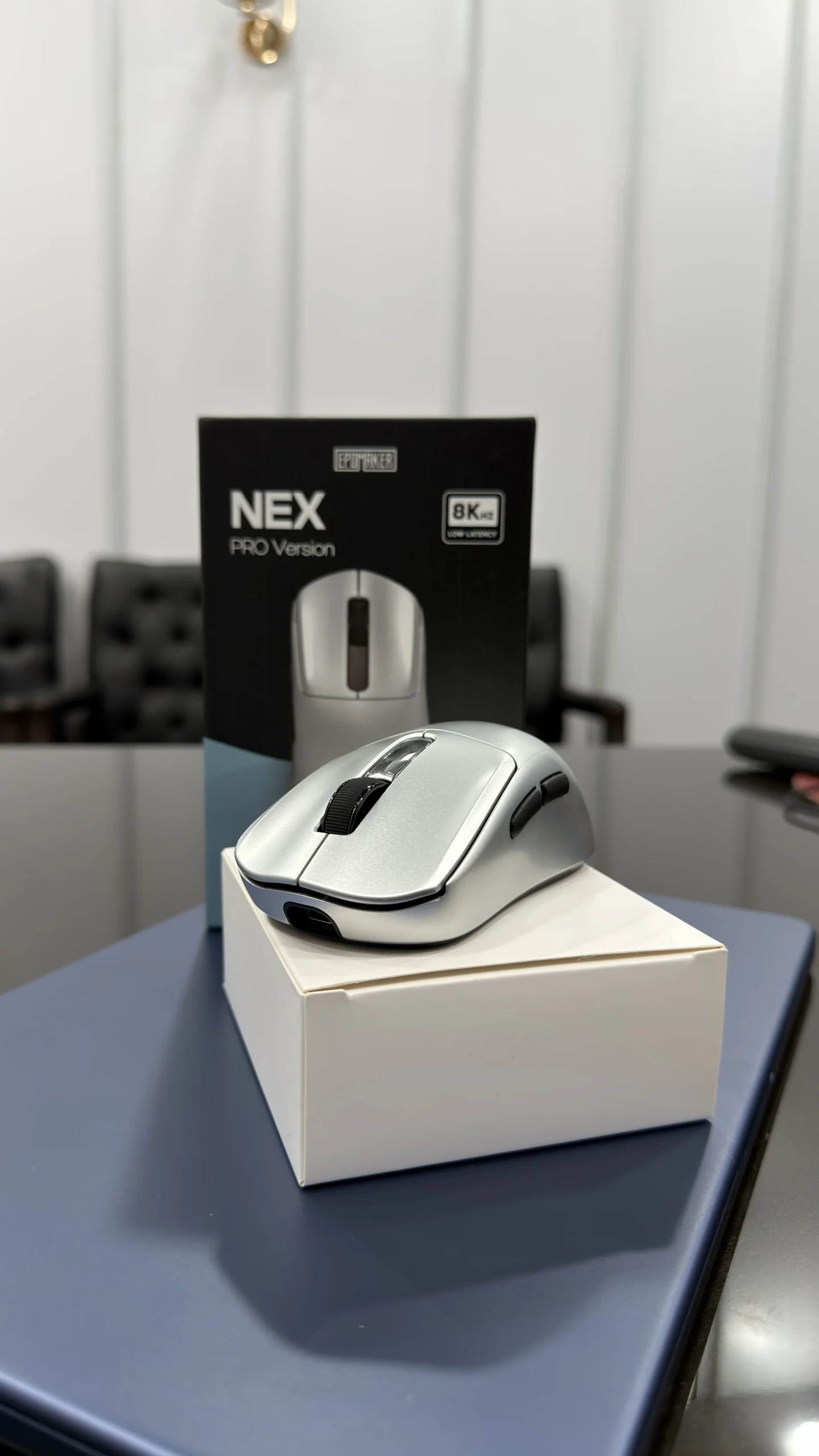
2. Build Quality
Build quality is another area where I have a positive impression of the Nex Pro.
Despite its lightweight construction, the mouse feels solid. I did not find its overall design cheap or poorly put together during my testing.
The buttons also feel properly positioned, and I appreciate the attention EPOMAKER has given to the overall ergonomic design.
A lightweight mouse should not necessarily feel flimsy, and the Nex Pro manages to provide a reassuring build without adding unnecessary weight.
3. Sensor and DPI Performance
The Nex Pro uses the PixArt PAW3950 optical sensor, which supports a maximum sensitivity of 42,000 DPI.
While that maximum figure looks impressive on paper, I am more interested in how a mouse performs at the sensitivity settings I actually use.
The default DPI is 1,600, which is also the setting I used during my main testing. I found it responsive for gaming and everyday desktop use.
For Call of Duty, however, I generally prefer 800 DPI. The Nex Pro also supports this setting and allowed me to switch to my preferred sensitivity whenever needed.
The sensor’s advertised specifications include tracking speeds of up to 750 IPS and acceleration of up to 50G. For my actual gaming experience, the tracking performance was satisfactory, and I did not feel that the sensor was holding me back.
3. Polling Rate
The polling rate is one of the features that makes the Nex Pro particularly interesting.
EPOMAKER advertises support for up to 8,000Hz polling, while the default setting is 1,000Hz. I tested the mouse at 2,000Hz using its 2.4GHz wireless connection.
I found this configuration responsive during my Call of Duty sessions. It provided the performance I wanted without requiring a wired connection.
Ali Mustafa tested the 4,000Hz or 8,000Hz settings, and he said having those options available is a positive feature. Gamers who want to experiment with higher polling rates have additional flexibility.
4. Connectivity
The EPOMAKER Nex Pro supports 3 connection modes:
- 2.4GHz wireless
- Bluetooth
- USB-C wired
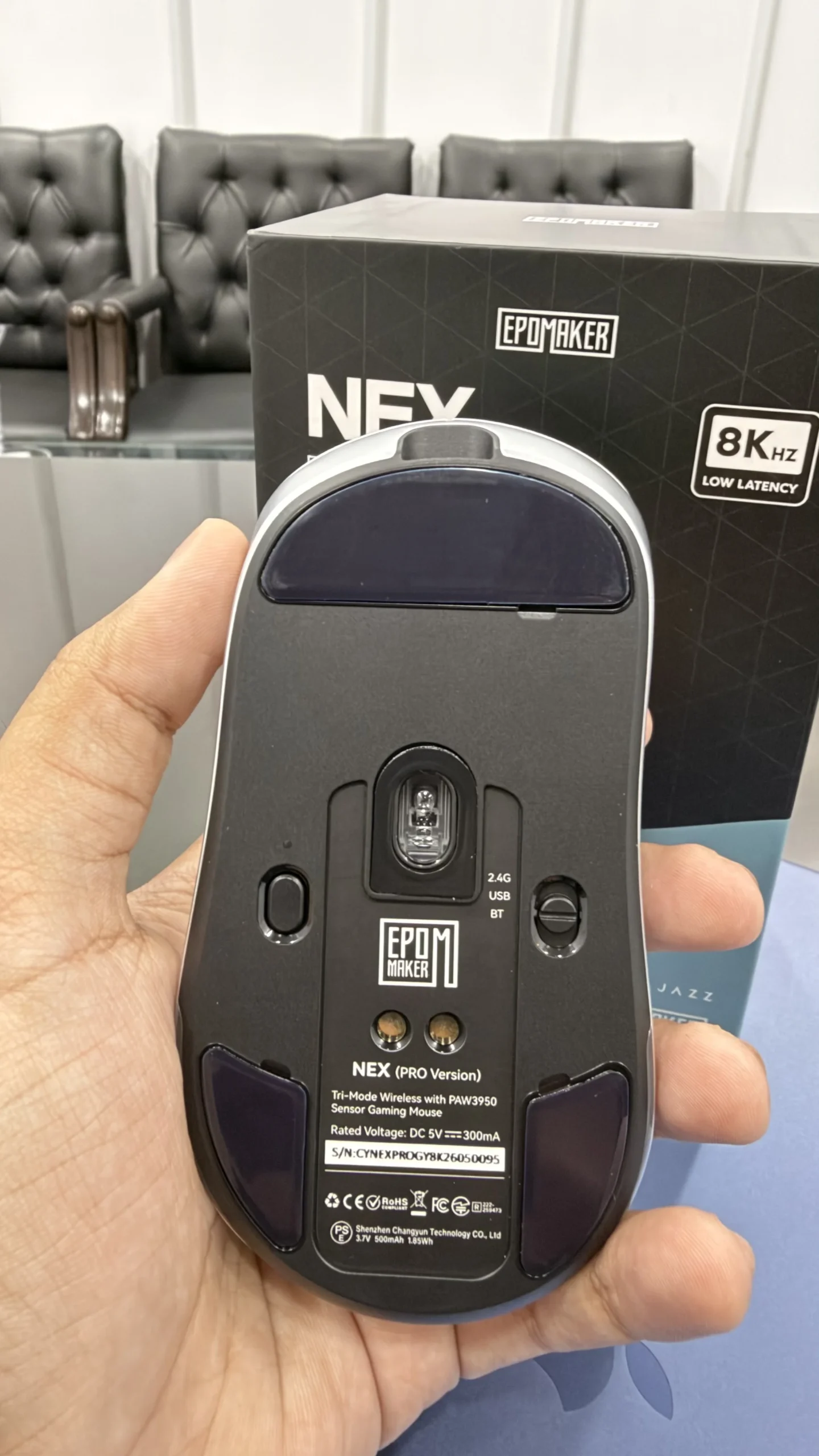
I primarily used the 2.4GHz wireless connection during my testing because it is the mode I prefer for gaming.
The dedicated wireless connection allowed me to use the mouse without dealing with cable interference. This is particularly convenient when making quick movements in FPS games.
Bluetooth is useful for everyday computing and compatible devices, while the USB-C connection provides a wired alternative.
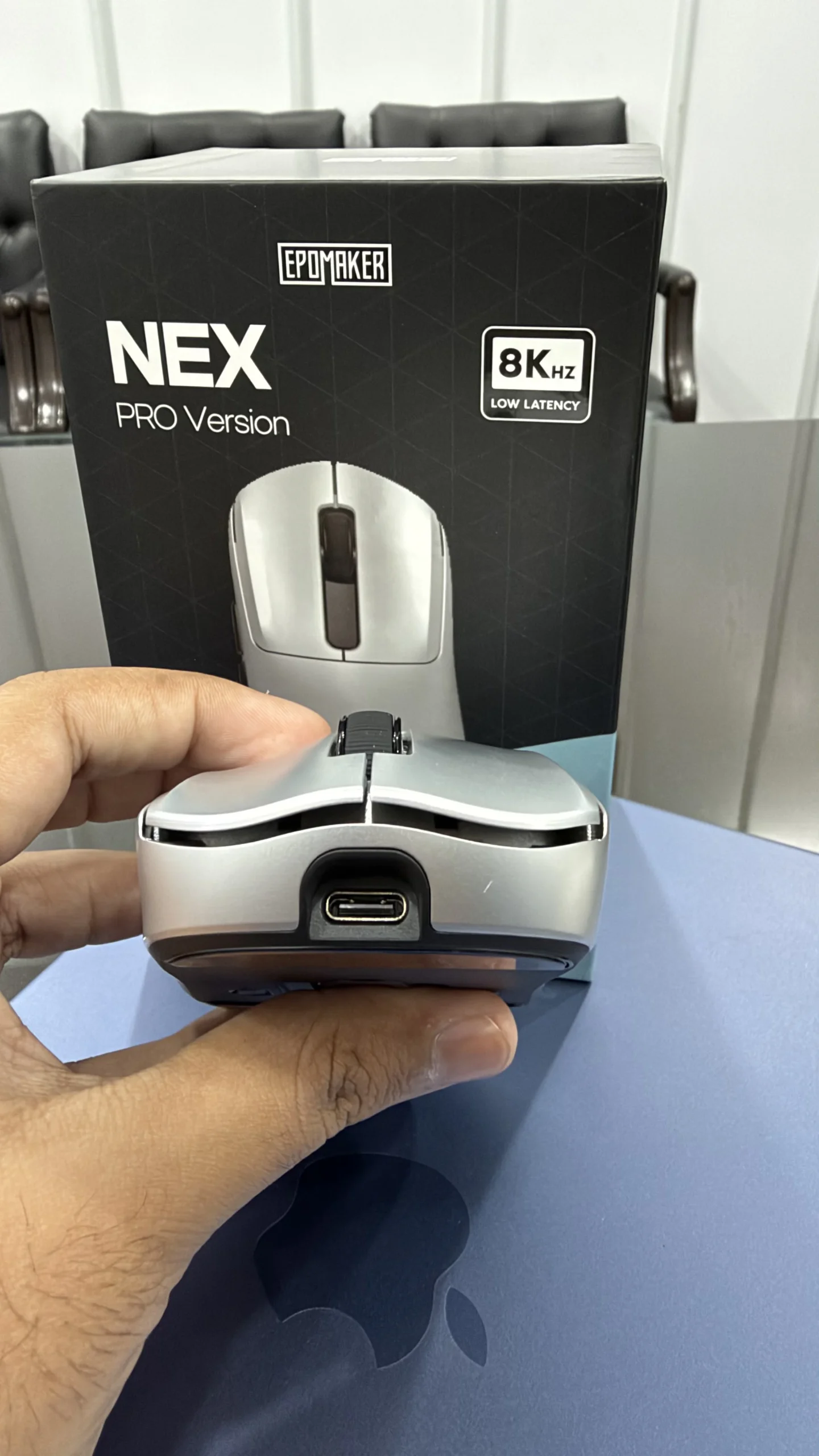
I appreciate having multiple connectivity options because they make the mouse more versatile to connect with PCs and gaming laptops beyond a dedicated gaming setup.
5. Clicks, Switches, and Side Buttons
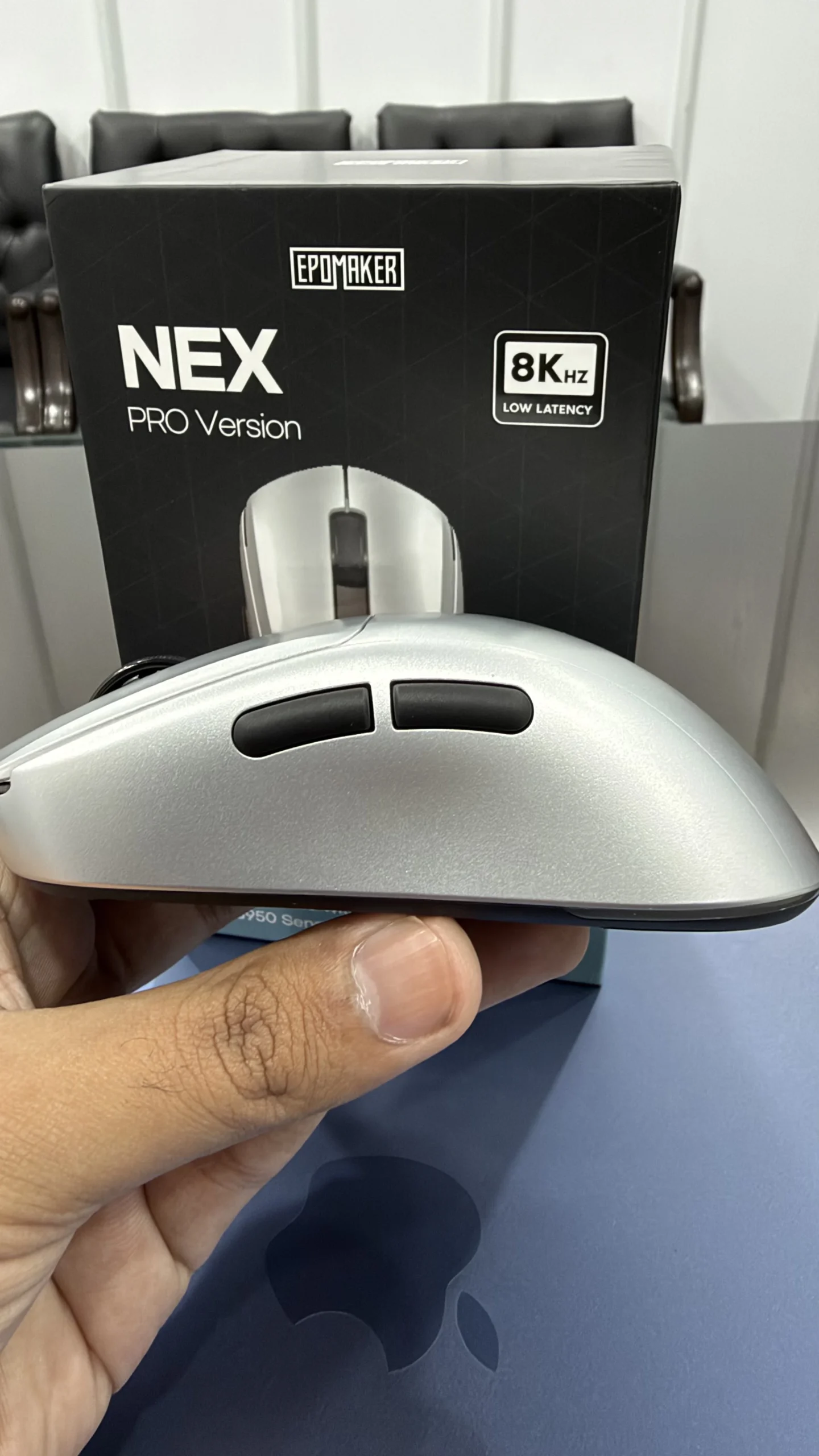
The main clicks are light and responsive, which is something I particularly appreciate about this mouse.
I do not like gaming mice that require excessive force to register a click. The Nex Pro provides a comfortable clicking experience, and its primary buttons respond well during repeated use.
The side buttons are also easy to reach. I can access them without changing my claw grip or moving my thumb into an uncomfortable position.
This might sound like a minor detail, but button placement can make a significant difference during gaming. When you need to activate a command quickly, you should not have to struggle to find the button.
6. Battery Life
Battery life was one of the biggest surprises during my hands-on testing.
The Nex Pro comes with a 500mAh rechargeable battery. EPOMAKER advertises up to 350 hours at 125Hz and up to 50 hours at 8,000Hz.
However, I tested the mouse at 2,000Hz using 2.4GHz wireless and managed to get approximately 65 hours from a full charge.
I consider that a very good result. Getting around 65 hours of use means I do not have to worry about charging the mouse every day, even when using a higher polling rate than its default setting.
Of course, battery performance depends on usage and configuration. My result represents my own testing conditions rather than a guaranteed runtime for every user.
7. Charging Performance
The charging performance was also satisfactory, although my result was slightly different from EPOMAKER’s advertised charging time.
I charged the mouse from completely empty to full, and the process took approximately 110 minutes.
EPOMAKER lists a charging time of around 90 minutes. My measurement was therefore approximately 20 minutes longer.
I do not consider this a major issue. A charging time of under two hours is reasonable for a wireless gaming mouse, especially when the battery provides approximately 65 hours of use in my testing.
8. Charging Dock
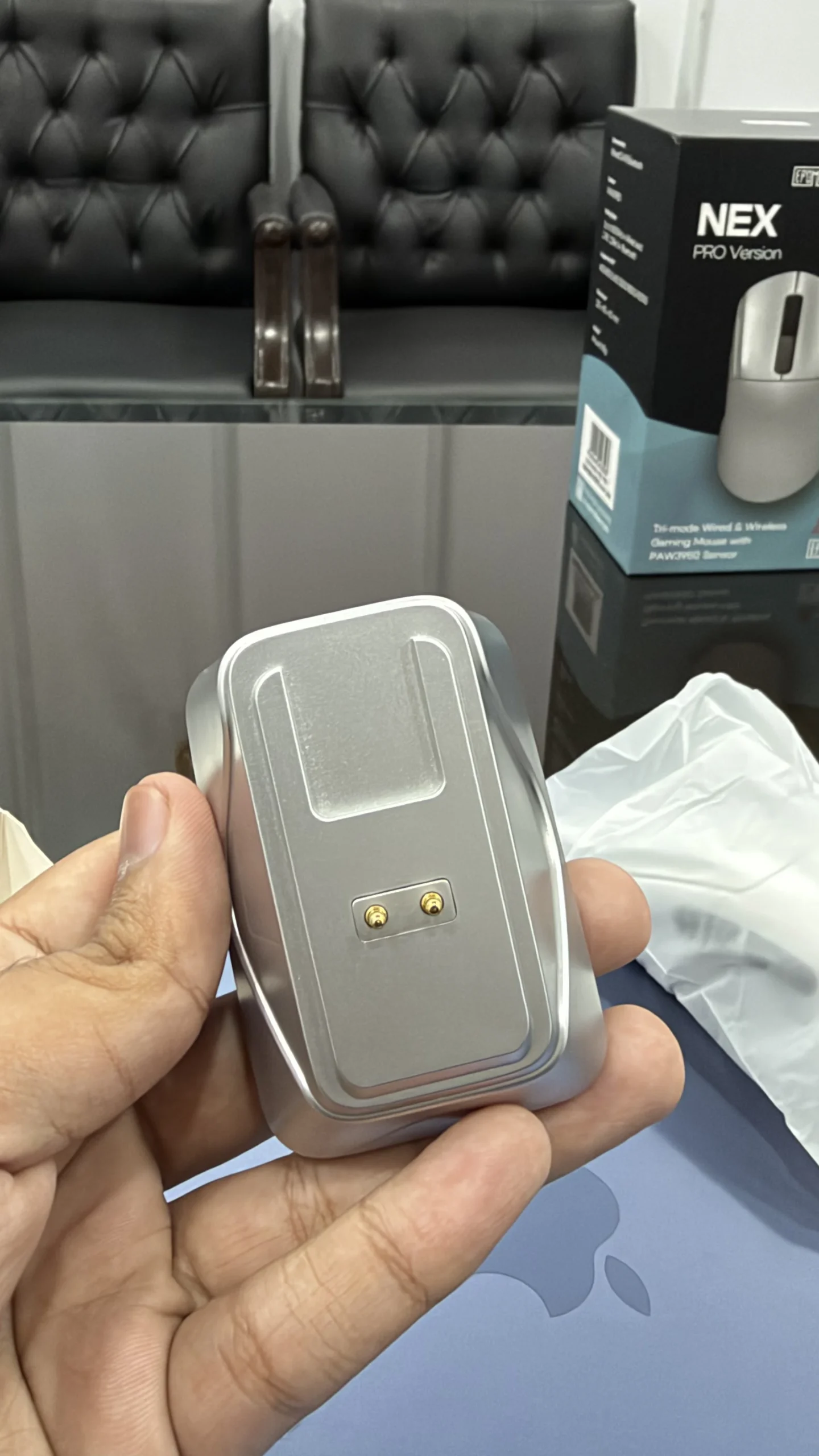
The magnetic charging dock is another useful addition.
Instead of connecting a cable directly to the mouse every time its battery runs low, you can place it on the dock for charging. The dock also accommodates the wireless receiver, helping keep your gaming setup organized.
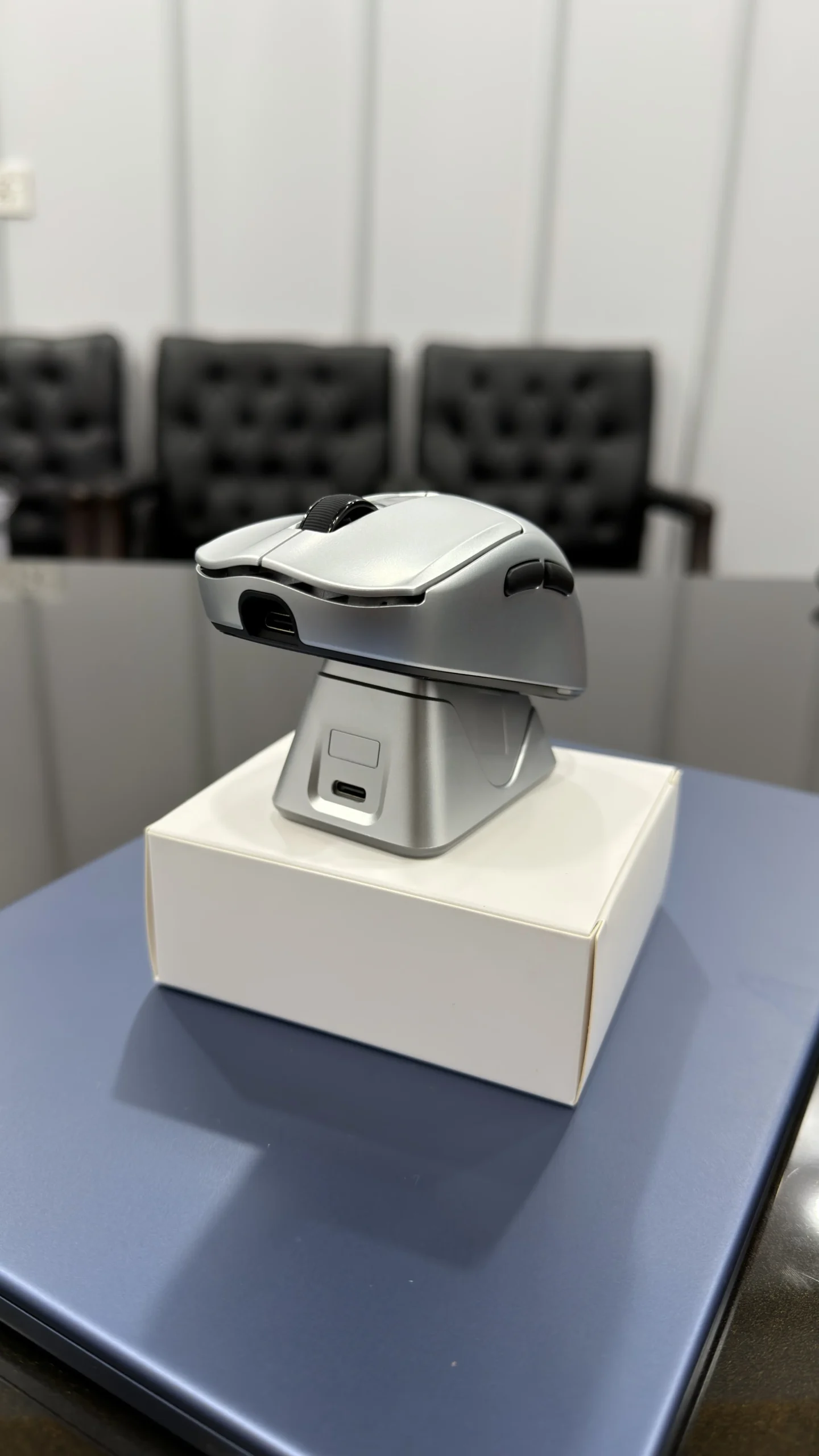
I like the convenience of this arrangement. It makes recharging straightforward and gives the mouse a dedicated place on the desk when it is not in use.
The dock also features RGB lighting, which adds some visual appeal to the setup.
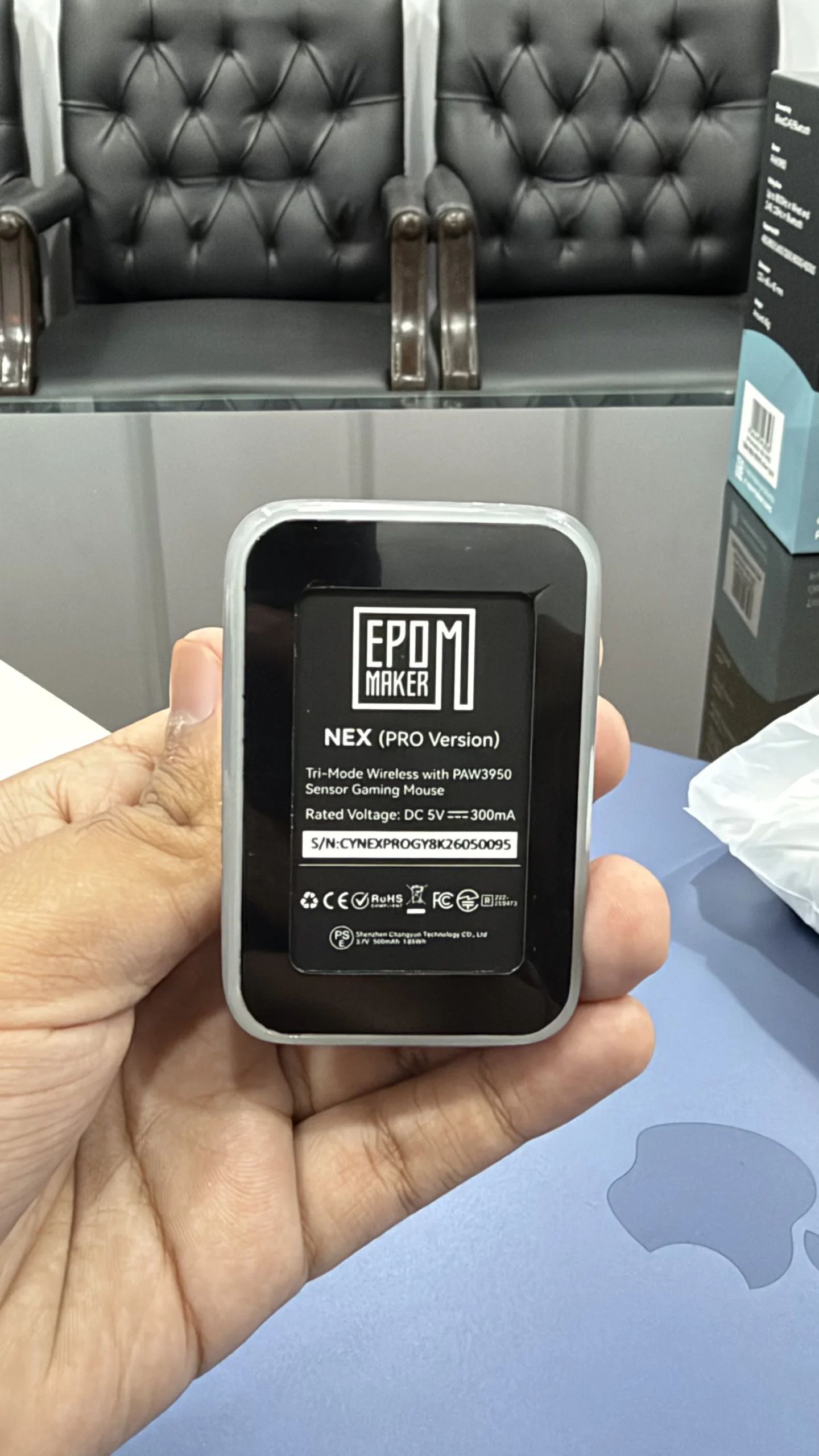
However, there is one thing I would have liked if the EPOMAKER included RGB lighting on the mouse itself. Nevertheless, it’s not a gaming performance limitation.
Features Where EPOMAKER Nex Pro Lags
Although I am very happy with the Nex Pro, there are a few areas where I believe EPOMAKER could improve it.
1. Weight Could Be Lower
The Nex Pro weighs 65g, which is lightweight compared with many traditional gaming mice. However, it would be best if the weight is something closer to 55–60g.
I did not find the additional weight particularly problematic during gaming, but players who prioritize ultralight mice may notice the difference.
Reducing the weight slightly would make the Nex Pro even more attractive to competitive FPS players, similar to the Razer Viper V2 Pro.
2. No RGB Lighting on the Mouse
One disappointment is the absence of RGB lighting on the mouse itself.
The charging dock includes adjustable RGB lighting, but the mouse does not have illuminated branding or customizable lighting effects. So, if you are someone who loves RGB, products like SteelSeries Aerox 3 can be a perfect pick for you.
This is not a performance limitation, and I would rather have good sensor performance and battery life than unnecessary lighting. Still, I would have appreciated some subtle RGB customization on the mouse.
3. Not Ideal for Every Grip Style
Although I find the Nex Pro excellent for a right-handed claw grip, I would not automatically recommend it to everyone.
Its ergonomic shape is designed around right-handed use, and its contours may not provide the same comfort for left-handed users.
Palm-grip users should also consider their hand size and preferred mouse shape before purchasing. The Nex Pro’s shape is more appealing to my claw-grip preference than it is a universal solution for every grip style.
If you prefer a palm grip mouse or a design that accommodates different grip styles, you may want to compare Logitech G903 or other options.
4. Charging Dock Requires Additional Desk Space
The magnetic charging dock is convenient, but it also takes up space on your desk in a gaming zone.
This is not a serious drawback for most gaming setups, but people with limited desk space may prefer a mouse that charges directly through USB-C without requiring a separate dock.
I personally appreciate the dock’s convenience, but its size and placement are worth considering before buying.
Is the EPOMAKER Nex Pro Worth Buying?
At its listed price of $79.99, I believe the EPOMAKER Nex Pro offers excellent value for gamers who want a capable wireless mouse with a lightweight ergonomic design.
Its PAW3950 sensor, support for up to 8,000Hz polling, responsive clicks, and multiple connectivity options make it an attractive package for gaming PCs and laptops.
More importantly, my own testing at 2,000Hz over 2.4GHz wireless was very positive. I got approximately 65 hours of battery life, found the claw-grip design comfortable, and had no major complaints about its overall build quality.
Final Thoughts on Epomake Nex Pro
The EPOMAKER Nex Pro has been a pleasant surprise during my one-week testing period. Its right-handed ergonomic design, responsive clicks, accurate tracking, and 2,000Hz wireless performance make it a capable gaming mouse at its $79.99 listed price.
I particularly appreciate its claw-grip comfort and the approximately 65 hours of battery life I recorded after a full charge. The 65g weight could be lower, and I would have liked RGB lighting on the mouse itself, but neither issue significantly affected my experience.
If you want a responsive wireless gaming mouse with a strong feature set and do not want to spend a fortune, the Nex Pro deserves a place on your shortlist.
