


The Razer Blade 16 is the kind of gaming laptop that makes you stop and look twice. It has the sleek aluminum body of a premium ultrabook, but underneath that understated design sits hardware built for serious gaming.
The problem? A laptop this powerful comes with a price tag that makes every specification matter. You want high FPS, a beautiful display, strong CPU performance, useful battery life, and enough cooling to keep everything running properly when the workload gets heavy.
So, is the Blade 16 actually worth paying a premium for, or are you simply paying extra for the Razer logo and polished design?
What is the Razer Blade 16?
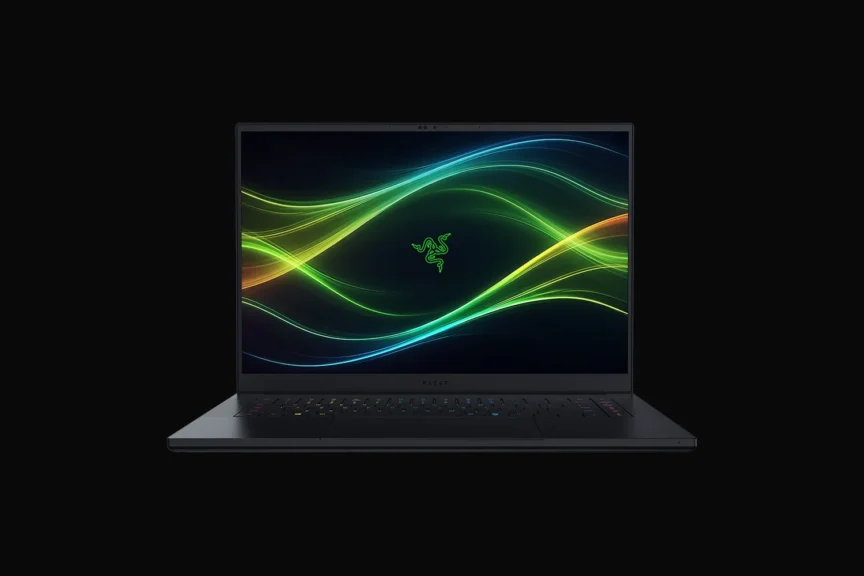
The Razer Blade 16 is Razer’s premium 16-inch gaming laptop, which combines high-end Intel processors, NVIDIA GeForce RTX graphics, a high-resolution display, and an aluminum chassis designed to balance gaming performance with portability.
How Much Does It Cost?
The Razer Blade 16 costs $5,599.99 for this specific configuration:
- Operating System: Windows 11 Home
- Display: QHD + 240 Hz OLED
- CPU: Intel Core Ultra 9 386H
- GPU: GeForce RTX 5090 (24 GB GDDR7 VRAM)
- Memory: 64 GB
- Storage: 2 TB SSD
The 2026 Razer Blade 16 starts around $2,999, while higher-end configurations with more powerful RTX graphics, additional memory, and storage can push the price significantly higher. You can check the pricing through the official Razer site for different configurations.
How Powerful Is It For Gaming?
The Razer Blade 16 is a high-end gaming laptop capable of running modern AAA games at high settings, with higher-tier configurations delivering strong 1440p and 4K-class gaming performance.
What Games Can It Run and At What Settings/FPS?
The Blade 16 can handle virtually all modern PC games. Actual FPS varies by configuration, resolution, graphics settings, DLSS, ray tracing, and game version, so these figures should be treated as approximate.
| Game | Recommended Settings | Approx. FPS |
|---|---|---|
| Cyberpunk 2077 | 1440p High, DLSS | 80–110 FPS |
| Call of Duty: Black Ops 7 | 1440p High | 100–140 FPS |
| Fortnite | 1440p Epic, DLSS | 120–180 FPS |
| GTA V | 1440p Very High | 120–160 FPS |
| Red Dead Redemption 2 | 1440p High | 80–110 FPS |
| Hogwarts Legacy | 1440p High, DLSS | 80–110 FPS |
| Forza Horizon 5 | 1440p Extreme | 100–140 FPS |
| Counter-Strike 2 | 1440p High | 180–250+ FPS |
| Elden Ring | 1440p High | ~60 FPS |
| Assassin’s Creed Shadows | 1440p High, DLSS | 70–100 FPS |
FPS figures vary considerably according to the exact CPU/GPU configuration, power mode, drivers, resolution, and upscaling settings.
Is Razer Blade 16 Worth It?
The Razer Blade 16 is worth considering if you want premium construction, powerful gaming hardware, a high-quality display, and relatively portable performance.
Its biggest drawback is price, particularly when similarly powerful gaming laptops can cost considerably less.
Who Should Buy It?
- Gamers wanting high-end performance in a relatively sleek laptop
- Users who prioritize premium aluminum construction
- Content creators needing powerful CPU and GPU hardware
- Gamers who want a high-resolution, high-refresh-rate display
- Professionals who want a gaming laptop that looks less aggressive
- Users willing to pay more for premium design and portability
Who Shouldn’t Buy It?
- Buyers looking for maximum performance per dollar
- Users who primarily play lightweight esports games
- People who rarely need dedicated GPU performance
- Buyers who prioritize long battery life above gaming performance
- Anyone uncomfortable paying a premium for a high-end laptop
Which Razer Blade 16 Configuration Should You Buy?
Choose the configuration according to your resolution, games, workload, and budget. The higher-end GPU options make the biggest difference for demanding gaming and creative workloads.
| Configuration | Best For | Recommendation |
|---|---|---|
| RTX 5060 | 1080p/1440p gaming | Entry-level Blade 16 |
| RTX 5070 Ti | 1440p gaming | Balanced option |
| RTX 5080 | High-end 1440p / 4K | Enthusiast gaming |
| RTX 5090 | Maximum performance | Extreme gaming and professional workloads |
Important: Exact CPU, RAM, SSD, display, and GPU combinations can vary by market and retailer, so verify the configuration before purchasing.
Razer Blade 16 Specifications
The following specifications refer to the 2026 Razer Blade 16 generation, and I have verified the details with Tom’s Hardware. Configurations can differ by GPU, memory, storage, display, and regional availability.
| Specification | Razer Blade 16 (2026) |
|---|---|
| Display | 16-inch high-resolution gaming display |
| CPU | Intel Core Ultra 9 386H |
| GPU Options | NVIDIA GeForce RTX 5060 / 5070 Ti / 5080 / 5090 |
| RAM | Up to 64GB |
| Storage | Up to 4TB SSD |
| Operating System | Windows 11 |
| Display Technology | OLED |
| Refresh Rate | Up to 240Hz, depending on configuration |
| Chassis | Aluminum |
| Connectivity | Wi-Fi, Bluetooth, USB and other modern ports |
| Keyboard | Per-key RGB |
| Webcam | Full HD |
| Battery | Large-capacity internal battery |
| Weight | Around 2 kg, depending on configuration |
1. Design and Build
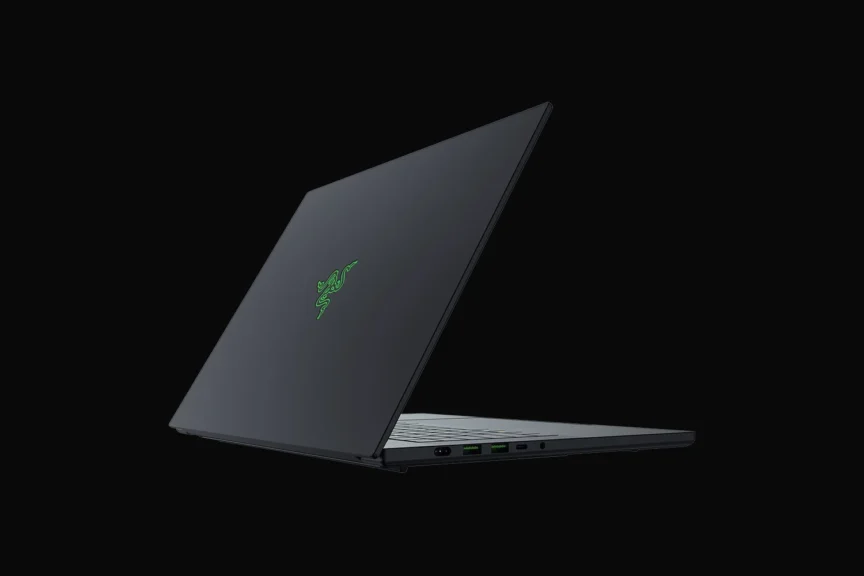
The Blade 16 continues Razer’s minimalist approach to gaming laptops. Its aluminum chassis gives it a more premium appearance than many aggressively styled gaming machines.
The design is relatively understated, which makes it suitable for both gaming and professional environments without looking like a traditional gaming laptop.
2. Display
The 16-inch OLED display of Razer Blade 16 is one of the laptop’s major attractions. OLED technology provides deep blacks, strong contrast, vivid colors, and fast response times.
Depending on the configuration, the Blade 16 can also provide a high refresh rate that makes fast games feel considerably smoother.
3. CPU
The 2026 Blade 16 uses Intel’s Core Ultra 9 386H in high-end configurations, which makes it count among the best gaming laptops for performance. Its modern architecture provides substantial processing capability for gaming, multitasking, content creation, compiling, and other demanding workloads without relying solely on the dedicated GPU.
4. GPU
Graphics options extend into NVIDIA’s RTX 50-series, including higher-end RTX 5090 configurations.
This gives the Blade 16 access to modern ray tracing, DLSS, frame-generation technologies, and substantial GPU horsepower for demanding games and creative applications.
5. Thermals and Fan Noise
High-performance hardware inevitably generates significant heat inside a relatively compact chassis.
The Blade 16 uses an advanced cooling system to manage CPU and GPU temperatures, but users should expect noticeable fan noise when demanding games or workloads push the hardware toward its limits.
6. Battery
Battery life depends heavily on the configuration, display settings, Windows power mode, and workload. Gaming dramatically reduces runtime compared with light productivity.
Like most powerful gaming laptops, the Blade 16 is best viewed as a portable workstation rather than an all-day battery machine.
7. Keyboard and Trackpad
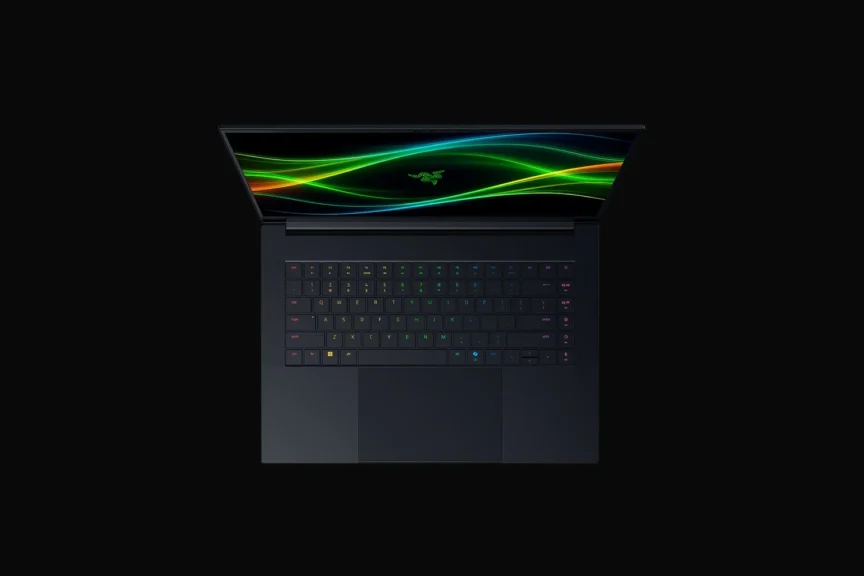
The Blade 16 features a spacious keyboard with per-key RGB lighting and a large precision trackpad. The layout is designed to remain practical outside gaming, while the customizable lighting provides the gaming-focused appearance Razer users expect.
8. Ports
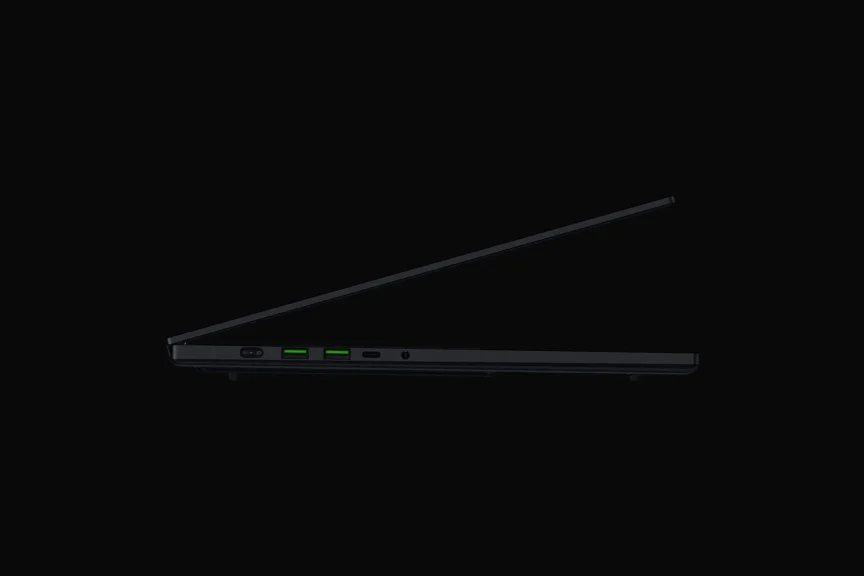
The Blade 16 provides a mixture of modern USB connectivity and other ports intended for gaming peripherals, displays, networking, storage, and everyday accessories. The exact port configuration should be checked against the specific 2026 model before purchase.
9. Weight and Portability
Despite its powerful hardware, the Blade 16 is designed to remain relatively portable for a high-end gaming machine. It is considerably easier to carry than many bulky gaming laptops, although the charger adds additional weight when traveling.
Razer Blade 16 Gaming Performance
The Razer Blade 16 is designed around sustained high-performance gaming rather than lightweight casual use. While it is not as powerful as the MSI Raider 18 HX AI, it can still deliver astonishing performance during high-end gaming
CPU and GPU Performance
Its Intel Core Ultra processor and RTX 50-series GPUs provide enough performance for demanding AAA games, esports titles, ray tracing, and high-resolution gaming.
At 1440p, the higher-end configurations have enough GPU power to target high refresh rates in many games, while demanding titles can benefit from NVIDIA DLSS and frame-generation technologies.
At 4K, settings and upscaling become more important because native rendering places considerably more load on the GPU.
Heat
Heat is unavoidable when this much hardware is packed into a relatively thin chassis. During demanding gaming sessions, the cooling system can become audible, and chassis temperatures can rise around areas close to the CPU and GPU.
This does not automatically mean the laptop is overheating. Thermal management is designed to regulate performance within safe operating limits.
Battery Performance
Gaming while running on battery is also not the ideal way to use the Blade 16. Performance can decrease substantially compared with plugged-in operation, while demanding games drain the battery quickly.
Connectivity
Connectivity is another important consideration. Wi-Fi and Bluetooth support modern wireless peripherals and networks, while the laptop’s physical ports allow users to connect external displays, mice, keyboards, storage devices, and other gaming accessories.
Compatibility
Compatibility is excellent because the Blade 16 runs Windows 11 and uses standard PC hardware. The main variables affecting gaming performance are the exact GPU, resolution, graphics settings, DLSS configuration, thermal conditions, and power mode.
Can You Upgrade Razer Blade 16 Components?
Yes, but upgradeability is limited to certain components. RAM and SSD configuration depends on the specific 2026 Blade 16 model, while the CPU and GPU are integrated and should not be treated as user-upgradable components.
| Component | Upgradeable? | Notes |
|---|---|---|
| RAM | Configuration-dependent | Check the exact 2026 model before purchase |
| SSD | Yes | Storage can generally be expanded/replaced depending on available M.2 slots |
| CPU | No | Soldered/integrated |
| GPU | No | Soldered/integrated |
| Wi-Fi | Model-dependent | Verify hardware configuration before attempting replacement |
| Battery | Serviceable | Replacement is possible, but not intended as a routine user upgrade |
| Display | Not a practical upgrade | Panel replacement is possible only with compatible hardware |
Final Thoughts
The Razer Blade 16 is built for someone who wants considerably more than a basic gaming laptop. It combines powerful RTX graphics, a high-end Intel processor, an OLED display, premium construction, and a relatively restrained design into one machine.
Its biggest weakness is straightforward. You pay heavily for that combination. Cheaper gaming laptops can deliver impressive performance, while the Blade 16 focuses more heavily on the overall premium experience.
If portability, build quality, display quality, and high-end gaming performance all matter to you, the Blade 16 deserves serious consideration. If your only priority is maximum FPS for your money, its premium pricing becomes much harder to justify.
