

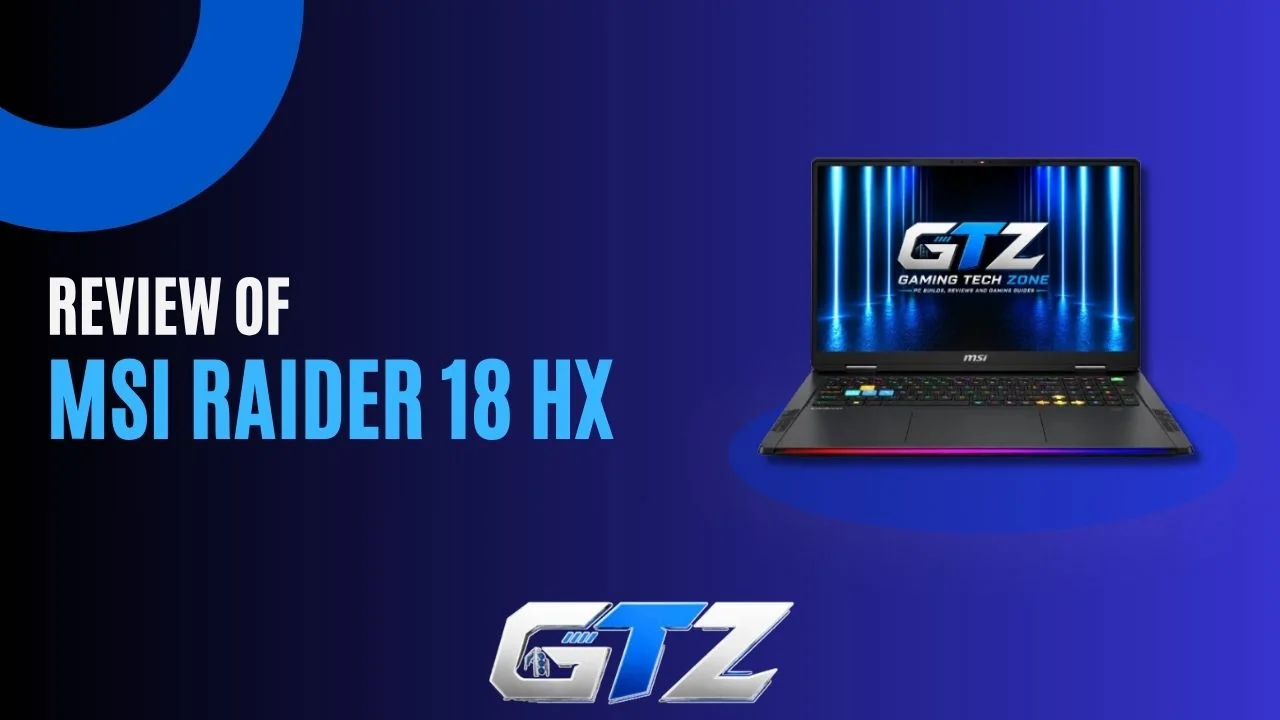
The MSI Raider 18 HX AI is a kind of gaming laptop that makes you believe you do not need a gaming PC to play your favorite competitive games.
Its excellent configuration, like a Core Ultra 9 processor and RTX 50-series graphics, combined with an enormous 18-inch screen, delivers serious performance and is best for people who don’t want to give up the ability to move the whole setup.
But this performance comes with some obvious compromises. The Raider is heavy, its fans aren’t shy when the hardware is pushed, and battery life is far from its strongest feature.
So, is this massive MSI laptop actually worth putting on your desk, or is a desktop still the smarter choice? In this guide, I have detailed the specs, features, and gaming performance of the MSI Raider 18 HX AI.
What Is the MSI Raider 18 HX AI?
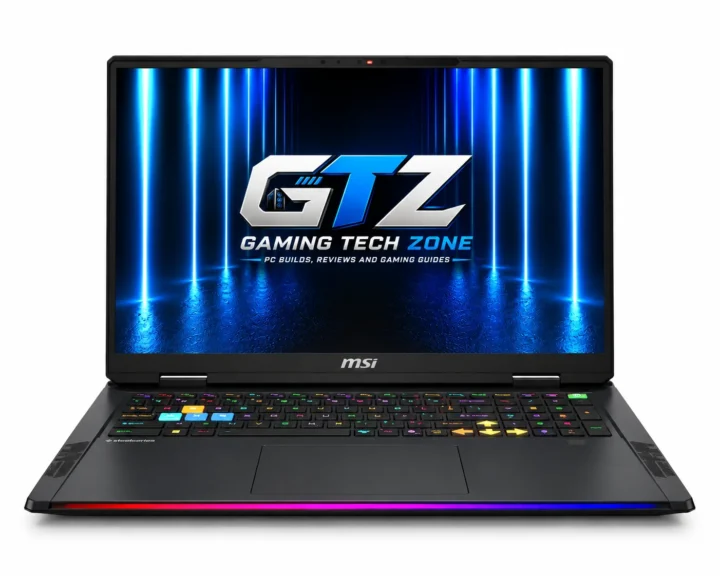
The MSI Raider 18 HX AI is a high-end 18-inch gaming laptop designed as a desktop replacement. It combines Intel Core Ultra HX processors, NVIDIA RTX 50-series graphics, high-refresh or Mini-LED displays, expandable memory, and dual SSD storage.
Which MSI Raider 18 HX AI Configuration Should You Buy?
For most high-end gamers, the RTX 5080 offers substantial performance; choose the RTX 5090 primarily for maximum GPU power and its additional 24GB VRAM.
| Configuration | Best For | What You Get |
|---|---|---|
| RTX 5070 Ti | High-end 1600p gaming | 12GB GDDR7, up to 140W |
| RTX 5080 | Enthusiast 1600p/4K gaming | 16GB GDDR7, up to 175W |
| RTX 5090 | Maximum performance | 24GB GDDR7, up to 175W |
| RTX 5090 + UHD+ Mini-LED | Gaming + content creation | 4K-class resolution, 120Hz HDR display |
MSI officially lists RTX 5070 Ti, RTX 5080 and RTX 5090 configurations for the Raider 18 HX AI A2XW family, with up to 260W combined CPU-GPU power.
How Much Does It Cost?
The MSI Raider 18 HX AI is priced at $5,885.87 for the following configuration:
- GPU: NVIDIA GeForce RTX 5090 Laptop GPU, GDDR7 24GB
- CPU: Intel Core Ultra 9 285HX
- Memory: DDR5 6400MHz 32GB*2
- Storage: 2TB NVMe PCIe Gen5x4 SSD, 2TB NVMe PCIe Gen4x4 SSD
- Operating System: Windows 11 Home
- Warranty: 2 Years
- Display: 18″ 16:10 UHD+ (3840×2400), MiniLED, 120Hz, 100% DCI-P3 (Typ.), IPS-Level panel
However, you should keep in mind that the pricing depends heavily on the configuration.
MSI Raider 18 HX AI Specifications
The specifications below refer to the 2025 MSI Raider 18 HX AI A2XW generation. Exact hardware varies by regional SKU, particularly the processor, GPU, display, memory and storage configuration. MSI lists both RTX 5080 and RTX 5090 variants, with several display options.
| Specification | MSI Raider 18 HX AI |
|---|---|
| CPU | Up to Intel Core Ultra 9 285HX |
| CPU Cores | 24 cores |
| GPU | RTX 5070 Ti / RTX 5080 / RTX 5090 |
| GPU VRAM | Up to 24GB GDDR7 |
| Display | Up to 18-inch UHD+ Mini-LED |
| Resolution | Up to 3840 × 2400 |
| Refresh Rate | Up to 240Hz |
| RAM | Up to 96GB DDR5-6400 |
| Storage | 2 × M.2 SSD |
| Battery | 99Wh |
| Wireless | Killer Wi-Fi 7 |
| Ethernet | 2.5GbE |
| Webcam | FHD IR HDR |
| Keyboard | Per-key RGB SteelSeries |
| Audio | 6-speaker system |
| OS | Windows 11 |
| Weight | 3.6kg |
| Power Adapter | 400W |
1. The 18-Inch Screen Is a Big Part of the Experience
If you’ve been using a 15- or 16-inch gaming laptop, the Raider’s 18-inch panel immediately changes how the machine feels.
The current A2W generation offers several display choices, including:
- 2560 × 1600 at 240Hz
- 3840 × 2400 at 220Hz
- 3840 × 2400 Mini-LED at 120Hz
The QHD+ 240Hz option is particularly well matched to gaming because it gives you a high refresh rate without asking the GPU to render four times as many pixels as 1080p.
The UHD+ Mini-LED option is more interesting if you’re also using the Raider for content creation, movies, photography, or other visually demanding work.
So there isn’t one universally correct display choice.
- Competitive Gamer: QHD+ 240Hz makes more sense.
- Content Creator or Visual-Media User: UHD+ Mini-LED is more compelling.
MSI lists 100% DCI-P3 coverage for the QHD+ 240Hz option.
2. Connectivity Is Excellent
For a desktop replacement, the Raider is exceptionally well equipped. Depending on configuration, you get:
| Port / Connection | Available |
|---|---|
| Thunderbolt 5 | 2 |
| USB-A | 3 |
| HDMI 2.1 | 1 |
| 2.5Gb Ethernet | 1 |
| SD Express card reader | 1 |
| Audio combo jack | 1 |
| Wi-Fi | Wi-Fi 7 |
| Bluetooth | Bluetooth 5.4 |
Thunderbolt 5 is particularly useful if you’re building a workstation around the laptop because it supports high-bandwidth peripherals and external displays.
The inclusion of 2.5Gb Ethernet is equally useful for gamers who want a wired connection without relying on an external adapter.
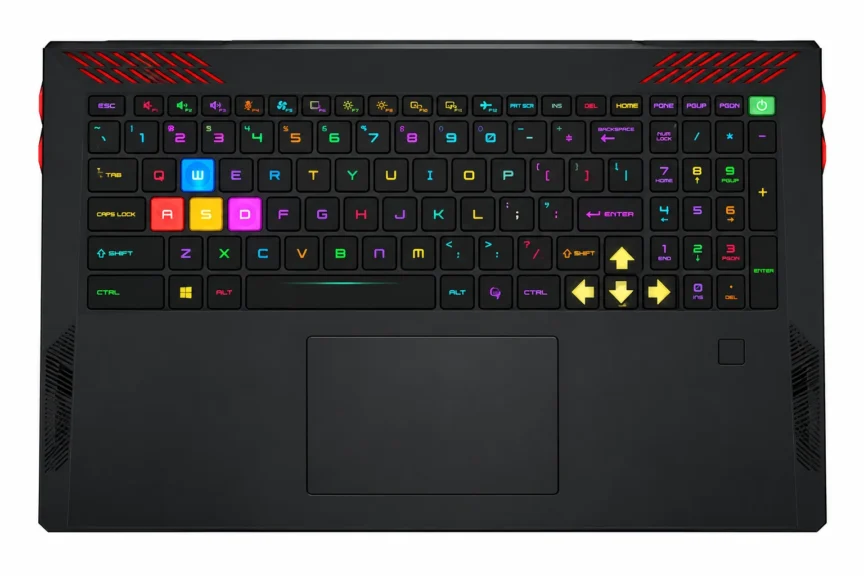
3. Keyboard and Trackpad
The Raider 18 HX AI takes its gaming identity seriously.
The current model uses a 26-zone RGB gaming keyboard with dedicated gaming-oriented lighting, while higher-end MSI machines in the same family can offer more elaborate keyboard configurations.
The keyboard is perfectly usable for normal typing, but the overall experience is still built around gaming rather than pretending this is a business laptop.
The trackpad is functional, although independent reviewers have criticized the keyboard and touchpad experience compared with some premium competitors.
If most of your interaction will happen through an external gaming mouse and keyboard, that matters much less.
4. Design and Build
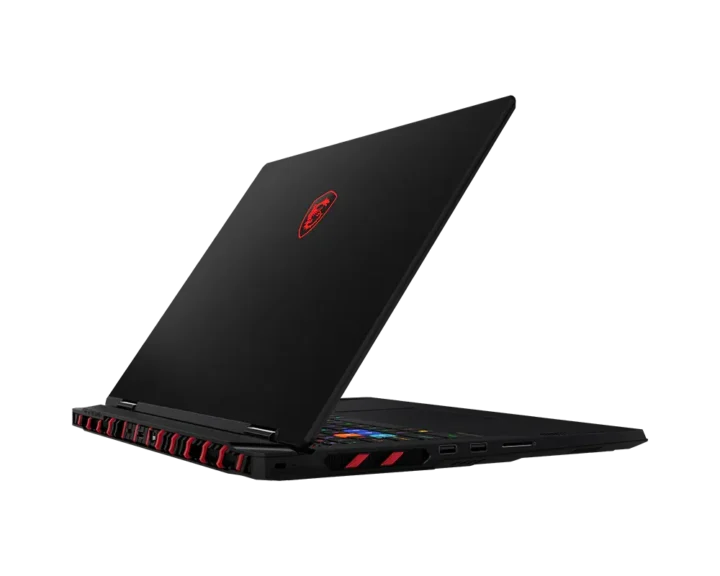
The Raider 18 HX AI is a large Core Black gaming laptop with a chassis measuring 404 × 307.5 × 24–32.05mm.
Its size leaves room for powerful cooling and high-wattage hardware, but at 3.6kg before the charger, it is much closer to a desktop replacement than a portable notebook.
5. CPU
The flagship configuration uses Intel’s Core Ultra 9 285HX, a 24-core processor with eight performance cores and 16 efficiency cores, a maximum turbo frequency of 5.5GHz, and 40MB cache.
It provides enough CPU headroom for demanding games, rendering, editing, compiling, and heavy multitasking.
6. GPU
Graphics options extend from the RTX 5070 Ti to the RTX 5090. The RTX 5080 provides 16GB GDDR7, while the RTX 5090 doubles that to 24GB. Both higher-end GPUs can reach 175W with Dynamic Boost.
It gives the MSI Raider 18 HX AI considerable graphics power for demanding games.
7. Weight and Portability
At 3.6kg, the Raider 18 HX AI is heavy even before its 400W power adapter is packed into your bag.
It can technically travel with you, but MSI clearly designed it around desk-based use. The large 18-inch chassis prioritizes cooling, performance, and screen size over portability.
8. Battery
The high-end Raider 18 HX AI configurations use a 99Wh battery, but don’t expect ultrabook-style endurance.
Independent testing of an RTX 5080 configuration recorded around 2 hours 33 minutes of battery life in its browsing test and about 1 hour 46 minutes during gaming.
How Good Is the MSI Raider 18 HX AI for Gaming?
If I have to say one word about the gaming performance of the MSI Raider 18 HX AI, I will call it mind-blowing.
The RTX 5080 configuration tested by Laptop Mag delivered triple-digit frame rates in several 1080p gaming benchmarks, including 153 FPS in Assassin’s Creed Mirage and 118 FPS in Far Cry 6.
More demanding games such as Cyberpunk 2077 and Black Myth: Wukong were considerably harder to run at high frame rates.
At the laptop’s native 2560 × 1600 resolution, NVIDIA DLSS and frame generation become particularly useful in demanding games.
Gaming Results From an RTX 5080 Configuration
| Game | Test Setting | Reported FPS |
|---|---|---|
| Assassin’s Creed Mirage | 1080p | 153 FPS |
| Far Cry 6 | 1080p | 118 FPS |
| Shadow of the Tomb Raider | 1080p | 183 FPS |
| Monster Hunter Wilds | 1080p | 81 FPS |
| Black Myth: Wukong | Cinematic, 1080p | 79 FPS |
| Cyberpunk 2077 | 1080p | 64 FPS |
| Red Dead Redemption 2 | Ultra, 1080p | 59 FPS |
These numbers come from a specific RTX 5080/Ultra 9 285HX review configuration, so they should not be treated as guaranteed results for every Raider 18 HX AI SKU.
Does It Get Hot?
Yes, especially under sustained gaming or combined CPU/GPU workloads.
That isn’t surprising given the power levels involved. The cooling system is built specifically to handle the hardware, but the chassis and exhaust areas can become hot during heavy workloads.
Does It Have Gaming Glitches?
There is no fundamental compatibility problem with modern PC games. The Raider runs Windows 11 with standard Intel and NVIDIA hardware, so game compatibility is broad.
Performance can still vary with individual games, drivers, ray tracing, DLSS and frame-generation support. A game that runs at 120 FPS on one configuration should not automatically be expected to perform identically on an RTX 5070 Ti version.
Is Connectivity Good Enough for a Gaming Setup?
Yes. Wi-Fi 7, 2.5Gb Ethernet, Thunderbolt 5, HDMI 2.1, USB-A and the SD Express reader give the Raider enough connectivity to function as a desktop workstation without relying heavily on adapters.
Is It Good for 4K Gaming?
The RTX 5080 and especially RTX 5090 configurations have enough performance to make the UHD+ display useful, but native 4K gaming on a laptop remains demanding. DLSS and frame generation become increasingly valuable at 3840 × 2400.
For pure competitive gaming, the 2560 × 1600 240Hz panel is the more straightforward choice. For cinematic AAA gaming and content creation, the 4K Mini-LED panel offers a different experience.
Does Battery Power Reduce Performance?
Yes. Like other high-performance gaming laptops, the Raider is designed to deliver its best performance while connected to its power adapter. Gaming on battery significantly reduces the available power budget and drains the battery quickly.
If you’re buying this machine specifically for RTX 5080 or RTX 5090 performance, treat the 400W adapter as part of the system rather than an optional accessory.
Is the MSI Raider 18 HX AI Worth It?
The Raider 18 HX AI makes sense if you want extreme gaming performance, an enormous display, extensive connectivity, and upgradeability in one machine.
Its weight, fan noise, battery life, and premium pricing make it less appealing as an everyday portable laptop.
Who Should Buy It?
- Want a desktop-class gaming laptop.
- Prefer an 18-inch display.
- Need RTX 5080 or RTX 5090 performance.
- Play demanding AAA games.
- Use demanding creative or professional software.
- Want extensive connectivity.
- Need upgradeable RAM and storage.
- Mostly use a laptop at a desk.
Who Shouldn’t Buy It?
- Need a lightweight gaming laptop.
- Carry a laptop around every day.
- Prioritize long battery life.
- Want quiet gaming under heavy loads.
- Mostly play lightweight esports games.
- Have a limited gaming budget.
- Already own a powerful desktop.
Can You Upgrade MSI Raider 18 HX AI Components?
Yes. The Raider 18 HX AI is one of the more upgrade-friendly high-performance gaming laptops, with two DDR5 SO-DIMM slots and two M.2 storage slots.
MSI supports up to 96GB RAM on the A2XW AI model, including one PCIe Gen 5-compatible SSD slot.
| Component | Upgradeable? | Details |
|---|---|---|
| RAM | Yes | 2 SO-DIMM slots, up to 96GB |
| SSD | Yes | 2 M.2 slots |
| PCIe Gen 5 SSD | Yes | One M.2 slot supports Gen 5 |
| CPU | No | Not designed for user replacement |
| GPU | No | Integrated/soldered laptop GPU |
| Wi-Fi | Serviceable | Wireless module can be accessed |
| Battery | Serviceable | Replaceable when required |
Final Thoughts
The MSI Raider 18 HX AI is difficult to describe as a normal laptop because its priorities are closer to a desktop.
You get an enormous 18-inch display, high-power Intel Core Ultra processors, RTX 50-series graphics, extensive connectivity, upgradeable memory and dual SSD support. The price for that performance is obvious: 3.6kg of laptop, a huge power adapter, noticeable fan noise and weak battery endurance.
But if the machine will spend most of its life on your desk, those compromises become much easier to accept. The Raider 18 HX AI is built for someone who wants maximum performance in a self-contained system, not someone searching for a laptop to carry everywhere.
