

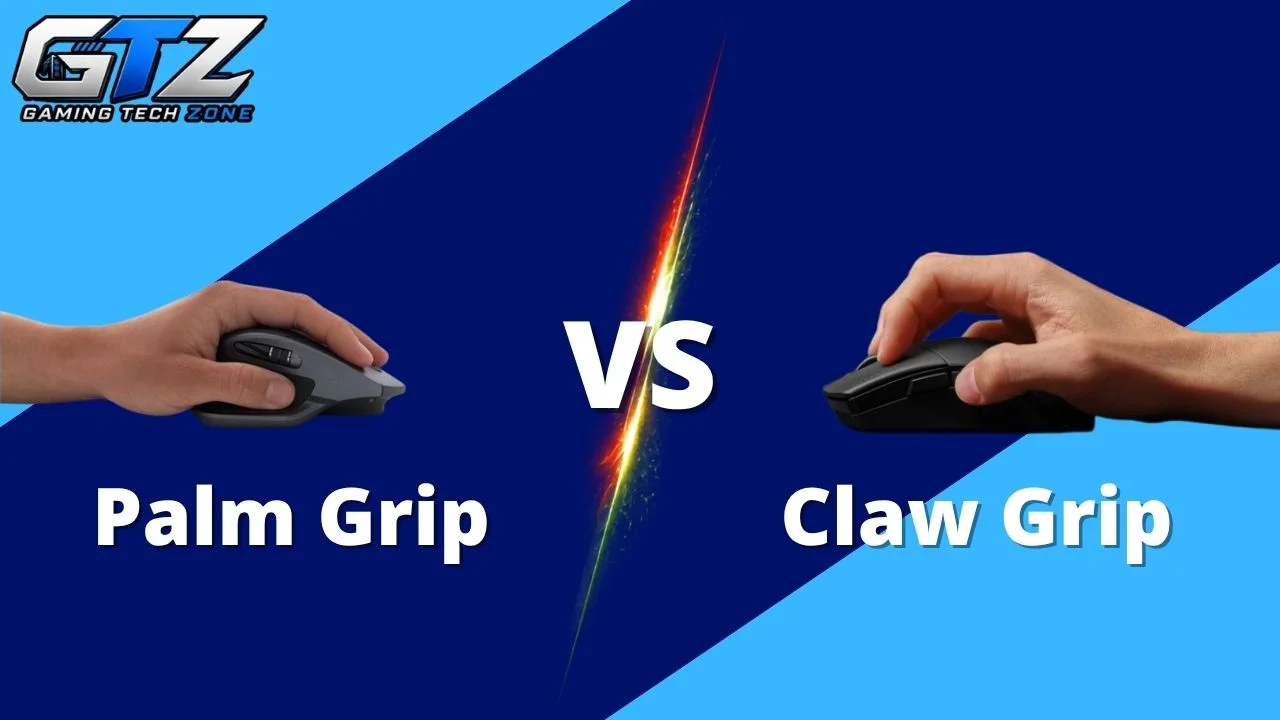
Palm grip and claw grip are two of the most popular mouse grips among gamers, but they offer very different levels of comfort, control, and speed. So, which one should you choose?
Palm grip is better for longer gaming sessions, but for competitive FPS, nothing beats a claw grip mouse.
In this palm grip vs claw grip mouse comparison guide, I have compared both based on the games they suit, their advantages, limitations, and overall gaming performance.
Palm Grip vs Claw Grip Mouse for Gaming: My Recommendations
Before getting into the technical differences, here is my straightforward recommendation based on the type of games you play.
| Games | Mouse Type |
|---|---|
| Counter-Strike 2 | Claw Grip |
| Valorant | Claw Grip |
| Call of Duty | Claw Grip |
| Apex Legends | Claw Grip |
| Overwatch 2 | Claw Grip |
| Rainbow Six Siege | Claw Grip |
| Fortnite | Claw Grip |
| PUBG | Claw Grip |
| Red Dead Redemption 2 | Palm Grip |
| Grand Theft Auto V | Palm Grip |
| The Witcher 3 | Palm Grip |
| Elden Ring | Palm Grip |
| Baldur’s Gate 3 | Palm Grip |
| Civilization VII | Palm Grip |
If you mainly play competitive FPS games on your gaming PC, I recommend a claw grip mouse because it gives you faster finger movement and makes quick aiming adjustments easier.
However, if you spend most of your time playing open-world, RPG, strategy, or casual games, I recommend a palm grip mouse because comfort and stability become more important than lightning-fast micro-adjustments.
What is a Palm Grip Mouse?
A palm grip mouse is designed to let your entire hand rest naturally on its body. Your palm stays in contact with the mouse, while your fingers remain relatively flat over the buttons. It prioritizes comfort, stability, and relaxed control.
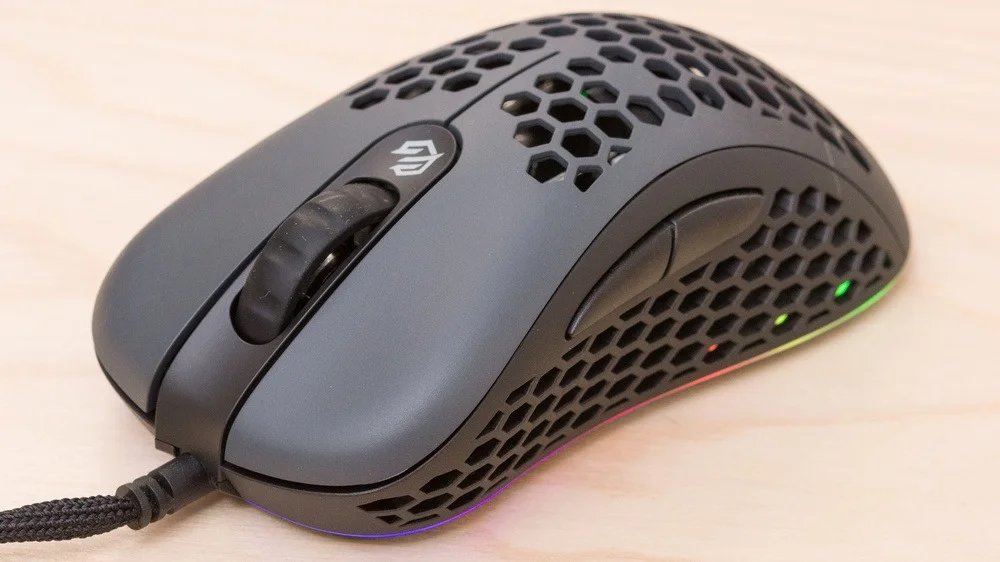
Key Features
- Entire palm rests against the mouse body
- Fingers remain mostly flat over the primary buttons
- Usually works best with medium or large mice
- Encourages relaxed hand positioning
- Provides excellent stability during movement
- Often pairs well with ergonomic mouse shapes
- Suitable for extended gaming and general computer use
The biggest thing I notice with a palm grip is how natural it feels. Your hand is not constantly working to maintain its position because the mouse supports most of it. It makes palm grip particularly appealing if you spend several hours gaming every day.
Suitable For
I recommend palm grip for games where comfort, steady movement, and general control are more important than extremely fast micro-adjustments.
- Red Dead Redemption 2
- Grand Theft Auto V
- The Witcher 3
- Elden Ring
- Baldur’s Gate 3
- Civilization VII
- Minecraft
- World of Warcraft
- Diablo IV
This does not mean you cannot play competitive FPS games with a palm grip. You absolutely can.
The point is that palm grip naturally favors stability and comfort, while competitive shooters often reward a grip that gives your fingers greater freedom.
What is a Claw Grip Mouse?
A claw grip mouse allows your palm to make limited contact with the mouse while your fingers remain naturally arched over the buttons. This curved position provides faster finger movement, responsive clicking, and greater control during quick aiming adjustments.
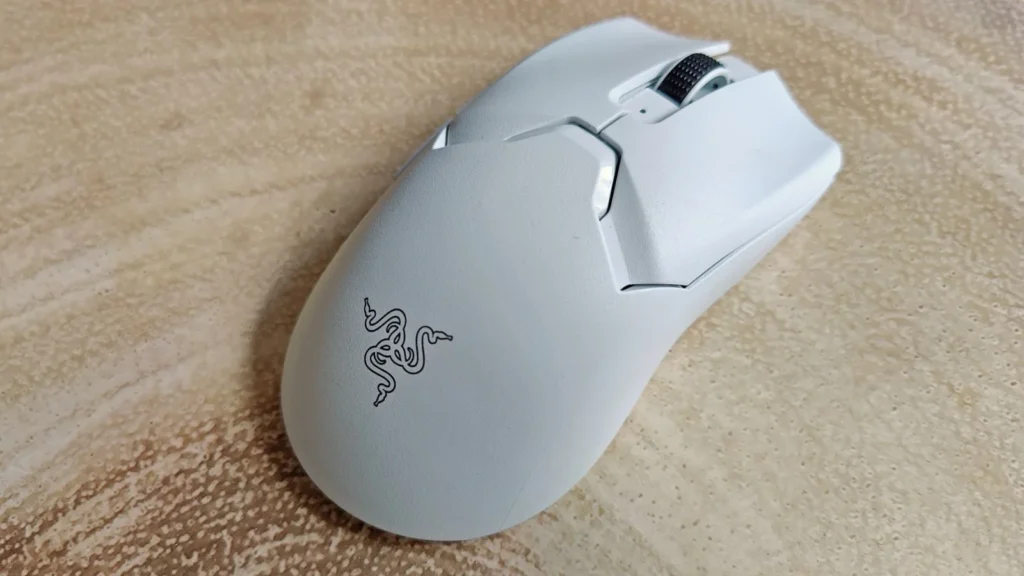
Key Features
- Fingers remain curved over the mouse buttons
- Palm has limited contact with the rear of the mouse
- Allows faster finger movements
- Provides quick access to primary mouse buttons
- Offers excellent control during rapid movements
- Works well with small and medium-sized mice
- Particularly popular for competitive gaming
The defining characteristic here is the position of your fingers.
Instead of laying your fingers flat, you keep them slightly curved, almost like a claw. This gives your fingers more freedom to move quickly.
That additional movement can be extremely useful in competitive shooters.
For example, if you need to flick toward an opponent and then immediately make a tiny correction, claw grip can feel more responsive because your fingers and wrist are already positioned for quick movement.
Suitable For
If competitive gaming is your priority, claw grip is the one I would consider first.
- Counter-Strike 2
- Valorant
- Call of Duty
- Apex Legends
- Overwatch 2
- Rainbow Six Siege
- Fortnite
- Battlefield
- The Finals
- PUBG
Again, there are no strict rules. You can use claw grip for virtually any game on PC or gaming laptops. I am recommending these games because their fast-paced gameplay benefits more from the responsiveness and finger control that claw grip provides.
Palm Grip vs Claw Grip Mouse Comparison
Below, I have provided a complete comparison of the palm grip vs claw grip mouse so you can understand the differences better.
| Feature | Palm Grip Mouse | Claw Grip Mouse |
|---|---|---|
| The Hump (Back) | Lower and centralized to let the whole hand rest flat. | Higher and shifted to the rear to support the palm base. |
| Sides | Flatter or flared out to support resting fingers. | Deeply curved or grooved for easy pinching and lifting. |
| Size & Weight | Larger and heavier for stability and full hand contact. | Shorter and lighter for rapid micro-adjustments. |
| Main Buttons | Flat and long for full finger placement. | Independent or curved down for crisp fingertip clicks. |
| Weight Distribution | Evenly balanced for smooth, steady tracking. | Rear or center balanced for easy lifting off the pad. |
And remember that your hand size matters. A grip that feels perfect for someone else might feel terrible in your hand.
For example, if you have relatively small hands, a massive palm-grip mouse can force you to stretch your fingers to reach the buttons. On the other hand, a tiny mouse may feel cramped if you have large hands.
Your grip should feel natural rather than forced.
Which Mouse is the Winner?
Both claw grip and palm grip mouse have their own perks and downsides. One dominates the other in one category, and vice versa in the second one. To make a better decision, the following table will surely help you.
| Category | Winner |
|---|---|
| Overall comfort | Palm Grip |
| Overall agility | Claw Grip |
| Competitive gaming | Claw Grip |
| Long gaming sessions | Palm Grip |
| Stability | Palm Grip |
| Quick reactions | Claw Grip |
Which Mouse Should You Buy: Palm Grip or Claw Grip?
If you want me to give you one direct recommendation, buy a claw grip mouse.
Claw grip gives you a better combination of speed, responsiveness, and control. Your curved fingers can make rapid clicks and micro-adjustments more easily, which is valuable in games such as Valorant, Counter-Strike 2, Apex Legends, and Call of Duty.
However, if you regularly play for several hours, have a relaxed gaming style, or mostly play RPG, strategy, and open-world games, palm grip is the better choice.
Final Thoughts on Claw Grip Mouse vs Palm Grip
Choosing between a palm grip and claw grip mouse ultimately comes down to what you value most while gaming.
- If comfort, stability, and long gaming sessions are your priorities, I recommend a palm grip mouse.
- But if you play competitive FPS games and want faster reactions, clicking, and micro-adjustments, I recommend a claw grip mouse.
Palm grip gives your entire hand support and feels natural for slower-paced games. On the other hand, a claw grip mouse gives your fingers more freedom and provides a more responsive feel.
Personally, I would choose claw grip for competitive gaming and palm grip for comfort-focused gaming. Most importantly, choose a mouse that matches your hand size and feels natural rather than forcing yourself to copy someone else’s grip.
People Also Ask
Palm grip is better for gamers who prioritize comfort and stability, particularly during long gaming sessions. Claw grip is generally better for competitive games because it provides faster finger movement and easier micro-adjustments.
Yes. I generally recommend claw grip for FPS games because the curved finger position allows faster clicking and more responsive aiming adjustments. This can be particularly useful in competitive shooters such as Valorant and Counter-Strike 2.
Palm grip is usually the better choice for long gaming sessions. Since most of your hand rests on the mouse, your fingers and wrist can remain in a relatively relaxed position.
Yes. Palm grip can be excellent for FPS gaming, particularly if you use lower sensitivity and rely on smooth arm movements. However, claw grip may feel more responsive for fast-paced competitive play.
Claw grip can become uncomfortable if your mouse is too small, too large, or poorly shaped for your hand. Since your fingers remain curved, you may experience more tension during extended sessions than with a palm grip.
Yes. You can switch between the two grips. It may initially feel strange because your hand has developed muscle memory around your previous grip, but you can gradually adapt to the new position.
Claw grip can be easier for gamers with small hands because it can work well with smaller mice and does not require your entire palm to rest on the mouse. However, the mouse’s dimensions and shape are still more important than the grip label alone.
Palm grip is often more comfortable for large hands because larger mice can provide enough surface area to support the entire palm. That said, large-handed gamers can also use claw grip successfully with an appropriately sized mouse.
Yes. Your grip can affect how you control the mouse, particularly during small aiming adjustments. Palm grip generally emphasizes stability and broader movements, while claw grip gives you greater finger and wrist mobility for quick adjustments.
No. If claw grip causes discomfort or makes your aim worse, there is no reason to force yourself to use it. Your goal should be finding a grip that gives you comfortable, consistent control rather than copying professional gamers.
