

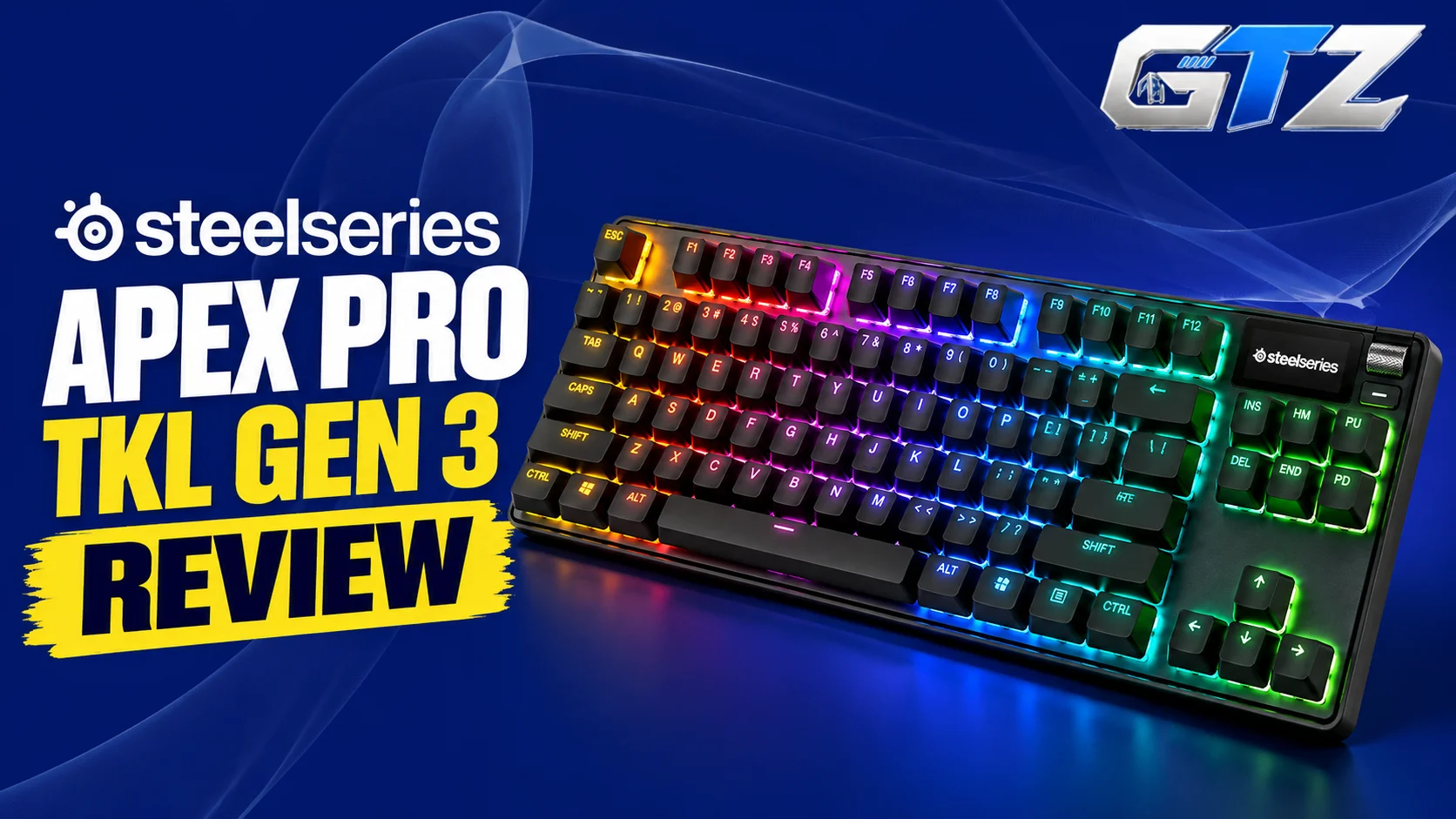
Want a keyboard that offers responsive inputs, customizable key sensitivity, and more room for mouse movement? SteelSeries comes up with the Apex Pro Gen 3 gaming keyboard, and its Tenkeyless variant possesses all these features.
The key features of this gaming keyboard are:
- Rapid Trigger
- Rapid Tap
- Protection Mode
Apex Pro TKL Gen 3 is available in wired and wireless versions, with different color options depending on the model. But is it worth its premium price?
In this guide, I have covered its specifications, gaming performance, typing experience, connectivity, advantages, drawbacks, and the type of gamer who should consider buying it.
What Is SteelSeries Apex Pro TKL Gen 3?
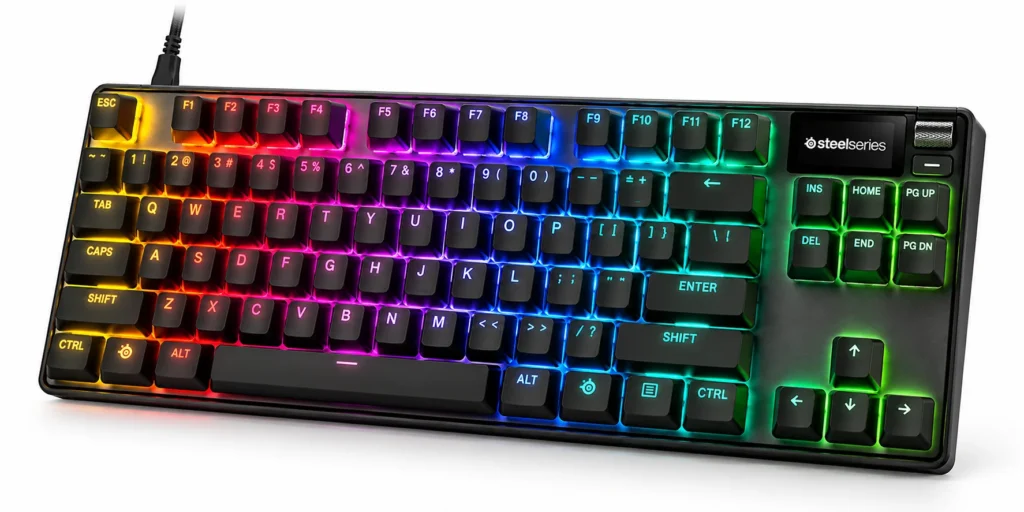
The SteelSeries Apex Pro TKL Gen 3 is a tenkeyless gaming keyboard featuring adjustable magnetic switches, per-key RGB lighting, an OLED display, and advanced input customization. It comes in wired and wireless versions, with features designed for competitive gaming and everyday typing.
My Quick Assessment
| Real-world factor | My assessment |
|---|---|
| Gaming performance | Excellent feature set for competitive FPS games, especially with adjustable actuation and Rapid Trigger |
| Typing experience | Customizable key sensitivity, PBT keycaps, and sound-dampening materials |
| Build quality | Aluminum top plate, refined stabilizers, and improved internal dampening |
| Connectivity | Wired USB or wireless 2.4GHz and Bluetooth, depending on the version |
| Value for money | Best suited to gamers who will use its advanced features rather than casual users seeking a basic keyboard |
Is SteelSeries Apex Pro TKL Gen 3 Good for Gaming?
Yes. The Apex Pro TKL Gen 3 is particularly suitable for competitive gaming because its adjustable magnetic switches let users customize actuation between 0.1mm and 4.0mm.
Rapid Trigger supports dynamic key resets, while Rapid Tap helps prioritize the latest input in supported key combinations. These features are especially useful in fast-paced shooters where movement precision matters.
What Is the Price of SteelSeries Apex Pro TKL Gen 3?
SteelSeries has listed the Apex Pro TKL Gen 3 wired version for $239.99 and the wireless version for $299.99.
However, the prices are subject to change. So, you should always check the official SteelSeries Apex Pro Gen 3 product page and select your preferred layout, connectivity, and color to see the current price.
SteelSeries Apex Pro TKL Gen 3 Specifications
| Specification | Wired version | Wireless version |
|---|---|---|
| Product name | Apex Pro TKL Gen 3 | Apex Pro TKL Wireless Gen 3 |
| Keyboard layout | Tenkeyless | Tenkeyless |
| Switch technology | OmniPoint 3.0 magnetic switches; Cyber and Steel have special switch configurations | OmniPoint 3.0 magnetic switches |
| Actuation range | 0.1–4.0mm | 0.1–4.0mm |
| Rapid Trigger | Yes | Yes |
| Rapid Tap | Yes | Yes |
| Protection Mode | Yes | Yes |
| Connectivity | USB wired | USB, 2.4GHz wireless, Bluetooth |
| RGB lighting | Per-key RGB | Per-key RGB |
| Display | OLED Smart Display | OLED Smart Display |
| Keycaps | Double-shot PBT | Double-shot PBT |
| Top plate | Aluminum | Aluminum |
| Battery | Not required | Rechargeable |
| Hot-swappable switches | No | No |
| Available colors | Black, White, Cyber, Steel | Black |
| Software | SteelSeries GG | SteelSeries GG |
Specifications summarized from the official product pages and SteelSeries support documentation. Confirm regional configurations before purchasing.
1. Design and Build Quality
The Apex Pro TKL Gen 3 combines an aluminum top plate with double-shot PBT keycaps, improved stabilizers, and internal sound-dampening foam. These materials and design changes aim to deliver a sturdy construction and smoother, quieter keypresses.
The keyboard also includes an OLED display and dedicated media controls. The Cyber and Steel editions feature distinct switch configurations. So, it is important to check the exact variant before purchasing.
2. Layout
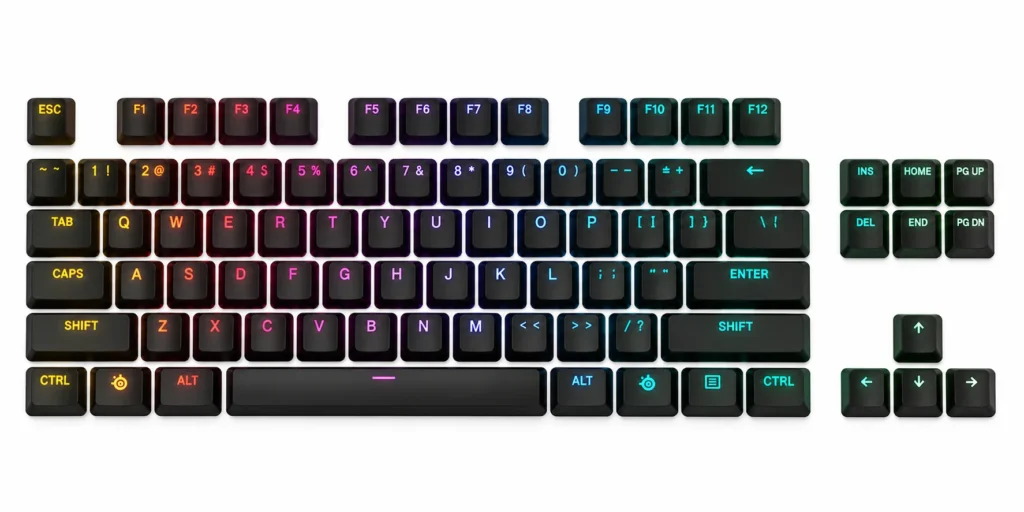
The tenkeyless layout removes the dedicated number pad while retaining the function row, arrow keys, and navigation keys. This gives gamers more room for mouse movement, particularly when using low sensitivity in competitive shooters.
It also keeps the keyboard relatively compact without requiring users to learn a 60% layout. However, people who regularly enter numerical data should get the Apex Pro Gen 3 full-sized variant with a dedicated number pad or switch to other models like the Epomaker TH108.
3. Keycaps and Switches
The keyboard uses double-shot PBT keycaps designed to resist wear and fading. Its magnetic switches offer adjustable actuation from 0.1mm to 4.0mm, allowing users to choose how far a key must travel before registering.
Keep in mind that standard and special editions should not be treated as identical:
- The Cyber version features Speed switches.
- The Steel version features Control switches.
These switches are not hot-swappable, so replacing them is less straightforward than on enthusiast keyboards built for switch swapping.
4. Connectivity
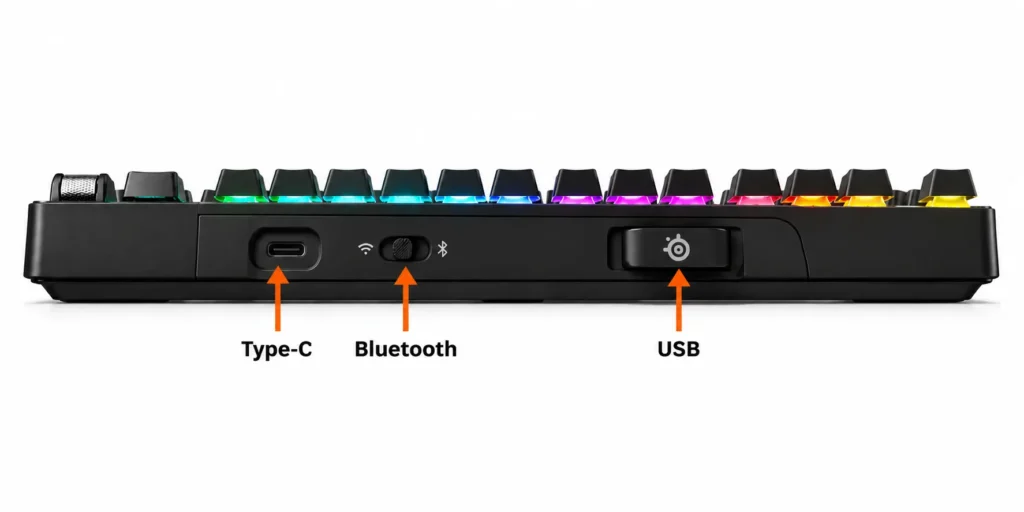
The wired Apex Pro TKL Gen 3 connects through a detachable USB-C cable, which makes it suitable for stationary desktop setups. The Apex Pro TKL Wireless Gen 3 adds 2.4GHz wireless and Bluetooth alongside USB connectivity.
This gives wireless buyers more flexibility when switching between compatible devices. Both versions retain the keyboard’s core gaming features, but the wireless model adds battery management and the convenience of cable-free use.
5. Weight and Size
The tenkeyless design takes up less desk width than a full-size keyboard while preserving the keys most gamers and office users need. This leaves more space for mouse movement and can make the setup feel less crowded.
The keyboard is designed primarily for use with gaming PCs rather than frequent travel. Since dimensions and weight can differ between configurations, check the specification sheet for your chosen version instead of assuming every color and connectivity option has identical measurements.
6. Typing Experience
The adjustable actuation system lets you choose between light, shallow keypresses and deeper, more deliberate inputs. This flexibility can be useful for switching between gaming and typing, although very sensitive settings may lead to accidental presses until you adjust.
SteelSeries also highlights improved stabilizers, per-key lubrication, and triple-layer sound dampening in the Gen 3 design. Your actual typing comfort will depend on your actuation settings, typing style, and preference for keypress sound.
7. Battery
Battery life matters only for the wireless Apex Pro TKL Gen 3. The wired version draws power through its USB connection and does not require charging. The wireless model uses a rechargeable battery, but actual runtime depends on:
- Lighting
- Wireless mode
- Usage
If you mainly play at a fixed desk, the wired version avoids charging altogether.
8. RGB Lighting
Both versions feature per-key RGB lighting with extensive customization options. Through SteelSeries GG and Prism, users can configure lighting effects and coordinate the keyboard with compatible SteelSeries peripherals like the SteelSeries Aerox 3 gaming mouse.
The OLED display provides access to settings and other supported information, while the software supports game-specific configurations. RGB is primarily an aesthetic feature, but it can also improve key visibility in dim environments.
Keep in mind that lighting can affect battery runtime on the wireless version.
Gaming Performance of SteelSeries Apex Pro TKL Gen 3
The SteelSeries Apex Pro TKL Gen 3 is designed for responsive competitive gaming. Its adjustable magnetic switches, Rapid Trigger, Rapid Tap, and Protection Mode give players greater control over key activation and resetting.
These features can be particularly useful in fast-paced shooters, although their benefits depend on the game, settings, and the player’s skill.
- Latency: The wired model uses a USB connection, while the wireless version offers 2.4GHz and Bluetooth. The polling rate and total input latency are not the same measurement, so avoid interpreting a polling-rate figure as guaranteed end-to-end latency.
- Responsiveness: Adjustable actuation lets you choose a registration point between 0.1mm and 4.0mm. Shallow settings can reduce the travel needed to register an input, while deeper settings can help prevent unintended presses.
- Wireless Performance: The wireless version’s 2.4GHz connection is intended for responsive gaming, while Bluetooth is useful for general productivity and compatible devices. The wired model avoids wireless interference and battery concerns.
- Battery Life: The wired version does not require a battery. The wireless version’s runtime depends on lighting, connection mode, and usage.
Pros and Cons of SteelSeries Apex Pro TKL Gen 3
| Pros | Cons |
|---|---|
| Adjustable magnetic switches with a 0.1–4.0mm actuation range | Premium pricing, and switches are not hot-swappable |
| Rapid Trigger, Rapid Tap, and Protection Mode | |
| Compact tenkeyless layout leaves more room for mouse movement | |
| Aluminum top plate, PBT keycaps, and improved sound dampening | |
| Wired and wireless options, with an OLED display and RGB lighting |
Is SteelSeries Apex Pro TKL Gen 3 Worth It?
The Apex Pro TKL Gen 3 is worth considering if you want advanced gaming controls, adjustable actuation, and a premium tenkeyless design. Its Rapid Trigger and Rapid Tap features are especially relevant to competitive players who regularly fine-tune their movement and input settings on gaming laptops and PCs.
The wired version is a sensible option for a fixed desktop setup, while the wireless version is better for people who value cable-free flexibility. However, casual gamers and users who mainly type may find that a less expensive mechanical keyboard offers better value.
Who Should Buy It?
- Competitive FPS players: Those who want adjustable actuation and rapid key resetting for precise movement.
- Esports Enthusiasts: Players who regularly configure key sensitivity and game-specific profiles.
- TKL Keyboard Users: People who want more room for mouse movement without losing the function row and arrow keys.
- Wireless Gaming Enthusiasts: Buyers who want 2.4GHz and Bluetooth connectivity in the wireless version.
- Premium Peripheral Buyers: Users who appreciate PBT keycaps, an aluminum top plate, RGB lighting, and an OLED display.
It may not be the best choice for buyers who need a number pad, hot-swappable switches, or a budget-friendly keyboard. If you want wireless connectivity, make sure you select the Wireless Gen 3 model rather than the standard wired version.
To determine whether a wired or wireless option is best for you, you should check our guide on wired vs wireless keyboards comparison. This way, you can understand the differences and pick the right option.
Final Thoughts
The SteelSeries Apex Pro TKL Gen 3 is a premium gaming keyboard built around adjustable magnetic switches and advanced input controls. Its actuation range, Rapid Trigger, Rapid Tap, and Protection Mode make it particularly appealing to competitive gamers who want to customize their controls.
The choice between wired and wireless comes down to your setup. The wired version is straightforward and does not require charging, while the wireless model adds 2.4GHz and Bluetooth connectivity. Wired buyers can choose from Black, White, Cyber, and Steel, whereas the wireless model is available in Black.
Overall, the Apex Pro TKL Gen 3 is a strong option for players who will use its advanced gaming features. Its high price makes it harder to recommend to casual users, so compare current prices and choose the version that fits your needs.
