

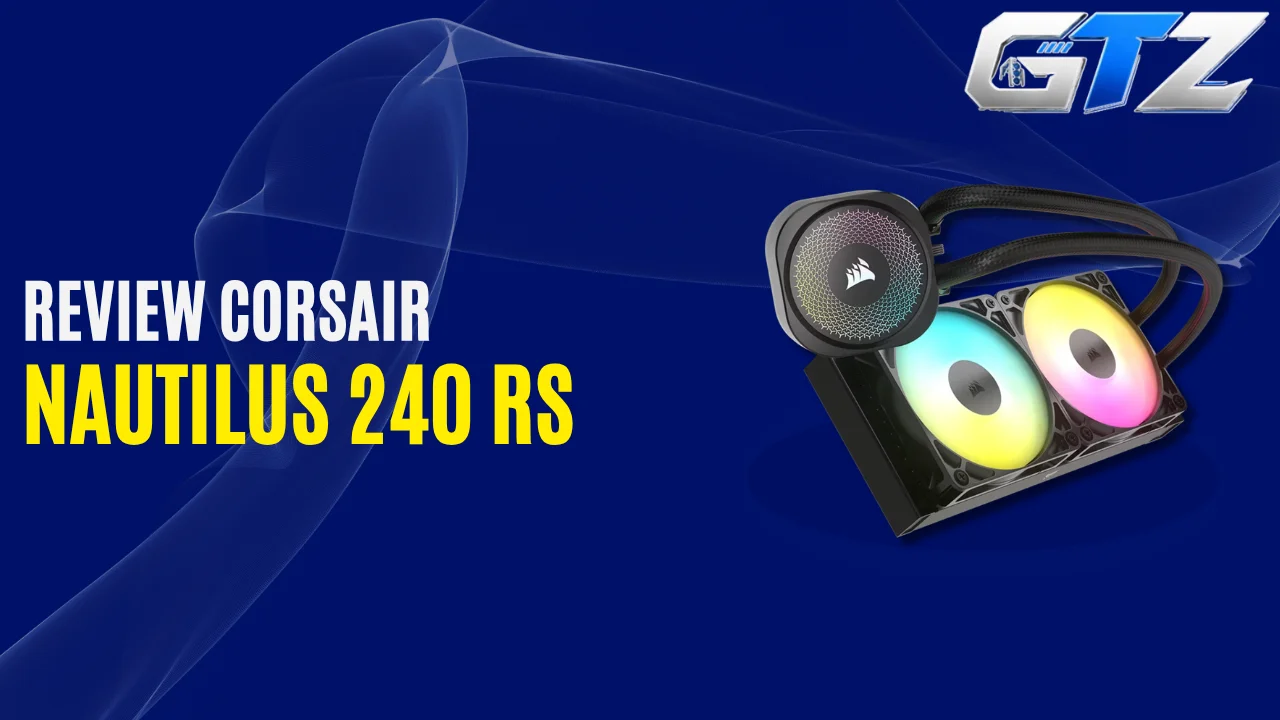
Want reliable cooling, ARGB lighting, and simple motherboard connectivity for your gaming PC? Look for a 240mm CPU cooler, and the Corsair Nautilus 240 RS ARGB needs no introduction in this regard.
It is an all-in-one liquid CPU cooler that offers excellent support for modern AMD and Intel processors. However, a 240mm radiator does not provide the same cooling headroom as a larger 360mm AIO during high-intensity gaming. So choosing the right CPU and workload matter.
In this guide, I have provided a complete overview of this 240mm AIO cooler along with its specs. This way, you can decide whether this component is the right fit for your PC build.
What Is Corsair Nautilus 240 RS ARGB?
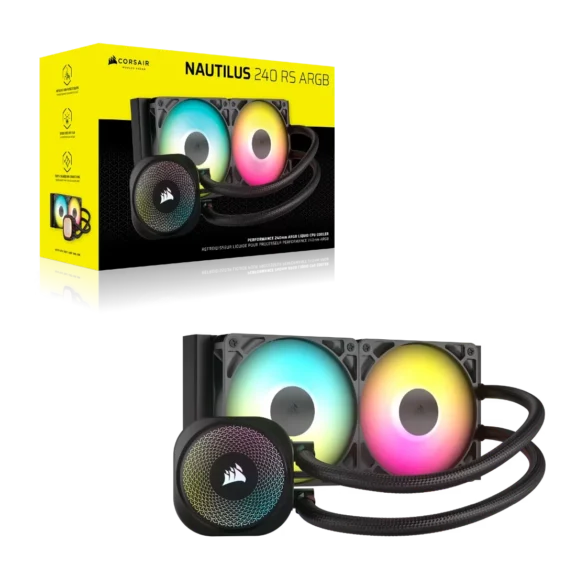
The Corsair Nautilus 240 RS ARGB is a 240mm AIO liquid CPU cooler with two 120mm RS120 ARGB fans. It uses a copper cold plate and aluminum radiator, with PWM-controlled fans reaching up to 2,100 RPM. The cooler supports AMD AM4/AM5 and Intel LGA1700/LGA1851 processors.
What is the Price of the Corsair Nautilus 240 RS ARGB?
The official CORSAIR website has listed the Nautilus 240 RS ARGB CPU cooler for $99.99.
Corsair designed it as a simpler alternative to more complicated AIO systems. The fans can be daisy-chained and connected to a single motherboard PWM header, while the ARGB lighting connects directly to a compatible motherboard header without requiring a separate controller.
How Does Corsair Nautilus 240 RS ARGB Work?
The Nautilus 240 RS ARGB uses a closed liquid-cooling loop. The pump circulates coolant through the copper cold plate and radiator, while the two RS120 ARGB fans push air through the radiator to remove heat.
The fans use Magnetic Dome bearings and Corsair AirGuide technology. They support PWM control and Zero RPM mode, which allow the fans to stop at low temperatures instead of running continuously.
Which CPUs Are Compatible With Corsair Nautilus 240 RS ARGB?
The Corsair Nautilus 240 RS ARGB supports 4 major desktop CPU sockets:
1. AMD AM4
Compatible AMD processors include Ryzen CPUs using the AM4 platform, such as:
- Ryzen 3000 series
- Ryzen 4000 series
- Ryzen 5000 series
- Ryzen 7 3700X
- Ryzen 5 5600X
- Ryzen 7 5700X
- Ryzen 7 5800X3D
- Ryzen 9 5900X
- Ryzen 9 5950X
2. AMD AM5
The cooler also supports AMD’s AM5 platform, including processors such as:
- Ryzen 7000 series
- Ryzen 8000 series
- Ryzen 9000 series
- Ryzen 5 7600X
- Ryzen 7 7800X3D
- Ryzen 9 7950X
- Ryzen 7 9800X3D
- Ryzen 7 9850X3D
- Ryzen 9 9950X
3. Intel LGA1700
Supported Intel processors include 12th, 13th, and 14th Gen Core CPUs, including:
- Core i5-12600K
- Core i5-13600K
- Core i7-13700K
- Core i7-14700K
- Core i9-13900K
- Core i9-14900K
4. Intel LGA1851
It also supports Intel’s LGA1851 platform used by Core Ultra 200S desktop processors, including:
- Core Ultra 5 245K
- Core Ultra 7 265K
- Core Ultra 9 285K
Corsair officially lists LGA1851, LGA1700, AM5, and AM4 compatibility.
Nautilus 240 RS ARGB’s Motherboard Compatibility
The Nautilus 240 RS ARGB can be used with motherboards supporting the compatible CPU sockets.
For AMD, this includes common AM4 and AM5 boards such as:
- B450
- X470
- B550
- X570
- A620
- B650
- B650E
- X670
- X670E
- B850
- X870
- X870E
For Intel, compatible boards include platforms based on:
- H610
- B660
- H670
- Z690
- B760
- H770
- Z790
- H810
- B860
- Z890
Socket compatibility does not guarantee that every motherboard and case combination will physically fit. Check motherboard heatsinks around the CPU socket and your case’s radiator mounting locations before buying.
Corsair Nautilus 240 RS ARGB Specifications
Here are the key specifications of the Corsair Nautilus 240 RS ARGB:
| Feature | Corsair Nautilus 240 RS ARGB |
|---|---|
| Cooler type | 240mm AIO liquid cooler |
| Radiator | Aluminum |
| Radiator dimensions | 276 × 120 × 27mm |
| Fans | 2 × 120mm RS120 ARGB |
| Fan speed | Up to 2,100 RPM |
| Fan airflow | 13.3–72.8 CFM |
| Static pressure | Up to 4.15 mmH₂O |
| Fan noise | 10–36 dBA |
| Pump noise | Up to 20 dBA |
| Cold plate | Copper |
| Tubing | 400mm |
| Fan control | PWM |
| Zero RPM mode | Yes |
| Lighting | ARGB |
| Intel compatibility | LGA1700, LGA1851 |
| AMD compatibility | AM4, AM5 |
| Warranty | 5 years |
Corsair lists the radiator as 276 × 120 × 27mm, while the complete cooler with fans is approximately 276 × 120 × 52mm.
1. Cooling Performance
The Nautilus 240 RS ARGB is aimed at mainstream and high-performance desktop CPUs rather than being an extreme-overclocking solution.
Its 240mm radiator provides considerably more radiator area than a typical air cooler, while the two RS120 fans provide up to 72.8 CFM of airflow and 4.15 mmH₂O of static pressure.
For gaming, everyday productivity, and sustained workloads on appropriately matched CPUs, the cooler provides a good balance between cooling capacity and physical size.
However, if you are running a very high-power processor under unrestricted all-core workloads, a 360mm AIO can provide more thermal headroom. The 240mm radiator is the main limitation of this cooler rather than the pump or fans.
2. Noise Levels
Noise is one of the stronger aspects of the Nautilus 240 RS ARGB. Corsair rates the pump at up to 20 dBA and the RS120 ARGB fans at 10–36 dBA. The fans also support Zero RPM mode, so they can stop during sufficiently light workloads.
The result is a cooler that can remain relatively quiet during normal desktop use while still providing higher fan speeds when CPU temperatures increase.
3. Installation
Installation is one of the Nautilus 240 RS ARGB’s biggest advantages.
The RS120 ARGB fans can be daisy-chained, which allows them to connect to a single 4-pin PWM motherboard header instead of requiring separate fan connections. Corsair also designed the cooler to work without a dedicated controller.
The cooler also comes with thermal paste applied in an optimized pattern on the cold plate. Hence, it simplifies the installation.
The ARGB lighting uses standard motherboard connectivity, which makes it easier to synchronize the cooler with supported motherboard lighting systems.
4. Radiator and Case Compatibility
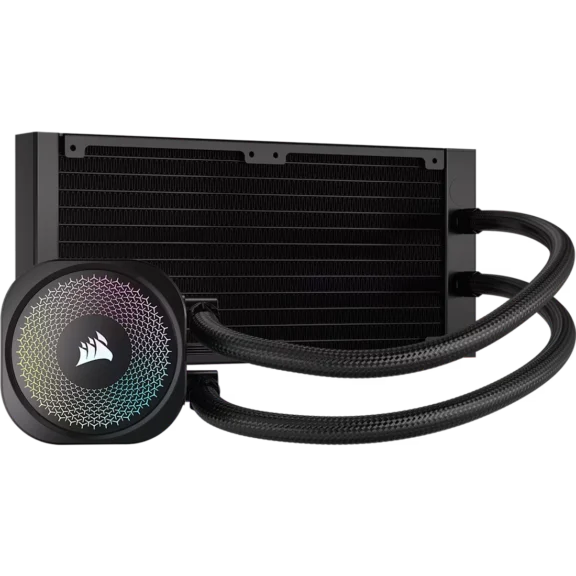
The Nautilus 240 RS ARGB uses a 240mm radiator measuring approximately 276 × 120 × 27mm. With the 25mm-thick fans installed, the total radiator-and-fan thickness is about 52mm.
Before installing it, check that your case supports:
- 240mm radiators
- Approximately 276mm radiator length
- 120mm radiator width
- Around 52mm radiator-plus-fan thickness
- Top or front radiator mounting
- Adequate RAM and motherboard clearance
- Sufficient front clearance for your GPU if mounted at the front
Because the radiator is only 27mm thick, it is relatively straightforward to fit compared with thicker AIO radiators.
5. ARGB Lighting
The ARGB version adds lighting to both the cooler and its fans.
Corsair states that the Nautilus RS ARGB models include 8 LEDs in the pump cap and 8 LEDs in each fan. The lighting connects directly to the motherboard, so a separate Corsair controller is not required.
This makes the Nautilus 240 RS ARGB a good option if you want a clean RGB build without adding another controller to the system.
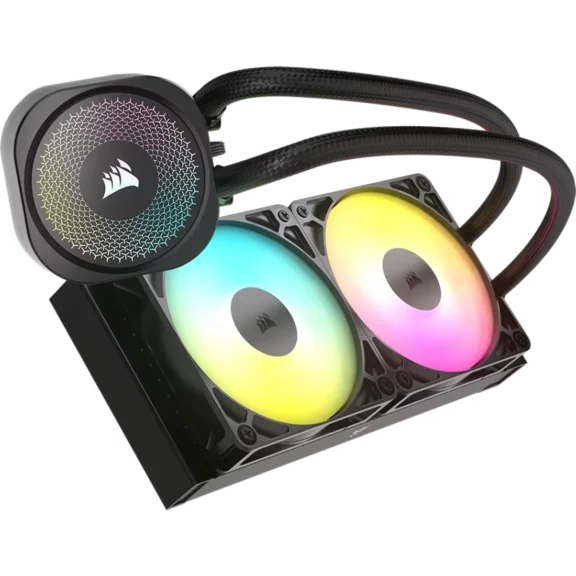
Corsair Nautilus 240 RS ARGB vs 360mm AIO
The biggest decision is whether you need a 240mm or 360mm radiator.
- A 240mm AIO is easier to fit and is sufficient for many gaming PCs. The Nautilus also has a relatively thin 27mm radiator, which makes it easier to install in cases with limited radiator clearance.
- A 360mm AIO CPU Cooler, however, provides 50% more 120mm fan positions and substantially more radiator surface area. It is therefore the better choice when maximum sustained cooling performance is the priority.
For a normal gaming PC, the Nautilus 240 RS ARGB makes more sense when you want a compact, clean AIO without needing a large 360mm radiator.
Is Corsair Nautilus 240 RS ARGB Worth Buying?
Yes, the Corsair Nautilus 240 RS ARGB is worth considering if you want a straightforward 240mm AIO with ARGB lighting and broad modern CPU compatibility.
Who Should Buy Corsair Nautilus 240 RS ARGB?
The Nautilus 240 RS ARGB is a good choice for:
- Gaming PCs using modern Ryzen or Intel CPUs
- Mid-range and high-performance desktop builds
- Users who want ARGB lighting
- Builders who want simple cable management
- PCs where a 360mm radiator is unnecessary
- Users who prefer motherboard-based RGB control
- Builds where radiator thickness is a concern
You should consider a larger 360mm AIO if you are building around a particularly power-hungry CPU and expect long, sustained heavy workloads.
Final Thoughts
The Corsair Nautilus 240 RS ARGB is a straightforward 240mm AIO focused on the things that matter most, like:
- Cooling
- Low noise
- Simple installation
- Broad CPU compatibility
Its 27mm radiator, daisy-chained RS120 ARGB fans, Zero RPM mode, and direct motherboard connectivity make it particularly attractive for clean gaming builds.
If your case supports a 240mm radiator and you do not need the additional thermal headroom of a 360mm cooler, the Nautilus 240 RS ARGB is a solid option.
