

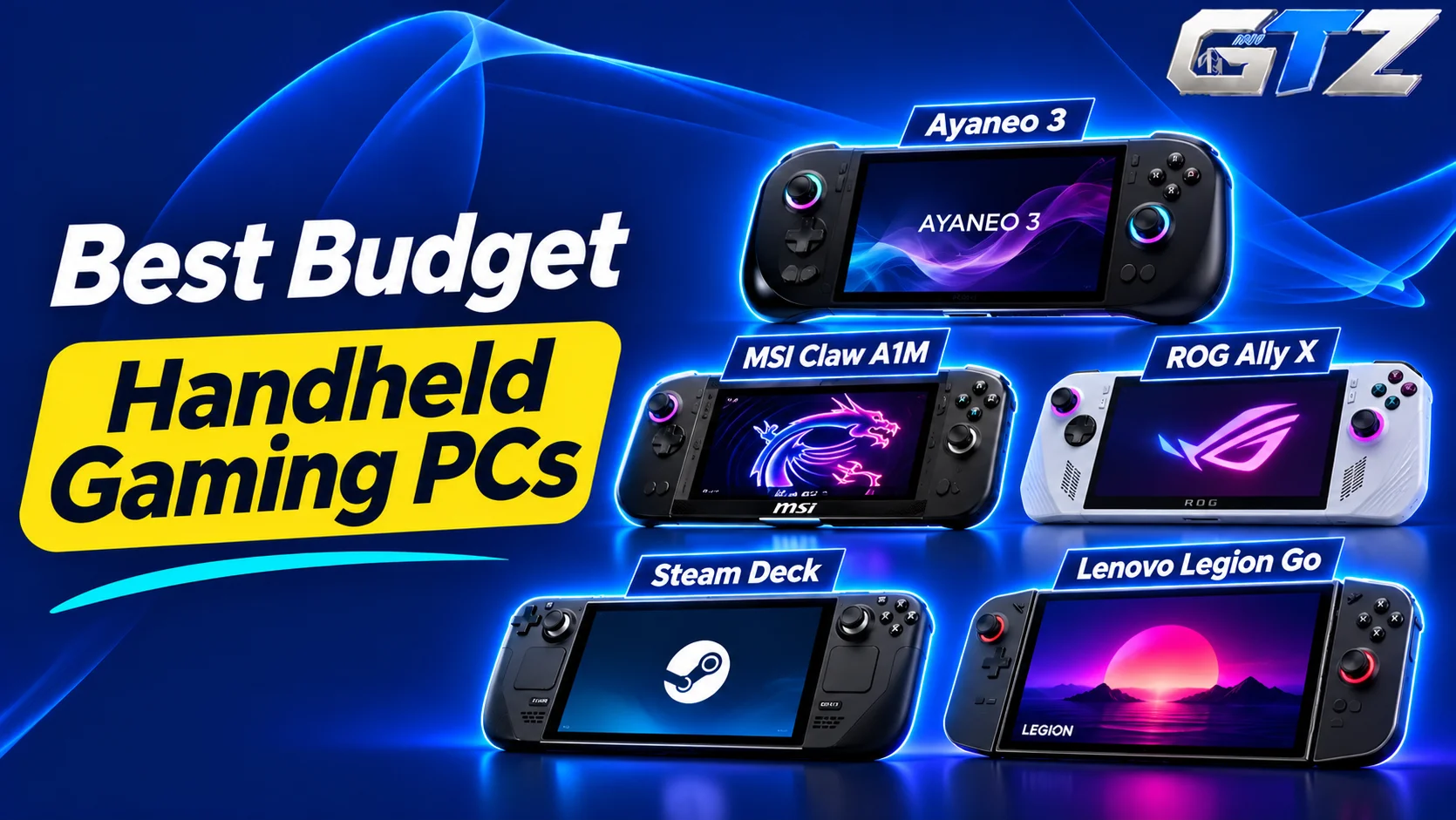
The best handheld PC in 2026 is harder to choose than it looks. I wanted a device for gaming in bed after a long day at my desk, but prices keep climbing and spec sheets hide what really matters.
So I compared five popular handhelds, from the Steam Deck to the Ayaneo 3, using real FPS numbers, battery life, and current pricing. Some are great buys. Others come with trade-offs you should know first.
By the end, you’ll know which handheld fits your games, your target resolution, and your budget. No hype, just what the numbers and real-world use show.
What is a Handheld Gaming PC?
A handheld gaming PC is a portable computer with built-in controls and a screen, made to run PC games anywhere. Windows 11 models open Steam, Epic Games Store, and the Xbox PC app. Think of it as a gaming laptop shaped like a controller.
The trade-off is power. These chips run from about 4W, so demanding games need a lower resolution, upscaling like AMD FSR, or both.
What a Handheld PC Does Well?
- Runs your existing PC library, so you don’t rebuy games
- Lets you tune power limit, resolution, and frame rate per game
- Works in bed, on the couch, or on a trip
Major Disadvantage of Handhelds
- Battery life that ranges from about an hour to several hours, depending on the game
- 720p to 1080p-class results in demanding 2026 releases
Why I Choose These Gaming PC?
I picked these five because each one fits a different buyer: the simple SteamOS player, the all-rounder, the big-screen fan, the bargain hunter, and the OLED shopper. I judged them on frame rates, battery life, comfort, and price.
How I Judged Each Handheld?
- Real FPS first, with resolution, power limit, and upscaling noted
- Battery life by game and power mode, not just the Wh number
- Weight and comfort in the hands
- Price and availability in 2026
- Public testing from outlets like PC Gamer and Tom’s Hardware, so my own reviews don’t stand alone
Note: Frame rates change with drivers, power limits, and settings. Treat every number here as a guide, not a promise.
Best Handheld Gaming PCs
| Handheld | Use case | Feature |
|---|---|---|
| Steam Deck OLED | 720p gaming | SteamOS simplicity and a 90Hz OLED screen |
| ROG Ally X | 900p / 1080p gaming | 80Wh battery and access to any PC game store |
| Lenovo Legion Go | 1080p gaming | 8.8-inch 2560×1600 screen with detachable controllers |
| MSI Claw A1M | 720p / 900p gaming | Sharp 120Hz screen, held back by battery and heat |
| Ayaneo 3 | 1080p gaming | 144Hz OLED and swappable Magic Modules |
1. Steam Deck
The Steam Deck OLED is the easiest handheld to live with. SteamOS feels like a console, the 7.4-inch 90Hz OLED screen looks great, and your Steam library just works. In the tests I reviewed, modern games land around 720p and 35 to 40 FPS.
Specs
- Chip: AMD Zen 2 APU with 4 cores and 8 RDNA 2 compute units, running at 4W to 15W
- Battery: 50Wh, rated by Valve at 3 to 12 hours
Best for: Story-driven games, indie titles, older AAA games, and Steam-first libraries.
Problem:
- Not built for native 1080p in current AAA releases
- Tom’s Hardware and PC Gamer moved it out of their top spots after the price rise
2. ROG Ally X
The ROG Ally X is the handheld I’d buy for the best mix of power, battery, and game store access. It pairs the Ryzen Z1 Extreme chip with 24GB of RAM and an 80Wh battery, and it reaches about 60 to 65 FPS at 1080p with FSR upscaling.
Results at 30W
- Cyberpunk 2077: ~65 FPS at 1080p with FSR 3
- Forza Horizon 6: ~60 FPS at 1080p with FSR 3 Balanced
- Black Myth: Wukong: ~60 FPS at 720p with FSR 3 and frame generation
- 007 First Light: ~40 FPS at 17W with FSR on
Reality check: Those numbers lean on upscaling. PC Gamer cites about a 32 FPS average for a regular ROG Ally X in Cyberpunk 2077 at 1080p Medium, so expect lower numbers without upscaling.
Best for: Long sessions, 900p to 1080p play, and libraries spread across several stores.
3. Lenovo Legion Go
The Legion Go is the pick for a big, sharp screen and detachable controllers. Its 8.8-inch 144Hz display is one of the largest on a Windows handheld. It still plays 2026 games well at 25W, but expect about 60 to 90 minutes of gaming per charge.
Results at 25W
- 007 First Light: 45 FPS at 800p with FSR Balanced
- Forza Horizon 6: 50 FPS at 1200p with FSR Balanced
- Resident Evil: Requiem: 53 FPS at 800p with FSR Balanced
- Battery: about 89 minutes in PC Gamer’s gaming battery test
Best for: Desk, tabletop, and couch play near a charger.
Problems:
- Heavy and bulky next to 7-inch rivals
- IPS panel, not OLED, and Windows 11 needs some tweaking
- Lenovo’s US page listed it as temporarily unavailable in my research
4. MSI Claw A1M
The MSI Claw A1M is the one I’d only buy at a deep discount. Its 1080p 120Hz screen looks sharp, but demanding games land around 25 to 35 FPS at 1080p, and the battery often lasts only 1 to 2 hours. I’d aim for 720p or 900p.
What Held it Back?
- Performance: 25 to 30 FPS at 1080p Medium in the testing I reviewed; GamersNexus recorded a 27 FPS average in Cyberpunk 2077 at 1080p and frame-time spikes up to 600 ms in Resident Evil 4
- Battery: 53Wh, yet only 1 to 2 hours at 1080p Medium; its best run in Dead Cells was about 4 hours, against 8 hours on the Steam Deck OLED
- Heat: Reviewers saw the hottest core reach 101°C while charging in the maximum profile
- Hardware: Intel Core Ultra 5 or 7 with Arc graphics, 675g, and one Thunderbolt 4 port for charging and accessories
Best for: Lighter games, indie titles, and short sessions.
5. Ayaneo 3
The Ayaneo 3 is the premium pick. It pairs a 144Hz 1080p OLED screen with swappable Magic Modules and strong performance at 35W. The catch is battery life, which can drain in under an hour at high power.
Results at 35W
- Cyberpunk 2077: ~80 FPS at 1080p with FSR Balanced and frame generation
- Hogwarts Legacy: ~80 FPS at 1080p
- Black Myth: Wukong: ~60 FPS at 900p with frame generation
- Battery: about 40 minutes in Cyberpunk at 30W, and 69 minutes in PC Gamer’s gaming battery test
Best for: OLED fans, fighting-game and racing players who want custom controls, and play near a charger.
Issue:
- 35W needs the charger; 30W is the highest limit on battery
- Frame generation adds latency, and the fans get loud (68dB in a stress test)
Side-By-Side Specs of The Handheld PCs
| Handheld | Screen | Chip | Battery | Weight |
|---|---|---|---|---|
| Steam Deck OLED | 7.4-inch 1280×800 OLED, up to 90Hz | AMD Zen 2 APU | 50Wh | About 640g |
| ROG Ally X | 7-inch 1080p IPS, 120Hz | Ryzen Z1 Extreme | 80Wh | 678g |
| Lenovo Legion Go | 8.8-inch 2560×1600 IPS, 144Hz | Ryzen Z1 Extreme | 49.2Wh | 854g with controllers |
| MSI Claw A1M | 7-inch 1080p IPS, 120Hz | Intel Core Ultra 5 or 7 | 53Wh | 675g |
| Ayaneo 3 | 7-inch 1080p OLED (144Hz) or LCD (120Hz) | Ryzen AI 9 HX 370 or Ryzen 7 8840U | 49Wh | About 690g |
Battery Life in Practice
| Handheld | Real-World Gaming Runtime |
|---|---|
| Steam Deck OLED | About 2 to 3 hours in demanding AAA games; about 8 hours in Dead Cells; Valve rates 3 to 12 hours |
| ROG Ally X | Over 2.7 hours of heavy AAA gaming, per ASUS’ rating |
| Lenovo Legion Go | 60 to 90 minutes; about 89 minutes in PC Gamer’s test |
| MSI Claw A1M | 1 to 2 hours at 1080p Medium; about 4 hours in Dead Cells |
| Ayaneo 3 | About 40 minutes in Cyberpunk at 30W; 69 minutes in PC Gamer’s test; around 3 hours in a lighter game at 18W |
These figures use different games and power modes, so read them as ranges, not a strict ranking.
How to Stretch Battery Life?
- Drop the refresh rate to 60Hz and cap your frame rate
- Lower the power limit: ROG Ally Z1 Extreme lasts about 59 minutes at 25W, 1 hour 34 minutes at 15W, and 2 hours 18 minutes at 10W (120Hz, full brightness)
- Carry a USB-C power bank with Power Delivery
- On the Ayaneo 3, turn on battery bypass when docked or running near 35W
What Specs Matter Most?
These are the three things worth checking.
- RAM: 16GB is the minimum because handheld memory is shared with the GPU
- Storage: About 1TB is the sweet spot for big-budget games
- Resolution: You will play most games at 720p, so skip numbers above 1080p unless this is a secondary device
Pros and Cons
| Handheld | What I like | What to Watch |
|---|---|---|
| Steam Deck OLED | SteamOS simplicity, 90Hz OLED, comfortable grips | 720p-class performance and a $789+ price |
| ROG Ally X | 80Wh battery, strong 1080p with FSR, any PC game store | 678g weight, Windows tweaking, results lean on upscaling |
| Lenovo Legion Go | 8.8-inch 144Hz screen, detachable controllers | 60 to 90 minutes of battery, 854g with controllers |
| MSI Claw A1M | Sharp 120Hz screen, Hall effect sticks | 25 to 35 FPS in demanding games, heat while charging |
| Ayaneo 3 | 144Hz OLED, Magic Modules, strong 35W performance | Under an hour at high power, loud fans, premium price |
Prices of Handheld Gaming PCs
| Handheld | Launch or earlier price | What I found for 2026 |
|---|---|---|
| Steam Deck OLED | $549 (512GB) / $649 (1TB) | $789 / $949 since May 27, 2026; Valve refurbished about $629 / $759 |
| ROG Ally X | $799.99 (1TB) | Varies by seller, so confirm the live price |
| Lenovo Legion Go | About $699 at the 2023 reveal | $827.99 to $999.99 by configuration |
| MSI Claw A1M | $699.99 to $799.99 | About $550 to $650 on the market, with some clearance stock |
| Ayaneo 3 | $899 to $1,499+ | Showed sold out on AYANEO’s shop on October 10, 2026 |
Where to Save Money?
- Buy a Valve-certified refurbished Steam Deck OLED: about $629 for 512GB or $759 for 1TB
- Compare the ROG Ally X’s $799.99 launch price (1TB) with the 1TB Steam Deck at $949, a gap of about $150
- Watch for clearance on the MSI Claw A1M; Tom’s Hardware has covered a Best Buy clearance sale on the original Claw
- Avoid third-party sellers with unclear warranty terms, especially for the Ayaneo 3
Why Prices Jumped?
Valve cited rising memory and storage costs when it raised Steam Deck OLED prices, and PC Gamer describes a memory crisis hitting the whole handheld market.
What Should You Choose?
Pick by how you play and match your situation:
- Bed or Couch for an Hour or Two: Steam Deck OLED. SteamOS offers instant suspend and resume, which the ROG Ally lacks.
- Long Trips Away From a Charger: ROG Ally X, which has the biggest battery here at 80Wh.
- Big-Screen Play Near a Charger: Legion Go.
- OLED, Fighting Games, or Racers with Custom Controls: Ayaneo 3.
- Libraries on Epic, GOG, or Game Pass: Any of the four Windows models.
- Tight Budget: A refurbished Steam Deck or a Claw A1M at a steep discount for lighter games.
Real-World Example: If you play for an hour after work, the Steam Deck’s simplicity beats any spec sheet. If you play three hours on a weekend trip, the Ally X’s battery matters more than screen size.
SteamOS or Windows: Which Should You Choose?
- SteamOS (Steam Deck): Simple menus, instant suspend and resume, and a Game Mode built for controllers
- Windows 11 (Ally X, Legion Go, Claw A1M, Ayaneo 3): Every PC launcher, but a busier interface that often needs touchscreen taps and settings tweaks
- Newer ROG models: ASUS Xbox full screen experience is far better than the standard Windows desktop on a handheld
Mistakes to avoid before you buy
- Expecting 60 FPS at maximum settings from a 9W to 30W chip; one Reddit owner of a roughly $1,000 Ally X complained about exactly this, and most replies said his expectations were too high
- Trusting FPS numbers without checking the upscaling; the Ally X’s ~60 FPS in Wukong and the Ayaneo 3’s ~80 FPS in Cyberpunk both used frame generation
- Forgetting the charger: Windows handhelds perform better plugged in
- Mixing up the ROG Ally X (2024) with the ROG Xbox Ally X (2025); check the model number before buying used, since RC72LA is the Ally X
- Skipping the return policy on third-party or clearance listings
Who Should Skip a Handheld PC?
- You Play Mostly At a Desk: A handheld adds little
- You Chase Maximum Settings: Expect upscaling and lower resolutions
- Playing for Large Sessions: Battery life is a concern
My Final Answer
If I had to pick one handheld from this list, I’d pick the ROG Ally X. It gives the best balance of 1080p performance, battery life, and game store freedom. I care about image quality, so it’s the one I’d choose for long sessions.
The Steam Deck OLED is still my pick for simple, comfortable play. At $789 and up, though, I’d check Valve’s refurbished units first. The Legion Go is worth it if you want the big screen and a charger is nearby.
I’d skip the MSI Claw A1M unless it’s heavily discounted, because 25 to 35 FPS at 1080p and 1 to 2 hours of battery are hard to ignore. The Ayaneo 3 is excellent, but its battery, price, and stock make it a niche buy.
