

Wondering if a tiny Beelink SER8 Mini PC can actually handle modern games? Maybe you want a compact gaming setup, but you’re not sure whether its Radeon 780M graphics can deliver playable 1080p performance without a dedicated GPU.
That’s what makes the SER8 interesting. It packs an 8-core Ryzen 7 processor, DDR5 memory, PCIe 4.0 storage, and integrated Radeon 780M graphics into a remarkably small chassis.
But specs don’t tell the whole story. In this review, I’ll look at its real gaming performance, compare the Ryzen 7 8845HS and 8745HS variants, and show what to expect in demanding games before you decide whether it’s worth your money.
Key Takeaways
- CPU: AMD Ryzen 7 8845HS or 8745HS, both 8-core/16-thread Zen 4 chips
- GPU: AMD Radeon 780M (RDNA3, 12 CUs) — no discrete graphics card
- RAM/Storage: Up to 64GB DDR5 and 1TB PCIe 4.0 SSD (expandable to 8TB)
- Gaming: Handles AAA titles like Black Myth Wukong and Forza Horizon 6 at 1080p low settings, averaging 50-70 FPS
- Price: Starts around $639 for the 8745HS, $799 for the 8845HS (official Beelink store pricing)
- Best for: Compact gaming/productivity hybrids, home theater PCs, home servers — not dedicated high-refresh gaming rigs
What is the Beelink SER8 Mini PC?
The Beelink SER8 Mini PC is a compact Windows desktop built for users who want full desktop functionality without the footprint of a traditional tower. Its main appeal is the balance between small size, everyday productivity, and gaming capability, making it suitable for desks where space is limited.
It can handle everyday work and 1080p gaming, but its integrated graphics mean it isn’t intended to replace a dedicated gaming PC for demanding AAA games at high settings.
Can a Mini PC Actually Run Games?
Yes, a mini PC can run modern games, but its gaming performance depends heavily on the processor, GPU, cooling, and RAM. The Beelink SER8 can handle 1080p gaming, including demanding AAA titles, when using lower graphics settings. It is best suited for esports, older games, and modern titles at reduced settings rather than high-resolution gaming.
- 1080p gaming: Suitable for playable performance on capable mini PCs.
- AAA games: Often require low settings and upscaling.
- Esports games: Better suited to mini PCs and can deliver higher FPS.
- 4K/high settings: A discrete GPU is a better choice.
What are the Specifications of Beelink SER8 Mini PC?
| Specification | Details |
|---|---|
| CPU | AMD Ryzen 7 8845HS / Ryzen 7 8745HS |
| Cores / Threads | 8 cores / 16 threads |
| Architecture | Zen 4 |
| Process | TSMC 4nm |
| Max Boost Clock | 5.1GHz (8845HS) / 4.9GHz (8745HS) |
| GPU | AMD Radeon 780M integrated graphics |
| GPU Architecture | RDNA 3 |
| Compute Units | 12 CUs |
| GPU Clock | 2700MHz (8845HS) / 2600MHz (8745HS) |
| Memory | DDR5-5600 |
| RAM Configurations | 8845HS: 24GB / 32GB / 64GB; 8745HS: 16GB / 32GB |
| Storage | PCIe 4.0 NVMe SSD |
| Storage Slots | 2 × M.2 2280 PCIe 4.0 x4 |
| Storage Expansion | Up to 8TB total |
| Wi-Fi | Intel AX200 Wi-Fi 6 |
| Bluetooth | Bluetooth 5.2 |
| Ethernet | 2.5GbE LAN |
| Video Outputs | HDMI 2.1, DisplayPort 1.4, USB4 |
| Power Adapter | 19V / 5.26A, approximately 100W |
| Cooling | Beelink MSC 2.0, vapor chamber, silent fan, SSD heatsink |
| Chassis Volume | 0.814 liters |
| Weight | 0.75kg |
| Operating System | Windows 11 |
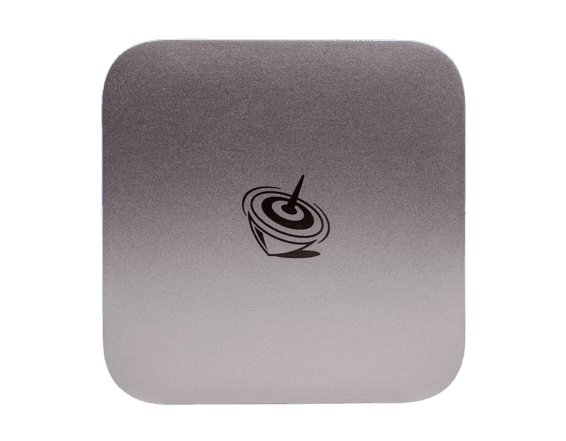
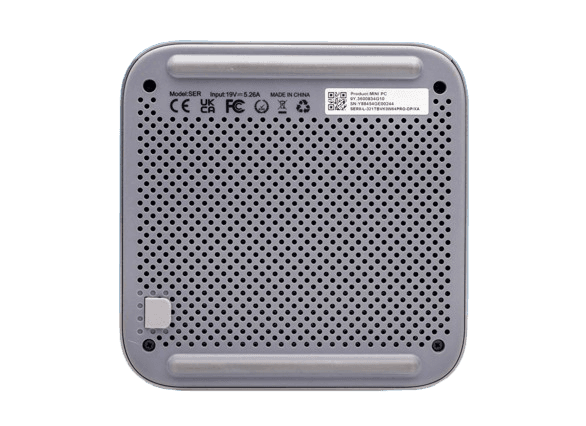
The Beelink SER8 pairs an AMD Ryzen 7 8000-series mobile processor with Radeon 780M graphics, DDR5 memory, and PCIe 4.0 storage in a 0.814-liter aluminum-alloy chassis. Here’s how each component breaks down.
1. CPU
The SER8’s flagship configuration runs the AMD Ryzen 7 8845HS, an 8-core/16-thread Zen 4 chip built on TSMC’s 4nm process with a 3.8GHz base and 5.1GHz max boost clock.
Key CPU Details:
- 16MB L3 cache, 45W TDP (Beelink runs it at up to 65W sustained)
- Includes a Ryzen AI NPU rated at 16 TOPS for AI workloads
- Best for: Multitasking, video editing, compiling code, running VMs alongside light gaming
2. GPU
The SER8 runs AMD’s Radeon 780M integrated GPU — 12 compute units on RDNA3 architecture, clocked at 2700MHz on the 8845HS and 2600MHz on the 8745HS.
- Supports hardware ray tracing and AV1 encode/decode
- Widely regarded as the strongest integrated GPU currently shipping in mini PCs
- Best for: Esports titles at high FPS, AAA games at reduced settings
3. RAM
Both variants use DDR5-5600 memory, officially supported up to 256GB, though Beelink ships preconfigured tiers instead of letting you max it out arbitrarily.
- 8845HS ships in 24GB, 32GB, or 64GB configurations
- 8745HS ships in 16GB or 32GB configurations
- Best for: 32GB+ if you’re gaming and multitasking simultaneously; 16GB is fine for light productivity only
4. Power Supply
The SER8 uses an external power brick rated at 19V/5.26A (roughly 100W), accepting 100-240V AC input so it works globally with the right regional plug.
- Beelink ships region-specific adapters (US/EU/UK/AU/JP)
- Caveat: A 100W external adapter means no built-in UPS-style battery backup — a power blip means an instant shutdown
5. Storage
Storage is a dual M.2 2280 PCIe 4.0 x4 setup, shipping with a single 1TB (or 512GB on base 8745HS configs) NVMe SSD.
- Expandable to 8TB total across both slots (4TB per drive)
- Best for: Anyone who wants fast boot times now and headroom to add a second drive later without opening a case twice
6. WiFi Options
Both variants use the same Intel AX200 WiFi 6 card paired with Bluetooth 5.2.
- 2.4Gbps theoretical WiFi 6 throughput
- Caveat: It’s WiFi 6, not WiFi 6E or WiFi 7 — fine for most homes, but not the latest wireless standard
7. Design and Build Quality
The SER8 uses a metal case with Beelink’s MSC 2.0 cooling system — a vapor chamber, silent fan, and dedicated SSD heatsink — rated at just 32dB under load.
- Weighs 0.75kg and measures 0.814 liters in volume
- Bottom-mounted dust filter keeps particles out of the internals
- Caveat: Independent teardown testing found the dust filter requires removing six screws to access, which is more involved than it should be for routine cleaning
8. Connectivity Options
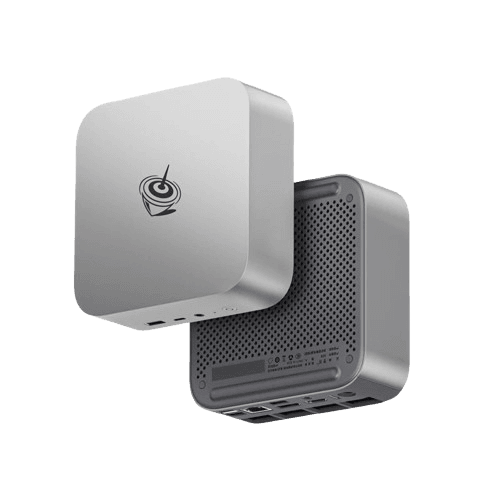
Port selection is generous for the size, but not perfectly labeled. Per independent hardware testing, the layout breaks down as:
- Front: USB Type-C and USB Type-A (both USB 3.2 Gen2), headphone jack, power button
- Rear: USB4 Type-C, one USB 3.2 Gen2 Type-A, two USB 2.0 Type-A, HDMI 2.1, DisplayPort 1.4, 2.5GbE LAN, audio jack
- Beware: The two rear USB 2.0 ports look identical to the faster ports and aren’t clearly labeled, so it’s easy to plug a fast external drive into the wrong slot
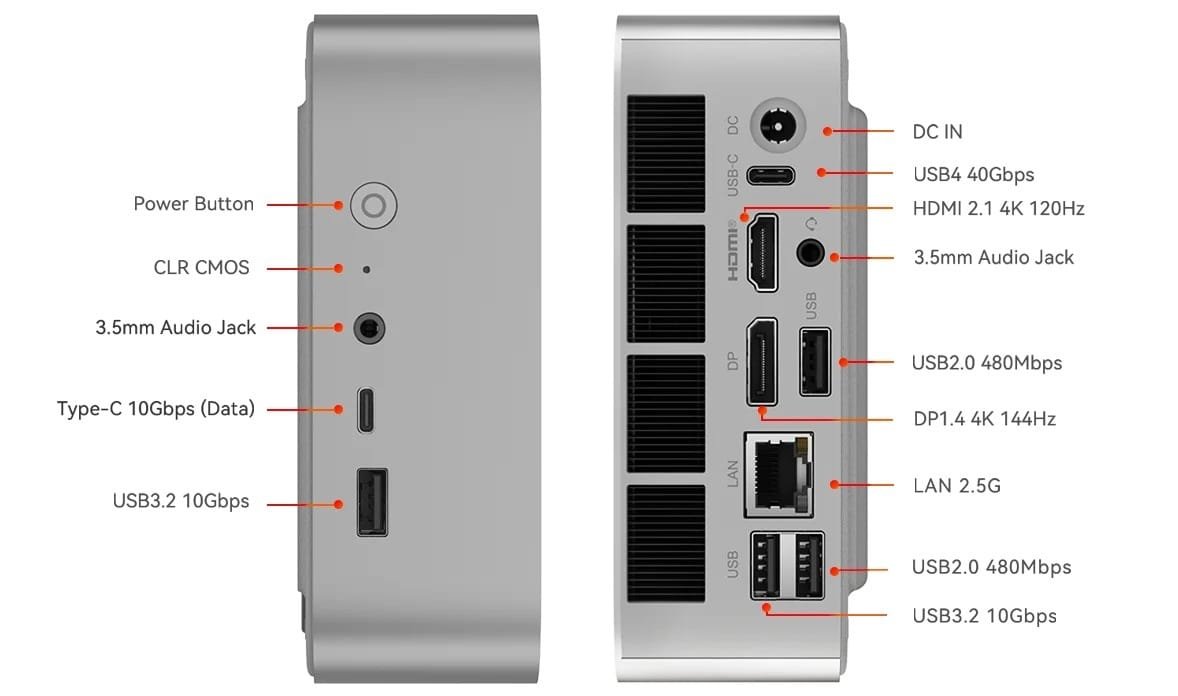
ALT TEXT: Connectivity options of Beelink SER8
What are the Variants of Beelink SER8?
Beelink sells the SER8 in two CPU configurations that share the same chassis, GPU, and cooling — the difference comes down to clock speed, the NPU, and price.
With Ryzen 7 8845HS
This is the flagship SER8, built around the Ryzen 7 8845HS at up to 5.1GHz with the Ryzen AI NPU (16 TOPS) included.
- Ships in 24GB/1TB, 32GB/1TB, and 64GB/1TB configurations
- Listed at $799 (from an MSRP of $959) for the base 24GB/1TB tier on Beelink’s official US store
- Best for: Buyers who want the highest RAM ceiling or plan to use AI-accelerated software
With Ryzen 7 8745HS
The 8745HS variant is functionally the same chip minus the NPU, with a slightly lower 4.9GHz max turbo clock.
- Ships in 16GB/512GB and 32GB/1TB configurations
- Listed at $639 (from an MSRP of $799) for the base 16GB/512GB tier on Beelink’s official US store
- Best for: Buyers who don’t need the AI NPU and want the same core gaming and CPU performance for less money
Gaming Benchmarks of Beelink SER8
Tthe Radeon 780M handles modern AAA titles at 1080p on low settings, with FPS that stays playable but nowhere near what a discrete GPU would deliver.
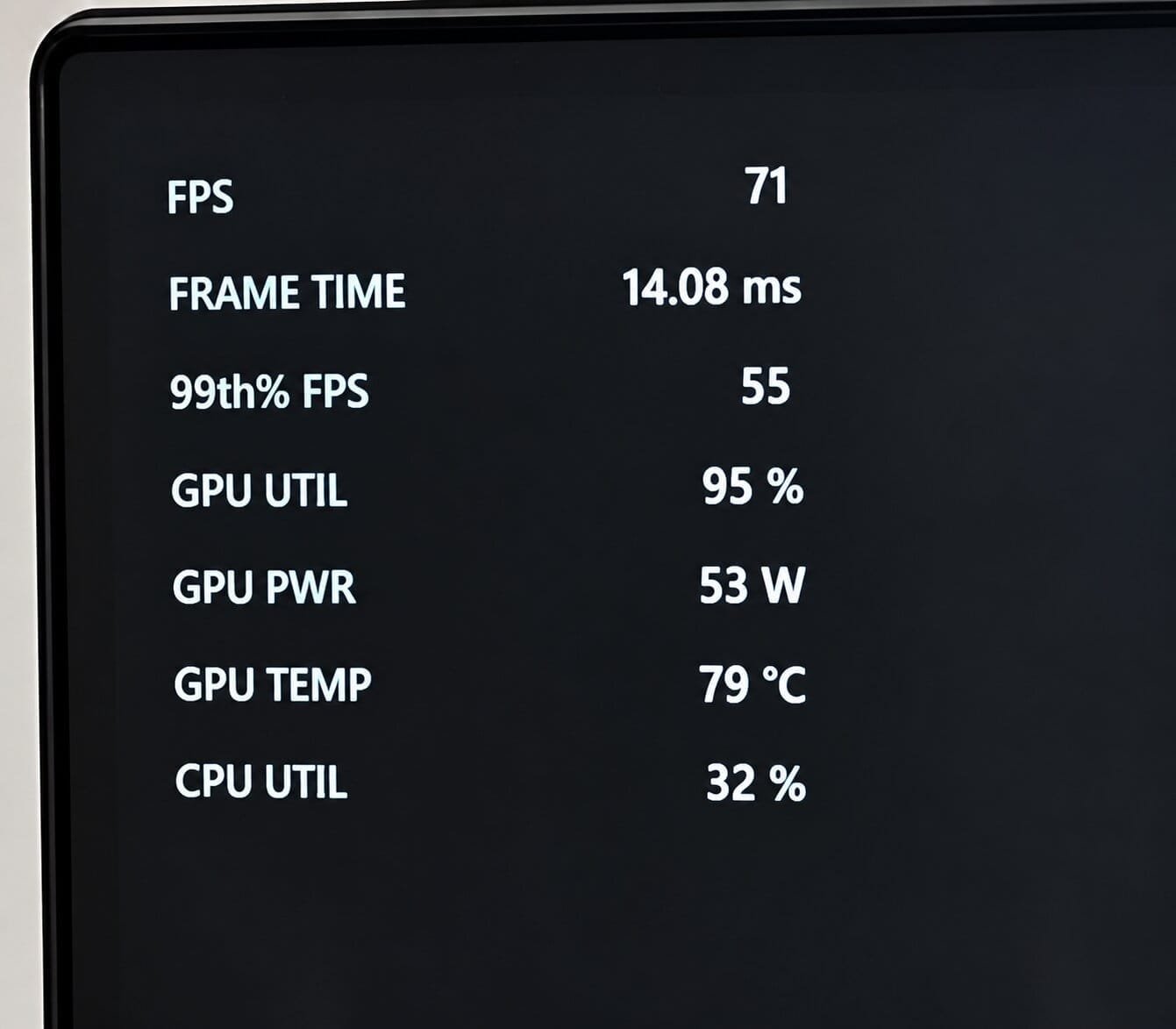
Black Myth Wukong
- Settings: 1080p Low
- CPU Usage: ~30%
- GPU Usage: ~90%
- Average FPS: ~50
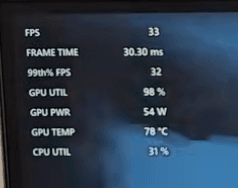
God of War Ragnarok
- Settings: 1080p
- CPU Usage: ~30%
- GPU Usage: ~90+
- Average FPS: ~40
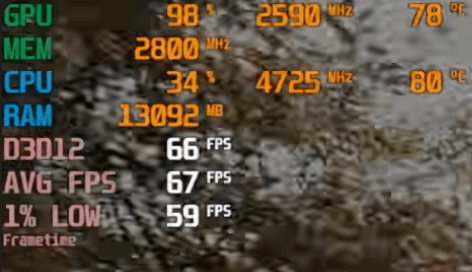
Forza Horizon 6
- Settings: 1080p low with FSR balanced
- CPU Usage: ~40%
- GPU Usage: ~90%
- Average FPS: ~60
If 1080p is your target resolution across your whole setup, our 1080p PC building guide breaks down how a mini PC like this compares to a full tower build at the same resolution.
What is the Price of Beelink SER8 Mini PC?
On Beelink’s official US store, the 8745HS starts at $639 (16GB/512GB) and the 8845HS starts at $799 (24GB/1TB), with higher RAM tiers costing more. UK buyers have seen the 8845HS 24GB/1TB configuration listed around £639 through Amazon UK.
Pricing on both variants fluctuates with sales and regional promotions, so treat these as a snapshot rather than a fixed number — check the official listing for what you’ll actually pay today.
Pros and Cons
| Pros | Cons |
|---|---|
| 8-core/16-thread Zen 4 CPU in a tiny chassis | Radeon 780M can’t match a discrete GPU at higher settings |
| DDR5 RAM configs up to 64GB | Rear USB ports are poorly labeled and easy to mix up |
| PCIe 4.0 storage, expandable to 8TB | Dust filter needs six screws removed to clean |
| Triple 4K output (HDMI 2.1 + DP 1.4 + USB4) | Audible fan noise under sustained gaming load |
| 32dB quiet operation via vapor chamber cooling | Base 8745HS configs have shown up as pre-order in some regions |
| 2.5GbE LAN, WiFi 6, Bluetooth 5.2 | No discrete GPU means a hard ceiling for AAA gaming |
What I Like About This Mini PC?
I like its processor, storage, and RAM the most — the 8-core Zen 4 chip paired with fast PCIe 4.0 storage makes this feel like a real desktop replacement, not a compromise. And for 1080p gaming specifically, the performance across all three titles was genuinely excellent for a machine this size.
Should You Buy it?
Buy It If:
- You want a desktop that disappears behind a monitor but still handles real multitasking
- Your gaming is mostly esports titles, older AAA games, or newer titles at 1080p low settings
- You’re building a home server, NAS, or always-on media box and want low power draw
Skip If:
- You want to play new AAA releases at high or ultra settings
- You need a discrete GPU for creative work like 3D rendering or heavy video editing
- You’re on a tight budget and don’t need the RAM/storage headroom this platform offers
Gamers Also Ask About Beelink SER8
Yes, for esports titles and 1080p low-settings AAA gaming — our testing showed 50-70 FPS in Black Myth Wukong and around 60 FPS in Forza Horizon 6. It won’t replace a discrete GPU for high settings or higher resolutions.
The 8845HS is better if you want the highest RAM tier or the AI NPU; the 8745HS delivers nearly identical CPU and gaming performance for less money if you don’t need those extras.
Beelink backs the SER8 with a three-year warranty on its official store, and both variants show strong customer satisfaction on Beelink’s own site and in independent reviews. Warranty terms can vary by retailer and region, so confirm yours before buying.
The biggest downside is that most rely on integrated graphics, which caps gaming performance well below a discrete GPU. Internal upgrade room is also more limited than a full tower, though the SER8’s dual M.2 slots are more generous than most.
Home office productivity, home theater and media center setups, home server/NAS duty, and light-to-moderate gaming are the most common uses reported by owners across independent reviews.
Final Verdict on SER8 Mini PC
The Beelink SER8 earns its place as one of the more capable mini PCs you can put on a desk right now — an 8-core Zen 4 CPU, fast DDR5 and PCIe 4.0 storage, and a Radeon 780M that genuinely holds its own in modern games at 1080p low settings.
It’s not a gaming PC replacement if ultra settings at high resolution are the goal, but as a compact hybrid that handles work and play equally well, it delivers real value at both price points.
If your gaming lives at 1080p and your desk space doesn’t, the SER8 is worth the buy. For more detailed guides on gaming PCs, laptops and their performance tips, please visit our site at Gaming Tech Zone.
