

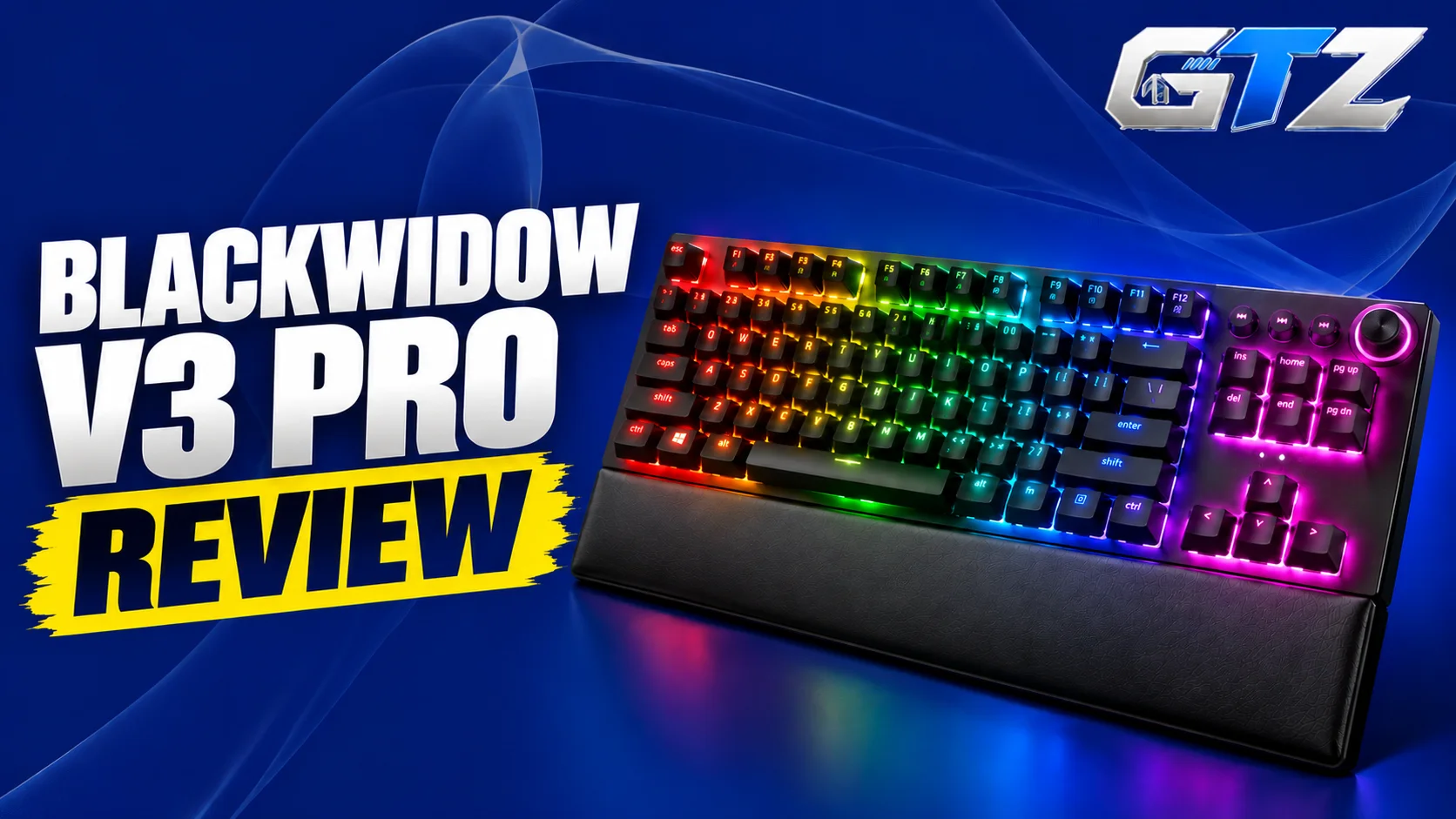
The Razer BlackWidow V3 Pro is a full-size wireless mechanical gaming keyboard designed for players who want responsive inputs, customizable RGB lighting, and the convenience of a cable-free setup.
With customizable RGB lighting, responsive inputs, and the convenience of a cable-free setup, the Razer BlackWidow V3 Pro has made its place among the best gaming keyboards.
Its multiple connectivity options make it suitable for both gaming and everyday work. Dedicated media controls, a multifunction digital dial, and a cushioned wrist rest add to its appeal. However, its large footprint, ABS keycaps, and battery consumption with RGB lighting are worth considering.
In this review, we’ll examine its specifications, typing experience, gaming performance, advantages, drawbacks, and overall value.
What Is Razer BlackWidow V3 Pro?
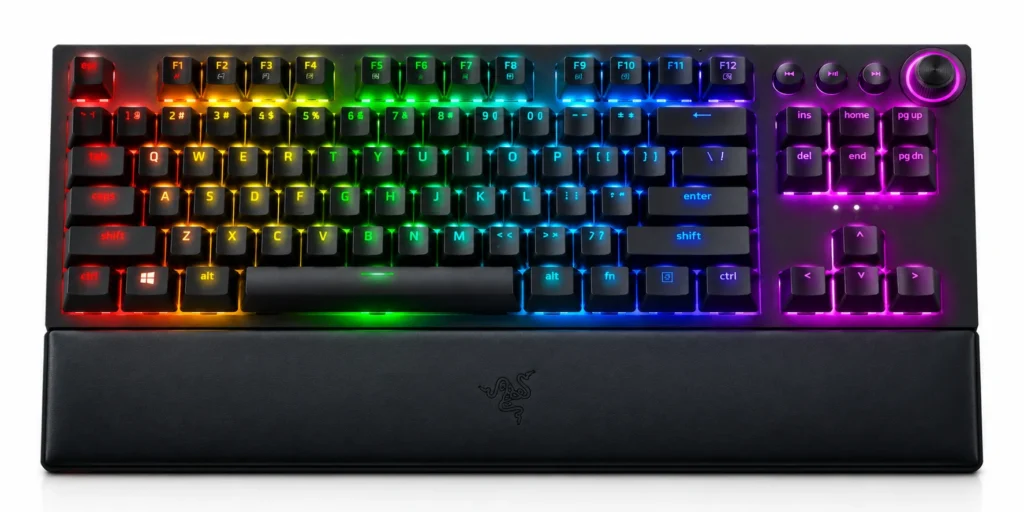
The Razer BlackWidow V3 Pro is a full-size wireless mechanical gaming keyboard featuring Razer Green or Yellow mechanical switches, customizable Chroma RGB lighting, dedicated media controls, and three connection modes.
It is designed for:
- Gaming
- Productivity
- Flexible multi-device use
Its aluminum top plate and included wrist rest make it suitable for extended desktop sessions.
My Quick Assessment
| Real-World Factor | My Assessment |
|---|---|
| Gaming performance | Responsive wireless connectivity makes it suitable for casual and competitive gaming |
| Typing experience | Green switches provide tactile clicks, while Yellow switches offer a linear, quieter feel |
| Connectivity | HyperSpeed wireless, Bluetooth, and USB-C |
| Build quality | Aluminum top plate, double-shot ABS keycaps, and a cushioned wrist rest |
| Battery life | Long runtime with lighting disabled, but RGB brightness can reduce it considerably |
This assessment draws on the manufacturer’s specifications and independent testing rather than personal hands-on testing. The RTINGS Razer BlackWidow V3 Pro review provides additional information about gaming performance, typing, and overall usability.
Is Razer BlackWidow V3 Pro Good for Gaming?
Yes, the Razer BlackWidow V3 Pro is a capable gaming keyboard with responsive inputs, N-key rollover, programmable keys, and Razer HyperSpeed wireless connectivity.
Its full-size layout is useful for games that benefit from dedicated navigation keys and a number pad. The 2.4GHz wireless connection is designed for low-latency gaming, while the choice between Green and Yellow switches lets users select their preferred typing feel.
What Is the Price of Razer BlackWidow V3 Pro?
The Razer BlackWidow V3 Pro launched in September 2020 with a US manufacturer-recommended price of $229.99.
The price is quite lower than SteelSeries Apex Pro TKL Gen 3 wireless version. Since it is an older model, its current price depends on retailer stock, discounts, and whether the keyboard is new or refurbished.
Razer BlackWidow V3 Pro Specifications
The following table summarizes the keyboard’s main specifications, including its switches, connectivity, lighting, and physical design.
| Specification | Details |
|---|---|
| Keyboard type | Wireless mechanical gaming keyboard |
| Layout | Full-size |
| Switches | Razer Green or Razer Yellow mechanical switches |
| Green switch feel | Tactile and clicky |
| Yellow switch feel | Linear and quieter, with sound dampeners |
| Connectivity | 2.4GHz HyperSpeed Wireless, Bluetooth, USB-C |
| Bluetooth pairing | Up to 3 devices |
| Advertised wireless response rate | 1ms over HyperSpeed |
| Polling rate | Up to 1,000Hz |
| Key rollover | N-key rollover |
| Keycaps | Double-shot ABS |
| Top plate | Aluminum |
| Lighting | Per-key Razer Chroma RGB |
| Media controls | Four dedicated media keys and multifunction digital dial |
| Wrist rest | Included, cushioned |
| Programmable keys | Yes |
| Onboard profiles | Up to 5 |
| Switch lifespan | Up to 80 million keystrokes |
| Battery | Rechargeable |
| Dimensions | Approximately 450.7 × 248.4 × 42.3mm, including the listed overall footprint |
| Weight | Approximately 1,423g |
| Software | Razer Synapse |
These specifications are based on the official Razer BlackWidow V3 Pro support documentation. Dimensions and weight can be reported differently depending on whether the wrist rest is included.
1. Design and Build Quality
The Razer BlackWidow V3 Pro features an aluminum top plate and a plastic lower housing, which gives it a sturdy feel for everyday gaming. Its full-size design includes dedicated media controls, a multifunction digital dial, and a cushioned wrist rest.
Double-shot ABS keycaps provide durable legends, although they do not offer the same material feel as PBT keycaps. Its overall construction prioritizes functionality and comfort over portability.
2. Layout
The keyboard uses a conventional full-size layout with a dedicated number pad, function row, navigation keys, and arrow keys. This arrangement works well for:
- Gaming
- Spreadsheets
- Programming
- General productivity
The additional media controls and volume dial also make it convenient for managing music and video playback without leaving an application. However, the full-size design occupies substantial desk space, which may be inconvenient for gamers who prefer wide mouse movements.
3. Keycaps and Switches
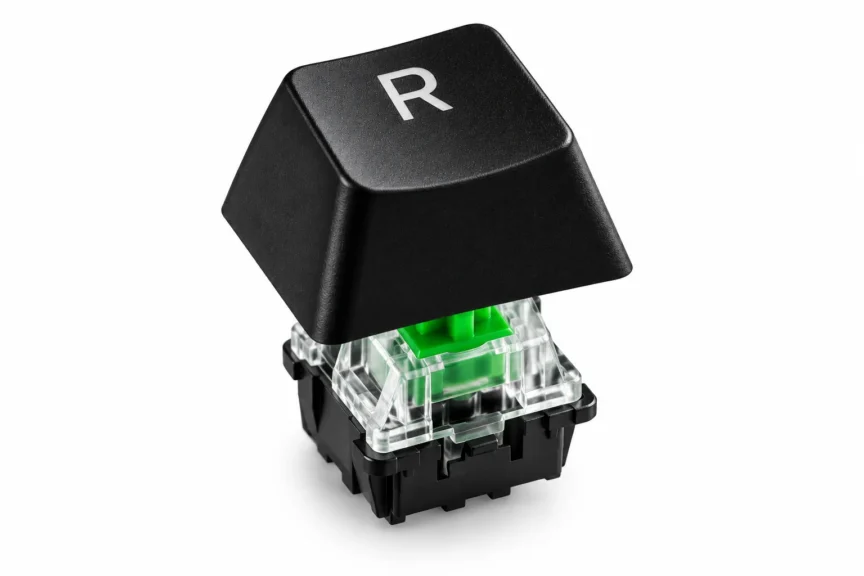
The BlackWidow V3 Pro uses double-shot ABS keycaps and comes with Razer Green or Razer Yellow mechanical switches, depending on the configuration.
- Green switches provide tactile feedback and an audible click, which makes each keystroke noticeable.
- Yellow switches offer a linear, quieter feel with built-in sound dampeners.
Both options suit different preferences, but the Green variant may be disruptive in shared offices or bedrooms. Choose the switch type based on your preferred sound and typing feel.
4. Connectivity
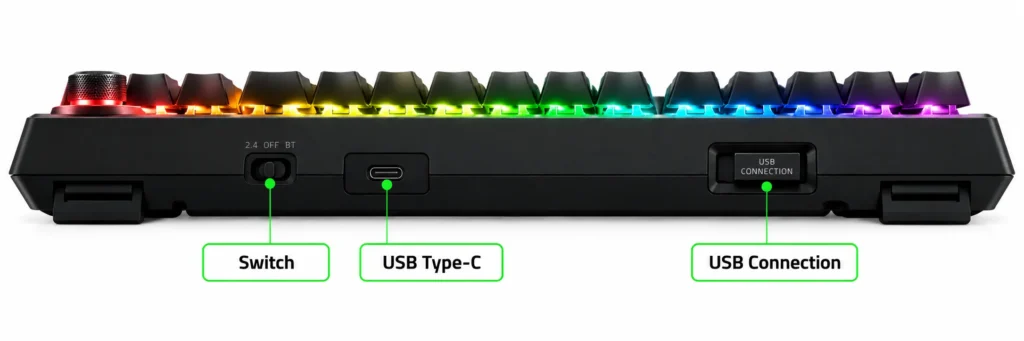
The BlackWidow V3 Pro supports three connection modes:
- Razer HyperSpeed 2.4GHz wireless
- Bluetooth
- USB-C wired connectivity
HyperSpeed is designed for low-latency gaming, while Bluetooth allows the keyboard to pair with up to three devices and switch between them. The detachable USB-C cable lets you continue using the keyboard while charging.
This flexibility makes the keyboard suitable for gaming PCs, laptops, and compatible Bluetooth devices without requiring a permanent wired connection.
5. Weight and Size
The BlackWidow V3 Pro is built for a permanent desktop setup rather than frequent travel. Its full-size layout and included wrist rest require more space than compact mechanical keyboards.
The weight helps keep it stable during regular typing and gaming, but carrying it between locations is less convenient. Measure your desk before purchasing, especially if you use a large mouse pad or have limited space.
6. Typing Experience
The typing experience depends heavily on the switch configuration. Razer Green switches provide a noticeable tactile bump and audible click, which some typists enjoy for feedback.
Razer Yellow switches are linear and quieter, which makes them more suitable for users who prefer smooth key travel without a pronounced click. The cushioned wrist rest supports the hands during extended sessions.
However, Green switches can be loud enough to disturb people nearby, so consider your environment before choosing them.
7. Battery
Battery life varies significantly with the keyboard’s lighting settings. Razer advertises up to 200 hours with backlighting disabled, but actual runtime depends on:
- Brightness
- Lighting patterns
- Connection mode
- Usage
Independent testing by Tom’s Hardware found that its review unit lasted a little over 14 hours with RGB at maximum brightness under the review’s particular settings.
That result should not be treated as a universal runtime for every configuration. If you want to minimize charging, turn off the lighting or reduce its brightness.
8. RGB Lighting
The BlackWidow V3 Pro features per-key Razer Chroma RGB lighting with customizable colors and effects. Through Razer Synapse and Chroma Studio, users can personalize individual keys, create lighting profiles, and synchronize effects with compatible games and peripherals.
The transparent switch housings help showcase the lighting, particularly in darker rooms. RGB customization adds visual appeal, but extensive lighting effects consume more battery power. Users who prioritize wireless runtime should consider dimming the lighting or switching it off.
Gaming Performance of Razer BlackWidow V3 Pro
Yes, the Razer BlackWidow V3 Pro is a capable gaming keyboard with responsive wireless connectivity, programmable keys, and N-key rollover. Its HyperSpeed connection is designed for low-latency play, while the full-size layout and dedicated media controls make it convenient for everyday gaming.
- Latency: Razer advertises a 1ms wireless response rate for HyperSpeed. This is a manufacturer claim, not a guarantee of 1ms total input latency. Actual performance depends on the connection and testing conditions.
- Responsiveness: The mechanical switches provide consistent key activation for movement and commands. Green switches offer tactile and audible feedback, while Yellow switches provide linear key travel.
- Anti-ghosting: N-key rollover allows multiple keys to register simultaneously, which helps prevent missed inputs when several keys are pressed together.
- Wireless performance: The 2.4GHz HyperSpeed receiver is the preferred option for gaming. Bluetooth is useful for compatible devices and everyday productivity, while USB-C provides a wired alternative.
- Battery life: The advertised maximum is up to 200 hours with backlighting disabled. RGB effects can reduce runtime considerably, so brightness and lighting settings matter when using the keyboard wirelessly.
Pros and Cons of Razer BlackWidow V3 Pro
| Pros | Cons |
|---|---|
| Three connection modes: HyperSpeed, Bluetooth, and USB-C | Green switches may be too loud for shared spaces |
| Responsive wireless performance for gaming | |
| Choice of clicky Green or quieter linear Yellow switches | |
| Dedicated media controls, volume dial, and cushioned wrist rest | |
| Per-key Chroma RGB lighting and programmable keys |
Is Razer BlackWidow V3 Pro Worth It?
The Razer BlackWidow V3 Pro is worth considering if you want a full-size mechanical gaming keyboard with wireless flexibility, dedicated media controls, and customizable RGB lighting. Its three connection modes make it useful for people who switch between a gaming PC and other compatible devices like gaming laptops.
Who Should Buy It?
- Wireless Gamers: Players who want a low-latency 2.4GHz connection without a permanent cable.
- Full-size Keyboard Users: People who need a number pad and dedicated navigation keys.
- Mechanical Keyboard Enthusiasts: Buyers who prefer choosing between tactile-clicky and linear switches.
- Multimedia Users: People who regularly adjust volume, pause music, or control playback.
- RGB Enthusiasts: Users who enjoy per-key lighting customization and synchronized effects.
It may not be ideal for people with limited desk space, users who need long battery life with RGB enabled, or buyers who prefer quieter typing but are considering the Green switch version.
Final Thoughts
The Razer BlackWidow V3 Pro remains a feature-rich wireless mechanical gaming keyboard. Its HyperSpeed connectivity, full-size layout, dedicated media controls, cushioned wrist rest, and customizable RGB lighting make it a versatile option for gaming and productivity.
Its biggest advantages are wireless flexibility and convenient physical controls. The main trade-offs are its large footprint, ABS keycaps, and battery consumption when RGB lighting is enabled. Because it is an older model, its value depends heavily on the current price and availability.
Overall, the Razer BlackWidow V3 Pro is worth considering if you want a full-size wireless gaming keyboard with premium features, but compare its price with newer alternatives before buying.
