

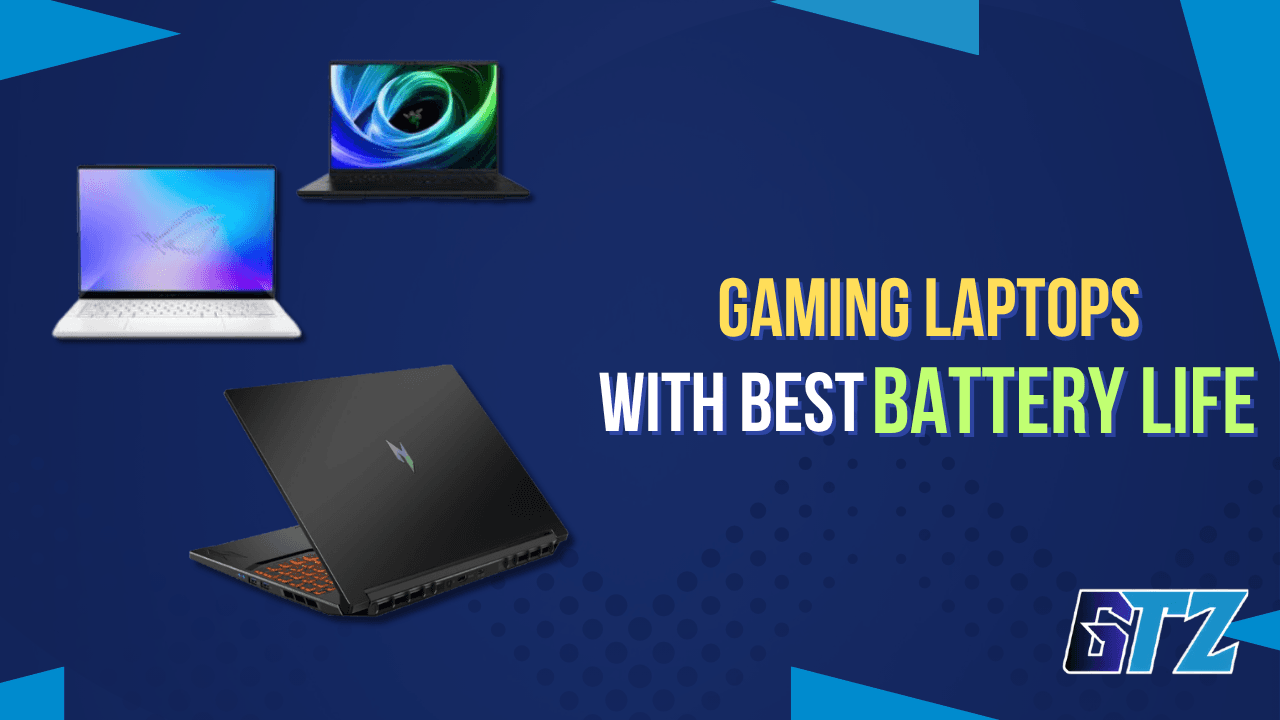
A gaming laptop can have a powerful GPU, a beautiful display, and a premium design, but if its battery dies after a few hours of normal use, I don’t consider it a great laptop for everyday life. Battery life is something I personally prioritize when choosing a laptop, even if it means giving up a little on design or raw performance.
In this guide, I compare the best gaming laptops with long battery life in 2026, looking at real-world endurance, gaming performance, portability, displays, and value. I’ll also explain which models I’d choose, why battery life matters to me, and what you should realistically expect when gaming on battery.
Why Battery Life Finally Matters in Gaming Laptops?
Modern gaming laptops now offer much better battery life, combining powerful hardware with smarter power management. Features like RTX 50-series GPUs, Ryzen AI processors, and MUX switches allow long battery life for everyday use without sacrificing gaming performance.
Why Gaming Laptop Battery Life Has Improved:
- Better everyday experience: Less heat, lower power draw, and quieter operation when not gaming.
- Smarter power management: Uses integrated graphics for light tasks.
- Dedicated GPU on demand: Activates only when gaming.
- RTX 50-series efficiency: GDDR7 memory improves power efficiency.
- Ryzen AI processors: Help reduce power consumption during everyday use.
- Longer battery life: Many models now achieve 8+ hours for productivity.
What to Look for in a Long-Battery Gaming Laptop?
Before diving into picks, here’s what actually determines battery life on a gaming laptop:
- Battery capacity (Wh): Bigger isn’t always better — efficiency matters more. A 73Wh battery in an efficient chassis often outlasts a 90Wh battery in a power-hungry one.
- GPU TGP (Total Graphics Power): Lower TGP GPUs (80–100W) sip power compared to 150W+ desktop-replacement GPUs.
- Display resolution & refresh rate: A 165Hz QHD panel drains more power than a 120Hz FHD. OLED panels, despite their rep, can be surprisingly efficient at lower brightness.
- USB-C PD charging: Look for 100W+ USB-C Power Delivery. It lets you charge from a GaN brick, a power bank, or an airport terminal — far more practical than hauling a proprietary charger.
- MUX switch + Advanced Optimus: These features let your GPU route frames directly to the display (better performance) or switch off completely (better battery life).
The Best Gaming Laptops with the Best Battery Life in 2026
These are 5 of the best gaming laptop models that have a good battery life in overall conditions.
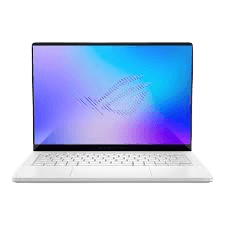
1. ASUS ROG Zephyrus G14 (2026) — Best Overall
Battery life: 9–10 hours productivity | 3.5–4 hours light gaming
Key specs: Intel Core Ultra 9 386H, RTX 5070 (100W), 3K ROG Nebula 120Hz, 73Wh battery, 1.65kg
Price: Starting ~$3,599
If there’s one answer to “what is the best gaming laptop with long battery life,” the 2026 Zephyrus G14 is it for most people. ASUS managed to fit an RTX 5070 into a 1.65kg chassis while still delivering near all-day battery life during light productivity workloads. The 3K ROG Nebula display is one of the best panels you’ll find on a gaming laptop — sharp, vibrant, and surprisingly efficient at moderate brightness levels.
DLSS 4 Multi Frame Generation means you won’t miss the power ceiling from the 100W TGP as much as you’d expect. In supported titles, the G14 punches well above its weight class.
Pros:
- Exceptional portability at 1.65kg with real gaming power
- ROG Nebula display is a standout at this size
- Class-leading battery life for a discrete GPU laptop
- Whisper-quiet in Balanced mode (near-silent at idle)
- Fast 30-minute 0→50% charging
Cons:
- 120Hz cap rules out high-refresh esports play
- RTX 5070 at 100W TGP is a real performance compromise vs full-power configs
- Premium price for a 14-inch machine
Best for: Gamers who travel frequently, students, and anyone who genuinely carries their laptop daily.
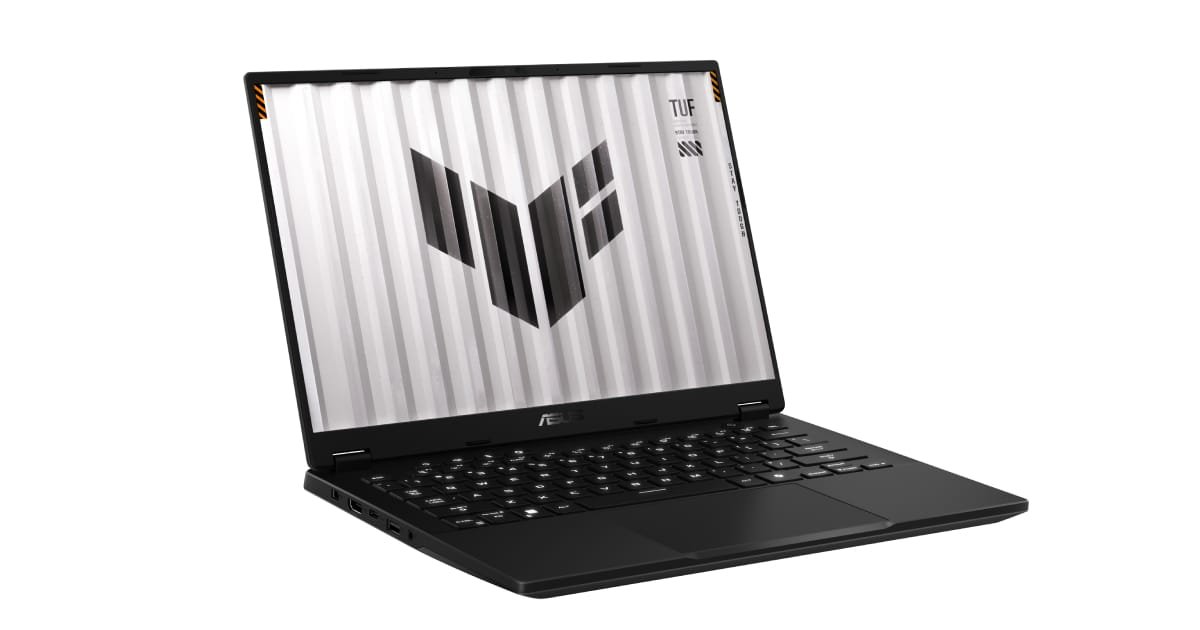
2. ASUS TUF Gaming A14
Battery life: 7–9 hours mixed use
Key specs: AMD Ryzen AI 9 465, RTX 5060, 14-inch QHD+ 165Hz, 3.2 lbs
Price: ~$1,499–$2,199 (depending upon generation)
The TUF A14 doesn’t get the same hype as the Zephyrus, but it arguably delivers more value. It uses the same Ryzen AI 9 465 CPU — a highly efficient chip — paired with an RTX 5060 that keeps power consumption reasonable while still delivering strong gaming performance. The QHD+ display (2,560×1,600) is gorgeous for this price, and Tom’s Guide rated it an Editor’s Choice pick for being genuinely impressive without the flagship premium.
If you’re eyeing the best gaming laptops in 2026, the TUF A14 consistently appears near the top of most shortlists — not because of raw power, but because it nails the balance of performance, display quality, and longevity.
Pros:
- Outstanding battery life for a mid-range GPU
- Sleek, grown-up design that doesn’t scream “gamer”
- Strong daily performance and multitasking
- Lighter than most gaming laptops at this price
Cons:
- Port selection is limited (no SD card reader)
- RTX 5060 is better suited for 1080p and 1440p gaming than demanding 4K workloads
Best for: Budget-conscious buyers who want premium battery life without the flagship price tag.
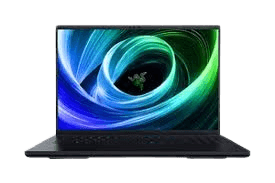
3. Razer Blade 14 (2026)
Battery life: 6–8 hours productivity | ~2+ hours gaming
Key specs: AMD Ryzen 9 AI 365, RTX 5070, 14-inch IPS 240Hz, 90Wh battery
Price: Starting ~$2,899
Razer’s engineering on the Blade 14 has always been about premium materials and a sleek profile, and the 2026 model delivers on both. The RTX 50-series GPU and improved power management help deliver noticeably better battery life than previous Blade generations. The all-aluminum chassis feels like a MacBook but plays like a gaming laptop, which is genuinely rare.
The trade-off is the IPS panel — at this price, an OLED would be expected. It’s still a high-quality, blistering-fast 240Hz display, but you’re paying a premium for the brand, the build quality, and the overall design.
Pros:
- Best-in-class build quality and design
- Improved battery life compared to earlier Blade models
- Compact form factor, easy to carry anywhere
- Superb keyboard and trackpad
Cons:
- Very expensive for what you get vs. competitors
- IPS display, not OLED, at this price point
- Less value per dollar than the G14 or TUF A14
Best for: Professionals who want a laptop that looks at home in a boardroom and a LAN party.
4. Lenovo Legion Slim 5i Gen 11
Battery life: 7–8 hours productivity
Key specs: Intel Core Ultra 7, RTX 5060/5070, 16-inch QHD+ IPS 165Hz, 5.29 lbs
Price: ~$3000
The Legion Slim 5i is Lenovo’s answer to the thin-and-light gaming problem, and it’s a strong one. The 16-inch QHD+ display gives you more screen real estate than the G14, and the 100W USB-C PD charging makes it one of the most travel-friendly options on this list. It’s heavier at 5.29 lbs, but the larger display may be worth that trade-off for productivity-heavy users who also game.
The RTX 5060 configuration is particularly well-suited for high-refresh-rate 1080p gaming while maintaining reasonable power efficiency, making it a balanced choice for both work and play.

Pros:
- Large, bright QHD+ display at a competitive price
- USB-C 100W PD charging — no proprietary charger needed
- Well-rounded for work and gaming
- Solid build quality for the price
Cons:
- Heavier than 14-inch competitors
- Not as portable as the Zephyrus or Blade
- 16GB RAM in base configurations is tight for multitasking
Best for: Users who want a bigger screen without buying a desktop-replacement laptop.
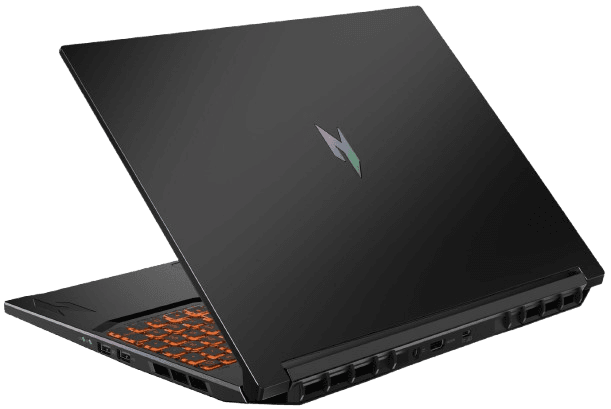
5. Acer Nitro V 16 AI
Battery life: 5–6 hours mixed use
Key specs: AMD Ryzen 5 240 / Intel options, RTX 5050, 16-inch 1920×1200 IPS 180Hz
Price: ~$999–$1,599 (depending upon variants)
The Acer Nitro V 16 AI is the surprise of 2026’s budget gaming laptop market. The RTX 5050 outperforms the older RTX 4050, delivering solid 1080p gaming performance while keeping power consumption under control. The battery isn’t class-leading, but for a budget gaming laptop, 5 to 6 hours of mixed-use runtime is still a respectable result.
If you’re looking at modern gaming laptops under $1,499, the Nitro V is a great place to start. It’s not a powerhouse, but for casual gaming, content creation, and everyday work, very few laptops at this price offer this combination of modern hardware and overall value.
Pros:
- Strong battery life for a budget gaming laptop
- 180Hz display gives smooth gameplay on lighter titles
- Great 1080p gaming performance for the price
- Large 16-inch display with extra vertical resolution
Cons:
- RTX 5050 struggles with ultra settings and heavy ray-tracing workloads
- Audio quality is mediocre
- Plastic build — doesn’t feel premium
Best for: First-time PC gamers and budget buyers who also need a daily driver laptop.
Quick Comparison Table
| Laptop | Battery (Productivity) | GPU | Weight | Starting Price |
|---|---|---|---|---|
| ASUS ROG Zephyrus G14 (2026) | 9–10 hours | RTX 5070 (100W) | 1.65kg | ~$3,599 |
| ASUS TUF Gaming A14 | 7–9 hours | RTX 5060 | 3.2 lbs | ~$1,499–$2,199 |
| Razer Blade 14 (2026) | 6–8 hours | RTX 5070 | ~4.0 lbs | ~$2,899 |
| Lenovo Legion Slim 5i Gen 11 | 7–8 hours | RTX 5060/5070 | 5.29 lbs | ~$3000 |
| Acer Nitro V 16 AI | 5–6 hours | RTX 5050 | ~4.8 lbs | ~$999–$1,599 |
These are mostly Windows gaming laptops. If you are willing to buy an Apple machine for gaming i would recommend the MacBook Neo. It is a great laptop for casual gaming and everyday tasks. However, it does not support modern AAA games because of its 8GB RAM. But for light and casual gaming, it stands as one of the best laptops with its A18 Pro chip. It lasts around 8 to 10 hours with light gaming.
After using it daily for light gaming, everyday tasks, and writing articles, here is my detailed review of the MacBook Neo.
Tips to Maximize Battery Life on Your Gaming Laptop
Even the best battery life laptop can drain fast with the wrong settings. Here’s what actually works:
- Switch to Balanced or Silent mode when you’re not gaming. Most gaming laptops have a power mode selector that cuts GPU usage in half.
- Lower screen brightness to 50% — this alone can add 1–2 hours on OLED panels.
- Disable RGB lighting — it’s a small but real draw, especially on backlit keyboards running at full brightness.
- Use USB-C charging when possible — a 65–100W GaN charger in your bag is far lighter than the bundled brick, and many modern gaming laptops support it.
- Enable Battery Care mode — capping charge at 80% extends long-term battery health dramatically.
Do You Really Prefer Battery Life?
Absolutely. Battery life is one of the first things I look at when choosing a laptop. I would personally take a laptop with excellent battery endurance and a simpler design over a beautiful laptop that constantly needs to be plugged in.
For me, the priority is simple:
- Battery life comes first: I want to use my laptop for work, browsing, writing, and entertainment without constantly looking for a charger.
- Design comes second: A premium aluminum chassis is nice, but I don’t think it should come at the cost of practical everyday battery life.
- Performance still matters: I wouldn’t sacrifice so much performance that the laptop becomes unsuitable for gaming. The goal is to find the right balance.
- Gaming is different: I don’t expect a gaming laptop to last all day while playing demanding games. When gaming, I’d rather keep it plugged in and get the full performance from the hardware.
- For everyday use, endurance makes a real difference: Modern gaming laptops can now deliver 8+ hours in lighter workloads, which makes them much easier to use away from a desk.
For me, a laptop should give me the freedom to work and use it wherever I want—not make me worry about where the next power outlet is.
Most Laptop Users Also Ask Questions About Battery Life
The ASUS ROG Zephyrus G14 (2026) is the top pick for most users. It delivers 9–10 hours of productivity battery life with an RTX 5070 GPU, weighs just 1.65kg, and includes a 2.8K OLED display. It’s the best balance of gaming performance and real-world battery endurance available today.
Yes — but it depends heavily on the task. Modern gaming laptops like the ASUS ROG Zephyrus G14 and ASUS TUF Gaming A14 can exceed 8 hours during light productivity workloads such as browsing, document editing, and video streaming. Budget-focused models like the Acer Nitro V 16 AI typically deliver shorter runtimes, but still offer respectable battery life for their class. Under active gaming, expect roughly 1.5–4 hours depending on GPU wattage, display settings, and power profile. This gap is normal and has improved significantly in recent generations.
It depends on your lifestyle. If you commute, travel, or work in cafés regularly, the extra investment in a G14 or Blade 14 pays off fast — you’ll never miss a charger. If you game exclusively at a desk, check out gaming laptops under $1000; you can get more raw performance for less money by prioritizing GPU over portability.
Not necessarily. Modern OLED panels are efficient at moderate brightness, and many display manufacturers tune them for power savings. The Zephyrus G14’s OLED at 50% brightness is one of the reasons it achieves 9+ hours — it’s actually more efficient than some IPS panels at equivalent brightness.
Regular laptop battery specs are measured under light load (browsing, streaming). Gaming laptops list these numbers too, but active gaming draws 3–10x more power. Always check independent gaming-load tests, not just the manufacturer’s claimed figure.
Final Words: Which Should You Buy?
After looking at the battery life, gaming performance, portability, display quality, and overall value, I think the ASUS ROG Zephyrus G14 (2026) is the strongest overall choice for someone who wants a gaming laptop that can also work as a genuinely portable everyday machine. Its 9–10 hours of productivity battery life, RTX 5070, and lightweight 1.65kg design give it a strong balance between gaming and mobility.
However, battery life is personally one of the biggest factors I consider when choosing a laptop. I’d rather have a laptop that lasts longer away from the outlet than one that simply looks better. That’s why I would prioritize battery endurance over design when the two choices offer similar performance.
Sources & Testing References
- ASUS official Zephyrus G14 specifications
- ASUS official TUF Gaming A14 specifications
- Acer Nitro V 16 AI review and battery testing
- Independent testing from Notebookcheck
- Tom’s Guide gaming laptop reviews
- PC Gamer gaming laptop reviews
- Manufacturer technical documentation
