

When choosing storage for a gaming PC, I think it is important to consider more than just the amount of space you get. The type of drive also affects how quickly games load and how responsive your system feels.
SSDs and HDDs are two common storage options, but they offer different speeds, capacities, and prices. Both can be useful for gaming, depending on your needs and budget. In this article, I’ll compare SSDs and HDDs to help you choose the right one.
What Is an SSD?
An SSD (Solid State Drive) is a storage device that uses flash memory to store data. Unlike traditional hard drives, it has no moving mechanical parts. This allows it to read and write data much faster.
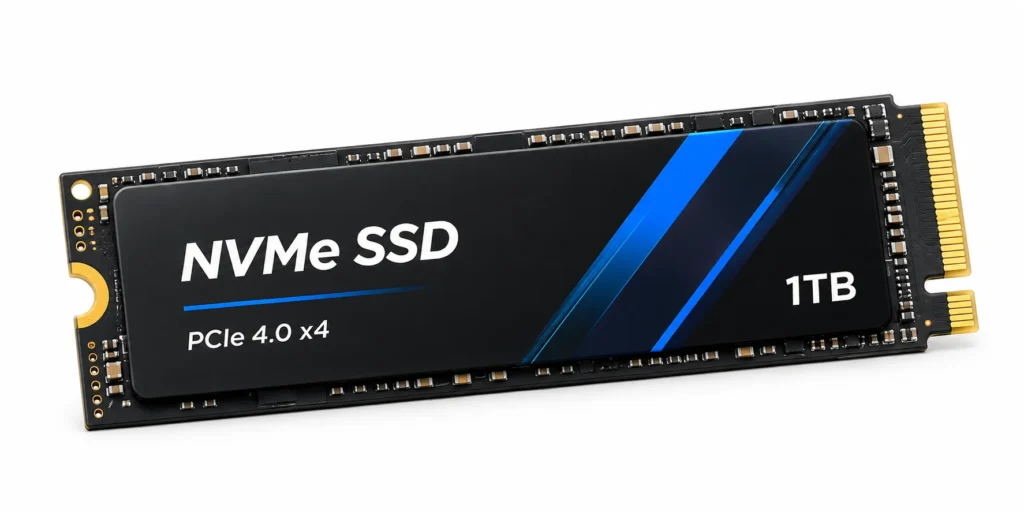
SSDs are commonly available in two types:
- SATA SSD: Uses the SATA connection and offers much faster speeds than a traditional HDD. It is a good budget option for upgrading an older PC.
- NVMe SSD: Uses the PCIe interface and offers higher read and write speeds than SATA SSDs. It is commonly used in modern gaming PCs.
SSDs are available in different storage capacities, such as 256GB, 512GB, 1TB, and 2TB.
What Is an HDD?
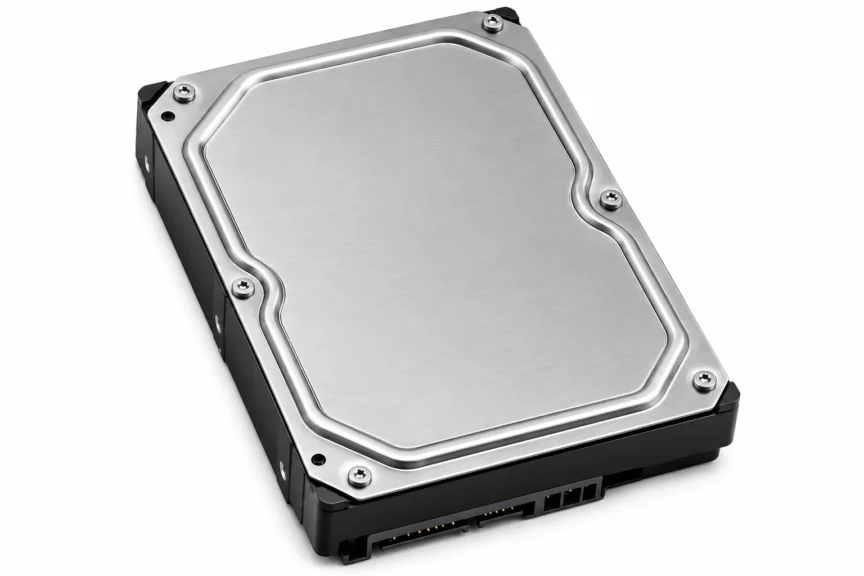
An HDD (Hard Disk Drive) is a traditional storage device that uses spinning magnetic disks to store data. A mechanical arm reads and writes information on these disks.
Since HDDs have moving parts, they are generally slower than SSDs. However, they offer larger storage capacities at lower prices. This makes them useful for storing large files, older games, and other data that does not require fast access.
HDDs are also available in different capacities, with 1TB, 2TB, and 4TB being common options for desktop PCs.
A Detailed Comparison Between SSD and HDD
SSDs and HDDs can both store your games, applications, and other files. However, they differ in several areas that can affect your gaming experience.
Let’s compare them based on speed, loading times, in-game performance, storage capacity, price, and other important factors.
1. Game Loading Times
Game loading times are one of the most noticeable differences between SSDs and HDDs. They determine how long you have to wait when launching a game, loading a level, or entering a new area.
- SSD: Loads games and levels much faster because it can access stored data quickly. You will spend less time waiting at loading screens, especially in large modern games.
- HDD: Takes longer to load games and levels because its mechanical parts need time to locate and read data. This can make loading screens noticeably longer.
Winner: SSD wins this category because its faster read speeds allow games to load levels and data much more quickly than HDDs.
2. In-Game Performance
Storage speed can also affect how smoothly a game loads its assets, such as textures, objects, and environments. However, it is important to understand that storage is not the main factor behind your game’s frame rate.
- SSD: Helps games load assets faster, which can reduce texture pop-in and occasional stuttering in some games. However, it does not directly increase FPS.
- HDD: Can struggle to load assets quickly in some large games, which may cause delayed textures or occasional stuttering. However, it can still run many games without noticeable problems.
Winner: SSD wins because it can load game assets faster, helping reduce loading delays and texture pop-in in games that rely heavily on fast storage.
3. Game Installation and Updates
Modern games can take up a lot of storage space, and their updates can sometimes be several gigabytes in size. Your drive’s read and write speeds can affect how quickly you install and update them.
- SSD: Generally installs games, copies files, and processes updates faster. NVMe SSDs are particularly useful when handling large files.
- HDD: Takes longer to install games and transfer large files. Some game updates may also take longer because of its slower read and write speeds.
Winner: SSD wins because its faster read and write speeds generally reduce the time needed to install games, copy files, and process updates.
4. Storage Capacity
Storage capacity determines how many games and other files you can keep on your PC. This is important if you regularly install large games that take up 100GB or more.
- SSD: Offers different storage capacities, but larger SSDs can become expensive. A 1TB or 2TB SSD is a common choice for gaming.
- HDD: Usually offers more storage for the same amount of money. You can get a 2TB, 4TB, or even larger HDD without spending as much as you would on an SSD with similar capacity.
Winner: HDDs win here. They offer more storage space for less money, making them a better option for gamers who need to store large game libraries.
5. Price
Your budget plays an important role when choosing between an SSD and an HDD. Both can offer good value, but their prices differ depending on storage capacity and type.
- SSD: Costs more per GB than an HDD, particularly when you choose a high-capacity NVMe model. However, prices have become more affordable, making SSDs a practical choice for most gaming PCs.
- HDD: Generally costs less per GB, so you can get more storage without spending too much. It is a good option if you need plenty of space on a limited budget.
Winner: HDDs win. They offer a lower cost per GB, allowing you to get more storage without increasing your budget.
6. Noise and Durability
Noise and durability are also worth considering, especially if you use your gaming PC for long gaming sessions. The two drives have different designs, which affect how they operate.
- SSD: Has no moving parts, so it operates silently. It is also less vulnerable to physical damage from bumps and vibrations.
- HDD: Contains spinning disks and moving mechanical parts, which can produce some noise during operation. It is also more vulnerable to physical shocks, particularly while running.
Winner: SSDs win because their lack of moving parts makes them completely silent during operation and less vulnerable to physical shocks.
SSD Vs HDD – A Head-to-Head Comparison
Here is a quick overview of the main differences between SSDs and HDDs for gaming.
| Feature | SSD | HDD |
|---|---|---|
| Game loading times | Faster | Slower |
| In-game performance | Faster asset loading | Slower asset loading |
| Installation and updates | Generally faster | Generally slower |
| Storage capacity | Lower for the price | Higher for the price |
| Price per GB | More expensive | More affordable |
| Noise | Silent | Can produce noise |
| Durability | More resistant to physical shocks | More vulnerable to physical shocks |
Which One Is Better for Gaming?
An SSD is generally better for gaming because it loads games, levels, and other files much faster than an HDD. This makes it a better choice for modern games, particularly those with large maps and detailed environments.
However, an SSD does not automatically give you higher FPS. Your graphics card, processor, and RAM have a much bigger impact on frame rates.
An HDD is still useful if you need extra storage without spending too much. You can also use it to store older games that do not require fast loading speeds. If your budget allows it, I recommend getting an SSD as your primary gaming drive. You can add an HDD later if you need more storage space for heavy games.
Which SSD Is Better for Gaming?
If you have decided to get an SSD, you will come across SATA and NVMe models. Both are suitable for gaming, but they offer different speeds.
Here is a quick breakdown:
- SATA SSD: A good choice if you are upgrading an older PC or working with a limited budget. It offers a noticeable improvement over an HDD without costing as much as some faster NVMe models.
- NVMe SSD: A better choice for most modern gaming PCs. It uses the PCIe interface and offers much faster data transfer speeds than a SATA SSD.
- PCIe Gen 4 SSD: A good option if your motherboard supports it. It offers high speeds and is more than enough for most gaming needs.
- PCIe Gen 5 SSD: Offers even higher speeds than Gen 4 models. However, the difference in actual game loading times is often small, so most gamers do not need to spend extra on one.
For most gamers, a 1TB or 2TB NVMe Gen 4 SSD is a good choice. Just make sure your motherboard supports the drive before buying it. If you are confused about Gen 4 and Gen 5, I recommend reading my PCIe 4.0 vs PCIe 5.0 SSD comparison guide. It will help you understand their differences and choose the right option for your gaming PC.
When Should You Pick an HDD?
Although SSDs are generally better for gaming, HDDs still have their uses. You may want to pick one if you:
- Have a Limited Budget: HDDs offer more storage for less money. They are useful if you need plenty of space without spending too much.
- Store Large Files: If you keep movies, recordings, backups, and other large files on your PC, an HDD can provide affordable storage.
- Play Older Games: Many older games work perfectly fine on an HDD and do not benefit as much from faster storage.
- Need Additional storage: You can use an HDD alongside your existing SSD to store games and files that you do not access regularly.
Final Words
An SSD is the better choice for gaming because it offers faster loading times, quicker file transfers, and better overall responsiveness. An HDD is still useful for storing large files and older games, particularly if you are on a tight budget. If possible, use an SSD as your primary gaming drive and add an HDD when you need more storage.
People Also Ask
Yes, an SSD is generally better because it offers faster loading times and data transfer speeds. However, an HDD is more affordable if you need plenty of storage space.
A 256GB SSD is faster and can improve your PC’s overall responsiveness. However, a 1TB HDD offers much more storage space for games and other files.
SSDs are generally more expensive per GB than HDDs, especially at higher storage capacities. They also offer less storage space for the same budget.
SSDs are generally more resistant to physical damage because they have no moving parts. However, both drives can last for several years, depending on their quality and usage.
Yes, both the PS5 and Xbox Series X use SSDs as their primary internal storage. Their games are designed to take advantage of faster storage speeds, although both consoles support additional storage options.
