

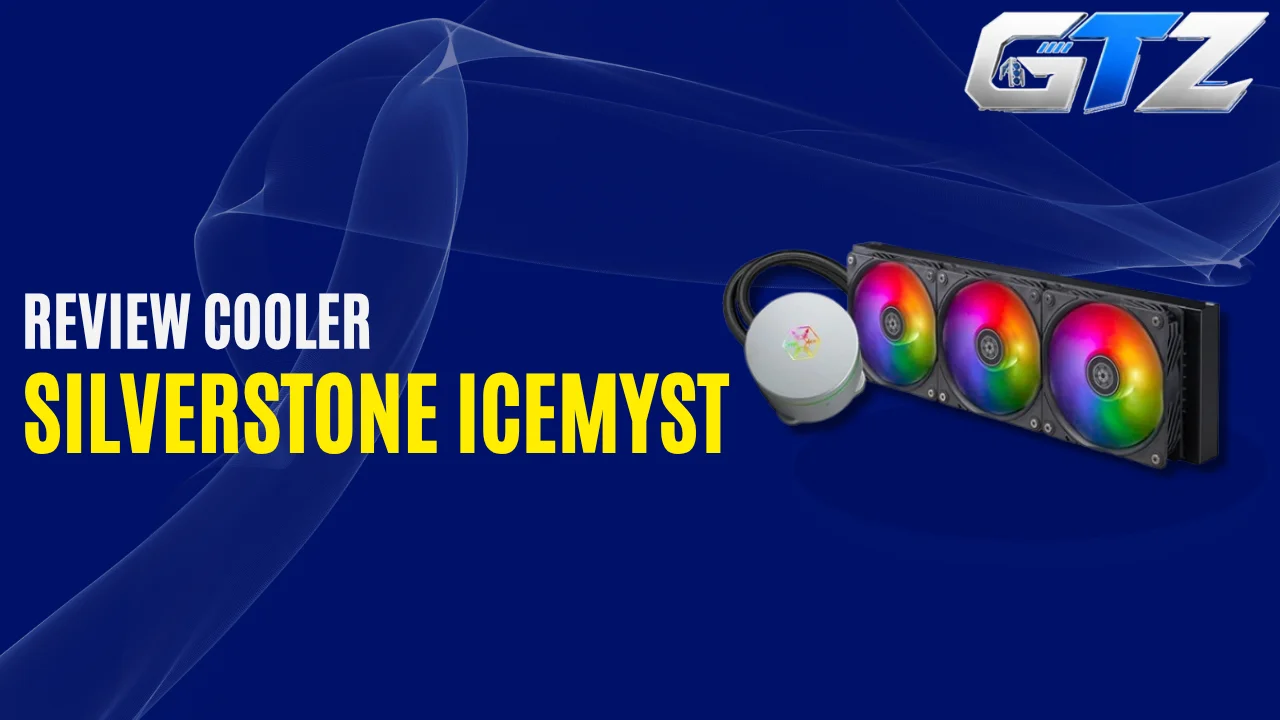
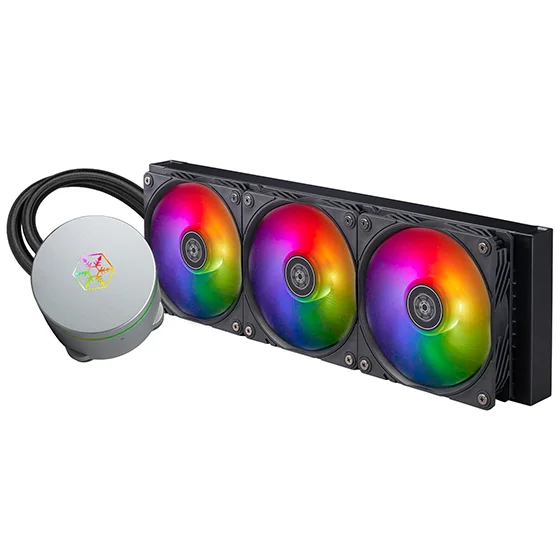
The SilverStone IceMyst 360 is a 360mm AIO liquid CPU cooler that has gained popularity for its optional stackable 70mm fans.
These fans can directly cool your motherboard’s VRMs, RAM, or SSD. Along with this unusual design, its performance is something that has caught the attention of gamers who play high-end titles on their custom-built gaming PCs.
In this guide, I have provided everything you need to know about the SilverStone IceMyst 360, from its specs to performance and features.
What Is SilverStone IceMyst 360?
The SilverStone IceMyst 360 is a 360mm closed-loop liquid CPU cooler designed for gaming PCs and high-performance desktop systems.
Its main radiator measures 396 × 120 × 28mm and is slightly thicker than the 27mm radiator commonly found on many 360mm AIOs.
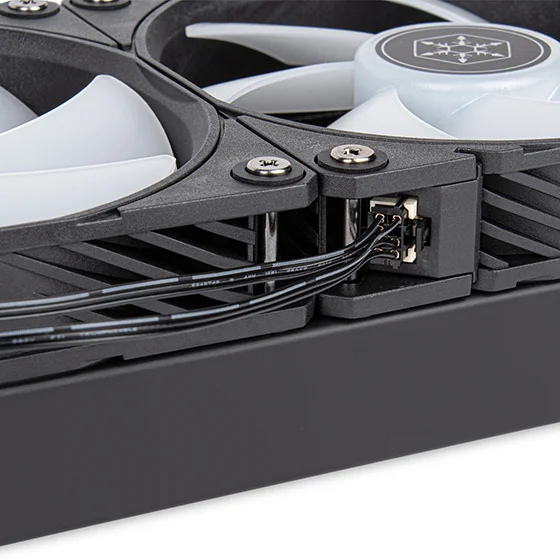
It uses three 120mm ARGB fans, while the pump can operate at up to 3,100 RPM. However, the most interesting part is the CPU block. SilverStone designed the pump housing so that additional IMF70 ARGB fans can be stacked directly on top of it.
These 70mm fans can then be positioned toward different motherboard components. You can use one to cool your VRMs, another toward your RAM, or direct airflow toward an M.2 SSD. That makes the IceMyst 360 considerably more versatile than a conventional AIO.
My Assessment: What I Like and Don’t Like?
| What I Like | What I Don’t Like |
|---|---|
| Excellent noise-normalized performance | Default fan profile is louder than necessary |
| Strong overall CPU cooling | Optional IMF70 fans cost extra |
| Unique VRM, RAM and SSD cooling | 360mm radiator needs a compatible case |
| Stackable 70mm ARGB fans | Requires custom fan curve for quieter operation |
| 28mm-thick radiator | |
| Fully rotatable pump cover | |
| Full RAM compatibility | |
| Accessible refill port | |
| Hardware ARGB controller included |
Price of the SilverStone IceMyst 360
SilverStone originally listed the IceMyst 360 at a $149.99 MSRP, while Tom’s Hardware listed $136.99 for the 360mm model during its review. The optional IMF70 fan was listed separately at around $15.99 in Tom’s Hardware’s testing. Silverstone Technology
Pricing can vary significantly depending on the retailer and region, so it is worth checking the current selling price before buying.
SilverStone IceMyst 360 Specifications
| Specification | Details |
|---|---|
| Cooler Type | 360mm AIO liquid cooler |
| Radiator Material | Aluminum |
| Radiator Size | 396 × 120 × 28mm |
| Pump Speed | 3,100 ±10% RPM |
| Cold Plate | Copper |
| Fans | 3 × 120mm ARGB |
| Fan Speed | 500–2,200 RPM |
| Airflow | Up to 74 CFM |
| Static Pressure | Up to 4 mmH₂O |
| Fan Size | 120 × 120 × 25mm |
| Lighting | ARGB |
| Tubing Length | 460mm |
| Optional Fans | IMF70 ARGB |
| Intel Compatibility | LGA115X, LGA1200, LGA1700, LGA2011, LGA2066 |
| AMD Compatibility | AM4, AM5 |
| Warranty | 3 years |
The specifications are based on SilverStone’s product information.
1. Stackable IMF70 Fans
The IMF70 fans are the biggest reason to consider the IceMyst 360. Unlike a traditional AIO, the pump housing has a connector underneath its removable top cover that allows additional 70mm ARGB fans to be attached directly to the CPU block.
SilverStone says the fans can be rotated through 320 degrees, which allows you to direct airflow toward a specific component.
This means you can position the airflow toward:
- VRM heatsinks
- RAM modules
- M.2 SSDs
- Other motherboard components near the CPU socket
Tom’s Hardware tested the IMF70 fan on DDR4 memory and recorded an 8°C reduction in RAM temperature compared with running without the additional fan. The publication also noted that faster DDR5 memory could potentially benefit even more from direct airflow.
The IMF70 fans are optional, though, so they are not included with the standard IceMyst 360 package.
2. CPU Block and Pump
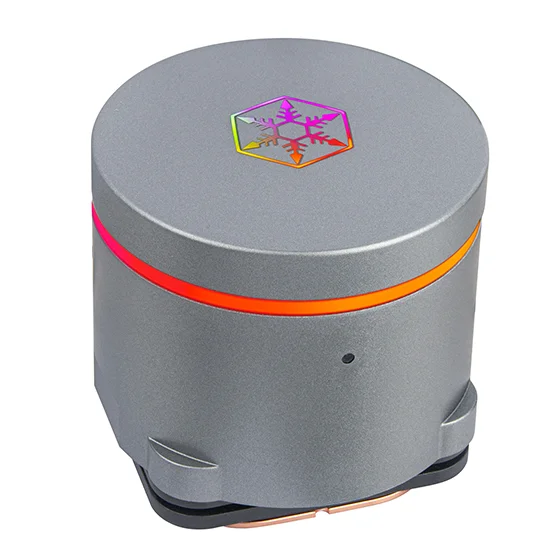
The IceMyst 360 uses a copper cold plate with a slightly convex surface designed to provide good contact with the CPU.
The pump operates at approximately 3,100 RPM and uses a separate connection from the optional motherboard fans. This is useful because you can run the pump at full speed without forcing the additional IMF70 fans to operate at maximum speed.
The pump cover can also rotate through 360 degrees. This is particularly useful during installation because you can orient the SilverStone logo correctly regardless of how the tubes are positioned.
3. 120mm ARGB Fans
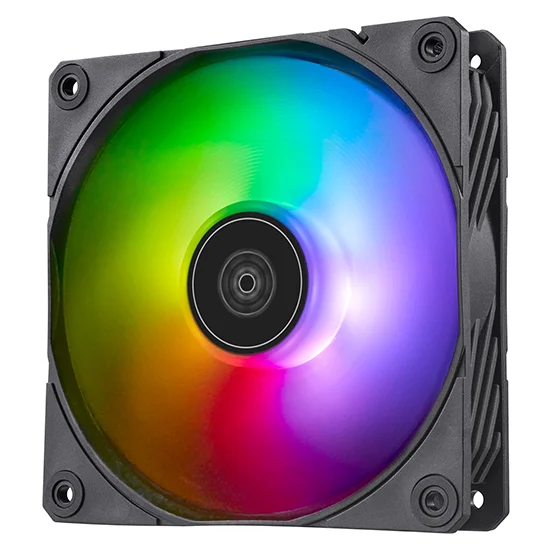
The IceMyst 360 comes with three 120mm ARGB radiator fans. They operate, as per KitGuru, between 500 and 2,200 RPM and are rated for up to 74 CFM of airflow and 4 mmH₂O of static pressure.
The fans use a modular connection system that carries both PWM and ARGB signals. This reduces the number of individual cables running from the radiator fans.
However, there is one important downside. Tom’s Hardware found that the fans run louder than necessary at their default settings. A custom fan curve can significantly improve the acoustic behavior without sacrificing much cooling performance.
4. Cooling Performance
The IceMyst 360 performs much better than its unusual design might initially suggest.
Tom’s Hardware tested it using an Intel Core i7-13700K and found that the cooler performed among the strongest 360mm AIOs in its unrestricted testing. It was able to keep up with models such as the DeepCool LT720, Lian Li Galahad II 280, and Lian Li Lancool 217, in the same test environment.
At a 175W power limit, the IceMyst 360 recorded a CPU temperature of 51°C over ambient. This put it only around 3°C behind the best results in that test.
The cooler also performed exceptionally well when noise was normalized.
5. Noise Levels
Noise is one of the most interesting aspects of the IceMyst 360. At maximum fan speed during Tom’s Hardware’s unrestricted testing, the cooler reached approximately 51 dBA. That makes it quite loud when the fans are allowed to run at full speed.
However, reducing the fan speed changes the picture considerably. At a standardized 38.2 dBA noise level, the IceMyst 360 managed to cool an average of 237W.
Tom’s Hardware described this as the best noise-normalized cooling result it had recorded from any cooler at the time of testing.
This means the IceMyst 360 does not need to run its fans aggressively to deliver strong cooling. A custom fan curve is therefore highly recommended.
6. 175W and 125W Performance
At a 175W power limit, the IceMyst 360 recorded 51°C over ambient with the Core i7-13700K, while noise measured approximately 46 dBA. At 125W, the cooler recorded approximately 36°C over ambient.
The 125W result is particularly useful for understanding everyday workloads because most high-end CPUs will not continuously consume their maximum power during normal desktop use.
7. RAM Compatibility
RAM clearance is one of the IceMyst 360’s strengths. Because the CPU block does not extend over the DIMM slots, the cooler does not impose the same height restrictions that some large air coolers can create.
So, the IceMyst 360 provides full RAM compatibility, including tall memory modules. This is also important if you plan to use the optional IMF70 fans because they can be positioned to provide additional airflow over the memory.
8. Radiator and Case Compatibility
The IceMyst 360 uses a 396mm-long, 120mm-wide radiator that is 28mm thick. Its included fans are 25mm thick, which results in an overall radiator-and-fan thickness of approximately 53mm.
Your case should therefore support a 360mm radiator and provide sufficient clearance for:
- 396mm radiator length
- 120mm radiator width
- Approximately 53mm radiator plus fan thickness
- Motherboard heatsinks
- RAM
- GPU clearance when front-mounted
A case that officially supports 360mm radiators is strongly recommended.
9. Braided Tubing and Refill Port
The IceMyst 360 uses braided tubing measuring approximately 460mm. The tubes are fully rotatable, which provides additional flexibility when positioning the CPU block and radiator inside the case.
Another useful feature is the accessible refill port.
SilverStone does not expect users to refill the cooler during its warranty period, but the accessible port makes long-term servicing more practical after the warranty expires.
10. ARGB Lighting
The IceMyst 360 includes ARGB lighting on its pump cover and radiator fans. You will also get a hardware ARGB controller, which lets you change lighting effects without relying entirely on motherboard software.
CPU Compatibility of the SilverStone IceMyst 360
The SilverStone IceMyst 360 supports a wide range of AMD and Intel desktop platforms.
AMD AM4
The cooler supports AMD’s AM4 socket, covering Ryzen processors from the Ryzen 3000 and Ryzen 5000 generations.
Examples include:
| Ryzen Series | Compatible Processors |
|---|---|
| Ryzen 3000 | Ryzen 5 3600, Ryzen 5 3600X, Ryzen 7 3700X, Ryzen 7 3800X, Ryzen 9 3900X, Ryzen 9 3950X |
| Ryzen 5000 | Ryzen 5 5600, Ryzen 5 5600X, Ryzen 7 5700X, Ryzen 7 5700X3D, Ryzen 7 5800X, Ryzen 7 5800X3D, Ryzen 9 5900X, Ryzen 9 5950X |
AMD AM5
The IceMyst 360 also supports AMD’s AM5 socket. Compatible examples include:
| Ryzen Series | Compatible Processors |
|---|---|
| Ryzen 7000 | Ryzen 5 7500F, Ryzen 5 7600, Ryzen 5 7600X, Ryzen 7 7700, Ryzen 7 7700X, Ryzen 7 7800X3D, Ryzen 9 7900, Ryzen 9 7900X, Ryzen 9 7900X3D, Ryzen 9 7950X, Ryzen 9 7950X3D |
| Ryzen 8000G | Ryzen 5 8500G, Ryzen 5 8600G, Ryzen 7 8700G |
| Ryzen 9000 | Ryzen 5 9600X, Ryzen 7 9700X, Ryzen 7 9800X3D, Ryzen 9 9900X, Ryzen 9 9900X3D, Ryzen 9 9950X, Ryzen 9 9950X3D |
These examples are based on the supported AM5 socket rather than individual CPU models specifically tested by SilverStone.
Intel LGA1700
The cooler supports Intel processors using LGA1700, including:
- Core i5-12600K
- Core i5-13600K
- Core i5-14600K
- Core i7-12700K
- Core i7-13700K
- Core i7-14700K
- Core i9-12900K
- Core i9-13900K
- Core i9-14900K
Intel LGA1200
The IceMyst 360 also supports Intel processors using the LGA1200 socket, including compatible 10th and 11th Generation Core desktop processors.
SilverStone IceMyst 360 vs Other 360mm AIOs
The IceMyst 360 is different from conventional 360mm AIOs like Arctic Liquid Freezer III 360 because its main selling point is additional motherboard cooling.
The optional IMF70 fans give the IceMyst 360 something most competing AIOs simply don’t offer. You can direct airflow toward components that normally receive little direct airflow from an AIO, particularly VRMs and RAM.
Its CPU cooling performance is also strong enough to compete with high-end AIOs, especially after adjusting the fan curve.
Is the SilverStone IceMyst 360 Worth Buying?
Yes. The IceMyst 360 delivers strong CPU cooling, excellent noise-normalized performance, full RAM clearance and a unique modular fan system.
Who Should Buy the SilverStone IceMyst 360?
The IceMyst 360 is a good choice for:
- High-performance gaming PCs
- Ryzen 7 and Ryzen 9 systems
- Intel Core i7 and i9 systems
- Users running high-speed DDR5 memory
- RAM overclockers
- Users concerned about VRM temperatures
- Enthusiasts who want additional motherboard airflow
- Builders who want strong cooling without an LCD
- Users who don’t mind configuring a custom fan curve
It is less suitable if you have a small case, don’t need 360mm cooling, or simply want the quietest possible operation without manually adjusting fan speeds.
Final Thoughts
The SilverStone IceMyst 360 is one of the most unusual 360mm AIO coolers available. Its CPU cooling performance is already strong, but the ability to add stackable IMF70 fans makes it genuinely different from conventional 360mm AIOs.
You can direct additional airflow toward your VRMs, RAM, or SSD instead of wasting that airflow around the CPU socket. SilverStone designed the system specifically to address the reduced motherboard airflow that can occur with liquid cooling.
If you want a conventional 360mm AIO or a standard 240mm AIO, there are plenty of alternatives like the Corsair Nautilus 240 RS. But if you want strong CPU cooling with the ability to directly cool other motherboard components, the SilverStone IceMyst 360 remains a genuinely interesting option.
