

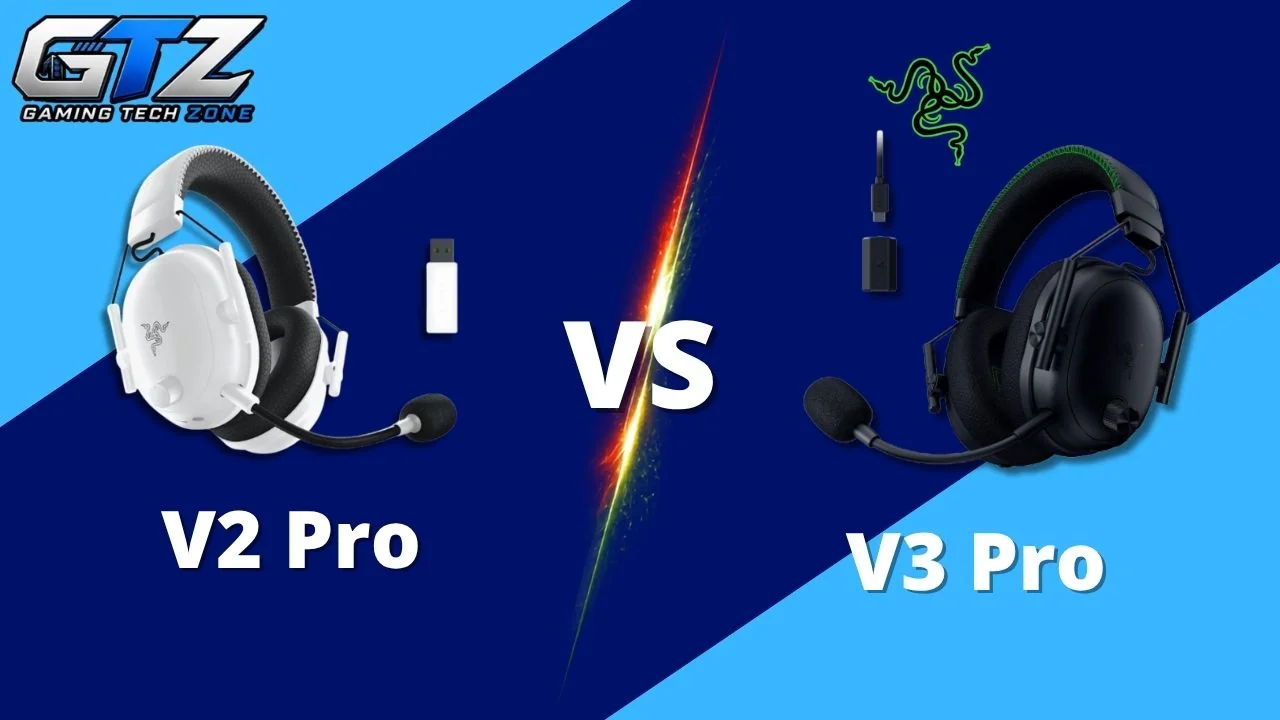
The Razer BlackShark V2 Pro has been one of my go-to recommendations for competitive gaming on gaming PCs and Xbox because it combines good positional audio, a surprisingly capable microphone, and a comfortable design. But the BlackShark V3 Pro changes the equation.
Razer has added Hybrid Active Noise Cancellation, upgraded the drivers and microphone, improved wireless latency, and expanded connectivity. The catch? You’re getting a heavier and more expensive headset.
So, is the BlackShark V3 Pro actually better, and more importantly, is it worth paying extra for? In this Razer BlackShark V2 Pro vs V3 Pro comparison, I will break down exactly where each headset wins.
Razer BlackShark V2 Pro vs V3 Pro: Quick Verdict
| Category | BlackShark V2 Pro (2023) | BlackShark V3 Pro | Winner |
|---|---|---|---|
| Sound | 50 mm dynamic drivers | Gen-2 50 mm bio-cellulose drivers | V3 Pro |
| Microphone | Excellent Super Wideband mic | 12 mm Full Band mic | V3 Pro |
| Competitive Gaming | Low-latency 2.4 GHz | HyperSpeed Gen-2, as low as 10 ms | V3 Pro |
| Comfort | Lighter, 320 g | Heavier, 367 g, swivel earcups | V2 Pro |
| Connectivity | 2.4 GHz + Bluetooth | 2.4 GHz + Bluetooth + USB + 3.5 mm | V3 Pro |
| Simultaneous Wireless | No | Yes | V3 Pro |
| Battery | Up to 70 hours | Up to 70 hours | Tie |
| ANC | No | Hybrid ANC | V3 Pro |
| Value | Better for budget-conscious buyers | Better feature set | V2 Pro |
| Overall | Excellent value | More complete headset | V3 Pro |
If you simply want the better gaming headset, the BlackShark V3 Pro wins. It brings lower-latency wireless, ANC, simultaneous 2.4 GHz and Bluetooth audio, wired connectivity, improved controls, and newer drivers.
The V2 Pro (2023), however, remains the better value if you mainly want excellent competitive gaming performance without paying for those extras.
Razer BlackShark V2 Pro vs V3 Pro: Which One Should You Buy?
For most buyers who can comfortably afford the price difference, I would choose the Razer BlackShark V3 Pro.
It isn’t merely a V2 Pro with minor specification bumps. Hybrid ANC, 10 ms-rated HyperSpeed Wireless Gen-2, simultaneous wireless audio, additional wired connections, improved controls, and redesigned drivers make it considerably more versatile.
- Buy the BlackShark V2 Pro (2023) if: You want to spend less and prioritize comfort, strong microphone performance, long battery life, and competitive gaming over ANC and advanced connectivity.
- Buy the BlackShark V3 Pro if: You want the best overall BlackShark experience, especially for competitive FPS gaming, and will actually benefit from ANC, ultra-low-latency wireless, simultaneous Bluetooth, wired connectivity, and the upgraded audio system.
Razer BlackShark V2 Pro vs Razer BlackShark V3 Pro: Specs Comparison
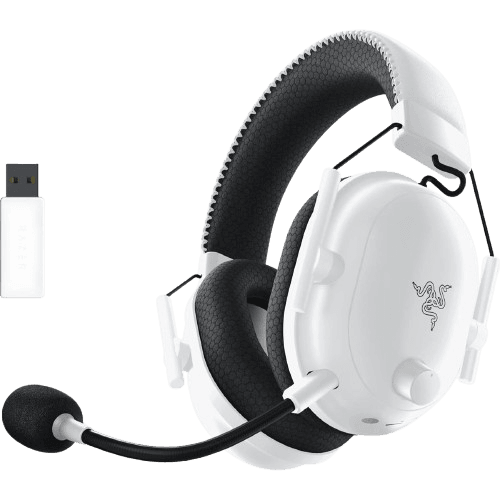
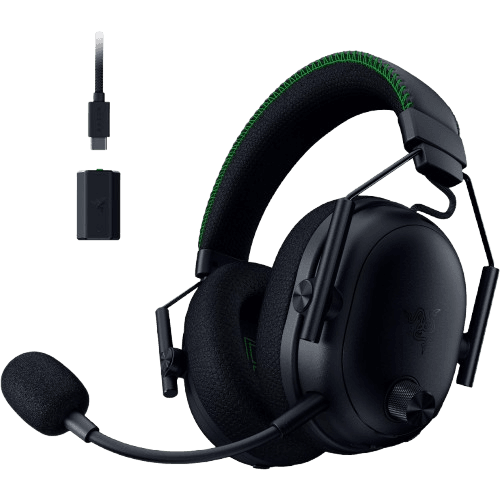
Before getting into how these differences affect gaming, here is how the two headsets compare on paper. The specifications below refer to the 2023 BlackShark V2 Pro and the BlackShark V3 Pro.
| Specification | Razer BlackShark V2 Pro (2023) | Razer BlackShark V3 Pro |
|---|---|---|
| Headphone Type | Over-ear wireless gaming headset | Over-ear wireless ANC gaming headset |
| Drivers | Customized Dynamic 50 mm | TriForce Bio-Cellulose 50 mm Gen-2 |
| Frequency Response | 12 Hz–28 kHz | 12 Hz–28 kHz |
| Impedance | 32Ω @ 1 kHz | 32Ω @ 1 kHz |
| Sensitivity | 100 dBSPL/mW | 108 dBSPL/mW |
| Microphone | Detachable HyperClear Super Wideband | Detachable HyperClear Full Band 12 mm |
| Mic Frequency Response | 100 Hz–10 kHz | 20 Hz–20 kHz |
| Mic Pattern | Unidirectional | Unidirectional |
| Mic SNR | ≥60 dB | ≥68 dB |
| 2.4 GHz Wireless | Yes | Yes, HyperSpeed Gen-2 |
| Bluetooth | Yes | Yes |
| Simultaneous 2.4 GHz + Bluetooth | No | Yes |
| USB Audio | No | Yes |
| 3.5 mm Audio | No | Yes |
| Minimum Rated 2.4 GHz Latency | Not specified by Razer | 10 ms |
| Active Noise Cancellation | No | Hybrid ANC, 4 adjustable levels |
| Ambient Mode | No | Yes |
| Spatial Audio | THX Spatial Audio | THX Spatial Audio 7.1.4 |
| Ear Cushions | Breathable memory foam | Dual-layered FlowKnit memory foam |
| Swiveling Earcups | No | Adaptive 15° swivel joints |
| Weight | Approx. 320 g | Approx. 367 g |
| Battery Life | Up to 70 hours | Up to 70 hours |
| Quick Charging | Yes | Yes, about 6 hours from 15 minutes |
| Software | Razer Synapse | Razer Synapse / Razer Audio App |
| Detachable Microphone | Yes | Yes |
| Primary Focus | Competitive gaming/value | Premium competitive gaming |
1. Sound Quality
- BlackShark V2 Pro: Its 50 mm drivers produce a punchy gaming-oriented sound, while Razer Synapse lets you adjust the EQ when the default tuning isn’t right for a particular game. Independent testing has found its extra bass can emphasize effects, although the sound can be customized substantially.
- BlackShark V3 Pro: Razer moves to Gen-2 50 mm bio-cellulose drivers designed to reduce distortion and improve separation between important frequencies. That matters most in competitive games where distinguishing footsteps, gunfire, and their direction is more valuable than simply having louder bass.
Winner: BlackShark V3 Pro
2. Microphone Quality
- BlackShark V2 Pro: The detachable HyperClear Super Wideband microphone covers 100 Hz–10 kHz and remains one of the V2 Pro’s strongest features. SoundGuys went as far as describing its microphone as one of the best-sounding gaming-headset mics in its price range.
- BlackShark V3 Pro: The new 12 mm Full Band microphone expands the frequency response to 20 Hz–20 kHz and raises the specified signal-to-noise ratio from ≥60 dB to ≥68 dB. On paper, that’s a substantial upgrade.
Winner: BlackShark V3 Pro on specifications, but it’s closer in practice
And there is one important point to note here. SoundGuys found the V3 Pro mic more muffled and hollow than the V2 Pro out of the box and criticized its noise rejection.
RTINGS, on the other hand, found that it captures speech clearly while handling background noise impressively. In other words, independent tests don’t completely agree.
If microphone quality is your main reason for upgrading, I wouldn’t replace a V2 Pro solely for the new 12 mm mic.
3. Gaming Performance
- BlackShark V2 Pro: Its 2.4 GHz wireless connection already provides low latency suitable for gaming, and onboard FPS profiles make it particularly useful for competitive titles. It remains more than fast enough for the majority of players.
- BlackShark V3 Pro: HyperSpeed Wireless Gen-2 is rated as low as 10 ms, specifically targeting situations where hearing an audio cue immediately can influence your reaction. Its improved positional tuning further strengthens its case for games such as Counter-Strike 2, Valorant, and Call of Duty.
Winner: BlackShark V3 Pro
4. Comfort
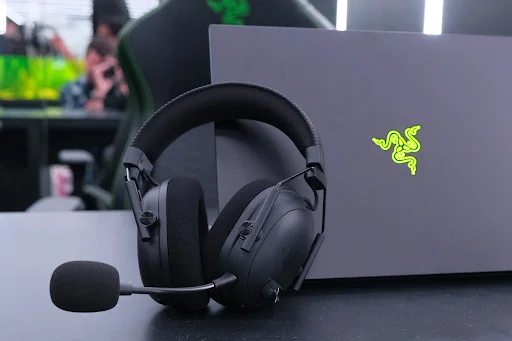
- BlackShark V2 Pro: At around 320 g, the V2 Pro is approximately 47 g lighter. Its breathable memory-foam cushions and relatively low weight make it easier to recommend for long sessions.
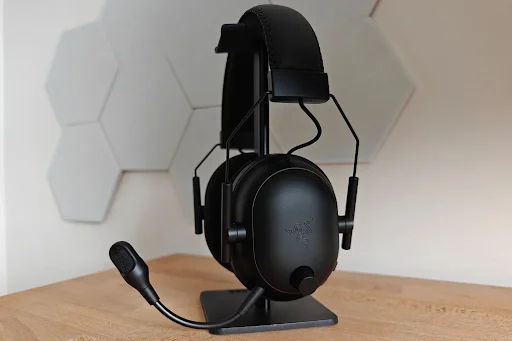
- BlackShark V3 Pro: It jumps to approximately 367 g but counters the added weight with dual-layer FlowKnit memory-foam cushions and adaptive 15-degree swivel joints that help the earcups conform to your head.
Winner: BlackShark V2 Pro
5. Connectivity
- BlackShark V2 Pro: You get the two connections most wireless gamers need: 2.4 GHz wireless and Bluetooth. However, there is no analog 3.5 mm connection.
- BlackShark V3 Pro: It supports 2.4 GHz wireless, Bluetooth, USB audio, and 3.5 mm analog audio. More importantly, it can play 2.4 GHz and Bluetooth audio simultaneously, so you can hear game audio while staying connected to your phone.
Winner: BlackShark V3 Pro
6. Battery Life
- BlackShark V2 Pro: Razer rates the V2 Pro (2023) for up to 70 hours of battery life, which is enough that charging rarely becomes part of your daily gaming routine.
- BlackShark V3 Pro: Battery life also reaches up to 70 hours under supported conditions. Razer says a full charge takes around four hours, while a 15-minute quick charge provides roughly 6 hours of use.
Winner: Tie
7. Noise Cancellation
- BlackShark V2 Pro: There is no active noise cancellation. Its closed-back design and memory-foam cushions provide passive isolation, but external noise can still become distracting in a busy room.
- BlackShark V3 Pro: Hybrid ANC is one of its biggest generational upgrades. You can choose between four ANC levels through Razer’s software, while Ambient Mode lets outside sound back in when needed.
Winner: BlackShark V3 Pro
8. Value
- BlackShark V2 Pro: Since it is the older generation, its biggest strength is now value. You retain 70-hour battery life, 2.4 GHz wireless, Bluetooth, strong competitive audio, and an excellent microphone without paying for premium features you might never use.
- BlackShark V3 Pro: You are paying more, but the additional money buys tangible upgrades, such as ANC, simultaneous wireless audio, wired connectivity, improved controls, newer drivers, a larger-bandwidth microphone, and lower-latency wireless.
Winner: BlackShark V2 Pro for value; BlackShark V3 Pro for features
If you’re also considering alternatives in the same mid-range wireless gaming headset category, check out my Corsair Void Wireless V2 Gaming Headset Review to see how it compares on sound, comfort, battery life, and overall value.
Should You Upgrade from V2 Pro to V3 Pro?
If you already own a BlackShark V2 Pro (2023) that works perfectly, I don’t think everyone needs to upgrade.
The V3 Pro makes the most sense if you specifically want ANC, simultaneous 2.4 GHz and Bluetooth audio, 3.5 mm/USB connectivity, or the lowest possible wireless latency. Those are functional differences you’ll actually notice rather than minor changes made to justify a new generation. Razer also adds the new bio-cellulose drivers, adaptive swivel joints, and expanded headset controls.
For serious competitive FPS players, the upgrade is easier to justify. The V3 Pro’s HyperSpeed Wireless Gen-2 can deliver audio in as little as 10 ms according to Razer, while SoundGuys praised its wireless latency and positional accuracy for tracking opponents. Also, the V3 Pro works more effectively with PlayStation 5.
Final Thoughts on BlackShark V2 Pro vs V3 Pro
The Razer BlackShark V3 Pro wins this comparison, but the BlackShark V2 Pro (2023) remains an excellent alternative.
The V3 Pro gives you Hybrid ANC, lower-latency HyperSpeed Wireless Gen-2, simultaneous Bluetooth and 2.4 GHz audio, more connection options, improved controls, and upgraded drivers.
Those additions make it the more capable headset, particularly for competitive FPS players. Still, I wouldn’t ignore the V2 Pro. It’s lighter, lasts up to 70 hours, has an excellent microphone, and can offer much better value when discounted.
If you’re buying new and can afford the V3 Pro, choose it. If value and comfort matter more, the V2 Pro still makes plenty of sense.
People Also Ask
Yes. The BlackShark V3 Pro is better overall thanks to ANC, lower-latency wireless, improved connectivity, new drivers and additional controls.
Yes, if you want ANC, simultaneous wireless audio, wired connectivity or lower latency; otherwise, the V2 Pro (2023) remains highly capable.
Yes. The BlackShark V3 Pro features Hybrid Active Noise Cancellation with four adjustable ANC levels and an Ambient Mode.
The BlackShark V3 Pro is better for competitive FPS gaming because its HyperSpeed Wireless Gen-2 can deliver latency as low as 10 ms and its drivers are tuned for improved positional clarity.
Not based on the headline specification; both the BlackShark V2 Pro (2023) and V3 Pro are rated for up to 70 hours of battery life.
