

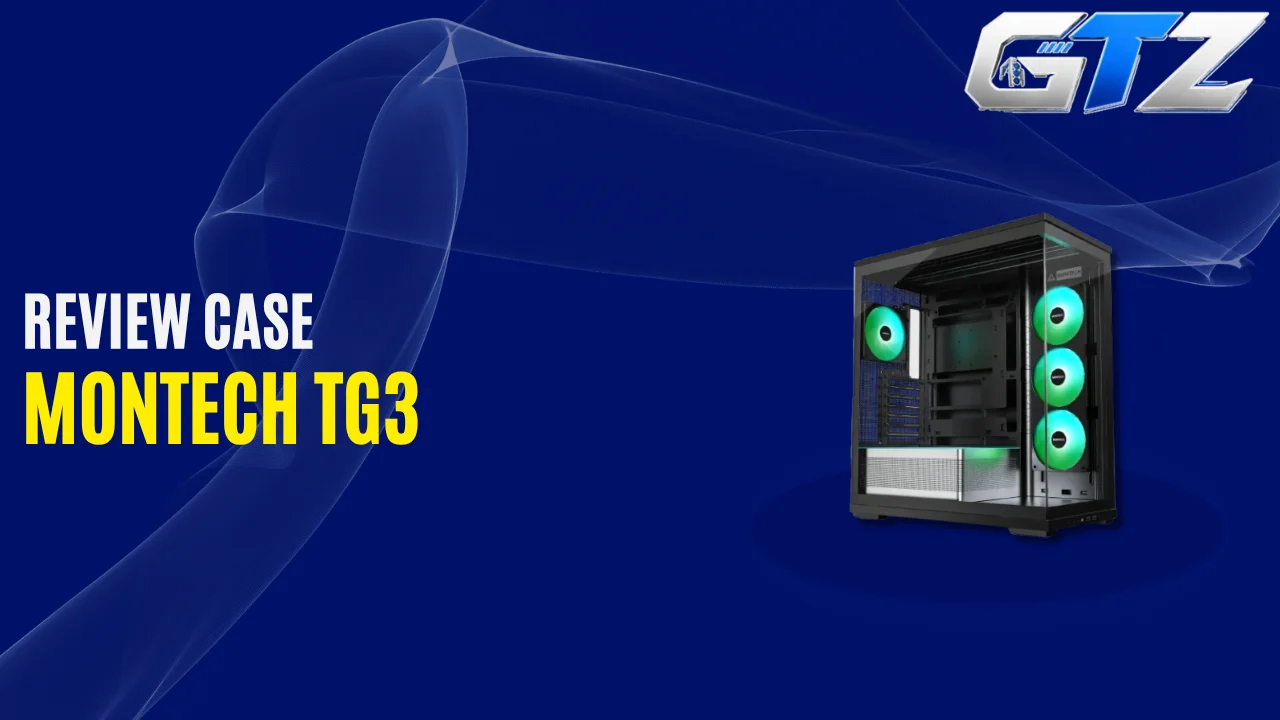
The MONTECH TG3 is a budget-focused ATX mid-tower PC case that is designed for builders who want an attractive showcase PC without spending a large amount of money on the chassis.
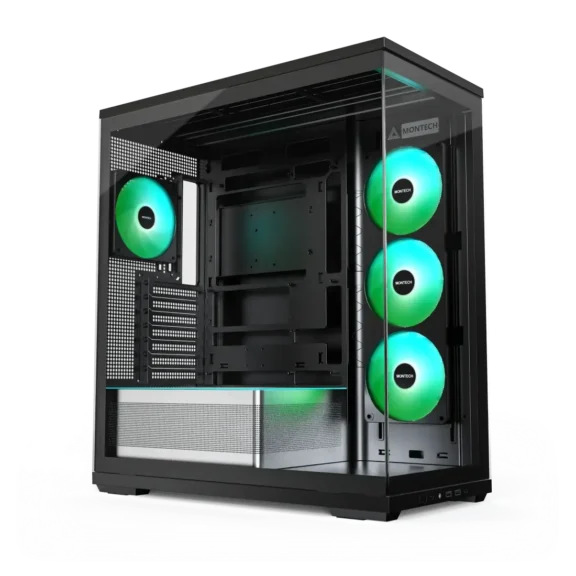
It combines panoramic tempered-glass panels, ARGB lighting, pre-installed fans, and support for modern gaming hardware. One of its standout features is the tiered PSU shroud, which creates a dedicated space for displaying collectibles or adding personality to your build.
The case also supports graphics cards up to 430mm long, CPU air coolers up to 180mm tall, and a 360mm radiator at the top.
With an attractive design, the TG3 offers an interesting combination of appearance and practicality. However, its showcase-oriented layout also creates some compromises, particularly for GPU cooling and cable management.
In this review, we’ll look at its specifications, airflow, cooling support, hardware compatibility, advantages, disadvantages, and overall value.
What Is the MONTECH TG3?
The MONTECH TG3 is a panoramic PC case designed to make your computer’s internal components part of its appearance. It features tempered glass at the front and side and allows you to display your graphics card, motherboard, RGB memory, and other components.
Unlike a conventional airflow case with a mesh front panel, the TG3 uses a glass-fronted showcase design and side-mounted intake fans. Its interior includes a tiered power supply chamber with integrated ARGB lighting, which creates a raised platform for decorative items or collectibles.
My Quick Assessment
| Category | Assessment |
|---|---|
| Design | Excellent for showcase builds |
| Build Quality | Good for the price |
| Included Fans | Four fan positions populated from the factory |
| CPU Cooling | Strong performance in independent testing |
| GPU Cooling | Adequate, but not class-leading |
| Radiator Support | Good, including a top 360mm radiator |
| Cable Management | Functional, but somewhat tight |
| Hardware Compatibility | Very good for a budget case |
| Overall Value | Excellent at its launch price |
Is the MONTECH TG3 Good for Gaming PCs?
Yes. The MONTECH TG3 can be a good choice for gaming PCs, especially if you want a visually attractive build with RGB lighting and minimal additional fan purchases.
Its 430mm graphics card clearance accommodates many modern GPUs, while the 180mm CPU cooler limit allows the installation of many large tower air coolers. The top also supports a radiator up to 360mm, which makes it suitable for many liquid-cooled gaming systems.
How Much Does the MONTECH TG3 Cost?
The MONTECH TG3 launched at approximately $59.90 for the black version. The white version has also been listed at a higher price, depending on the retailer and market.
At around $60, the case offers tempered-glass panels, integrated ARGB lighting, pre-installed fans, and support for large graphics cards. That is a compelling feature set for a budget mid-tower.
MONTECH TG3 Specifications
| Specification | Details |
|---|---|
| Product Type | Mid-Tower PC Case |
| Dimensions (H × L × W) | 523 × 465 × 239mm |
| Motherboard Sizes | ATX, Micro-ATX, Mini-ITX |
| Back-Connect Support | Yes |
| Material and Panels | Steel chassis with tempered-glass panels |
| GPU Clearance | Up to 430mm |
| CPU Cooler Clearance | Up to 180mm |
| PSU Clearance | Up to 250mm |
| Expansion Slots | 7 |
| Front/Side Fan Support | 3 × 120mm on the side |
| Top Fan Support | 3 × 120mm or 3 × 140mm |
| Rear Fan Support | 1 × 120mm or 1 × 140mm |
| PSU Shroud Fan Support | 2 × 120mm |
| Included Cooling | Three 120mm side-mounted fans and one 120mm rear fan |
| Top Radiator | Up to 360mm |
| Side Radiator | Up to 240mm |
| Rear Radiator | Up to 120mm |
| Storage | 1 × 3.5-inch or 2 × 2.5-inch drives |
| Front Connectivity | 2 × USB-A, 1 × USB-C, audio |
| Dust Filters | Top and bottom |
| Vertical GPU Support | Yes, with optional mounting hardware |
The following are the key specs of the MONTECH TG3, according to the official product details on the MONTECH website.
1. Design and Build Quality
The MONTECH TG3 uses a dual-glass design that gives builders a clear view of their components from the front and side, unlike that of Lian Li Lancool 217 or Cooler Master HAF II. This makes it particularly attractive for systems featuring RGB fans, illuminated memory, graphics cards with decorative backplates, or custom cable extensions.
The tiered PSU shroud is one of its most distinctive features. Instead of keeping the bottom interior entirely flat, MONTECH creates a raised display area that can hold small collectibles or other decorative objects.
An integrated ARGB strip runs along the PSU chamber, which adds illumination without requiring a separate lighting strip. The black version uses a contrasting shroud, while the white version offers a more coordinated appearance.
The overall design is more focused on presentation than on the unrestricted airflow offered by mesh-front cases. Nevertheless, the chassis provides a useful amount of space for mainstream gaming hardware.
The tempered-glass panels also require sensible handling during installation and maintenance. Builders should remove and reinstall them carefully to avoid accidental damage.
2. Airflow and Thermal Performance
Airflow is an important consideration because the TG3 does not use a conventional mesh front panel. Instead, it relies on side-mounted intake fans and a rear exhaust fan to move air through the chassis.
- The three side-mounted 120mm fans bring cool air into the case.
- The rear fan helps remove warm air.
- Additional fans can be installed at the top to improve exhaust airflow or support a liquid-cooling radiator.
Tom’s Hardware tested the TG3 with its own thermal and acoustic benchmarking setup. Its review found that the case delivered good CPU cooling performance and strong noise-normalized CPU results, although GPU temperatures were somewhat higher than those of several competing cases.
This distinction matters for gaming systems. The CPU may remain well cooled, but a powerful graphics card can behave differently depending on its cooler design, power consumption, fan curve, and the amount of fresh air reaching it.
For a mainstream or mid-range gaming PC, the TG3’s stock cooling configuration is a useful starting point. For a high-power GPU, monitor temperatures under gaming loads and consider adding top exhaust fans if necessary.
3. Included Fans and RGB Lighting
The TG3 comes with a side-mounted GF360 U REV fan assembly and a separate GF120 U rear fan. The side assembly contains three 120mm fan sections in a single frame, giving the case four individual fan rotors from the factory.
This arrangement helps create a coordinated appearance while reducing the number of separate fan frames and mounting points.
The included fan configuration consists of:
- Three 120mm side intake fans in a unified assembly
- One 120mm rear exhaust fan
- Integrated ARGB lighting around the PSU shroud
- An ARGB hub for compatible lighting devices
The case also supports additional fans at the top and on the PSU shroud. However, adding fans to the PSU shroud can occupy expansion-slot space and may affect graphics card installation, so check your layout before using those mounts.
The integrated lighting gives the TG3 a distinctive appearance without requiring a large additional investment in RGB accessories.
4. Cable Management and Building Experience
The TG3 supports modern motherboard layouts, including compatible back-connect designs that move more connectors to the rear of the motherboard.
This can help create a cleaner-looking main chamber by reducing visible cables around the motherboard and graphics card, similar to the Corsair 5000D PC case.
MONTECH includes cable ties and an ARGB hub, but cable management space behind the motherboard tray is somewhat limited compared with larger or more expensive cases. You may need to arrange excess PSU cables carefully, particularly when using a non-modular power supply.
The PSU chamber provides an area for excess wiring, while the available routing holes and cable ties help organize the remaining connections.
The front I/O panel is positioned along the lower edge of the case. It includes:
- Two USB-A ports
- One USB-C port
- An audio connection
- The relevant power and lighting controls.
One limitation is that the USB-C port is rated for up to 10Gbps rather than 20Gbps. That is a reasonable specification for a budget case, but it is worth knowing if you frequently connect high-speed external storage.
GPU, CPU Cooler, and Radiator Compatibility
The MONTECH TG3 offers generous component clearance for its price, but you should still verify dimensions before purchasing hardware.
Motherboard and CPU Cooler Support
The case supports Micro-ATX, Mini-ITX, and ATX motherboards, like MSI M670E. It also accommodates compatible back-connect motherboards, which can help reduce visible cabling.
Its CPU cooler clearance is 180mm. This is sufficient for many large tower air coolers, although particularly tall models must be checked against the manufacturer’s published dimensions.
The case itself does not restrict you to a specific CPU brand. Compatibility depends on the motherboard socket, BIOS support, and the cooler’s mounting hardware.
GPU Compatibility
The TG3 supports graphics cards up to 430mm long, providing substantial clearance for a budget mid-tower.
Many graphics cards from NVIDIA’s GeForce RTX series and AMD’s Radeon RX series can fit within this limit. However, GPU length alone does not establish compatibility.
You should also check the card’s thickness, width, power connector clearance, and whether any additional fans are installed near the graphics card.
If you plan to install two fans on the PSU shroud, remember that they can occupy expansion-slot space. Vertical GPU mounting is also supported, but it requires a separately purchased mounting kit.
Does the MONTECH TG3 Support a 360mm AIO?
Yes. The TG3 supports a radiator up to 360mm at the top, which is useful for builders who want to install a 360mm all-in-one CPU liquid cooler.
It also supports a radiator up to 240mm at the side and a 120mm radiator at the rear. The top mounting position is particularly useful because it allows the radiator to exhaust warm air from the system without taking up the side intake area.
MONTECH TG3 Pros and Cons
| Pros | Cons |
|---|---|
| Affordable launch price | GPU temperatures can be higher than in some competing cases |
| Panoramic tempered-glass design | Glass front is less airflow-oriented than a mesh front |
| Four individual fan rotors included | Cable management space can be tight |
| Integrated ARGB lighting | USB-C is limited to 10Gbps |
| Supports GPUs up to 430mm | Optional vertical GPU kit costs extra |
| Supports 360mm top radiators | PSU-shroud fans can occupy expansion-slot space |
| Compatible with back-connect motherboards | Showcase layout may not suit every builder |
Is the MONTECH TG3 Worth Buying?
The MONTECH TG3 is worth considering if you want an affordable gaming PC case with a showcase design, integrated lighting, and good hardware compatibility.
Its biggest strengths are:
- Panoramic glass panels
- Pre-installed fan configuration
- 430mm GPU clearance
- 180mm CPU cooler clearance
- Top-mounted 360mm radiator support.
These features give builders considerable flexibility without requiring an expensive chassis. The main compromise is airflow around the graphics card.
Who Should Buy the MONTECH TG3?
The TG3 is a good fit for:
- Budget-conscious gaming PC builders
- Users who prefer panoramic glass cases
- RGB enthusiasts who want integrated lighting
- Builders using ATX, Micro-ATX, or Mini-ITX motherboards
- Users who want room for a large graphics card
- Builders planning to install a top-mounted 360mm AIO
- People interested in compatible back-connect motherboards
Final Thoughts
The MONTECH TG3 delivers an appealing combination of panoramic styling, ARGB lighting, pre-installed fans, and hardware compatibility at a budget-friendly launch price.
Its support for graphics cards up to 430mm, CPU coolers up to 180mm, and top-mounted 360mm radiators makes it suitable for a wide range of gaming builds.
Its main weakness is that its showcase-oriented design does not deliver the same GPU cooling performance as every competing airflow-focused case. Cable management can also require some extra effort.
Overall, the TG3 is a strong value option for builders who want an attractive, customizable PC without spending much on the chassis. If your priority is aesthetics and a balanced feature set, it deserves a place on your shortlist.
