

I’ve used graphics cards from both AMD and NVIDIA over the years. I previously owned the Radeon RX 560 and currently use an EVGA GeForce RTX 3080 in my gaming PC. That experience taught me something many benchmark charts don’t: the “better” GPU depends entirely on the games you play, the features you care about, and your budget.
In this guide, I’ll compare AMD Radeon and NVIDIA GeForce graphics cards based on gaming performance, ray tracing, VRAM, upscaling, power efficiency, software features, and overall value to help you choose the right GPU for your next gaming PC.
Quick Glance
| Quick Pick | Best Choice | Why |
|---|---|---|
| Best overall value | AMD Radeon RX 9070 XT | Stronger raw rasterization per dollar |
| Best ray tracing / upscaling | NVIDIA RTX 5070 Ti | DLSS 4 and stronger RT cores |
| Best for 1440p on a budget | AMD Radeon RX 9070 | More VRAM at the same price as RTX 5070 |
| Best for streaming/creators | NVIDIA RTX 5070 | Stronger encoder and AI software support |
My Experience with NVIDIA and AMD
While I haven’t personally used the RTX 5070 or RX 9070, I’ve owned GPUs from both NVIDIA and AMD. I previously used the Radeon RX 560 and now use an EVGA GeForce RTX 3080 in my main gaming PC.
In my experience, the RTX 3080 delivers smoother gameplay and handles gaming while recording without noticeable lag. That said, both AMD and NVIDIA offer excellent GPUs today, and the right choice ultimately depends on your budget and the features you need.
AMD vs NVIDIA for Gaming: The Core Differences
Before comparing individual cards, it helps to understand what separates the two companies at an architectural level. These differences shape every buying decision below.
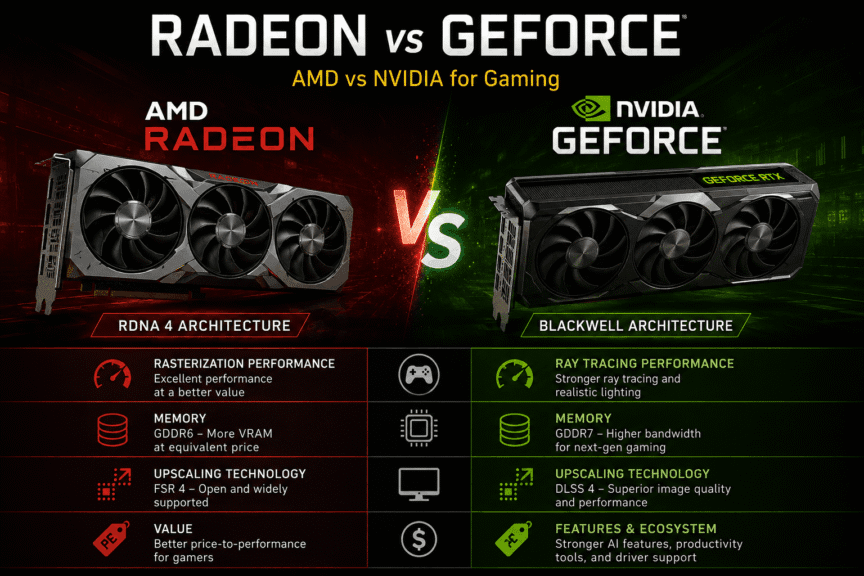
NVIDIA’s current lineup is built on the Blackwell architecture, and its defining feature is GDDR7 memory paired with dedicated AI hardware. The RTX 50 series is the first consumer graphics lineup to adopt GDDR7, which delivers significantly higher bandwidth than the older GDDR6 and GDDR6X standards used in previous generations. That bandwidth advantage feeds NVIDIA’s Tensor and RT cores, which power DLSS 4 and advanced ray tracing.
AMD’s RX 9000 series takes a different approach. The RX 9000 series sticks with GDDR6 memory instead of GDDR7, a choice that keeps production costs lower and is part of why AMD’s cards tend to be more affordable. Built on the RDNA 4 architecture, AMD’s cards prioritize raster performance and value over bleeding-edge AI features.
Key takeaways:
- NVIDIA leads in memory bandwidth, ray tracing throughput, and AI-upscaling image quality
- AMD leads in price-to-performance and offers more VRAM at equivalent price points
- Both companies now support hardware-accelerated upscaling (DLSS 4 vs. FSR 4)
Are AMD GPUs Good for Gaming?
Yes. AMD Radeon graphics cards are excellent for gaming, especially if your priority is getting the highest frame rates for your budget.
Modern Radeon GPUs deliver strong rasterization performance, generous VRAM, and competitive pricing, making them a great choice for 1080p and 1440p gaming. While NVIDIA still leads in ray tracing and DLSS, AMD offers outstanding value for gamers who care more about raw gaming performance than premium features.
Are NVIDIA GPUs Better for Gaming?
NVIDIA GPUs are generally the better choice for gamers who want advanced features such as ray tracing, DLSS 4, Reflex, and a mature software ecosystem.
They also perform exceptionally well for game streaming and content creation thanks to NVIDIA’s NVENC encoder and AI-powered technologies. If those features matter to your gaming experience, NVIDIA is worth considering despite the higher price.
Radeon vs GeForce Performance: How Do They Compare?
Raw performance is where most buyers actually make their decision, so let’s look at how the current flagships stack up in real gaming benchmarks rather than marketing slides.
How Does the RTX 5070 Compare to the RX 9070 in Gaming?
The RX 9070 and RTX 5070 trade blows depending on the game and resolution, but AMD’s card generally holds a raster performance edge at the same MSRP. NVIDIA pulls ahead once ray tracing and DLSS 4 are factored in.
Best for:
- RX 9070: Budget-conscious 1440p gamers who prioritize raw frame rates
- RTX 5070: Players who want ray tracing enabled without a steep performance hit
Caveats:
- Independent testing from Hardware Unboxed found the RX 9070 XT roughly 24% faster than the RTX 5070 once both cards are compared using FSR 4 and DLSS 4 upscaling, though that comparison pits the XT against the non-XT 5070, not an apples-to-apples tier match
- Forum-reported real-world testing from Tom’s Hardware’s community suggests the RX 9070 XT can run approximately 23% faster than the RTX 5070 in rasterization, though this compares different card tiers
How Does the RTX 5070 Ti Compare to the RX 9070 XT in Gaming?
This is the more direct tier-for-tier matchup, since both cards compete in the same price bracket. Results are close and swing by game and settings preset rather than favoring one brand outright.
Excellent for:
- RX 9070 XT: Titles that lean on rasterization, like Battlefield 6 at High settings, where it took a slight lead over the RTX 5070 Ti, peaking at a 7% advantage at 4K
- RTX 5070 Ti: Ray-tracing-heavy or Lumen-lit titles, where it pulled ahead by roughly 5% at both 1440p and 4K once the more demanding Overkill preset was enabled, and led consistently in Crimson Desert by 10–14% depending on settings
Quick Comparison:
| Factor | RTX 5070 Ti | RX 9070 XT |
|---|---|---|
| Ray tracing | Stronger, especially in Lumen/path-traced titles | Improved over RDNA 3, but trails NVIDIA in RT-heavy titles |
| Rasterization | Competitive, occasionally behind | Leads in several raster-focused titles |
| VRAM | 16GB GDDR7 | 16GB GDDR6 |
| Price | $989.99 | $719.99 |
Prices vary by location and region. Please make sure to verify the prices according to your region and location before making any purchase.
For a deeper dive into how tiered pricing affects real-world value, see our RTX 3080 vs 3080 Ti comparison and RTX 4080 vs 4080 super, the same “small spec gap, real price gap” pattern shows up across NVIDIA generations.
Which GPU Should I Buy? A Practical Buying Guide
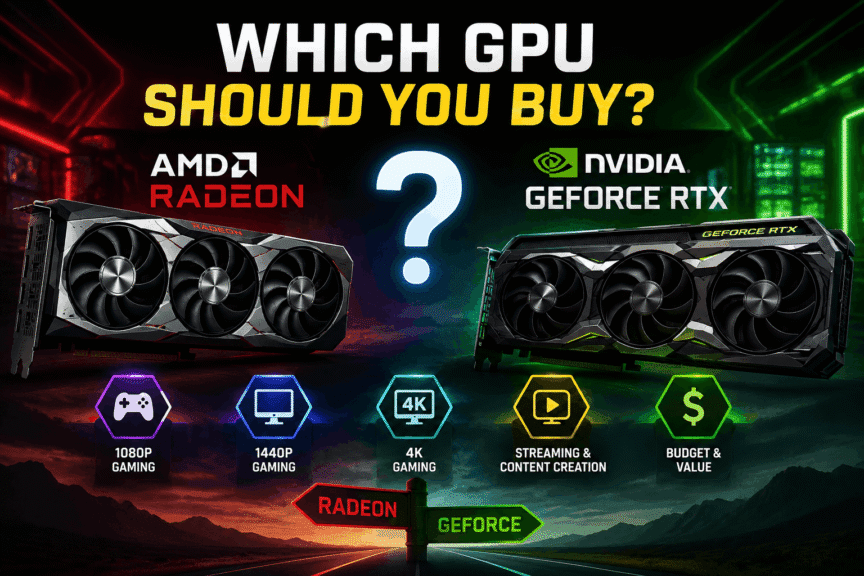
Specs and benchmarks only matter in context. Here’s how to translate them into an actual purchase decision based on how you play.
Which GPU Brand Is Better for Beginners?
For most first-time PC builders, both AMD and NVIDIA are easy to use. The better choice depends less on the brand and more on your budget and gaming goals.
If you’re looking for the best value, AMD is often the stronger option. If you want features like DLSS, better ray tracing, and broader creator software support, NVIDIA offers a more complete ecosystem.
Which GPU Should I Buy for 1440p Gaming?
For 1440p, both the RTX 5070 and RX 9070 comfortably handle high-to-ultra settings in most titles. Reviewers generally place the RTX 5070 and RX 9070 class as the 1440p sweet spot for 2026 builds.
Best for:
- RX 9070: Slightly better raster headroom and more VRAM for texture-heavy games
- RTX 5070: Smoother ray tracing in supported titles, lower power draw
Caveats:
- Check VRAM on the specific SKU you’re buying—some product lines reuse names with different memory configurations, so confirm the exact spec sheet before purchasing
Which GPU should I Buy for 4K gaming?
4K is where VRAM and raw compute matter most, pushing buyers toward the RTX 5080 / RX 9070 XT tier and above. Reviewers recommend the RTX 5080 or RX 9070 XT and up for 4K, with 16GB of VRAM strongly preferred at this resolution.
Best for:
- Enthusiasts running a 4K 120Hz+ display who want headroom for the next 2–3 years
- Buyers who already plan to lean on upscaling (DLSS 4 or FSR 4) rather than pure native rendering
Cons:
- Entry-level 4K on either brand often means turning on upscaling rather than running native resolution in the most demanding titles
Which GPU Should I Buy on a Tight Budget?
Budget shoppers should look one tier down and check clearance pricing on last-gen cards before committing to new-gen mid-range options.
Discounted last-gen cards like the RTX 4070 Super or RX 7800 XT can still punch above their MSRP on value if new-gen stock is inflated.
Best for:
- Builders prioritizing dollar-per-frame over having the newest architecture
- 1080p or budget 1440p setups where last-gen cards remain fully capable
Common Mistakes to Avoid:
- Buying a high-end card like the RTX 5090 for 1080p 240Hz esports, where the CPU and monitor cap gains long before the GPU does
- Ignoring VRAM limitations — 8GB cards increasingly stutter in 2026 AAA titles at high texture settings
- Assuming frame generation replaces base FPS entirely — borderline native performance still feels bad even with frame gen smoothing the number on screen
If VRAM capacity is a deciding factor for you, our VRAM Guide breaks down exactly how much you need per resolution and game type.
And since GPU performance is only half the equation, check our CPU guide to avoid bottlenecking a new graphics card with an aging processor.
What Else Matters Beside Pricing and Features?
Beyond raw frame rates, a few practical factors influence which card actually fits your build and budget.
Do AMD and NVIDIA GPUs need different power supplies?
Power requirements are similar at equivalent tiers, but NVIDIA’s current mid-range cards run slightly more efficiently than AMD’s equivalents.
The RTX 5070 draws 250W compared to the RX 9070 XT’s 304W, and for builds where PSU headroom is tight, the RTX 5070’s lower power draw is a practical advantage.
Best for:
- Both cards run comfortably on a quality 750W 80 Plus Gold power supply in a typical gaming system
- Builders pairing a high-TDP CPU should budget for extra headroom regardless of GPU brand
In my own gaming PC, I’ve been using the Cougar GEX 850W, and it has handled gaming workloads reliably. If you’re considering it for your build, you can read my detailed Cougar GEX 850W review.
Is DLSS 4 or FSR 4 better for upscaling?
NVIDIA’s DLSS 4 currently leads in image quality and consistency, but AMD’s FSR 4 closed most of the gap this generation and now works across a wider range of hardware.
Best for:
- DLSS 4: Players who want the cleanest upscaled image with the least visible artifacting
- FSR 4: Players who want strong upscaling without being locked to NVIDIA hardware
In my opinion, most gamers focus too much on average FPS. Features like upscaling quality, driver stability, and game support often have a bigger impact on your long-term experience than a small difference in benchmark numbers.
Questions Gamers Ask About AMD vs NVIDIA GPUs
Neither wins outright — AMD generally offers better rasterization per dollar, while NVIDIA leads in ray tracing and upscaling quality. Your choice should come down to which games you play and whether ray tracing matters to you.
They’re close tier competitors, not a clear win for either side. Benchmarks show AMD leading in raster-heavy titles like Battlefield 6, while NVIDIA pulls ahead in ray-tracing-heavy titles like Crimson Desert.
Yes — AMD’s FSR 4 is its answer to DLSS 4, and it’s a major improvement over earlier FSR versions. It still trails DLSS 4 slightly in image quality, but the gap has narrowed significantly this generation.
At the current mid-range tier, yes — the RTX 5070 draws 250W versus 304W on the RX 9070 XT. That difference matters more for tight PSU budgets than for overall system cost.
It depends on pricing at the time you buy. Discounted last-gen cards like the RTX 4070 Super or RX 7800 XT can still offer better value than new-gen mid-range cards if current-gen stock is priced high.
Final Verdict: Which GPU Should You Buy?
There’s no single winner here — the right pick depends entirely on what you value. AMD’s RX 9070 and RX 9070 XT deliver stronger raw rasterization and more VRAM per dollar, backed by benchmark data showing raster leads in several major titles.
NVIDIA’s RTX 5070 and RTX 5070 Ti pull ahead once ray tracing and DLSS 4 enter the picture, and their lower power draw is a real advantage for tighter builds.
If you play mostly competitive or raster-heavy titles and want the best price-to-performance, go AMD. If ray tracing, upscaling quality, or creator workloads matter to you, NVIDIA’s software ecosystem justifies the premium. Either way, check current street pricing before you buy — the gap between these cards narrows or widens constantly based on stock.
