

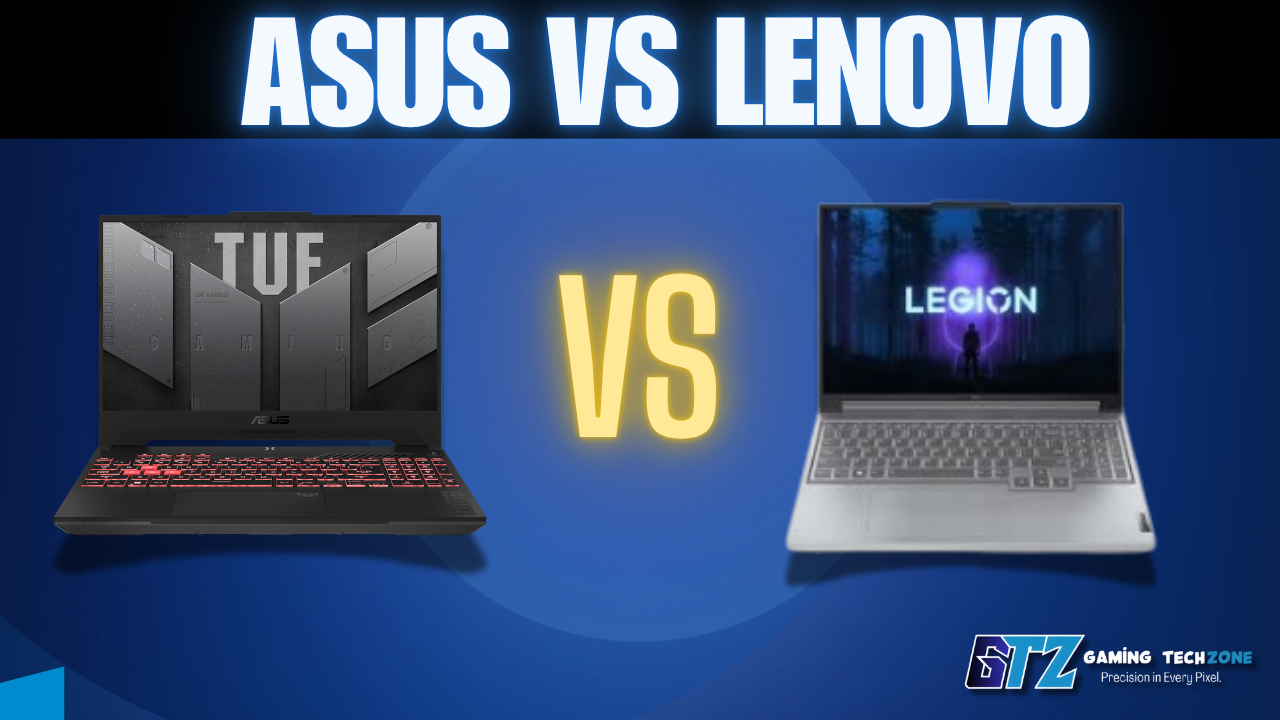
If you’re choosing between ASUS and Lenovo, the brand name alone won’t tell you which laptop is the better buy. ASUS makes more sense when gaming performance, cooling and display quality are your priorities, while Lenovo becomes the stronger choice for durability, keyboard comfort and everyday value.
In this guide, I’ll break down ASUS vs Lenovo across gaming, business, programming, creative work, students and budget laptops, so you can see which brand fits your actual needs. By the end, you’ll know which laptop line I’d choose for each use case, where each brand offers better value, and which one deserves your money.
⚡ Quick Verdict
Gamers: Go ASUS ROG or TUF — better thermals, stronger GPU performance, and superior displays for the money. Business professionals and road warriors: Choose Lenovo ThinkPad — an iconic keyboard, battle-tested durability, and real enterprise support. Budget shoppers: Lenovo IdeaPad edges out ASUS VivoBook at the same price point for overall build consistency. Creative professionals: ASUS Zenbook or ProArt wins with factory-calibrated OLED panels that Lenovo simply can’t match at similar prices.
Side-by-Side Comparison: ASUS vs Lenovo (2026)
| Feature | ASUS | Lenovo |
|---|---|---|
| Best Gaming Line | ROG Zephyrus G16, TUF Gaming A16 | Legion Pro 5 / Legion 7i |
| Best Business Line | ExpertBook B9 (~$1,200) | ThinkPad X1 Carbon Gen 13 (~$1,450) |
| Best Budget Option | VivoBook 16 (~$500) | IdeaPad Slim 5 (~$480) |
| Display Quality | ✅ Wins — 2.8K OLED, 165Hz options | Good, but fewer OLED options |
| Keyboard Quality | Good | ✅ Wins — ThinkPad is still the gold standard |
| Durability / MIL-SPEC | TUF + ExpertBook lines only | ✅ Wins — MIL-SPEC across far more models |
| Battery Life | Good (10–12 hrs average) | ✅ Wins — ThinkPad X1 hits 15+ hrs regularly |
| Gaming GPU Performance | ✅ Wins — better sustained load temps | Strong, trails by ~8–10% under sustained load |
| Starting Price | ~$449 | ~$399 |
ASUS Vs Lenovo: Who Handles Real Workloads Better?
In 2026, both brands ship with Intel Core Ultra 7/9 and AMD Ryzen AI 9 processors. However, ASUS consistently pushes better sustained performance from its gaming hardware thanks to smarter thermal design.
For example, the ASUS ROG Zephyrus G16 with an RTX 5070 holds around 118–122 fps in 1440p gaming after 30 minutes of sustained play. The Lenovo Legion Pro 5 with identical specs trails by roughly 8–10% after that window—thermal throttling kicks in sooner without the same vapor chamber cooling solution.
That said, for productivity tasks—video editing, Python dev work, and data analysis—both brands perform nearly identically at the same spec level. Therefore, if gaming isn’t part of your plan, performance alone shouldn’t decide this.
💡 Related read: Is AMD Ryzen 5 Good for Your Budget? — helpful if you’re comparing mid-range configurations between these two brands.
Who Wins on Display Quality Between ASUS and Lenovo?
ASUS wins this category because it offers more premium display options across its ROG, Zenbook, and ProArt lineups, including higher-resolution OLED panels and better color accuracy. Lenovo displays are still good, but ASUS provides a stronger screen experience for creators, gamers, and anyone who spends long hours looking at a laptop.
Who is More Durable Between Lenovo and ASUS?
Lenovo wins this category because ThinkPad laptops are built with stronger durability standards, including MIL-STD-810H testing for drops, spills, vibration, and harsh environments. ASUS laptops are well-built, but Lenovo offers more rugged designs that are better suited for frequent travel, business use, and long-term reliability.
What is the Price and Value of ASUS and Lenovo?
The winner depends on your budget tier. Lenovo offers better value in the $400–$700 range with more consistent budget laptops, while ASUS provides stronger value in the $800–$1,500 range with better gaming, creator features, and premium hardware. For business buyers looking to save money, ASUS often delivers similar features at a lower price.
💡 Also comparing laptop brands? See our HP vs Dell Computers guide for another major head-to-head in this space.
Laptop Model Comparison Between ASUS and Lenovo
Both brands cover nearly every price point and use case in 2026, from budget laptops to gaming rigs to desktops. The right pick really comes down to which sub-line you’re comparing—so let’s break it down where it matters most.
Lenovo IdeaPad vs Asus VivoBook
ASUS is the better choice for gaming because its ROG and TUF laptops usually deliver stronger cooling, better sustained GPU performance, and higher-quality displays. Lenovo Legion is still excellent, especially for value, but ASUS has the edge for maximum gaming performance.
- Choose ASUS ROG/TUF if you want:
- Higher sustained FPS during long gaming sessions
- Better thermal performance
- Premium gaming displays
- Choose Lenovo Legion if you want:
- Better price-to-performance at mid-range prices
- A more comfortable keyboard for long sessions
- Strong gaming performance without paying ASUS premium pricing
Lenovo Legion vs Asus ROG
ASUS ROG takes the lead for gamers who want maximum performance, thanks to better cooling and stronger sustained GPU performance. Lenovo Legion remains a great alternative, offering better value, a more comfortable keyboard, and excellent gaming performance for less money.
- Choose ASUS ROG if you:
- Want the highest sustained FPS during long gaming sessions
- Prefer better cooling and stronger thermal performance
- Care about premium displays with higher refresh rates and OLED options
- Don’t mind paying extra for top-tier gaming performance
- Choose Lenovo Legion if you:
- Want better price-to-performance in the mid-range segment
- Prefer a more comfortable keyboard for gaming and long typing sessions
- Want strong gaming performance without paying the ASUS premium
- Can accept slightly lower thermal headroom compared to ROG
Asus vs Lenovo All-in-One PC
ASUS Zen AiO is the better choice for users who want a stylish all-in-one PC with a premium display and creative-focused features. The Lenovo IdeaCentre AIO focuses more on practicality, offering better value, quieter operation, and easier maintenance for everyday use.
- Choose ASUS Zen AiO if you:
- Want a premium design with better display quality
- Need an all-in-one for light photo or video editing
- Prefer OLED or 4K screen options for creative work
- Care about how your setup looks in a home office
- Choose Lenovo IdeaCentre AIO if you:
- Want better value for everyday tasks
- Prefer easier RAM and storage upgrades
- Need a quieter PC for family or shared use
- Prioritize practicality over premium design
Which is Better Between Lenovo and ASUS?
Both brands have use-case-specific strengths rather than one being flatly “better.” Here’s how they stack up across the categories people search for most.

ASUS vs Lenovo for Programming: Which Is Better?
For programming, ASUS and Lenovo perform almost equally when they have similar hardware, so the decision comes down to the overall coding experience. ASUS offers better displays for long coding sessions, while Lenovo ThinkPads provide the industry-leading keyboard comfort and durability developers often prefer.
- Choose ASUS if you:
- Want a sharper, higher-resolution display for long coding sessions
- Also work on UI design, graphics, or creative projects
- Need extra GPU power for local AI/ML workloads
- Prefer a more premium screen experience
- Choose Lenovo if you:
- Want the best keyboard experience for hours of typing
- Need a durable laptop for travel or work on the go
- Prefer strong Linux compatibility and developer-friendly support
- Value long-term reliability over display features
Lenovo vs ASUS: Which Is Better for Gaming?
ASUS is the better choice for gamers who want maximum performance, thanks to stronger cooling systems, better thermal management, and higher sustained GPU performance. Lenovo Legion is still a strong option, but it focuses more on delivering great gaming performance at a better price.
- Choose ASUS ROG/TUF if you:
- Want the highest possible FPS during long gaming sessions
- Need better cooling and sustained GPU performance
- Prefer premium gaming displays with higher refresh rates
- Don’t mind paying extra for top-tier performance
- Choose Lenovo Legion if you:
- Want strong gaming performance at a lower price
- Prefer better value in the mid-range segment
- Don’t need the absolute highest performance available
- Want a balanced gaming laptop with good overall features
Lenovo vs ASUS: Which Is Better for Work?
The better choice depends on your type of work. Lenovo ThinkPad is the stronger option for business professionals who need durability, security, and long-term reliability, while ASUS is better suited for creative professionals who need premium displays and strong performance for visual workloads.
- Choose Lenovo ThinkPad if you:
- Need a durable laptop for daily business use and travel
- Value a comfortable keyboard for long working hours
- Require enterprise security features and IT support
- Want a laptop built to handle demanding environments
- Choose ASUS if you:
- Work in design, video editing, photography, or other creative fields
- Want a color-accurate OLED display for visual tasks
- Need strong performance with a more affordable professional laptop
- Prefer better value without requiring ThinkPad-level durability
Lenovo vs ASUS: Which Is Better for Students?
For most students, Lenovo is the safer choice because it offers reliable performance, better battery life, and durable laptops for everyday schoolwork. ASUS becomes the better option for students in creative fields who need a higher-quality display for design, editing, or media projects.
- Choose Lenovo IdeaPad if you:
- Need a reliable laptop for classes, research, and everyday tasks
- Prioritize battery life for long study sessions
- Want better durability for daily travel and backpack use
- Are a general-studies student looking for the best value
- Choose ASUS if you:
- Study design, film, photography, or media
- Need a color-accurate display for creative projects
- Want a sharper OLED screen for visual work
- Prefer better screen quality over maximum durability
Which One Should You Buy?
Choose ASUS if you are:
- A gamer who wants the best sustained GPU performance and thermal headroom
- A creative professional who needs color-accurate, high-refresh OLED displays
- A mid-range shopper who wants more screen and GPU performance per dollar
- A student in design, film, or media who works visually
Choose Lenovo if you are:
- A road warrior or frequent traveler who needs a genuinely durable laptop
- A professional who types for hours and values keyboard feel above all else
- A business buyer who needs enterprise-level security features and IT support
- A budget shopper who prioritizes reliable build quality over raw specs
Still unsure? For most general-use buyers replacing a home or school laptop, the Lenovo IdeaPad Slim 5 is the safer, smarter default. If gaming is anywhere on your horizon, the ASUS TUF Gaming A16 punches well above its $850 price point and is hard to beat at that tier.
My Personal Recommendation Between Lenovo and ASUS?
I haven’t personally used both ASUS and Lenovo laptops, so I wouldn’t claim a first-hand experience with both brands. After researching their different laptop lines, comparing specifications, and going through various reviews and guides, I’d lean toward ASUS for my needs.
- For gaming, I’d choose ASUS ROG or TUF because ASUS has sustained GPU performance, cooling and gaming displays.
- For creative work, I’d choose ASUS Zenbook or ProArt because of the stronger OLED display options and colour accuracy.
- For general everyday use, I’d choose Lenovo if durability, battery life and keyboard comfort were my priorities.
- For business use, I’d pick Lenovo ThinkPad because its durability, keyboard and enterprise features make it the stronger fit.
- For a budget laptop, I’d lean toward Lenovo IdeaPad because the article finds it more consistent in the $400–$700 range.
My overall pick would be ASUS, mainly because I’m more interested in gaming and performance. However, I wouldn’t call ASUS universally better—Lenovo makes more sense for business, durability, typing comfort and budget-focused buyers.
Questions That Laptop Buyers Also Ask About Lenovo and ASUS
Neither wins outright—Asus leads in gaming performance, display quality, and creative work, while Lenovo wins on durability, keyboard comfort, and business reliability. The right choice depends on your primary use case.
Lenovo ThinkPads are widely regarded as the most durable option, passing MIL-STD-810H testing across 12 stress categories. Still, Asus’s ExpertBook and TUF lines also carry similar certification, and both brands typically last 4–6 years with normal care.
Asus’s premium gaming machines aren’t built to the same rugged standard as Lenovo’s ThinkPads—MIL-SPEC durability testing is mostly limited to its ExpertBook and TUF lines, not its ROG/Zenbook range.
For general students on a budget, the Lenovo IdeaPad Slim 5 (~$480) is hard to beat on reliability and battery life. However, students in design, photography, or video work should seriously consider the ASUS Zenbook OLED for the superior screen calibration.
Yes. Both brands now ship Copilot+ certified devices with AMD Ryzen AI 9 and Intel Core Ultra processors, fully supporting Windows 11’s on-device AI features including live captions, image generation, and AI-enhanced search.
Closing Sentences on ASUS Vs Lenovo
The ASUS vs Lenovo debate doesn’t have a single winner—it has two correct answers depending on who you are. ASUS wins in gaming performance, display quality, and creative work value. Lenovo wins in durability, keyboard comfort, and business reliability.
For most everyday users, start with the Lenovo IdeaPad. For anything gaming or visually intensive, start with ASUS TUF or Zenbook. Either way, both are strong brands — the key is buying the right product line, not just the right brand name.
Ready to buy? Compare current prices on both brands at your preferred retailer and filter by your primary use case first.
