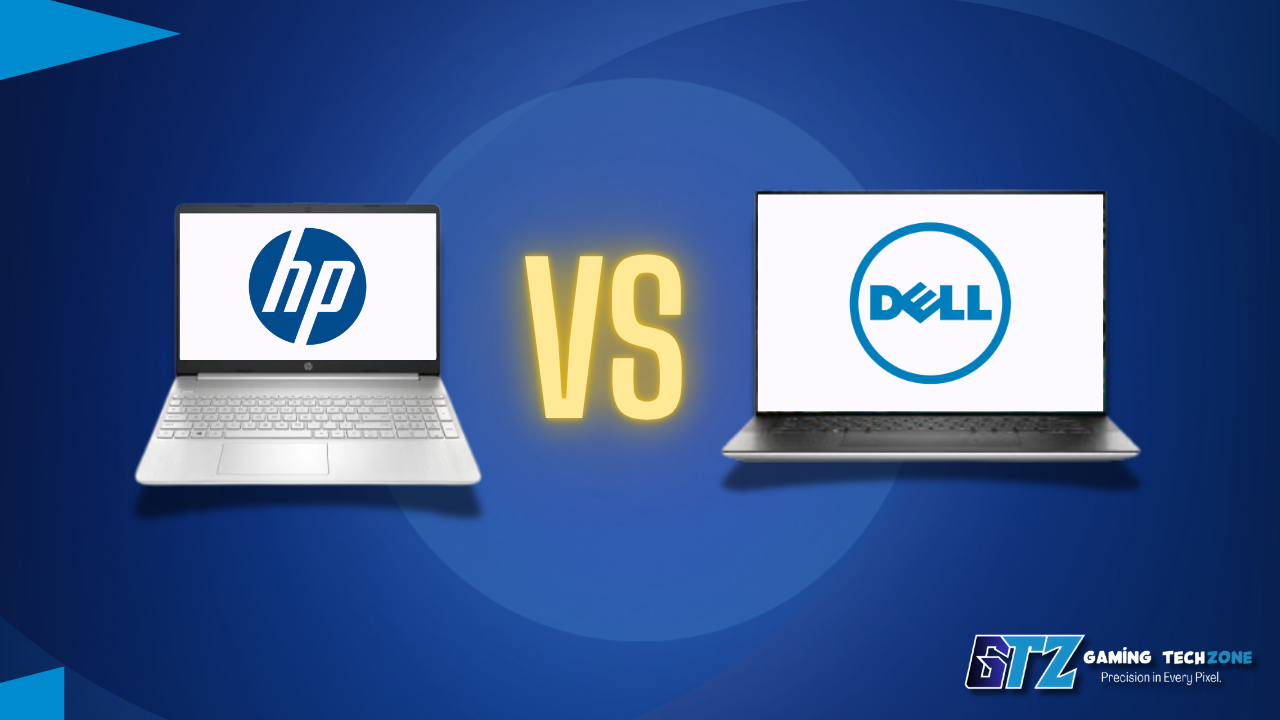
Choosing between HP vs Dell computers is one of the most common purchasing crossroads in the laptop and desktop market—and for good reason. Both brands dominate retail shelves, cover nearly every price tier from $400 to $3,500+, and refresh their lineups annually. Yet the differences between them are more than skin deep.
HP leans into consumer-facing design, offering polished aesthetics across its Pavilion, Envy, and Spectre lines. Dell plays a more enterprise-leaning game, with the Inspiron, Vostro, and XPS families built around reliability, serviceability, and screen quality. Neither brand is universally better, but for specific buyer types, one consistently outperforms the other.
This comparison covers both brands’ current 2026 lineups across mainstream, premium, and performance tiers to help cut through the noise.
⚡ Quick Verdict
Overall Rating: HP — 8.2/10 | Dell — 8.5/10
Dell edges out HP for most buyers in 2026, particularly anyone prioritizing display quality, keyboard longevity, and business-grade support. HP holds its ground in value-for-money at the $500–$900 range and wins on design versatility for everyday home users.
HP Vs Dell Computers Specs Snapshot: Popular 2026 Models Compared
| Feature | HP Envy 16 (2026) | Dell XPS 15 (2026) | HP Pavilion 15 | Dell Inspiron 15 |
|---|---|---|---|---|
| Processor | Intel Core Ultra 7 255H | Intel Core Ultra 7 258H | Intel Core 5 / AMD Ryzen 5 | Intel Core 5 / AMD Ryzen 5 |
| RAM | 16–32 GB DDR5 | 16–64 GB LPDDR5x | 8–16 GB DDR5 | 8–16 GB DDR5 |
| Storage | 512 GB–2 TB SSD | 512 GB–2 TB SSD | 256 GB–1 TB SSD | 512 GB–1 TB SSD |
| Display | 16-in OLED / IPS | 15.6-in OLED / IPS | 15.6-in IPS FHD | 15.6-in IPS FHD |
| Battery | ~10–12 hrs | ~10–13 hrs | ~7–9 hrs | ~8–10 hrs |
| Weight | 4.41 lbs | 4.22 lbs | 3.86 lbs | 3.99 lbs |
| Starting Price (2026) | ~$1,099 | ~$1,299 | ~$549 | ~$599 |
| GPU Option | NVIDIA RTX 4060 | NVIDIA RTX 4070 | Intel / Radeon integrated | Intel / Radeon integrated |
Pricing reflects approximate US MSRP as of mid-2026. Regional pricing varies.
How does HP Compare to Dell?
HP and Dell take different approaches once you move past the spec sheet, and the differences show up clearly in reliability, battery performance, and pricing. Desktop durability, real-world battery numbers, and overall cost are where buyers feel the split the most—especially over a multi-year ownership window.
The sections below break down exactly where each brand pulls ahead.
HP vs Dell Desktop Reliability
Dell is more reliable for desktop builds. Its tool-less chassis design and roomier internal layout hold up better over time than HP’s tighter tower cases.
Why Dell is better:
- Tool-less chassis access makes servicing and upgrades easier over time.
- More generous internal clearance improves airflow and reduces heat buildup.
- HP’s Pavilion/Omen towers run tighter internally, causing more noticeable fan noise under sustained load.
- Warranty coverage isn’t a clean split—both brands offer mail-in, carry-in, and onsite service depending on model and region.
- Overall build layout gives Dell the edge for long-term desktop durability.
Dell vs HP Battery Life
Dell has better battery life across both tiers.
Why Dell wins here:
- Dell Inspiron 15 averages 8–10 hours of mixed office use vs. HP Pavilion 15’s 7–9 hours.
- Dell’s IPS panel is more power-efficient, plus a lower base system wattage.
- Dell XPS 15 (~10–13 hrs) holds a modest edge over the HP Envy 16 (~10–12 hrs) at the premium tier.
- HP’s OLED panel option draws more power than Dell’s comparable display.
- Overall, Dell’s power management consistently stretches battery life further than HP’s equivalent configurations.
HP Vs Dell Computers: Design & Build Quality
Dell offers the more consistently premium design and build quality across both budget and flagship models. While HP’s Spectre and Envy laptops are excellent, Dell maintains better material quality, durability, and structural consistency throughout its lineup.
Why Dell wins:
- Better overall build consistency from budget (Inspiron) to premium (XPS) models.
- Higher-quality materials in affordable laptops compared to HP Pavilion equivalents.
- More durable hinges and less chassis flex during long-term use.
- Premium XPS construction (aluminum + carbon fiber) feels sturdier and more refined.
- HP’s only notable advantage is its more stylish color options and premium Spectre design, but its weaker budget lineup keeps it behind Dell overall.
HP or Dell: Which is Expensive?
HP offers better value for money, providing stronger hardware configurations at lower prices across most price ranges. Dell justifies its higher prices with better build quality and display calibration, but HP is the better choice for budget-conscious buyers.
Why HP wins:
- Lower starting prices across entry-level and mid-range laptops.
- Better hardware specifications for the same budget.
- Stronger value in the sub-$900 price segment.
- More affordable premium models like the Envy compared to the XPS.
- Dell’s higher price mainly pays for better build quality and displays rather than significantly better performance.
Hp vs Dell Comparison
The right choice between HP and Dell shifts depending on who’s using the machine and what it’s being used for. Students, remote workers, business IT departments, and gamers all weigh different priorities.
The breakdowns below match each use case to the brand—and specific line—that fits it best.
Dell or HP: Which is Better for Students?
HP is the better choice for students thanks to its lower prices and excellent value, offering reliable performance for studying, productivity, and entertainment without stretching a typical student budget.
Why HP wins:
- Better value in the $500–$800 student budget range.
- Affordable laptops with enough performance for schoolwork and everyday tasks.
- More configuration options at lower prices.
- Easier for students to stay within budget without sacrificing performance.
- Dell offers better durability and battery life, but its higher price makes HP the stronger overall choice for most students.
HP or Dell laptop: Which is Better for Work?
Dell is the better choice for professionals, offering more accurate displays, stronger business support, and a premium work-focused experience that suits remote workers and creative professionals alike.
Why Dell wins:
- Factory-calibrated displays are ideal for color-sensitive work.
- Reliable ProSupport services for businesses and professionals.
- Better suited for long-term professional and remote work use.
- Premium XPS lineup delivers a refined productivity experience.
- HP is excellent for everyday office tasks but lacks Dell’s display precision and enterprise-level support.
HP vs Dell Desktop for Business
Dell is the better choice for business desktops, offering enterprise-focused features, easier maintenance, and stronger IT management tools for organizations of any size.
Why Dell wins:
- OptiPlex desktops are designed specifically for business environments.
- Tool-less chassis design makes upgrades and maintenance easier.
- Onsite warranty options and SupportAssist simplify IT support.
- Better fleet management for businesses with multiple computers.
- HP is suitable for home offices, but Dell provides more mature enterprise features for larger deployments.
HP vs Dell laptops: Which is Better for Gaming?
HP is the better choice for gaming value, offering similar gaming performance to Dell’s Alienware at a lower price and in a lighter design, making it the smarter option for most gamers.
Why HP wins:
- Better performance-per-dollar than Alienware.
- Comparable GPU options at lower price points.
- Lighter chassis makes Omen laptops more portable.
- Ideal for casual and mid-tier gamers who don’t need premium extras.
- Alienware’s superior cooling and upgradability mainly benefit enthusiasts planning long-term hardware upgrades.
HP vs Dell Desktop All-in-one
HP is the better choice for all-in-one desktops, offering a more modern design with slimmer bezels and a stronger focus on aesthetics, making it ideal for home and office users.
Why HP wins:
- More stylish designs with slimmer display bezels.
- Better suited for users who value appearance alongside functionality.
- Continues HP’s premium, lifestyle-focused design philosophy.
- Great fit for home offices and everyday computing.
- Dell focuses more on practicality and build quality, but neither brand’s all-in-one lineup is as strong as their traditional desktop towers.
Overall Score Table
| Category | Winner |
|---|---|
| Desktop Reliability | ✅ Dell |
| Battery Life | ✅ Dell |
| Design & Build Quality | ✅ Dell |
| Price / Value for Money | ✅ HP |
| Best for Students | ✅ HP |
| Best for Professional Work | ✅ Dell |
| Business Desktops | ✅ Dell |
| Gaming | ✅ HP |
| All-in-One Desktops | ✅ HP |
Examples For Dell vs HP PCs
These are the examples for tier wise specifications.
Mainstream Tier: HP Pavilion vs Dell Inspiron
Both laptops feature Intel Core 5 or AMD Ryzen 5 processors, delivering very similar performance for everyday tasks like web browsing, office work, and light content creation. In real-world use, the performance difference is minimal.
Dell holds a slight advantage in thermal management, with cooler operation and quieter fans under sustained workloads. HP’s Pavilion tends to run warmer and louder, although neither laptop experiences significant performance throttling during typical productivity tasks.
Premium Tier: HP Envy vs Dell XPS
Dell has a clear advantage in display quality, with the XPS 15’s OLED panel offering better color accuracy and factory calibration. While HP’s Envy 16 OLED display is still excellent, Dell’s panel is better suited for professionals who need precise colors for creative work.
The XPS 15 also delivers stronger performance in demanding tasks like creative software rendering and 3D modeling with higher-end GPU options. HP’s Envy 16 remains capable for gaming and video editing, but Dell has the edge for professional workloads.
Pros and Cons
These are each company’s models’ benefits and drawbacks.
HP Computers
| PROS | CONS |
|---|---|
| Better value-to-feature ratio at the $500–$900 range | Budget models (Pavilion) use lower-grade plastics that show wear quickly |
| More design variety and lifestyle-oriented colorways | Thermal management on mid-range laptops is noisier under load |
| Stronger 2-in-1 lineup (Spectre x360, Envy x360) for tablet use cases | BIOS update process is clunkier than Dell’s SupportAssist toolchain |
| HP Instant Ink integration useful for bundled printer ecosystems | Display calibration on non-OLED models is inconsistent batch-to-batch |
Dell Computers
| PROS | CONS |
|---|---|
| XPS display panels are among the best-calibrated in the Windows laptop segment | Premium pricing — the XPS line starts $200+ above comparable HP Envy configs |
| More consistent build quality across the full product range | XPS touchpad physical click feel is below average for the price point |
| Dell SupportAssist diagnostics and driver management are genuinely useful | Alienware gaming laptops are significantly heavier and pricier than HP Omen equivalents |
| Better enterprise support options (ProSupport, accidental damage coverage) | Limited color options across most lines — silver and black, essentially |
Who Should (and Shouldn’t) Buy Each Brand


The recommendations for the ideal company for each person’s style are listed below.
Buy HP if:
- The budget is $500–$900, and maximum features-per-dollar matters
- A convertible 2-in-1 for note-taking, sketching, or presentations is needed
- Design and color options are part of the decision
- Already in the HP ecosystem (printers, accessories)
Skip HP if:
- Color accuracy is critical for professional creative work
- Long-term keyboard durability is a priority (HP’s keyboards wear faster than Dell’s)
Buy Dell if:
- Display quality is non-negotiable—writers, designers, and analysts benefit most from the XPS OLED panels
- IT-managed or business deployments require ProSupport infrastructure
- Keyboard feel and typing endurance matter for heavy daily use
Skip Dell if:
- The budget is under $600—the Inspiron competes, but HP offers more for the same money in this bracket
- A stylus-compatible 2-in-1 is needed—Dell’s convertible options are more limited
How It Compares: Alternatives Worth Considering
HP and Dell aren’t the only contenders in this space. Lenovo’s ThinkPad and Idea Pad lines are strong alternatives, particularly for keyboard enthusiasts and business users — if brand loyalty isn’t fixed, an Asus vs Lenovo comparison is worth reading before committing to either HP or Dell.
For buyers considering entry-level or ultra-budget machines, it’s also useful to understand where laptops, Chromebooks, and lightweight devices diverge in capability—a distinction often blurred in retail recommendations.
People Also Ask For
HP offers better value and design variety, while Dell leads in display quality, build consistency, and business support.
Dell is better for reliability, displays, and professional use, while HP is stronger for budget buyers and design-focused users.
Dell generally lasts longer due to stronger hinges, keyboards, and build quality, especially in premium and business models.
Yes, HP is usually more affordable, offering similar specifications at lower prices across most categories.
HP Omen offers better gaming value with similar performance at lower prices, while Alienware is better for users who want premium cooling and upgrade options.
Final Verdict on HP Vs Dell Computers
In 2026, Dell holds a measurable edge in display quality, keyboard durability, and enterprise support — making it the stronger choice for professionals, power users, and anyone planning to keep a laptop for three-plus years. HP wins on design variety, convertible options, and value density at the sub-$900 price tier, where it consistently delivers more features per dollar than Dell’s equivalent Inspiron configurations.
Neither brand is universally superior. Match the brand to the use case rather than loyalty or habit, and the decision becomes straightforward.
Where to buy: Both brands sell direct (HP.com, Dell.com) with configurable options, and major retailers (Best Buy, Amazon, and B&H) carry current stock. Dell’s website frequently runs 10–15% off promotions on XPS and Inspiron lines; HP’s sales rotate weekly on Pavilion and Envy.