

Your Minecraft skin is one of the easiest ways to make your character feel like your own.
You can look like a medieval knight, a mysterious ninja, a futuristic gamer, or even a cute animal exploring the world. The best part is that you do not need to create a skin from scratch to find something you love.
I recommend exploring community skin libraries, checking out popular designs, and choosing a look that matches your personality. In this guide, I’ll share 10 Minecraft skin styles worth trying, where to find them, and how to download and use them.
What Are Minecraft Skins?
Minecraft skins are textures that change the appearance of your character without changing the game’s mechanics. They let you customise your avatar’s outfit, colours, and overall style while keeping the familiar blocky character design.
You can choose from classic gaming looks, fantasy characters, anime-inspired designs, or original creations made by the community.
- Java Edition lets you upload compatible skin images through the launcher.
- Bedrock Edition offers Marketplace skins and supports custom imports on certain devices.
The available options depend on your platform.
10 Best Minecraft Skins for Personalized Entertainment
The right skin depends on how you play. Some designs look great in multiplayer lobbies, while others suit survival adventures, roleplaying, or creative building. Here are 10 skin styles for the Minecraft game you should consider, along with places to find similar designs and download them.
1. Dream Inspired Green Hoodie Skin
A green hoodie skin is a great choice if you want a recognisable gaming look without an overly complicated design. Inspired by the popular green and white smiley aesthetic, this style works well for casual multiplayer, survival worlds, and gaming with friends.
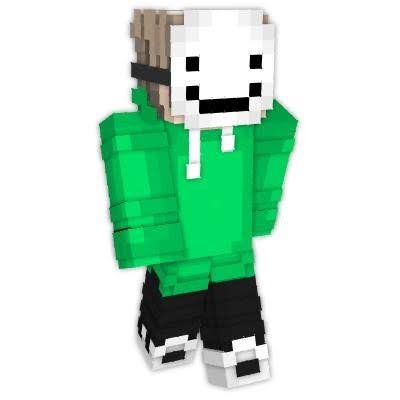
Why Choose a Green Hoodie Skin?
- Style: Simple colours and a recognisable face design.
- Best For: Multiplayer servers and everyday gameplay.
2. Technoblade-Inspired Pig Skin
Pig-themed skins with a crown, red clothing, and a royal appearance are popular among fans of Minecraft content creators. This style combines a playful animal character with a fantasy warrior aesthetic, which makes it a distinctive option for multiplayer adventures.
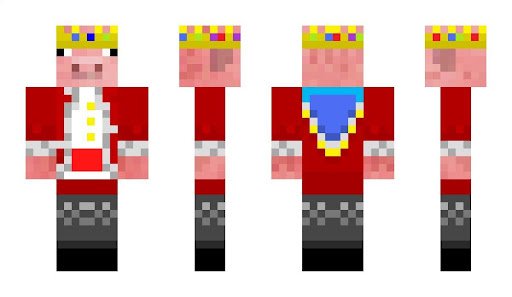
What Makes This Skin Style Stand Out?
- Style: Pig features, a crown, and red or gold clothing.
- Best For: Fans, roleplaying, and survival servers.
3. Minecraft Ninja Skin
A ninja skin suits players who prefer a stealthy, mysterious appearance. Most designs use dark clothing, face coverings, and small red, blue, or silver details. The result is a character that looks ready for PvP battles, parkour challenges, or nighttime survival exploration.
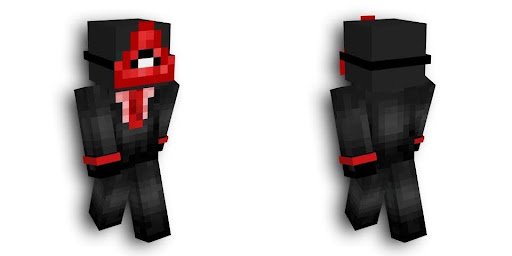
Why Should You Try a Ninja Skin?
- Style: Dark clothing with contrasting accents.
- Best For: PvP, parkour, and competitive servers.
4. Medieval Knight Skin
If you enjoy castles, fantasy adventures, and medieval building projects, a knight skin is an excellent match. These designs often feature metallic armour, helmets, capes, and coloured tunics, which gives your character the appearance of a warrior ready to defend a kingdom.
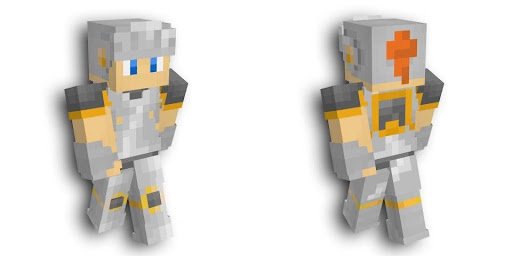
What Makes a Medieval Knight Skin Worth Choosing?
- Style: Armour, helmets, and royal or military colours.
- Best For: Medieval roleplay, castles, and survival adventures.
5. Anime Minecraft Skin
Anime-inspired skins bring recognisable hairstyles, colourful outfits, and distinctive character designs into games like Minecraft. You can choose an original anime style avatar or look for fan-made skins based on characters from your favourite series. There is plenty of variety across community skin libraries.
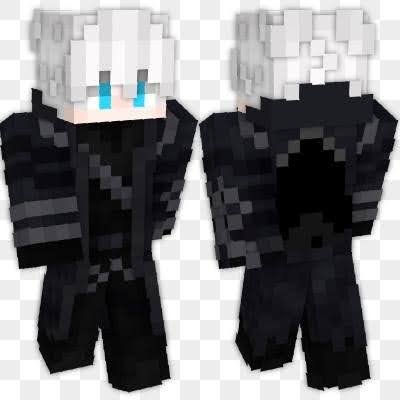
How Do You Choose an Anime Skin?
- Style: Distinctive hair, expressive eyes, and detailed outfits.
- Best For: Anime fans, roleplay, and multiplayer.
6. Cute Animal Minecraft Skin
Animal-themed skins are a fun alternative to traditional human characters. You can choose a fox, cat, panda, wolf, or another animal-inspired design, often combined with colourful clothing. These skins work particularly well for casual servers and friendly multiplayer communities.
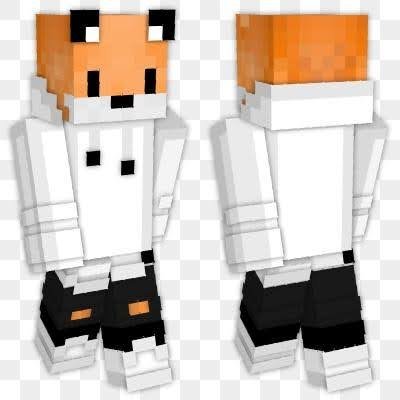
Which Animal Skin Should You Choose?
- Fox: An orange and white design with a playful appearance.
- Cat: A cute character with ears and matching colours.
- Panda: A simple black and white design.
- Wolf: A rugged look suited to survival adventures.
- Axolotl: A colorful aquatic-inspired character.
7. Black Hoodie Minecraft Skin
A black hoodie skin is a straightforward choice if you prefer a modern, understated look. These designs often feature dark hoodies, trainers, jeans, and small accessories. They are versatile enough for almost any multiplayer setting without relying on elaborate armour or fantasy details.
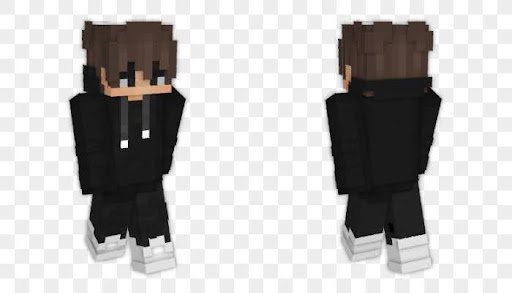
Why is a Black Hoodie Skin So Popular?
- Style: Modern streetwear and simple colour combinations.
- Best For: Casual multiplayer and everyday survival.
8. Astronaut Minecraft Skin
An astronaut skin gives your character a futuristic appearance that works especially well in space-themed builds and science fiction adventures. Most designs feature a white or dark spacesuit, a coloured visor, and small details that resemble equipment worn by an explorer.
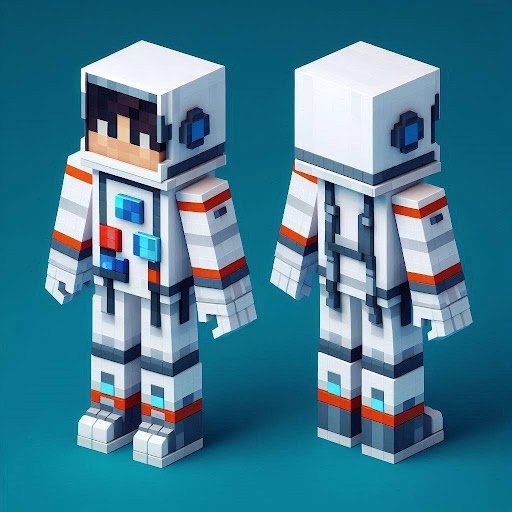
What Makes an Astronaut Skin a Good Choice?
- Style: Spacesuits, visors, and futuristic details.
- Best For: Space builds, exploration, and science fiction roleplay.
9. Demon or Fantasy Warrior Skin
If you prefer darker character designs, fantasy warrior skins offer a dramatic alternative to ordinary outfits. These designs can feature horns, dark armour, glowing eyes, and contrasting red or purple details. They are particularly suitable for fantasy roleplay and challenging survival worlds.
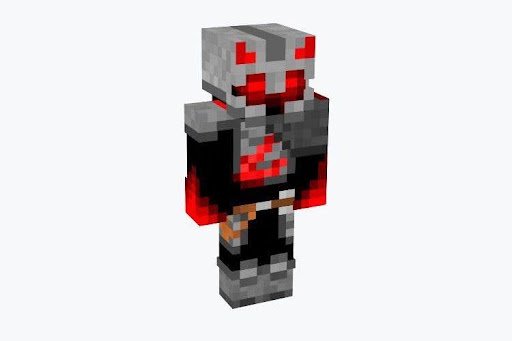
Why Choose a Fantasy Warrior Skin?
- Style: Dark armour, horns, and supernatural details.
- Best For: Fantasy roleplay, PvP, and adventure maps.
10. Minimalist Classic Minecraft Skin
Not every player wants an elaborate character. Minimalist skins use simple clothing, limited colours, and clean designs that feel close to Minecraft’s original visual style or other Minecraft mods. They are easy to recognize and work well whether you spend your time building, exploring, or playing minigames.
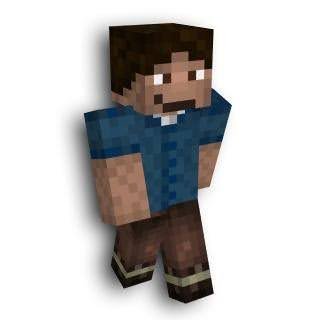
What Makes Minimalist Skins Worth Trying?
- Style: Simple outfits and limited colour palettes.
- Best For: Survival, building, and casual multiplayer.
How to Download and Change Your Minecraft Skin?
The process depends on which Minecraft edition you play. Java Edition supports custom skin uploads through the launcher, while Bedrock Edition uses its Dressing Room and Marketplace features, with custom PNG imports available on supported platforms.
How to Change a Skin in Java Edition?
- Download a compatible skin as a PNG image from a trusted website.
- Open the Minecraft Launcher and select Java Edition.
- Open the Skins tab and choose New Skin.
- Enter a name and select the correct model type, Classic or Slim.
- Browse for your downloaded PNG file.
- Select Save & Use to apply the skin.
The Classic model has wider arms, while the Slim model has narrower arms. Choose the model that matches the skin to avoid incorrectly displayed arm textures.
How to Change a Skin in Bedrock Edition?
- Open Minecraft Bedrock Edition.
- Select Dressing Room from the main menu.
- Choose a character slot and open the character customisation options.
- Select Classic Skins to access available classic skins.
- If your device supports custom imports, choose the import option and select your downloaded PNG.
- Select the appropriate model type and apply the skin.
The exact options depend on your device. Some consoles restrict importing external skin files, so you may need to use skins from the Marketplace or built-in options instead.
Tips for Choosing the Best Minecraft Skin
Before downloading a skin, consider how it will look in the environments where you usually play. A detailed fantasy warrior may suit an adventure server, while a simple hoodie might feel more appropriate for casual survival.
Here are a few things I recommend checking:
- Choose Your Style: Pick a design that reflects your personality or favourite type of gameplay.
- Check the Model: Make sure the skin supports the Classic or Slim model you want to use.
- Preview the Whole Character: Look at the front, back, and sides before downloading.
- Check Compatibility: Confirm that the skin format works with your edition and device.
- Use Trusted Websites: Avoid suspicious downloads, executable installers, and sites requesting your account password.
- Try Creating Your Own: A skin editor can help you change colours, clothing, and details to make a design more personal.
Your skin is a cosmetic choice, so it will not improve your health, damage, speed, or other gameplay statistics. The goal is simply to find an appearance you enjoy using.
Final Thoughts on Minecraft Skins
Finding the right Minecraft skin is an easy way to make your character feel more personal. Whether you prefer a green hoodie, a medieval knight, an anime-inspired design, or a futuristic astronaut, there are plenty of styles to explore.
I recommend browsing community skin libraries first, previewing a few designs, and downloading one that matches your personality. If you cannot find exactly what you want, try editing an existing skin or creating your own.
Remember to check compatibility with your Minecraft edition and device before importing it. Choose your favourite look, enter your world, and make your character stand out.
