A few years ago, “budget gaming keyboard” meant flimsy plastic, mushy keys, and zero customization. That era is over.
In 2026, the sub-$100 gaming keyboard market has genuinely transformed. You can now get hot-swappable mechanical switches, gasket mounts, per-key RGB, and even wireless connectivity, all under a $100 bill. Brands like Keychron, Royal Kludge, and SteelSeries have forced the entire market to raise its standards.
However, the real challenge is that there are too many options, and a handful of bad ones still slip through. We’ve done the legwork so you don’t have to. In this guide, you’ll get our five reviewed picks, an honest breakdown of what makes each worth buying (or skipping), and a clear answer on which keyboard fits your gaming style.
How We Chose These Keyboards
To identify the best gaming keyboards under $100 in 2026, we analyzed expert reviews, long-term user feedback, build quality, gaming performance, switch options, customization features, and overall value.
Additionally, we prioritized keyboards that offer strong reliability, low latency, hot-swap support where available, and features that genuinely improve the gaming experience without exceeding the budget.
What to Look for in a Gaming Keyboard Under $100
Before diving into the picks, here’s what actually matters at this price point in 2026:
Hot-swap support: This is now a standard expectation, not a luxury. Hot-swap lets you change mechanical switches without soldering. Therefore, if a board under $100 doesn’t have it, skip it — there are too many that do.
Switch type: Linear switches (smooth, quiet) suit FPS games. Tactile switches (bumpy feedback) are better for typing-heavy genres. Clicky switches sound satisfying but can annoy others.
Build quality: ideally, look for a metal top plate or aluminum frame. Full plastic bodies flex and rattle over time.
Layout: TKL (tenkeyless, 87-key) is the most popular gaming layout. It removes the numpad to free up mouse space without losing arrow keys or the function row. 75% of layouts trim even further while keeping essentials.
Polling rate: 1000 Hz is the standard. Some newer budget boards are pushing 8 KHz, which matters for competitive FPS gaming.
Best Gaming Keyboards Under $100 (2026 Picks)
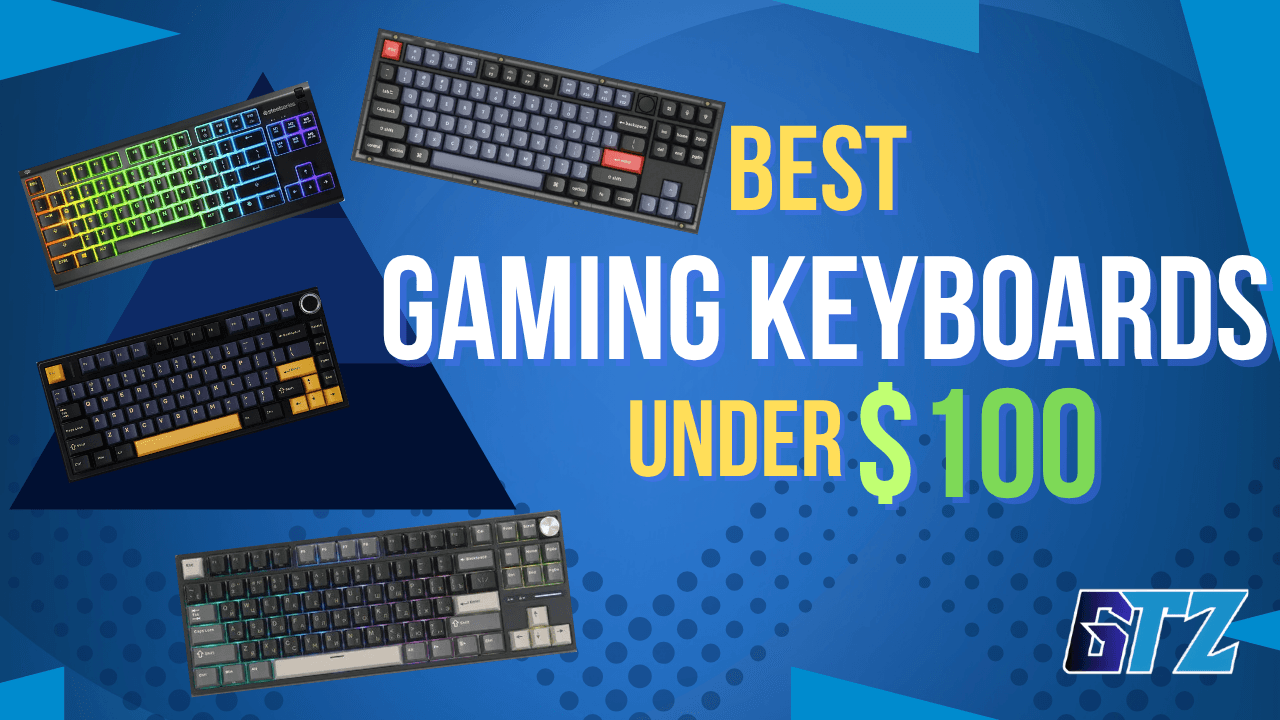
These are the best 5 gaming keyboards under a $100 budget.
1. Keychron V3 — Best Overall Under $100
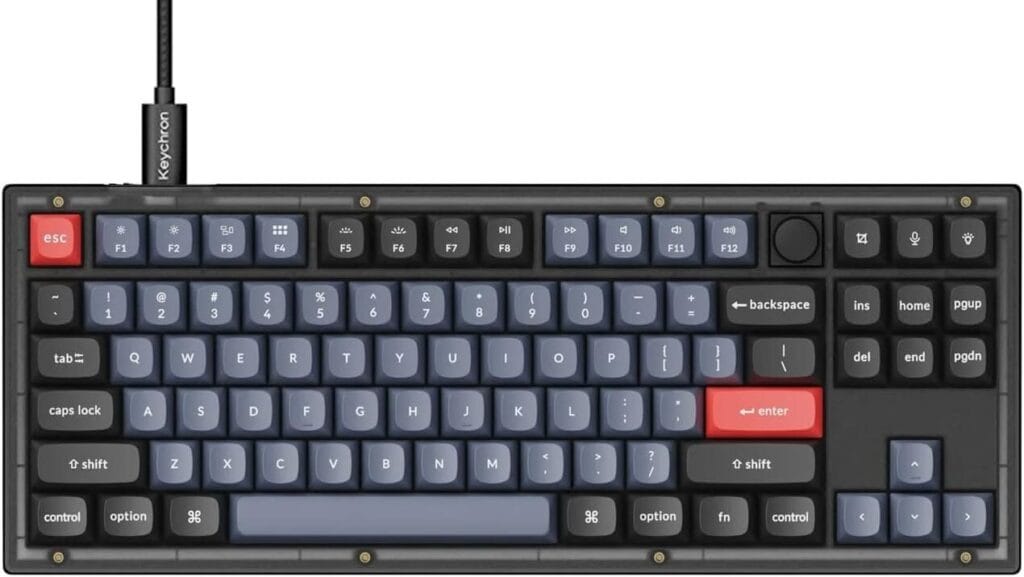
Price: ~$65–75 | Layout: 75% (87 keys) | Connection: Wired (USB-C)
The Keychron V3 consistently punches above its price based on expert reviews and user feedback. The double-gasket mount gives it a cushioned, slightly bouncy typing feel that most keyboards at twice the price can’t match. It ships with Keychron’s own linear or tactile switches, which feel well-lubed right out of the box, a detail most budget brands skip.
Additionally, the per-key south-facing RGB is vibrant and works with VIA software for deep remapping. Hot-swap is a given. The aluminum top frame feels sturdy without making it excessively heavy.
However, the downside: it’s wired only at this price. There’s no wireless version under $100. The plastic bottom also doesn’t match the premium feel of the top plate. If you’re a wireless-first user, look at the RK87 or Aula F75 below.
Pros:
- Double-gasket mount — rare at this price
- Hot-swappable 5-pin sockets (any MX switch)
- VIA-compatible for deep customization
- Solid aluminum top frame
Cons:
- Wired only
- ABS keycaps (PBT upgrade sold separately)
- Plastic bottom half feels cheaper than the top
Best for: Gamers who want a premium typing feel without customs keyboard pricing.
2. Royal Kludge RK87 — Best Wireless Value
Price: ~$50–65 | Layout: TKL (87 keys) | Connection: Tri-mode (Bluetooth 5.0, 2.4GHz, USB-C)
If you want wireless functionality for under $65, the RK87 is almost unfair value. Across expert reviews and user feedback, the RK87 is consistently rated as one of the best wireless gaming keyboards on a budget.
Tri-mode connectivity means you can switch between three Bluetooth profiles and a 2.4 GHz dongle on the fly — genuinely useful if you game on a PC and occasionally use a tablet or laptop.
Furthermore, the hot-swap sockets are 3-pin compatible (5-pin with a minor trim), and battery life holds up for 3–4 weeks with RGB off. Switches feel decent stock—not exceptional, but highly swappable.
The 2.4GHz latency is notably low and competitive for casual to mid-level gaming. If you play hardcore FPS ranked, you’ll want the Keychron V3 or a wired board. For everything else, this is an excellent deal.
Pros:
- Tri-mode wireless at an unbeatable price
- Hot-swappable sockets
- Solid battery life (200+ hours RGB off)
- Budget-friendly starting point for enthusiasts
Cons:
- Plastic build throughout — no aluminum
- 2.4GHz latency isn’t quite pro-level
- Stock switches are serviceable, not impressive
- Stabilizers could use lubing out of the box
Best for: Casual and mid-level gamers who want wireless flexibility without the premium price tag.
3. SteelSeries Apex 3 TKL — Best Budget Membrane Option
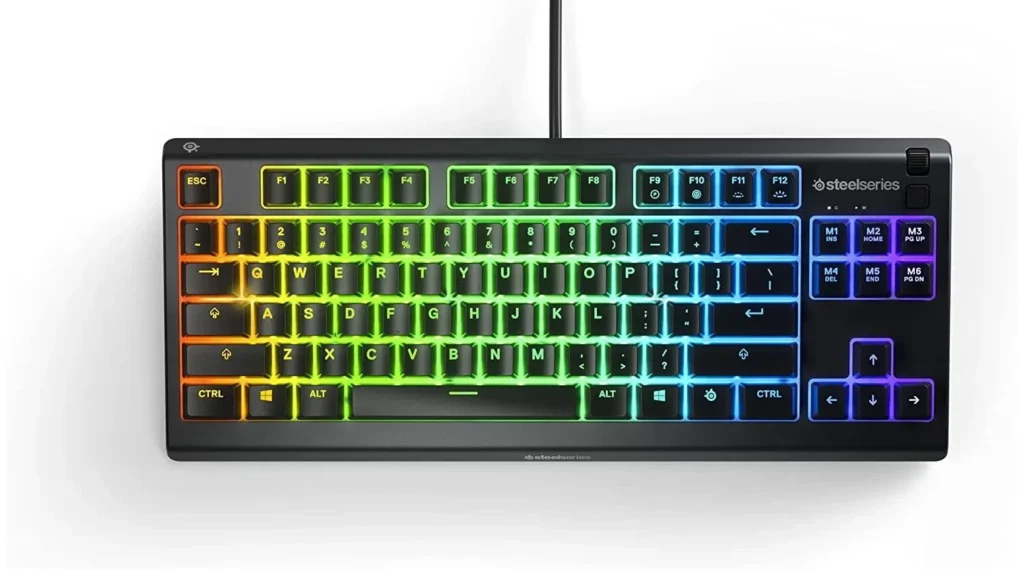
Price: ~$40–50 | Layout: TKL (87 keys) | Connection: Wired (USB)
Important clarification: the Apex 3 TKL uses membrane (rubber dome) switches, not mechanical. SteelSeries markets them as “whisper quiet gaming switches“, which is accurate — they’re genuinely silent. Based on expert reviews and long-term user feedback, this keyboard remains one of the strongest membrane gaming options in its price range.
The IP32 water and dust resistance is a standout for this price. The build quality is better than most membrane boards, and the anti-ghosting covers all keys simultaneously. RGB is attractive. The TKL form factor positions it well for gaming setups.
However, if you’re hoping for the crisp, satisfying feedback of a mechanical switch, this won’t deliver that. It’s a great stepping stone for gamers who aren’t sure if they want mechanical yet — or who share a room and need near-silent keys.
Pros:
- IP32 water and dust resistance
- Near-silent keypresses — great for shared spaces
- Full N-key rollover (anti-ghosting)
- Excellent brand reliability and software support
Cons:
- Not mechanical — rubber dome feel lacks tactile feedback
- No hot-swap (obviously, it’s membrane)
- Basic RGB compared to competitors at the same price
- Won’t satisfy anyone used to mechanical keyboards
Best for: Budget gamers in shared living spaces who prioritize quiet, affordable performance.
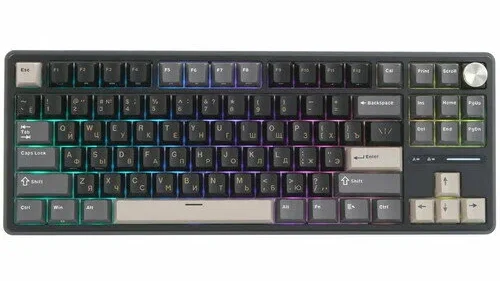
4. Aula F75 — Best 75% Gaming Keyboard Under $100
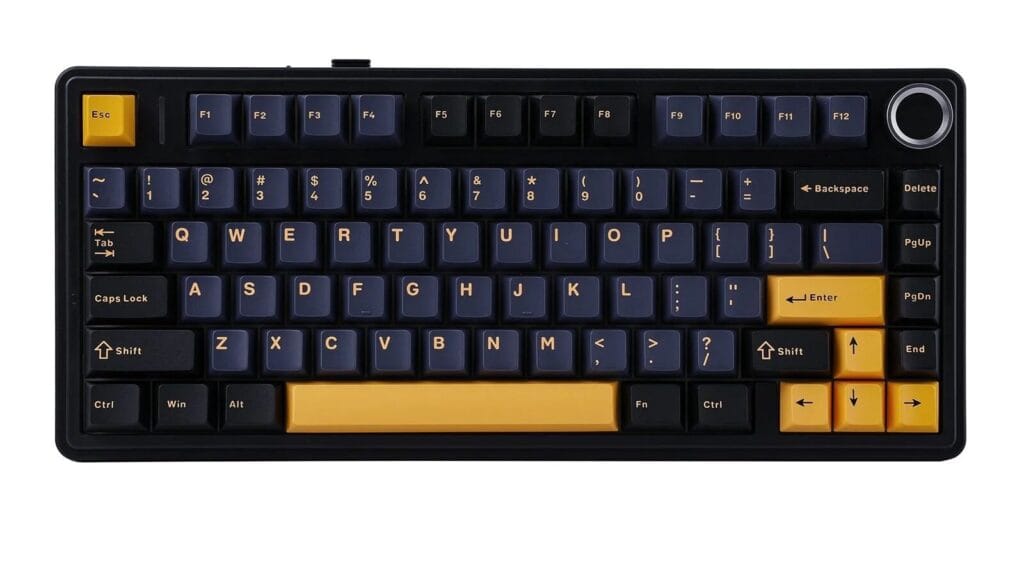
Price: ~$65–85 | Layout: 75% | Connection: Tri-mode (Bluetooth, 2.4GHz, USB-C)
The Aula F75 has become one of the most talked-about budget mechanical keyboards in recent years, offering features that were once reserved for enthusiast boards. It combines a gasket-mounted design, factory-lubed switches, hot-swappable sockets, and tri-mode wireless connectivity while staying comfortably under the $100 mark.
Typing feels surprisingly refined thanks to the pre-lubed stabilizers and sound-dampening layers inside the case. The board delivers a deeper, more premium sound profile than most competitors in its price range. Wireless performance is reliable for everyday gaming, and the battery life is strong enough to last weeks between charges with moderate use.
The software isn’t as polished as some premium competitors, and customization options are somewhat limited compared to VIA-compatible boards. Even so, the overall package offers exceptional value for gamers who want enthusiast-style features without spending enthusiast-level money.
Pros:
- Gasket-mounted design
- Hot-swappable 5-pin sockets
- Tri-mode wireless connectivity
- Factory-lubed switches and stabilizers
- Excellent typing sound and feel
Cons:
- Software could be better
- VIA/QMK support unavailable
- RGB customization is more limited than premium boards
- Slightly heavier than typical budget keyboards
Best for: Gamers who want premium enthusiast-style features, wireless connectivity, and a refined typing experience without exceeding a $100 budget.
5. Redragon K552 — Most Durable Ultra-Budget Pick
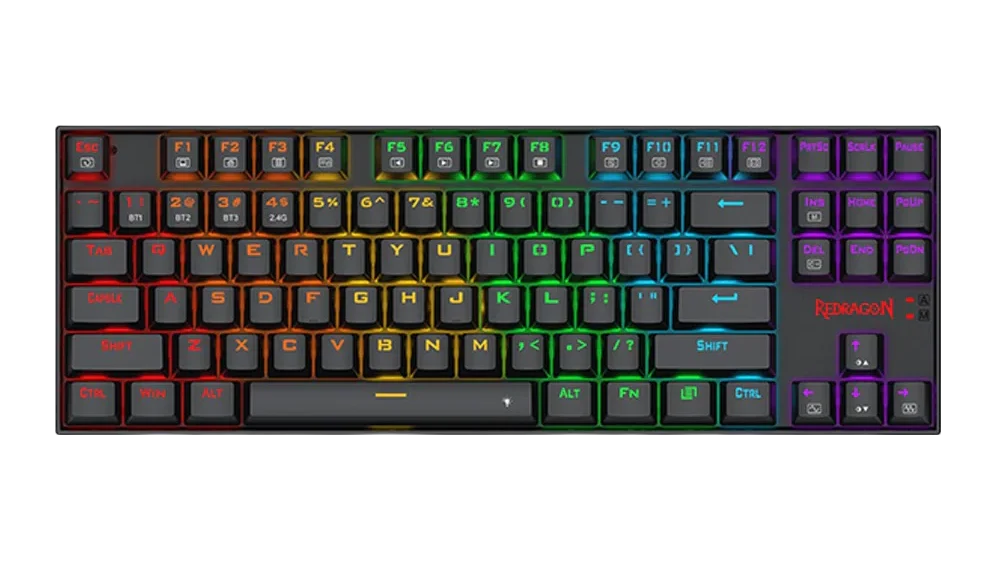
Price: ~$30–50 | Layout: TKL (87 keys) | Connection: Wired (USB)
For anyone on an extremely tight budget, the Redragon K552 is still standing strong in 2026. Across expert reviews and community discussions, it consistently earns praise for its metal top plate durability at a price point where most competitors use all-plastic. Full N-key rollover and three switch options (Blue, Red, Brown) cover the bases.
The downside is everything else. No hot-swap. ABS keycaps that wear quickly. Loud stabilizers. RGB lighting that’s bright but not particularly elegant. In 2026, paying $10–15 more for an RK87 is almost always worth it — but for an absolute beginner who just needs a functional mechanical keyboard, the K552 does the job.
Pros:
- Metal top plate for excellent durability
- Full N-key rollover (anti-ghosting)
- Splash-resistant design
- Extremely affordable entry point
Cons:
- No hot-swap support
- Loud, unlubed stabilizers
- ABS keycaps shine with use
- No wireless option
Best for: First-time mechanical keyboard buyers on the tightest possible budget.
Comparison Table: Best Gaming Keyboards Under $100
| Keyboard | Price | Layout | Switch Type | Hot-Swap | Wireless | Best For |
|---|---|---|---|---|---|---|
| Keychron V3 | $65–75 | 75% | Mechanical | ✅ | ❌ | Best Overall |
| RK87 | $50–65 | TKL | Mechanical | ✅ | ✅ (Tri-mode) | Best Wireless Value |
| SteelSeries Apex 3 TKL | $40–50 | TKL | Membrane | ❌ | ❌ | Best Budget/Quiet |
| AULA F75 | $65–85 | 75% | Mechanical | ✅ | ✅ | Best Premium Value |
| Redragon K552 | $30–50 | TKL | Mechanical | ❌ | ❌ | Ultra-Budget Pick |
The Bottom Line: Which One Should You Buy?
If you only read one recommendation: get the Keychron V3. It offers the most premium-feeling experience at its price, hot-swap sockets, VIA software support, and a build quality that easily justifies the $65–75 spend.
Need wireless? The RK87 is your answer. No other keyboard in this price range matches its tri-mode connectivity and reliability.
On a tight budget? The SteelSeries Apex 3 TKL for quiet setups, or the Redragon K552 if you want mechanical under $40.
Want premium features without exceeding your budget? The Aula F75 delivers gasket mounting, hot-swappable switches, tri-mode wireless connectivity, and a surprisingly refined typing experience for the price.
The $100 ceiling in 2026 is genuinely exciting territory. You don’t need to spend more to play better — you just need to spend smarter. Pick your priority, choose from this list, and get back to gaming.
Want the best value? Browse our Best Gaming Keyboards for Every Budget guide and find a keyboard that matches both your gaming style and your budget.
People Also Ask For
Yes. Most budget mechanical keyboards offer gaming performance similar to much more expensive models. Unless you’re a professional esports player, the difference is rarely noticeable.
Mechanical keyboards are generally better for gaming due to their consistent feel and faster response. Membrane keyboards are quieter and cheaper but tend to feel less precise over time.
A hot-swappable keyboard lets you change switches without soldering. It’s a valuable feature that makes customization and switch replacement quick and easy.
TKL and 75% layouts are the most popular for gaming because they save desk space while keeping essential keys. Many competitive players prefer these smaller layouts.
Linear switches are the top choice for FPS gaming because they provide smooth, fast keystrokes. Red and speed-focused switches are especially popular among competitive players.