

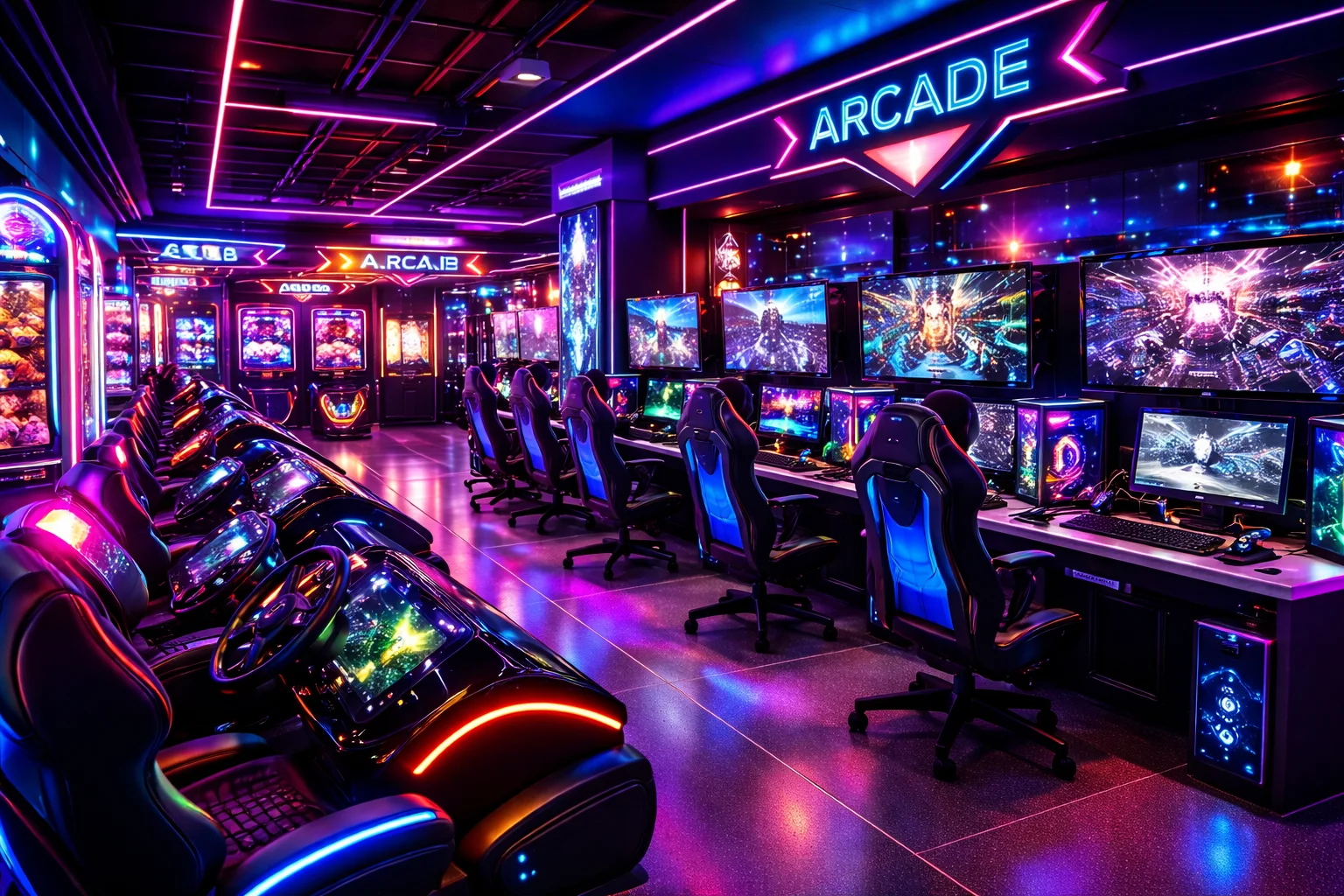
A gaming zone is a place where you can play games on powerful PCs, consoles, or VR equipment without setting everything up at home. I have visited gaming zones where a few friends could sit together, pick a game, and start playing within minutes.
This is one of the biggest reasons gamers prefer them over playing alone at home. Some gaming zones focus on PS5 gaming, while others offer gaming PCs, VR setups, or competitive esports equipment.
In this article, we will look at what a gaming zone is, what equipment it uses, how much it costs, and what to expect.
Key Takeaways
- Gaming zones offer PCs, consoles, VR, and arcade games.
- You can play games without buying expensive equipment.
- Gaming zones usually charge players by the hour.
- Different gaming zones offer different games and equipment.
- You can also set up a gaming zone at home.
What Is a Gaming Zone?
A gaming zone is a dedicated place where people can play video games using gaming PCs, consoles, or virtual reality equipment. It can be a small gaming area with a few stations or a large commercial venue with dozens of gaming setups.
Most commercial gaming zones charge players by the hour. Some also offer memberships, multiplayer gaming, tournaments, snacks, and other activities. A gaming zone can be a good option if you want to play games with friends without buying expensive gaming equipment for your home.
What Are the Types of Gaming Zones?
Gaming zones can be built around different types of gaming hardware and experiences. Some focus on PC gaming, while others are designed mainly for consoles or VR.
Casual Gaming Lounge
A casual gaming lounge is designed for relaxed gaming rather than serious competition. It may have PCs, consoles, TVs, and comfortable seating where players can enjoy games without focusing on tournaments or high-end equipment.
These lounges are suitable for friends who want to spend a few hours playing games together. They may offer sports, racing, fighting, adventure, and multiplayer games.
Esports Gaming Zone
An esports gaming zone is built mainly for competitive gaming. It usually has powerful gaming PCs or consoles, high-refresh-rate monitors, gaming keyboards and mice, and fast internet.
These gaming zones may host tournaments where players compete against each other in games such as Counter-Strike 2, Valorant, Dota 2, League of Legends, or other competitive titles.
Esports gaming zones and casual gaming lounges can offer different gaming experiences and facilities. To know more about their differences, I encourage you to read my guide on “Esports Gaming Zone Vs Gaming Lounge”. This guide will help you understand which setup is more focused on competitive gaming and which is better suited to casual play.
VR Gaming Zone
A VR gaming zone lets players use virtual reality headsets to play games in an interactive 3D environment. Instead of controlling everything with a keyboard or regular controller, you can move your head and hands to interact with the game.
These gaming zones usually have a clear area where players can move around safely. They may offer VR shooting games, racing games, sports games, horror games, and other experiences.
Arcade Gaming Zone
An arcade gaming zone focuses on arcade machines and short, fun gaming experiences. Instead of sitting at a PC or console, players usually interact directly with the machine using buttons, joysticks, steering wheels, or other controls.
You can find racing machines, shooting games, fighting games, basketball games, dance games, and classic arcade titles. Some arcade zones also have ticket-based games where players can win points or tickets and exchange them for prizes.
PS5 Gaming Zone
This gaming zone is designed around PlayStation 5 consoles. The PS5 gaming zone equipment usually includes a PS5, a TV or gaming monitor, controllers, headphones, and a comfortable chair or sofa.
These zones are popular for multiplayer games because several players can sit together and play games such as EA Sports FC, Mortal Kombat, Tekken, Call of Duty, and other local or online multiplayer titles.
Cyber Hub Gaming Zone
A cyber hub gaming zone usually focuses on PC gaming and can have several high-performance computers connected to the same network. Players can use these PCs for competitive multiplayer games, online gaming, and esports titles.
These zones are often designed for groups of friends who want to play together. A cyber hub may also have fast internet, gaming peripherals, private rooms, and tournament areas.
Comparing the Major Gaming Zone Types
| Type of Gaming Zone | Main Focus | Common Equipment | Best For |
|---|---|---|---|
| VR Gaming Zone | Virtual reality gaming | VR headsets, motion controllers | Immersive gaming experiences |
| Arcade Gaming Zone | Arcade-style games | Arcade machines, joysticks, steering wheels | Quick and social gaming |
| PS5 Gaming Zone | Console gaming | PS5, TVs/monitors, controllers, headsets | Multiplayer console gaming |
| Cyber Hub Gaming Zone | PC gaming | Gaming PCs, keyboards, mice, headsets | Online and multiplayer gaming |
| Casual Gaming Lounge | Relaxed gaming | PCs, consoles, TVs, comfortable seating | Casual gaming with friends |
| Esports Gaming Zone | Competitive gaming | High-end PCs/consoles, high-refresh monitors, gaming peripherals | Tournaments and competitive players |
Major Features of a Gaming Zone
A gaming zone can have different features depending on its size, budget, and target players. Common features include:
- Multiple gaming PCs or consoles
- Gaming monitors or large TVs
- Comfortable gaming chairs or sofas
- Gaming keyboards, mice, and controllers
- Headsets for game audio and voice chat
- Fast and stable internet
- Multiplayer gaming setups
- Air conditioning or good ventilation
- Proper lighting
- Separate areas for PC, console, or VR gaming
- Food and drinks in some gaming zones
- Private rooms for groups
- Gaming tournaments and competitions
- Membership or hourly gaming packages
Equipment Used in Gaming Zones
A gaming zone needs several types of equipment to give players a smooth and comfortable experience. The exact setup depends on whether it focuses on PC gaming, consoles, VR, or a mix of different gaming systems.
Gaming PCs
PC gaming zones use gaming computers with capable processors, enough RAM, and dedicated graphics cards. The hardware of these gaming PCs usually depends on the games offered by the gaming zone.
Gaming Consoles
Console gaming zones commonly use PS5 or Xbox consoles with controllers. Some gaming zones also keep extra controllers so multiple players can play together.
Gaming Monitors and TVs
PC stations usually use gaming monitors with good refresh rates and response times. Console stations may use larger TVs or monitors, especially for multiplayer games.
Gaming Keyboards and Mice
PC gaming stations need keyboards and mice for controlling games. Gaming zones usually choose durable models because many different players use the same equipment.
Gaming Headsets
Headsets provide clear game audio and allow players to communicate with teammates. They also help prevent game sounds from disturbing other players.
Since this is one of the most important pieces of equipment, owners usually pick the best gaming headsets in order to provide clear audio and comfortable communication during gaming sessions.
Gaming Chairs and Desks
PC gaming stations need desks and comfortable chairs. The desk should have enough space for the monitor, keyboard, mouse, and other accessories.
VR Equipment
VR gaming zones use VR headsets and motion controllers to create an interactive gaming experience. They also need enough open space so players can move around safely.
Internet and Networking Equipment
A reliable internet connection is important for online multiplayer games. Gaming zones may use routers, network switches, and Ethernet cables to connect multiple gaming stations.
Power and Cooling Equipment
Power strips and surge protectors help connect and protect gaming equipment. Gaming zones also need proper ventilation or air conditioning because several PCs and consoles can produce a lot of heat.
Games Available in a Gaming Zone
Gaming zones usually offer a mix of game genres so players can choose something based on their interests. The exact selection depends on the gaming zone’s PCs, consoles, and available game library.
Action Games
Action games focus on combat, shooting, exploration, and fast-paced gameplay. Popular examples include Grand Theft Auto V, Call of Duty, God of War, and Spider-Man.
Sports Games
Sports games let you play football, basketball, cricket, racing, and other sports digitally. EA Sports FC, NBA 2K, WWE 2K, and F1 are common choices in gaming zones.
Fighting Games
Fighting games are especially popular for local multiplayer sessions. Games such as Tekken, Mortal Kombat, and Street Fighter let two or more players compete against each other.
Racing Games
Racing games are a good choice for players who enjoy cars, bikes, and competitive driving. Gaming zones may offer games such as Forza Horizon, Gran Turismo, F1, and Need for Speed.
Adventure Games
Adventure games focus more on exploration, story, puzzles, and discovering new areas. Examples include Uncharted, Tomb Raider, Red Dead Redemption 2, and Assassin’s Creed.
Multiplayer and Esports Games
Gaming zones often keep popular competitive games for players who want to play online with friends or compete against other players. These can include Counter-Strike 2, Valorant, Dota 2, Fortnite, and League of Legends.
VR Games
VR gaming zones offer games designed specifically for virtual reality headsets. These can include shooting, horror, sports, racing, and multiplayer VR games that allow players to interact with the game using motion controllers.
How Much Does It Cost to Play Games in a Gaming Zone?
The cost depends on different factors such as the type of gaming zone, location, equipment, and type of game you want to play.
Another major factor that can affect the hourly price is the gaming zone setup cost. It’s because when owners spend more on high-end equipment, larger spaces, and better facilities, they may need to charge more to cover their costs.
Typical US hourly rates:
- Casual gaming lounge: $5–$10
- Esports zone: $8–$15
- PS5 gaming zone: $6–$12 ($10–$20 for private rooms)
- Arcade: $0.50–$2 per game, or $15–$25 unlimited-play passes
- VR gaming zone: $10–$25 (up to $35 for multiplayer)
- Cyber hub/PC gaming café: $5–$12
Multi-hour packages and memberships often lower the effective rate. For example, a five-hour package might cost $30 instead of $40 at the full hourly price. Prices vary by city and venue, so check current rates before visiting.
Pros & Cons of a Gaming Zone
Pros
- No need to buy expensive gaming hardware
- Play with friends in the same place
- Access powerful gaming PCs and consoles
- Try different games
- Meet other gamers
Cons
- Hourly costs can become expensive
- Gaming zones can get crowded
- You have limited playing time
- Equipment is shared with others
- You need to travel to the gaming zone
How to Pick the Right Gaming Zone to Join?
The right gaming zone depends on the games you want to play, the equipment you need, and how much you want to spend. Check these things before choosing one:
- Check the available games: Make sure the gaming zone has the games you actually want to play.
- Look at the hardware: Check the PC specifications, console models, monitors, controllers, and other equipment.
- Compare prices: Look at hourly rates and longer packages instead of checking only the basic price.
- Check the internet: A stable connection is important for online multiplayer games.
- Consider the location: A nearby gaming zone can be more convenient if you plan to visit regularly.
- Check the environment: The space should be clean, comfortable, and properly ventilated.
- Look at reviews: Reviews can give you an idea about the equipment, staff, cleanliness, and overall experience.
- Ask about peak hours: Some gaming zones can get crowded during evenings, weekends, and holidays.
Can You Set Up a Gaming Zone in Home?
Yes, you can set up a gaming zone at home without having a separate gaming room. A small desk with a gaming PC or console, a monitor or TV, a comfortable chair, and the right accessories can be enough to create a basic gaming zone.
If you have more space and budget, you can add multiple monitors, better lighting, speakers, extra controllers, gaming furniture, and other accessories. You can also create a small multiplayer area with multiple consoles or PCs. The important thing is to choose equipment that fits your available space and budget instead of trying to copy a large commercial gaming zone.
Gaming Zone vs Gaming Room
A gaming zone and gaming room can serve the same purpose, but they are not necessarily the same thing.
A gaming room usually means an entire room dedicated to gaming. It may contain one or several gaming setups along with gaming furniture, decorations, and accessories.
A gaming zone can be much smaller. It can be a single corner of your bedroom, a desk in your living room, or a commercial venue with many gaming stations. In simple terms, every gaming room can be a gaming zone, but a gaming zone does not have to be an entire room.
Final Thoughts
A gaming zone gives you a place to play games without having to build an expensive setup at home. It can be as simple as a few gaming PCs or PS5 stations or as specialized as a VR or esports venue.
Before joining one, check its games, equipment, prices, location, and overall environment. If you have enough space at home, you can also create your own gaming zone with the equipment that fits your budget.
