If you’re shopping for a 1080p gaming laptop in 2026, you’re in a better position than you might think. While 1440p displays have been stealing headlines, there’s a very strong case for sticking with Full HD — especially when high frame rates, better battery life, or a budget under $1,000 are the priority.
Independent benchmark data from 2026 confirms that 1080p still delivers an excellent experience when paired with the right GPU. This guide breaks down the best options, what specs actually matter, and when it makes sense to pay up for higher resolution.
Quick Recommendations
No time to read everything? Here are the top picks at a glance:
| # | Laptop | Best For | Price |
|---|---|---|---|
| 🏆 Best Overall | ASUS TUF Gaming F16 (2026) | Most balanced 1080p package under $1,000 | ~$999 |
| 💰 Best Budget | Acer Nitro V 16 AI | Battery life + portability on a tight budget | ~$699 |
| ⚡ Best Value | Lenovo LOQ 15 | Full 115W RTX 4060 at a mid-range price | ~$749 |
| 🎮 Best Esports | MSI Katana 15 HX | Competitive gaming with effective thermals | ~$999 |
For the full breakdown of each laptop — specs, real-world performance, pros, and cons — keep reading below.
Is a 1080p Gaming Laptop Still Worth It in 2026?
Short answer: yes — and not just as a budget compromise.
For competitive gaming (think Valorant, CS2, Fortnite, Apex Legends), 1080p is the preferred resolution. The GPU isn’t straining to push millions of extra pixels, which means hitting those 144Hz or 165Hz refresh rates happens far more consistently. Higher frame rates translate directly into better response times and smoother target tracking — a real, measurable competitive advantage.
Mid-range GPUs also get far more breathing room at 1080p. An RTX 5050 or RTX 5060 laptop chip can max out most esports titles without breaking a sweat. Pair that with DLSS 4 — NVIDIA’s AI-powered upscaling — and even demanding AAA games run impressively well.
The other overlooked benefit is battery life. Laptops running at 1080p draw less power than those pushing a 1440p panel, which matters when gaming away from an outlet. For a deeper look at battery performance across models, gaming laptops with the best battery life is worth a read.
Where 1080p shows its age is on larger screens. A 17-inch panel at 1080p can look noticeably soft up close. For that reason, 1080p is best suited to 15.6-inch or smaller displays — the sweet spot for pixel density.
1080p vs 1440p Gaming Laptop: Which One Should You Buy?
The most common question in this category, and the honest answer, depends entirely on what you play.
Choose 1080p if:
- Frame rate matters more than visual fidelity (competitive gaming at 144Hz+)
- Playing on a 15.6-inch screen where pixel density is still sharp
- Budget is under $1,000
- Battery life is a priority
Choose 1440p if:
- The game library leans toward story-driven, visually rich titles (RPGs, open-world games)
- The display doubles for work and media
- The GPU is an RTX 5070 or higher — 1440p asks significantly more from the hardware
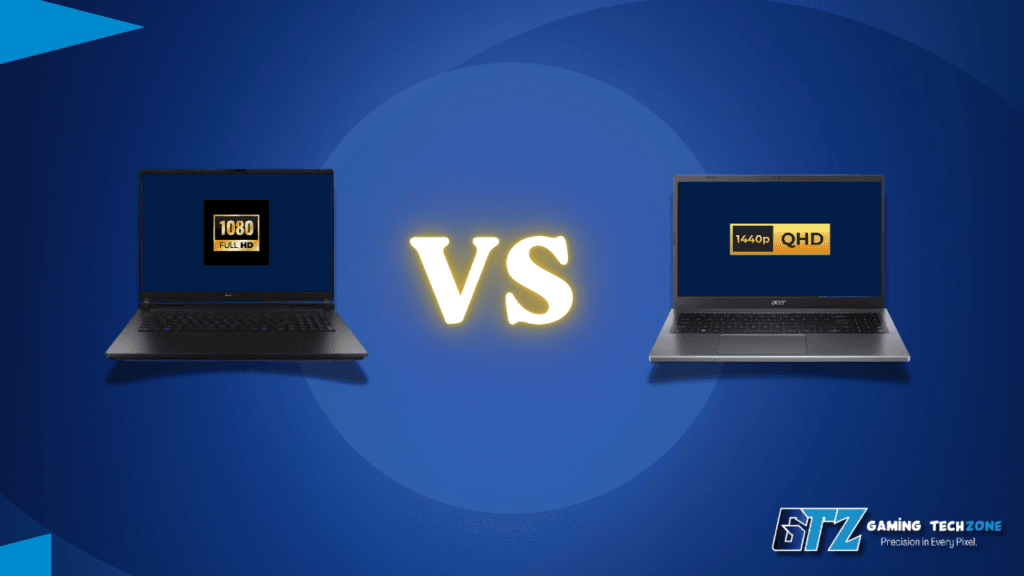
At 15.6 inches, 1080p sits at around 141 PPI — plenty sharp at normal desk distances. The difference becomes visible on 16-inch or 17-inch panels, where 1440p offers a noticeably cleaner image. For anyone weighing resolution alongside the 4K end of the spectrum, 4K gaming on a laptop covers that comparison in full.
One practical reality worth knowing: the TGP (Total Graphics Power) ceiling in budget 1080p laptops is far less punishing. An RTX 5060 at 115W runs freely at 1080p. That same chip starts to feel strained at native 1440p without DLSS doing heavy lifting.
Who Should Buy a 1080p Gaming Laptop?
Not every gamer needs a 1440p display or a flagship GPU. These are the buyer profiles that benefit most from a 1080p gaming laptop in 2026.
Competitive and esports players:
- Best for esports games like Valorant, CS2, Fortnite, and Apex Legends.
- Higher FPS: A 1080p display helps mid-range GPUs consistently reach 200+ FPS.
- Smoother competitive gameplay with lower input latency.
- Better value: Delivers stronger performance than a similarly priced 1440p setup.
- Ideal for competitive players who prioritize frame rates over higher resolution.
First-time PC gamers:
- Budget-friendly: No need to spend $1,500 to start PC gaming.
- $600–$800 is enough for a solid 1080p gaming laptop.
- Runs beginner-friendly games like Minecraft, Roblox, and GTA V with ease.
- Handles most modern games at playable settings.
- Great for first-time gamers who want the best value.
- Still unsure? Read Gaming Laptop vs Normal Laptop to understand the key differences.
Students and commuters:
- Better battery life thanks to lower power consumption.
- Up to 8–12 hours of light-use battery life on some models.
- Lasts through a full day of classes or work.
- Slimmer and lighter than most high-end gaming laptops.
- Easier to carry for school, college, or travel.
Budget buyers under $1,000:
- Best value range: $700–$1,000 offers the strongest price-to-performance.
- RTX 4060 or RTX 5060 delivers excellent 1080p gaming performance.
- 144–165Hz displays provide smooth, responsive gameplay.
- Better GPU performance than similarly priced 1440p laptops.
- Avoid budget 1440p models that sacrifice GPU power for higher resolution.
Casual to mid-level gamers:
- Ideal for AAA gaming at high settings.
- RTX 5060 handles modern games with ease at 1080p.
- Expect 60–100+ FPS in most 2025–2026 AAA titles.
- No need for Ultra settings to enjoy smooth gameplay.
- Great balance of performance, visuals, and value.
Buying Guide: What to Look for in a 1080p Gaming Laptop
GPU and TGP:
- Check TGP, not just the GPU model.
- Higher TGP = better gaming performance.
- An RTX 5060 at 115W outperforms an 80W version.
- Always verify TGP in the laptop specifications.
Display Refresh Rate:
- Choose at least a 144Hz display for smooth gaming.
- 165Hz–180Hz panels offer even better responsiveness.
- Mid-range GPUs can fully utilize high refresh rates at 1080p.
RAM Configuration:
- 16GB DDR5 is the recommended standard.
- Use dual-channel RAM for smoother frame rates.
- Avoid single-stick memory if possible.
Storage:
- 512GB SSD fills up quickly with modern games.
- Prefer a 1TB SSD for more storage.
- Look for an extra M.2 slot for future upgrades.
Cooling & Sustained Performance:
- Good cooling keeps FPS stable during long gaming sessions.
- Dual fans and multiple heat pipes improve sustained performance.
- Better cooling means higher average GPU clock speeds.
Screen Size & Pixel Density:
- 15.6-inch displays provide the sharpest 1080p image.
- 16-inch 16:10 panels offer more vertical workspace.
- Choose based on your preference for sharpness or extra screen space.
What GPU Do You Need for 1080p 60 fps Gaming?
For smooth 1080p 60 FPS gaming in modern AAA titles, an RTX 5050 or RTX 4060 is the minimum recommendation. If you’re targeting 144Hz+ gameplay, the RTX 5060 is the best choice in 2026, especially with DLSS 4 enabled. Its 8GB GDDR7 VRAM is sufficient for 1080p today, though it may become a limitation in future games beyond 2027.
Top Picks: Best 1080p Gaming Laptops in 2026
Each pick below is evaluated on real-world benchmark data, display quality, thermal performance, and value for money — not just spec sheets.
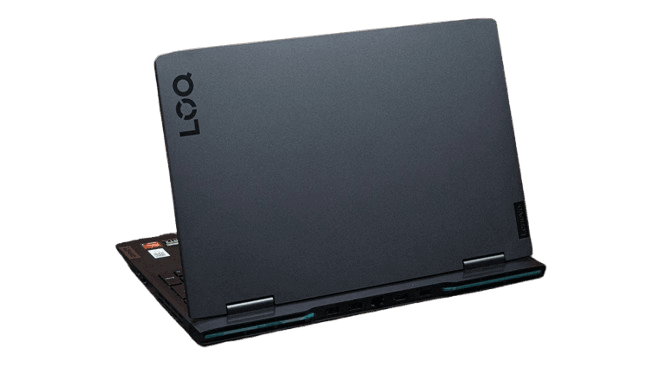
1. Lenovo LOQ 15
Specs: AMD Ryzen 7 7435HS / NVIDIA RTX 4060 (115W) / 16GB DDR5 / 512GB SSD / 15.6-inch 144Hz FHD Starting Price: ~$749–$849
The Lenovo LOQ 15 is an excellent 1080p gaming laptop, offering stable RTX 4060 (115W TGP) performance and smooth gameplay in modern AAA titles. Its 144Hz IPS display, efficient cooling, and solid build quality make it a great value for gamers.
Worth noting: base configurations ship with a single-channel 16GB RAM stick. Switching to dual-channel makes a measurable difference in frame rate consistency — a $30–$40 upgrade that pays off immediately.
Pros:
- Full 115W RTX 4060 TGP at this price is rare
- Solid thermal performance under sustained load
- Good port selection including RJ-45
Cons:
- Single-channel RAM by default (needs upgrade)
- 512GB SSD fills up fast with modern game installs
- Display brightness could be higher
Best for: Budget-conscious buyers who want consistent, reliable 1080p performance without overpaying.
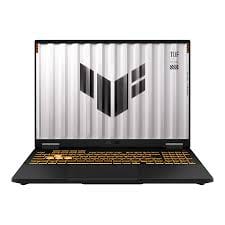
2. ASUS TUF Gaming F16 (2026)
Specs: Intel Core i7-14650HX / NVIDIA RTX 5060 (115W) / 16GB DDR5 / 1TB SSD / 16-inch FHD+ 165Hz Starting Price: ~$899–$999
The ASUS TUF Gaming F16 offers outstanding value with its 115W RTX 5060, 165Hz FHD+ display, and durable MIL-STD-810H build. It delivers excellent 1080p gaming performance, though the 1TB SSD model is the better choice over the 512GB version.
Pros:
- 16:10 FHD+ display is a genuine upgrade over standard FHD
- Excellent thermal performance under sustained gaming load
- Military-grade MIL-STD-810H durability rating
- Great keyboard with solid key travel
Cons:
- Battery life is short under gaming load
- Entry config ships with only 512GB SSD
- Slightly heavier at 5+ lbs for a 16-inch
Best for: Gamers who want a durable, well-built machine that handles 1080p comfortably today with room to grow.
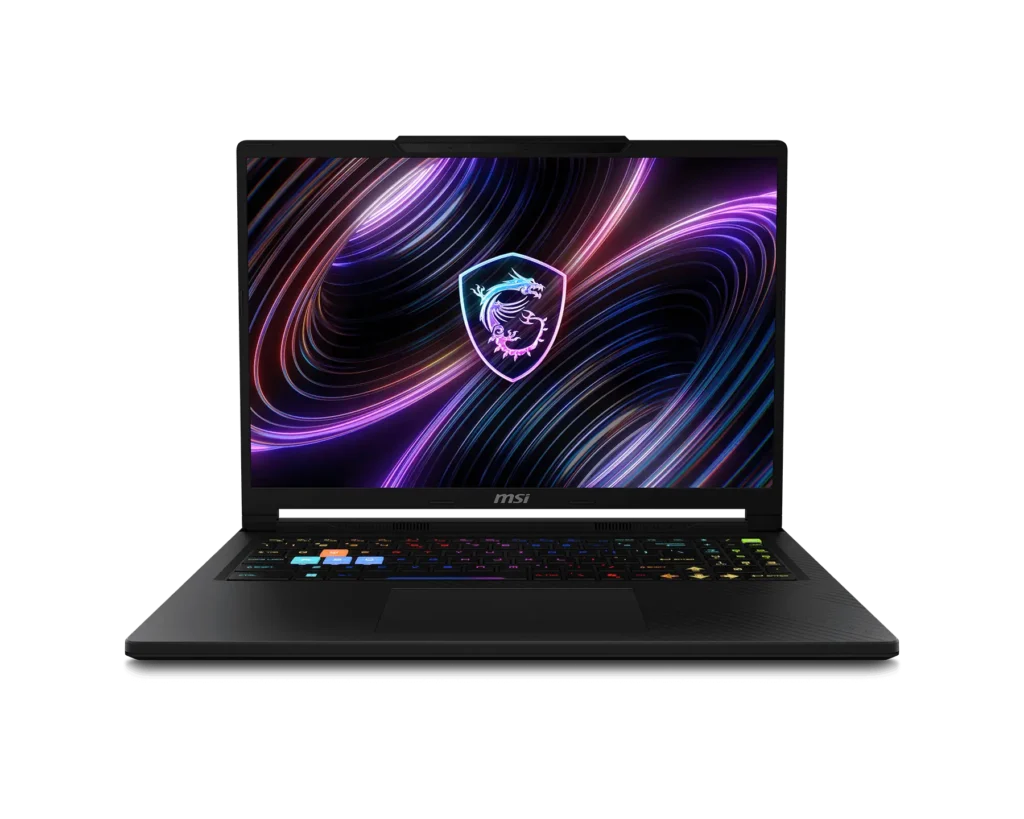
3. MSI Katana 15 HX
Specs: Intel Core i7-14650HX / NVIDIA RTX 5050 (115W) / 16GB DDR5 / 512GB SSD / 15.6-inch 144Hz FHD Starting Price: ~$999
The MSI Katana 15 HX is a great choice for 1080p esports gaming, delivering high frame rates with the RTX 5050, reliable cooling, and a smooth 144Hz display. While it handles AAA games well at medium-to-high settings, an RTX 5060 model is a better option for Ultra settings.
Pros:
- Cooler Boost 5 thermal design handles sustained gaming well
- 4-zone RGB backlit keyboard
- Smooth esports performance at 1080p
- Wi-Fi 6 included
Cons:
- RTX 5050 hits a ceiling in AAA titles at ultra settings
- 512GB SSD is cramped for a modern game library
- Display brightness and color coverage are average
Best for: First-time buyers and esports players who primarily play fast-paced competitive titles.
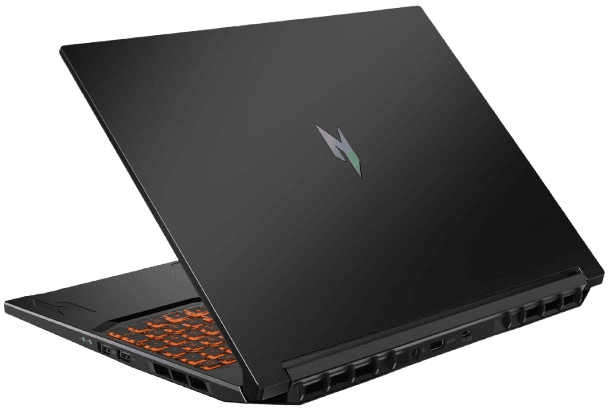
4. Acer Nitro V 16 AI
Specs: AMD Ryzen 5 240 / NVIDIA RTX 5050 / 16GB LPDDR5 / 512GB SSD / 16-inch 1920×1200 180Hz IPS Starting Price: ~$699–$799
The Acer Nitro V 16 AI is one of the best budget 1080p gaming laptops, featuring a 180Hz 16:10 display, impressive 8–12 hour battery life, and solid RTX 5050 performance. It excels in esports and handles AAA games at medium settings, making it an excellent value under $700.
Pros:
- Exceptional battery life for a gaming laptop
- 180Hz 16:10 display at a budget price is rare
- Lightweight and genuinely portable
- Competitive with RTX 5060 laptops in select titles
Cons:
- RTX 5050 struggles at ultra settings in heavy AAA titles
- 512GB SSD is too small for a larger game library
- Audio is mediocre
Best for: Students, commuters, or anyone who needs a gaming machine that works as an all-day laptop too.
Comparison Table
| Laptop | GPU | Display | Refresh Rate | RAM | Price | Best For |
|---|---|---|---|---|---|---|
| Lenovo LOQ 15 | RTX 4060 (115W) | 15.6″ FHD | 144Hz | 16GB DDR5 | ~$749 | Best Overall Value |
| ASUS TUF Gaming F16 | RTX 5060 (115W) | 16″ FHD+ | 165Hz | 16GB DDR5 | ~$999 | Build Quality + Performance |
| MSI Katana 15 HX | RTX 5050 (115W) | 15.6″ FHD | 144Hz | 16GB DDR5 | ~$999 | Esports / Entry-Level |
| Acer Nitro V 16 AI | RTX 5050 | 16″ FHD+ | 180Hz | 16GB LPDDR5 | ~$699 | Budget + Battery Life |
How These Laptops Are Selected
Every laptop on this list is evaluated on real-world benchmark performance across multiple game titles — not just peak results. Sustained GPU and CPU behavior under gaming load, thermal throttling patterns, and display quality are all measured.
Benchmark data from Tom’s Hardware, Notebookcheck, and PCGamer is cross-referenced to corroborate results. Practical considerations also factor in keyboard feel, port layout, fan noise under load, and build quality. A laptop earns a spot only when it offers clear, demonstrable value at its price point.
People Also Ask For
Yes, especially on screens 15.6 inches or smaller. At that size, 1080p delivers around 141 PPI — sharp enough that most players won’t notice pixelation. For competitive gaming at high refresh rates, 1080p remains the preferred resolution in 2026.
An NVIDIA RTX 5050 or RTX 4060 (laptop) is enough for stable 60 fps in all current titles at high settings. For 1080p at 144 fps in demanding games, the RTX 5060 at 115W TGP or higher is the target.
It depends on the use case. At 1080p, the GPU runs at higher frame rates with better thermal efficiency, which matters for competitive play. At 1440p, image quality is noticeably sharper — but a more powerful and expensive GPU is required to drive it well. For buyers under $1,000, 1080p is the smarter choice.
16GB DDR5 is the standard in 2026 and sufficient for gaming. For streaming, content creation, or running multiple applications alongside games, 32GB is worth considering.
Yes. The laptops above handle video editing, light photo work, and streaming setups without issue. The RTX 5060 in particular benefits from CUDA-accelerated workflows in DaVinci Resolve and Premiere Pro.
Final Words for The 1080p Gaming Laptop
A 1080p gaming laptop in 2026 isn’t a budget compromise — it’s a deliberate choice that prioritizes frame rate, battery life, and value over raw pixel count. Whether the priority is an esports machine that maxes out refresh rates or a portable laptop that handles a full day of class and gaming, there’s a strong option at every price point covered above.
The top overall pick is the ASUS TUF Gaming F16 — the 165Hz FHD+ display, full-power RTX 5060, durable build, and 1TB storage make it the most complete package at this price. For tighter budgets, the Acer Nitro V 16 AI delivers a genuinely impressive experience for under $700.
Sources
- Tom’s Hardware – Lenovo LOQ 15 Review, ASUS TUF Gaming F16 Review (June 2026)
- Tom’s Guide – Acer Nitro V 16 AI Review (March 2026)
- PC Gamer – RTX 5060 Laptop Recommendations (April 2026)
- Newegg Insider – How to Choose the Right Gaming Laptop in 2026
- CyberPowerPC Blog – 1080p vs 1440p vs 4K Gaming in 2026
- PCWorld – Best Laptops 2026 (June 2026)