Would I actually spend $350 on a gaming keyboard? Honestly, only if the extra money gives me something I can feel or use. At this price, you’re getting features like Hall Effect switches, Rapid Trigger, 8,000Hz polling, premium materials, and more refined builds—but some of those upgrades matter far more to a competitive FPS player than they do to a casual gamer.
In this guide, I’ll look at what you really get when moving from a $150–$200 keyboard to one costing $300 or more, which features are actually useful, and where you’re simply paying for premium construction or branding. Most importantly, I’ll explain whether I’d spend the full $350 or keep the money for another part of my gaming setup.
What Makes a Gaming Keyboard Worth Buying in 2026?
Before jumping to products, here’s what actually matters at this price tier.
What Should We Choose Between Hall Effect and Mechanical Switches?
Hall Effect (magnetic) switches found in boards like the Wooting 80HE and SteelSeries Apex Pro Gen 3 use magnets instead of physical contact points. This means zero debounce delay, adjustable actuation (down to 0.1mm), and features like Rapid Trigger and SOCD handling.
For competitive gaming, they’re the current standard. However, for casual gaming or productivity, a premium mechanical keyboard still makes plenty of sense.
Which Polling Rate is Best?
1,000Hz (1ms) is fine for most players. But true 8,000Hz polling available on several boards in this price range — reduces average input latency to around 0.125ms. That said Real-world gains are subtle but measurable in high-level competitive play.
Which Layout Should We Prioritize?
Full-size boards give you everything; compact 75% and TKL boards give your mouse more room to breathe. For FPS gaming at low sensitivity, desk space is not a luxury.
Should We Care About Software?
This is where brands lose points fast. Bloated desktop apps, mandatory accounts, and constant update prompts kill the experience. Browser-based configurators (like Wooting’s Wootility) are the gold standard right now.
⚠️2026 Competitive Rule Warning
While Hall Effect technology is 100% legal, hardware-level SOCD (Simultaneous Opposite Cardinal Directions) features like Wooting’s Rappy Snappy or Razer’s Snap Tap are currently under heavy scrutiny.
Counter-Strike 2: Valve has officially banned input automation. Using SOCD features on official servers will result in an automated match kick for “Input Automation.”
Pro Tip: You can keep Rapid Trigger active (which is legal), but you must manually toggle SOCD features OFF in your keyboard’s firmware before joining ranked queues to ensure your account remains in good standing.
The 6 Best Gaming Keyboards Under $350 (2026 Edition)
These are some of the best gaming keyboards under $350 category.
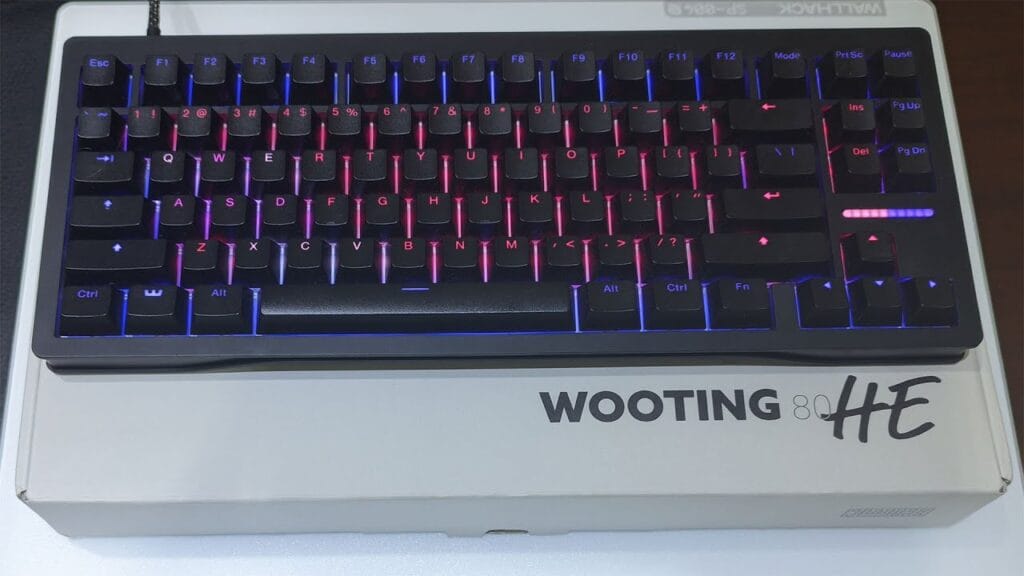
1. Wooting 80HE — Best Overall for Competitive Gamers
Price: ~$200 (ABS) / ~$290 (Zinc Alloy)
Layout: 75% | Switches: Lekker Hall Effect | Polling Rate: True 8,000Hz
If performance is the only metric you care about, the Wooting 80HE wins. Period. Its Lekker Hall Effect switches run through Wootility — a browser-based configurator that requires zero installation, works on any OS, and lets you tweak actuation points per-key down to 0.1mm.
True 8 kHz Tachyon Mode brings average input latency to around 0.125ms, making it the fastest keyboard in this guide. Rapid Trigger is genuinely best-in-class here, with real-world latency measurements of approximately 2ms versus the 7–9ms found on competing Hall Effect boards.
Rappy Snappy, Wooting’s SOCD resolution system, adds another layer of competitive precision that matters in counter-strafing scenarios.
The silicone gasket mount and polycarbonate switch plate give it a softer, “thocky” sound profile that punches well above its price.
However, where it falls short is the base ABS plastic chassis, which feels cheap for $200. You’re paying for the switches and software, and the case is clearly an afterthought.
For premium feel, the Zinc Alloy version costs significantly more. There’s also no wireless option, and if RGB aesthetics matter to you, the design is quite understated.
| ✅ Pros | ❌ Cons |
| Fastest Hall Effect latency tested | Plastic case feels budget at $200 |
| Best-in-class Wootility software | No wireless connectivity |
| True 8 kHz polling with Tachyon Mode | Understated, server-room aesthetics |
| Rapid Trigger + Rappy Snappy SOCD | Software is browser-only (no offline mode) |
Best for: Competitive CS2 / VALORANT players who want to extract every millisecond of performance.
⚙️Performance Tech Insight
True 8,000Hz (8k) polling isn’t just a marketing buzzword; it reduces the internal reporting interval from 1ms to a staggering 0.125ms. While this difference is micro, it provides a measurably smoother movement feel when paired with the 360Hz and 540Hz OLED monitors common in 2026. If you are still on a 144Hz screen, the benefit is negligible—but for ultra-high refresh rate players, 8K is the new baseline for elite play.
2. SteelSeries Apex Pro Gen 3 TKL — Best for Premium Build + HE Performance
Price: ~$250
Layout: TKL (80%) | Switches: OmniPoint 3.0 Hall Effect | Polling Rate: 8,000Hz
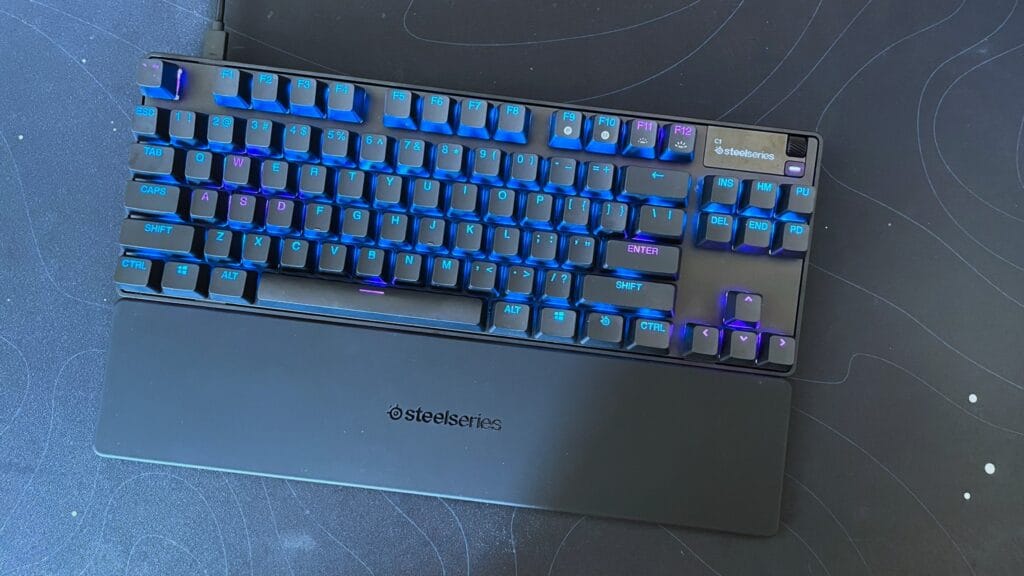
The Apex Pro TKL Gen 3 is the “safe” Hall Effect pick — and that’s not an insult. It has retail availability, a solid aluminum top plate, a programmable OLED display, and an included leatherette wrist rest.
The OmniPoint 3.0 switches support Rapid Trigger and adjustable actuation, and the build quality is noticeably more premium than the base Wooting.
That said, real-world input latency benchmarks put it at 7–9 ms in Rapid Trigger mode, meaningfully slower than the Wooting’s ~2 ms. The SteelSeries GG software is also a point of frustration.
It’s a bloated app that installs background processes, tracks gameplay, and generally overstays its welcome. For a $200+ peripheral, that’s a hard pill to swallow.
| ✅ Pros | ❌ Cons |
| Premium aluminum build | Higher latency than Wooting in RT mode |
| OLED screen is a nice extra | SteelSeries GG software is bloatware |
| Includes padded wrist rest | Wrist rest feels like a rubber afterthought |
| Wide retail availability | No Linux/Mac software support |
Best for: Gamers who want a polished, out-of-the-box Hall Effect experience with mainstream brand support.
💡Web-Admin “Set & Forget” Tip
Don’t let desktop software slow your PC down. High-end 2026 boards now emphasize On-board Profiles and Web-based configurators.
3. NuPhy Field75 HE — Best Value Hall Effect Keyboard
Price: ~$180
Layout: 75% | Switches: Hall Effect | Polling Rate: Up to 8,000 Hz
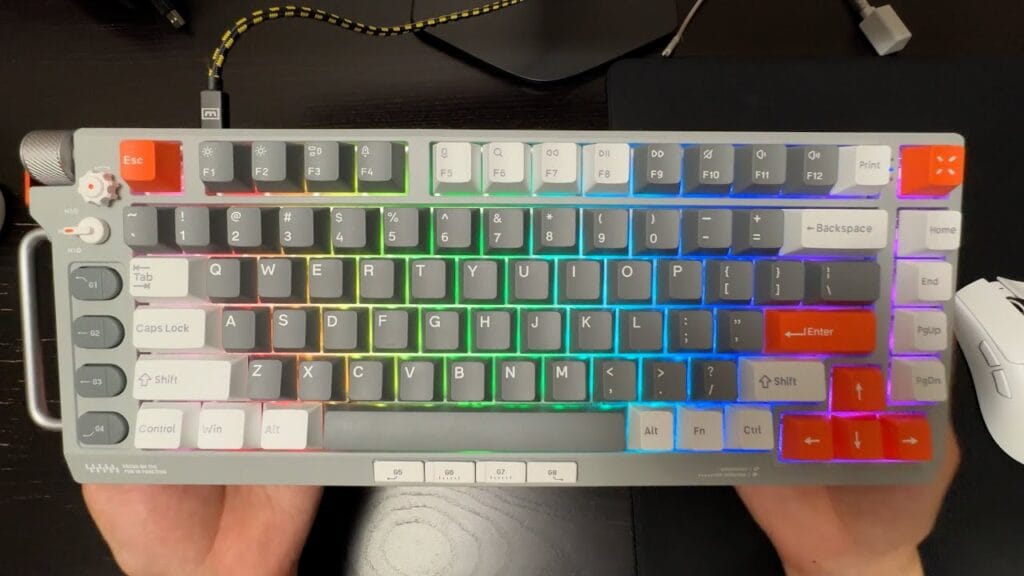
At $180, the NuPhy Field75 HE is genuinely remarkable. It packs adjustable Hall Effect actuation, multiple actuation zone configurations, 8K polling support, and Cherry profile PBT keycaps the latter being a detail that significantly improves both typing comfort and gaming precision.
The nuphy.io browser-based software is clean and functional, and the addition of programmable side buttons (8 total) makes it uniquely practical among gaming-first HE boards.
The Field75 HE’s Cherry profile keycaps are worth singling out: they’re lower, flatter, and more ergonomic than the OEM profile found on the Wooting and Apex Pro. If you game and type in equal measure, this keyboard feels better under your fingers for long sessions.
Its main drawback is that it’s wired-only and lacks the deep SOCD customization of Wooting’s Rappy Snappy. For pure competitive play, the Wooting still edges it out. But as an all-rounder at a lower price? Few keyboards touch it.
| ✅ Pros | ❌ Cons |
| Best price-to-performance in this guide | Wired only |
| Cherry profile PBT keycaps | Limited SOCD modes vs Wooting |
| Programmable shortcut buttons | Not as widely available at retail |
| Clean browser-based software | Hall Effect hot-swap is still switch-brand limited |
Best for: Gamers who also type a lot and want a do-everything Hall Effect board under $200.
4. Corsair Vanguard Pro 96 — Best 96% Layout Option
Price: ~$230
Layout: 96% | Switches: Corsair Magnetic Hall Effect | Polling Rate: 8,000Hz
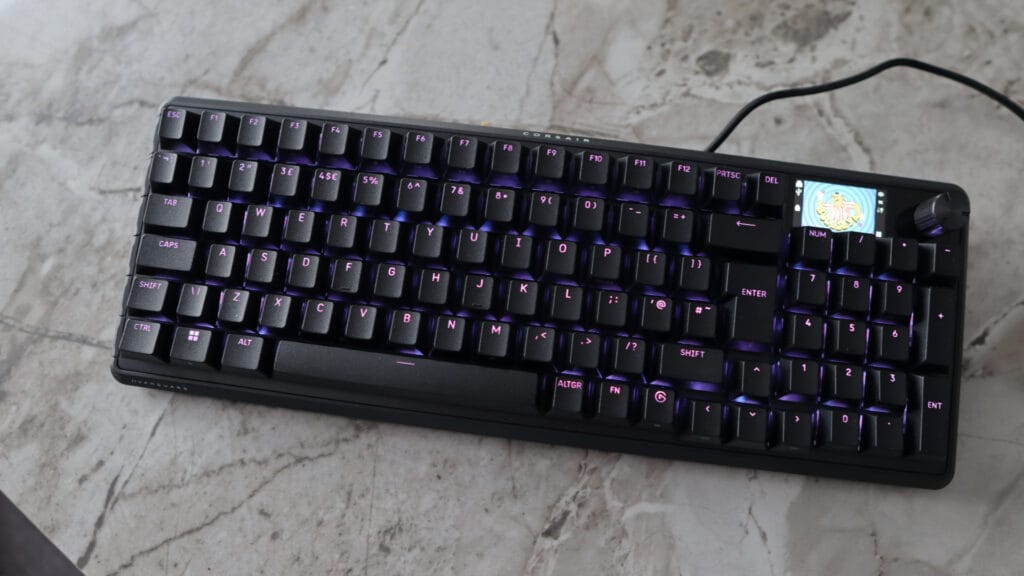
The Corsair Vanguard Pro 96 fills a specific gap: you want your numpad, you want Hall Effect switches, and you don’t want to give up desk space to a full-size board.
The 96% layout squeezes the numpad in tight, eliminating gaps between clusters for a slightly more compact footprint without sacrificing any keys.
It’s hot-swappable is a welcome feature at this price and the Corsair Web Hub software is browser-based and cleaner than the iCUE desktop app it partly replaces. Build quality is solid and the typing experience is pleasant.
Where it stumbles is value. At $230, you’re getting fewer Hall Effect customization options than the similarly priced Keychron Q6 HE 8K, and the aesthetics trend heavily toward the “generic gaming product” look. It doesn’t do anything badly, it just doesn’t do anything distinctively well either.
| ✅ Pros | ❌ Cons |
| 96% layout keeps the numpad | Pricier than HE alternatives with more features |
| Hot-swappable Hall Effect switches | Generic aesthetics |
| Web-based Corsair Hub software | Fewer SOCD/actuation options than competitors |
| Solid build quality | Hall Effect hot-swap still brand-limited |
Best for: Full-size keyboard users who want to try a slightly more compact layout without losing their numpad.
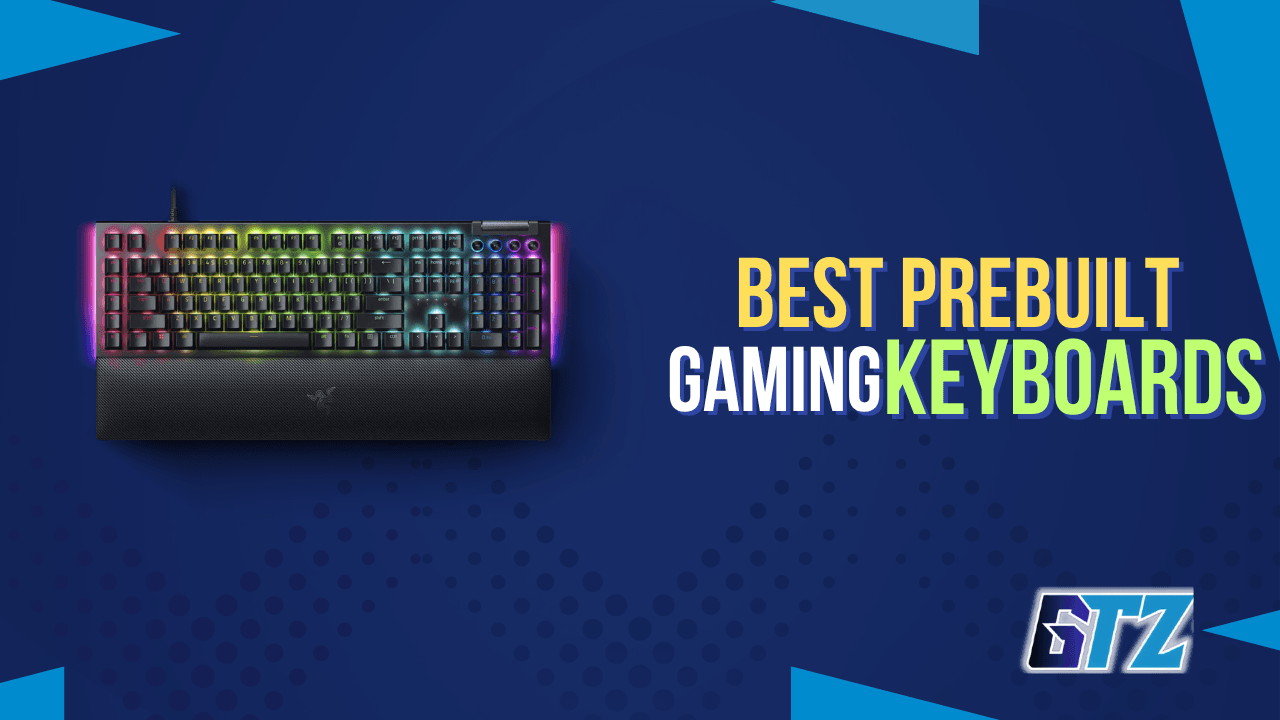
5. Razer BlackWidow V4 Pro — Best Full-Size Premium Mechanical
Price: ~$230
Layout: Full-size | Switches: Razer Yellow (linear mechanical) | Polling Rate: 1,000Hz
Not every competitive gamer needs Hall Effect switches. If you play RTS, MMO, or strategy titles where rapid micro-adjustments aren’t the priority, the Razer BlackWidow V4 Pro is a genuinely excellent full-size mechanical keyboard.
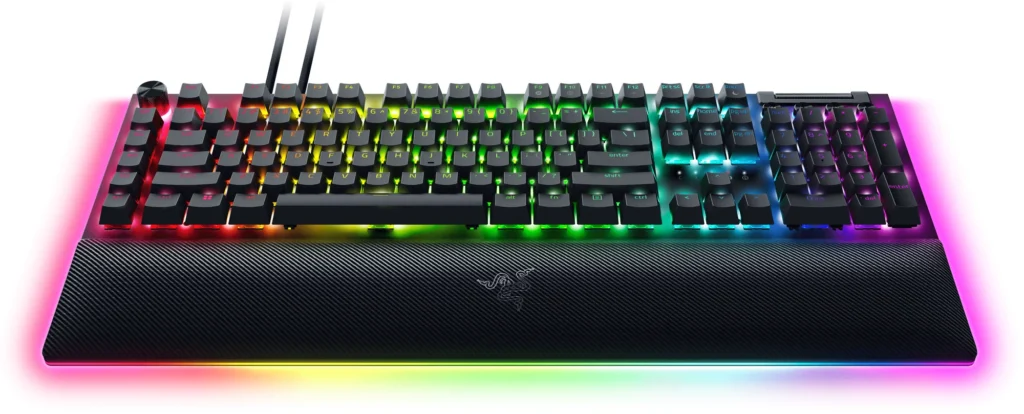
It ships with eight dedicated macro keys, a tactile command dial, stunning underglow RGB, and one of the most comfortable magnetic wrist rests in the category.
The Razer Yellow linear switches are smooth and fast, with 45g actuation force that keeps fatigue low over long sessions. Synapse 4 software is divisive. It’s feature-rich but requires an account, but the hardware itself is hard to criticize.
| ✅ Pros | ❌ Cons |
| Premium full-size experience | No Hall Effect / Rapid Trigger |
| Command dial + dedicated macro keys | Large footprint, not mouse-friendly for FPS |
| Stunning underglow RGB + wrist rest | Requires Razer account for full software |
| Excellent linear switch feel | 1,000Hz polling only |
Best for: MMO, RTS, and productivity users who want a premium, feature-rich full-size keyboard.
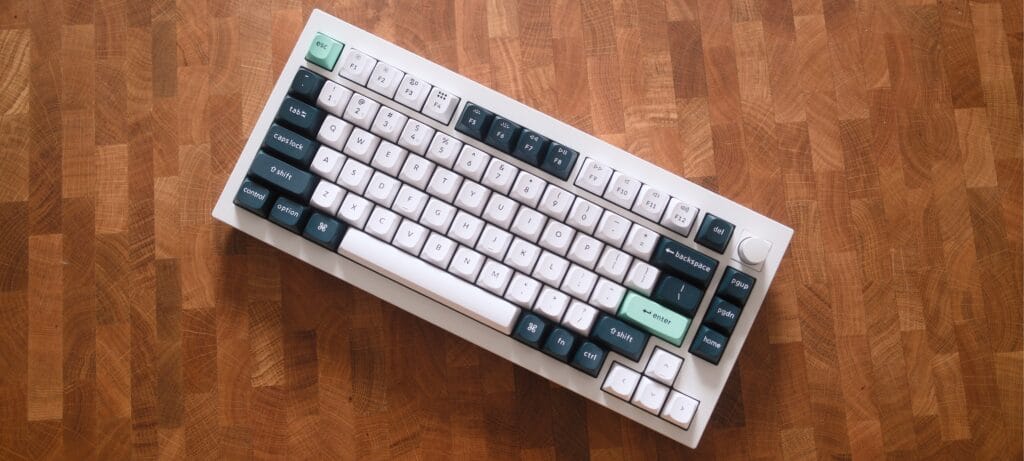
6. Keychron Q1 HE (Special Edition) — Best Luxury “Custom” Experience
Price: ~$220–$340 (depending on configuration)
Layout: 75% | Switches: Gateron Double-Rail Magnetic Nebula | Polling Rate: 1,000Hz (Wired/2.4GHz)
If you find the Wooting a bit “plasticky” and the Razer a bit too “gamer-styled,” the Keychron Q1 HE is your destination. This is a heavy, CNC-machined aluminum beast that weighs nearly 4 lbs (1735g). It doesn’t just sit on your desk; it anchors it.
While it technically has a lower polling rate (1,000Hz) than the 8kHz specialized boards, the Q1 HE uses Gateron Double-Rail Magnetic switches, which are arguably the most stable HE switches on the market in 2026.
The “double-rail” design virtually eliminates key-wobble, providing a typing experience that feels like a $500 custom boutique keyboard.
The standout feature here is tri-mode connectivity. Unlike most high-performance HE boards that chain you to a desk with a wire, the Q1 HE offers 2.4GHz wireless for gaming and Bluetooth 5.1 for multitasking across three devices. It uses the web-based Keychron Launcher, keeping your system free of resident bloatware.
| ✅ Pros | ❌ Cons |
| Full 6063 aluminum chassis with a double-gasket mount. | Competitive purists may miss the 8kHz ceiling. |
| The sound profile is deep and refined, not “pingy.” | It has a tall front profile; you will almost certainly need a wrist rest. |
| One of the few HE boards that nails 2.4GHz stability. | Not a “LAN party” keyboard—it’s meant to stay put. |
| QMK-compatible for deep remapping. | – |
Best for: The “Adult Gamer” who wants a keyboard that looks professional, sounds incredible, and still offers 0.1mm rapid-trigger precision.
Quick Comparison Table
| Keyboard | Price | Layout | Switch Type | Polling Rate | Wireless | Best For |
|---|---|---|---|---|---|---|
| Wooting 80HE | ~$200–$290 | 75% | Hall Effect | 8,000 Hz | No | Competitive FPS |
| SteelSeries Apex Pro TKL Gen 3 | ~$250 | TKL | Hall Effect | 8,000 Hz | No | Premium HE + build quality |
| NuPhy Field75 HE | ~$180 | 75% | Hall Effect | 8,000 Hz | No | Best value HE |
| Corsair Vanguard Pro 96 | ~$230 | 96% | Hall Effect | 8,000 Hz | No | Numpad + HE combo |
| Razer BlackWidow V4 Pro | ~$230 | Full-size | Mechanical | 1,000 Hz | No | MMO / Productivity |
| Keychron Q1 HE | ~$220-$340 | 75% | Hall Effect | 1,000 Hz | Yes | Adult Gamers |
How to Choose Gaming Keyboard For Your Use Case?
- You play competitive FPS above all else: Wooting 80HE. Nothing matches its latency, software, and Rapid Trigger implementation.
- You want premium build quality and mainstream support: SteelSeries Apex Pro Gen 3 TKL and Keychron Q1 HE. They trade some latency for a better chassis and easier RMA process.
- You type as much as you game: NuPhy Field75 HE. The Cherry profile keycaps and side buttons make it the most comfortable daily-driver in this list.
- You need a numpad but want HE switches: Corsair Vanguard Pro 96. It’s the only sensible 96% HE option at this price.
- You play MMO, RTS, or just want a beautiful desk piece: Razer BlackWidow V4 Pro.
Would I Recommend Spending $350 on a Gaming Keyboard?
Honestly, I wouldn’t spend the full $350 unless the keyboard gives me something I genuinely need. At this price, you’re getting premium build quality, Hall Effect switches, 8KHz polling, better materials, and features aimed at competitive gaming.
If I were in your position, I’d look at:
- Features: Does it offer something I will actually use, such as Rapid Trigger or adjustable actuation?
- Build quality: Is the premium chassis and typing feel noticeably better?
- Specifications: Are the higher polling rate and other features relevant to my setup?
- Overall experience: Does it feel significantly better than a $150–$200 keyboard?
Most importantly, I’d compare it with cheaper keyboards before spending $350. If I can find a $150–$200 keyboard that gives me nearly the same features and gaming experience, I’d buy the cheaper option and put the remaining money toward a better gaming mouse, GPU, CPU, or another component.
The Best Gaming Keyboard Under $350 Depends on You
After comparing the keyboards in this guide, I don’t think spending $350 is necessary for most gamers. This price range gives you some genuinely impressive options, especially if you care about Hall Effect switches, Rapid Trigger, 8KHz polling, or premium build quality. But those features don’t automatically make a $300+ keyboard a better purchase for everyone.
A $350 keyboard can be excellent, but I wouldn’t buy one just because it’s expensive. I’d only spend that much if its features, build quality, and overall feel genuinely justify the premium for my particular use case.
Before making any purchase, always verify the current price yourself, as product prices can change frequently and may differ from what is listed at the time of viewing.
Questions Gamers Ask More About $350 Keyboards
For competitive FPS, yes. Adjustable actuation, Rapid Trigger, and near-zero debounce delay provide a measurable performance edge. However, for casual gaming or productivity, a high-end mechanical keyboard offers superior typing feel and sufficient performance at a lower cost.
For most, 1,000Hz (1ms) is plenty. True 8,000Hz polling lowers latency to 0.125ms, a benefit mainly noticeable to pro-level players in high-stakes settings. That said, most premium HE boards in this price bracket include 8kHz by default.
Most HE keyboards are wired to avoid the latency overhead that conflicts with ultra-low-latency goals. If wireless is a must, look at tri-mode boards like the Keychron Q1 HE, which balance convenience with reliable 2.4GHz performance.
Standard actuation triggers at a fixed point (e.g., 2mm). Rapid Trigger activates the moment the key moves from its rest position—even by 0.1mm. This enables near-instant key resets, drastically improving counter-strafing and rapid-fire responsiveness.
The Wooting 80HE is the top choice here, as its browser-based Wootility software works on any OS. The NuPhy Field75 HE also supports macOS via its web tool. Conversely, SteelSeries and Razer software remain Windows-primary.