

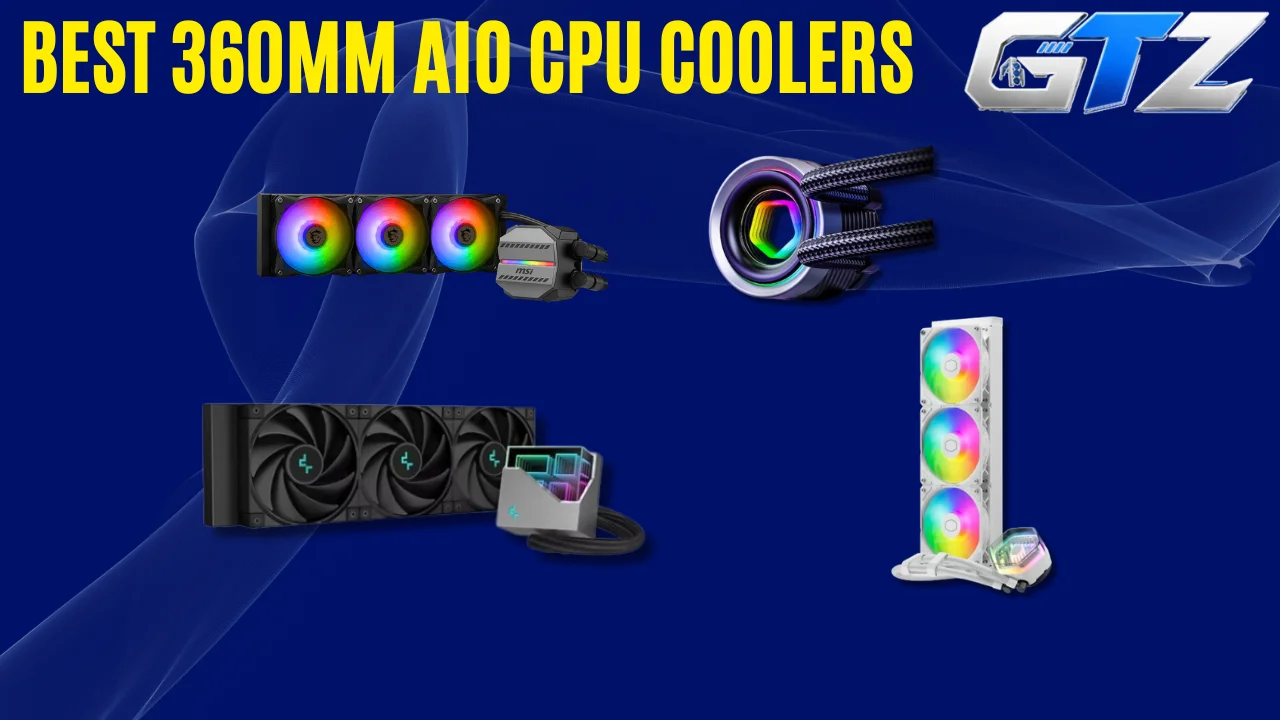
360mm AIO CPU coolers are a must for high-end gaming PCs to cool the components and avoid overheating issues. However, picking one among so many options is quite challenging.
But not anymore. In this guide, I have mentioned and compared the 7 best options available on the market that can help you pick the suitable option according to your requirements.
Some 360mm AIOs prioritize raw cooling performance, while others offer useful extras such as LCD displays, VRM cooling fans, or modular designs.
Now, it’s up to you to go through the details and make an informed decision.
7 Best 360mm AIO CPU Coolers for Gaming PCs
| CPU Cooler | Two Key Differentiating Features | Best For |
|---|---|---|
| Arctic Liquid Freezer III 360 | Thick 38mm radiator; integrated VRM fan | High-performance CPUs and motherboard airflow |
| Cooler Master MasterLiquid 360 Atmos | Dual-chamber pump; customizable pump cover | Enthusiast gaming builds |
| SilverStone IceMyst 360 | Stackable optional IMF70 fans; rotatable pump cover | Cooling the CPU and nearby motherboard components |
| ID-COOLING FX360 INF | Affordable design; infinity-mirror lighting | Budget-conscious gamers |
| DeepCool LT720 | Fourth-generation pump; high-airflow FK120 fans | Powerful CPUs and sustained workloads |
| MSI MAG CoreLiquid M360 | 3,100 RPM pump; Mystic Light-compatible ARGB | RGB-focused gaming builds |
| Thermalright Grand Vision 360 ARGB | 3.4-inch IPS LCD; 6,400 RPM-rated pump | Performance-focused builds with display customization |
Which 360mm AIO CPU Cooler Should You Buy?
The above-mentioned coolers serve different needs, from affordable liquid cooling to enthusiast-level performance and customization. The best choice depends on CPUs, PC cases, noise preferences, and budget.
- For Strong Cooling and Additional Motherboard Airflow: Choose the Arctic Liquid Freezer III 360. Its thick radiator delivers substantial cooling capacity, while the integrated VRM fan directs airflow toward the motherboard’s power-delivery components.
- For Enthusiasts Who Want Customization: Choose the Cooler Master MasterLiquid 360 Atmos. Its customizable pump cover and optional MasterCTRL software make it appealing for personalized gaming builds.
- For Additional RAM and VRM Cooling: Choose the SilverStone IceMyst 360. Its optional stackable IMF70 fans can direct airflow toward nearby motherboard components.
- For Budget-Conscious Buyers: Choose the ID-COOLING FX360 INF. Its approximately $79.99 price and five-year warranty make it an attractive entry point into 360mm liquid cooling.
- For Demanding CPUs and Strong Cooling Hardware: Consider the DeepCool LT720. Its high-speed pump and FK120 fans provide substantial cooling capacity, although its fans can become loud at maximum speed.
- For a Straightforward RGB Gaming Build: Consider the MSI MAG CoreLiquid M360. It combines a 360mm radiator with three ARGB fans and Mystic Light compatibility.
- For a Cooler With a Customizable Display: Choose the Thermalright Grand Vision 360 ARGB. Its 3.4-inch IPS LCD and strong independent benchmark results make it attractive for showcase PCs.
7 Best 360mm AIO CPU Coolers for Gaming PCs
The following comparison looks beyond the features to help you understand what each cooler offers, its pricing, and the type of buyer it suits.
| CPU Cooler | Additional Features | Pricing | Recommendation |
|---|---|---|---|
| Arctic Liquid Freezer III 360 | MX-6 thermal paste; six-year warranty | About $80.19 | Best for cooling capacity |
| Cooler Master MasterLiquid 360 Atmos | Optional MasterCTRL software; five-year warranty | About $99.99 | Best enthusiast customization |
| SilverStone IceMyst 360 | Hardware ARGB controller; accessible refill port | $136.99 review price; $149.99 original MSRP | Best modular cooling |
| ID-COOLING FX360 INF | Copper cold plate; five-year warranty | About $79.99 | Editor’s Pick |
| DeepCool LT720 | 410mm tubing; five-year warranty | Check current US listings | Best for high-power workloads |
| MSI MAG CoreLiquid M360 | Reinforced mesh-covered tubing; broad listed socket support | Check current US listings | Best for RGB builds |
| Thermalright Grand Vision 360 ARGB | Customizable display presets; five-year warranty in the reviewed specification | About $129 | Best LCD-equipped option |
1. Arctic Liquid Freezer III 360: Best for Cooling Capacity
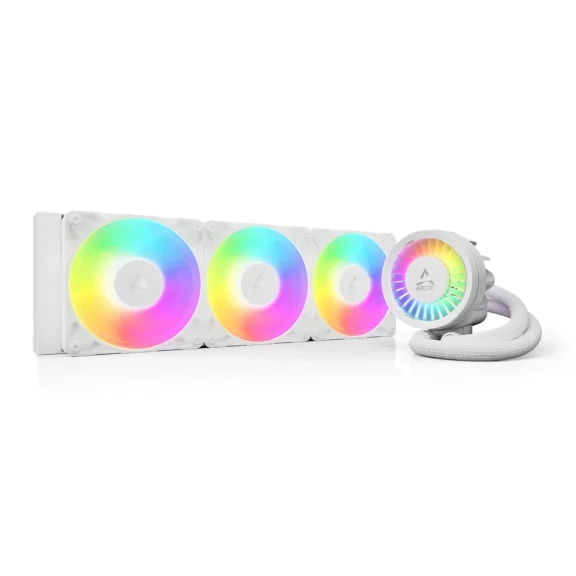
The Arctic Liquid Freezer III 360 is a high-performance AIO with a thick radiator, efficient P12 fans, and an integrated VRM fan. Its cooling capacity suits demanding CPUs, although its larger dimensions require careful case and motherboard clearance checks.
Key features
- 398 × 120 × 38mm aluminum radiator
- Pump speed of 800–2,800 RPM
- Three 120mm P12 PWM fans
- Integrated fan for motherboard VRM airflow
- Six-year manufacturer warranty
Pros and cons
| Pros | Cons |
|---|---|
| Excellent cooling performance | Thick radiator limits case compatibility |
| Integrated VRM cooling | Installation is more involved than some AIOs |
| Strong performance with high-power processors | Pump housing can create motherboard clearance issues |
| Includes MX-6 thermal paste | Requires careful mounting and cable planning |
| Six-year warranty | Not ideal for compact PC builds |
Verdict: The Arctic Liquid Freezer III 360 is a strong choice when cooling capacity matters more than installation simplicity. Check the approximately 63mm radiator-and-fan assembly depth before ordering.
2. Cooler Master MasterLiquid 360 Atmos: Best Enthusiast Customization
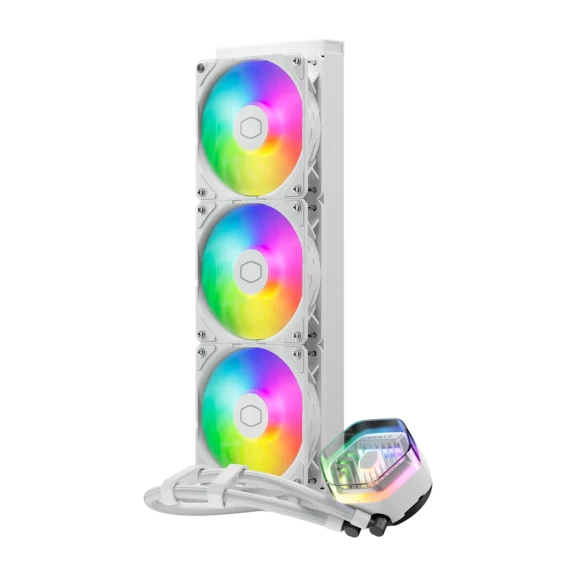
The Cooler Master MasterLiquid 360 Atmos combines strong thermal performance with a dual-chamber pump, three SickleFlow Edge fans, and a customizable pump cover. It suits enthusiasts who want cooling performance and design flexibility without an integrated LCD.
Key features
- Dual-chamber pump rated up to 3,200 RPM
- Three SickleFlow Edge 120mm ARGB fans
- Fan speed up to 2,500 RPM
- Optional MasterCTRL software
- Five-year warranty
Pros and cons
| Pros | Cons |
|---|---|
| Excellent thermal results in independent testing | Can reach approximately 50 dBA at maximum fan speed |
| Strong performance with high-power CPUs | Requires 360mm radiator clearance |
| Customizable pump cover | No integrated LCD |
| ARGB fans included | Optional software adds another management layer |
| Full RAM compatibility in the reviewed design | Maximum-speed operation can be loud |
Verdict: Consider the MasterLiquid 360 Atmos if you want strong cooling and a customizable appearance.
3. SilverStone IceMyst 360: Best Modular Cooling
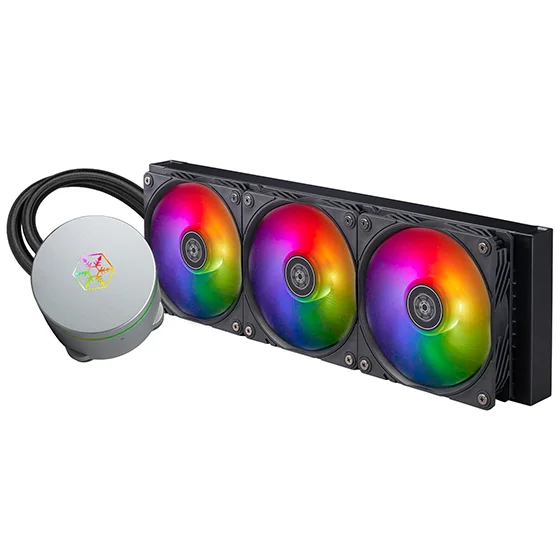
The SilverStone IceMyst 360 stands out because its pump housing supports optional stackable IMF70 fans. These small fans can direct airflow toward VRMs, RAM, and nearby SSDs, which adds component-level cooling flexibility to an otherwise conventional 360mm AIO.
Key features
- 396 × 120 × 28mm aluminum radiator
- Three 120mm ARGB radiator fans
- Pump rated at approximately 3,100 RPM
- Optional 70mm IMF70 fans
- Three-year warranty in the reviewed specification
Pros and cons
| Pros | Cons |
|---|---|
| Strong CPU cooling | Default fan profile can be unnecessarily loud |
| Optional direct VRM and RAM airflow | Additional IMF70 fans cost extra |
| Rotatable pump cover | Requires a compatible 360mm case |
| Full RAM clearance | A custom fan curve may be needed for quieter operation |
| Hardware ARGB controller included | Optional fans add installation complexity |
Verdict: The IceMyst 360 makes the most sense for enthusiasts who want to cool more than just the CPU. Its optional IMF70 fans are useful extras, but remember that they are sold separately from the standard cooler.
4. ID-COOLING FX360 INF: Editor’s Pick
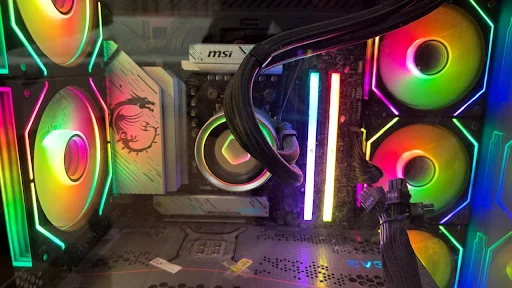
The ID-COOLING FX360 INF offers a budget-friendly route to 360mm liquid cooling. It combines a copper cold plate, three ARGB fans, a 2,900 RPM pump, and an infinity-mirror design, which makes it an appealing option for gamers who prioritize value.
Key features
- 396 × 120 × 27mm aluminum radiator
- Seventh-generation pump rated at 2,900 RPM
- Three 120mm fans rated up to 2,000 RPM
- ARGB infinity-mirror pump design
- Five-year warranty in the reviewed listing
Pros and cons
| Pros | Cons |
|---|---|
| Affordable price of $79.99 | Thermal paste is supplied separately |
| Strong cooling for its price | Pump control differs between revisions |
| Good noise performance in independent testing | Maximum cooling performance varies with fan tuning |
| Attractive ARGB infinity-mirror design | Requires a case that supports a 360mm radiator |
| Supports modern AM4, AM5, LGA1700, and LGA1851 platforms | No integrated LCD |
Verdict: The FX360 INF is our Editor’s Pick for budget-conscious gamers who want a full-size liquid cooler without paying for an LCD or expensive software ecosystem.
5. DeepCool LT720: Best for High-Power Workloads
The DeepCool LT720 is a performance-focused AIO with a fourth-generation pump, three high-speed FK120 fans, and a distinctive infinity-mirror pump cover. It features impressive cooling capacity with high-power processors, although maximum fan speed can produce substantial noise.
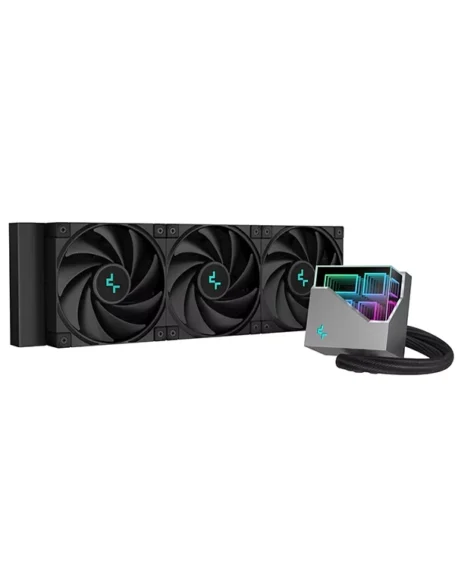
Key features
- 402 × 120 × 27mm aluminum radiator
- Fourth-generation pump rated at 3,100 RPM
- Three FK120 PWM fans
- Maximum fan speed of 2,250 RPM
- 410mm tubing and five-year warranty
Pros and cons
| Pros | Cons |
|---|---|
| Excellent high-power CPU cooling results | Can become loud at maximum fan speed |
| High-airflow FK120 fans | Included fans do not have ARGB lighting |
| Attractive infinity-mirror pump | No integrated LCD |
| Broad listed AMD and Intel socket support | Requires 360mm radiator clearance |
| Strong cooling headroom for demanding workloads | May be excessive for mainstream CPUs |
Verdict: The LT720 is worth considering for high-performance gaming PCs and sustained CPU-heavy workloads. Its strongest appeal is cooling capacity rather than extra features.
6. MSI MAG CoreLiquid M360: Best for RGB Builds
The MSI MAG CoreLiquid M360 is a straightforward 360mm AIO with an aluminum radiator, three ARGB fans, and a 3,100 RPM pump. It focuses on practical cooling hardware and lighting customization rather than premium features such as an LCD display.
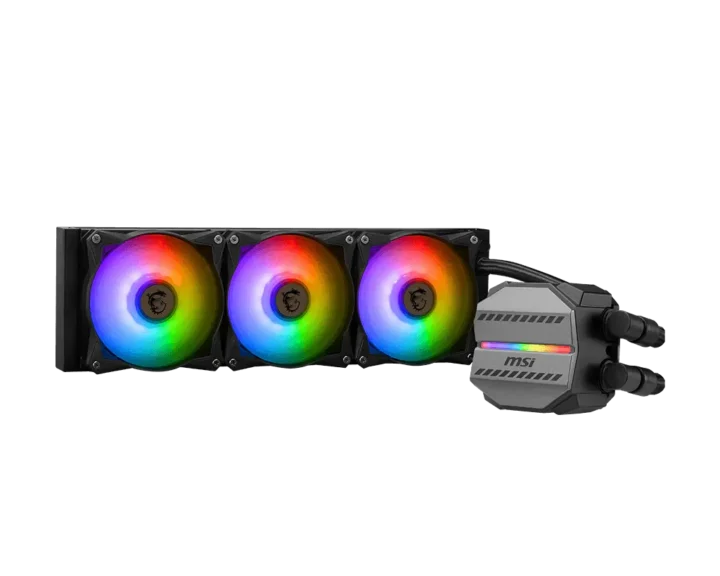
Key features
- 397 × 120 × 27mm aluminum radiator
- Three 120mm ARGB fans
- Pump rated at 3,100 RPM
- PWM fan control
- Mystic Light-compatible lighting
Pros and cons
| Pros | Cons |
|---|---|
| Three ARGB fans included | No integrated LCD |
| Broad listed socket compatibility | Independent comparative benchmarks were not verified |
| PWM fan control | Fans may become audible at higher speeds |
| Mystic Light compatibility | Requires compatible 5V ARGB connections |
| Reinforced mesh-covered tubing | Needs substantial case clearance |
Verdict: The M360 is a candidate for RGB-focused gaming builds if its price is competitive.
7. Thermalright Grand Vision 360 ARGB: Best LCD-Equipped Option
The Thermalright Grand Vision 360 ARGB pairs strong cooling hardware with a 3.4-inch IPS LCD. Its high-speed pump, three 120mm fans, and customizable display make it appealing to enthusiasts who want both thermal performance and a visually distinctive gaming PC.
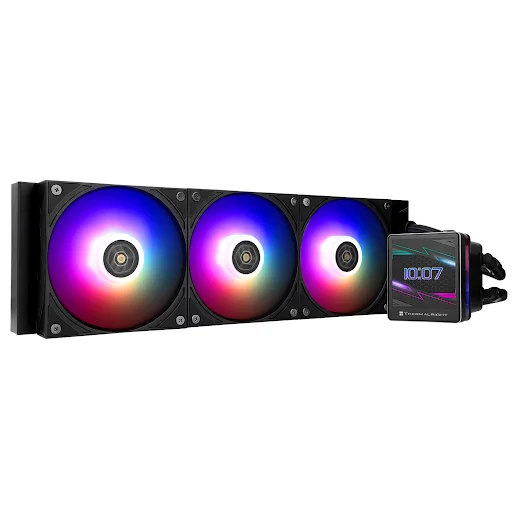
Key features
- 403 × 120 × 27mm aluminum radiator
- Pump rated up to 6,400 RPM
- Three TL-H12-X28-S fans
- 3.4-inch, 480 × 480 IPS LCD
- ARGB lighting and customizable display content
Pros and cons
| Pros | Cons |
|---|---|
| Excellent cooling in Tom’s Hardware testing | Can be louder than competitors on the default fan curve |
| Large, high-resolution LCD | More cables to manage |
| Extensive display customization | Requires a compatible 360mm case |
| Strong performance with high-power CPUs | Some display features require software |
| Mid-range | Unnecessary expense if you don’t want an LCD |
Verdict: The Grand Vision 360 ARGB is an attractive option for enthusiasts who want a customizable LCD alongside strong cooling.
Final Thoughts
The best 360mm AIO CPU cooler depends on your processor, budget, case, and preferred features.
- Arctic Liquid Freezer III 360 prioritizes cooling capacity
- Cooler Master MasterLiquid 360 Atmos offers customization
- SilverStone’s IceMyst 360 adds modular motherboard airflow
- ID-COOLING FX360 INF is our Editor’s Pick for budget-conscious gamers
- DeepCool’s LT720 suits demanding workloads
- MSI’s M360 targets RGB-focused builds
- Thermalright’s Grand Vision 360 ARGB combines cooling with an LCD
Compare current US prices, verify radiator clearance, and choose the cooler that fits your actual needs rather than paying for features you won’t use.
