

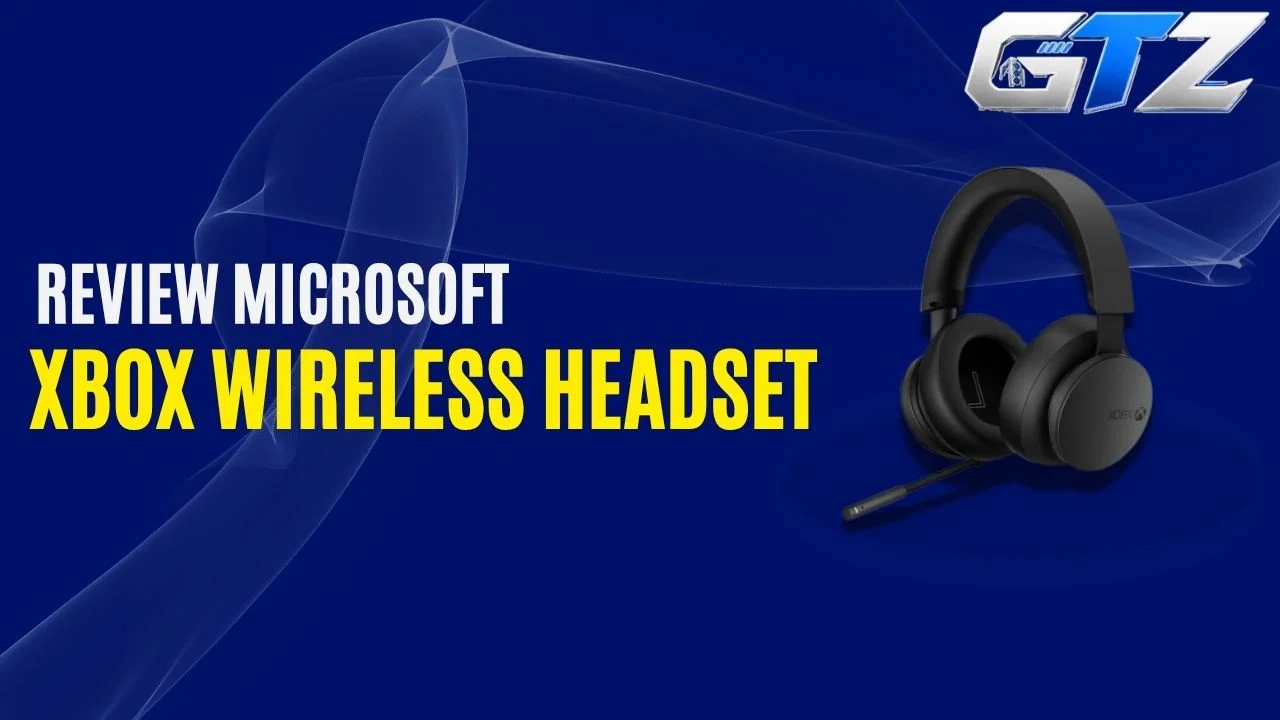
Xbox users know how it feels to get a headset that is not perfectly compatible or delivers poor performance in gaming.
While there are so many products available on the market, Microsoft has also provided its own dedicated Xbox Wireless Headset for users who want to stay in the Xbox ecosystem. It features Bluetooth 5.3, Dolby Atmos support, improved microphone features, and up to 20 hours of battery life.
But there is more to this headset than simply being wireless. In this guide, I have looked at its comfort, sound, microphone, controls, battery life, and Xbox-specific features to see where it actually fits for Series X gamers.
What is the Microsoft Xbox Wireless Headset?
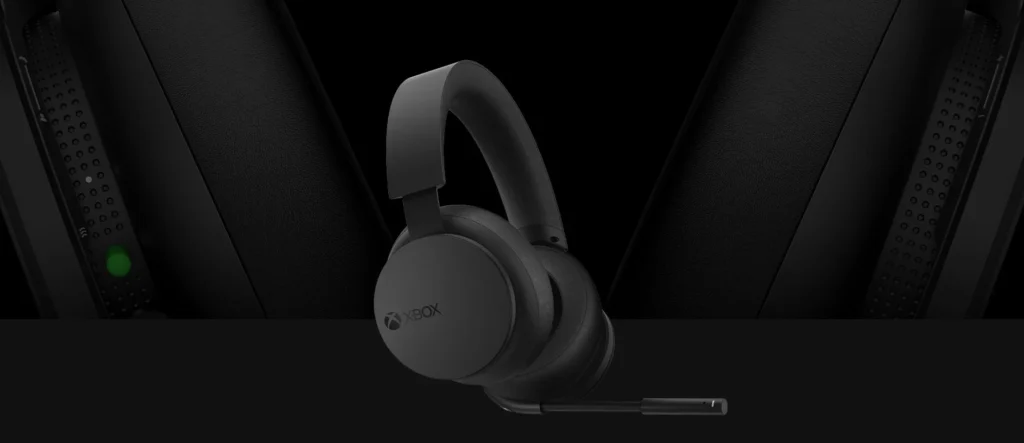
The Microsoft Xbox Wireless Headset is an over-ear wireless gaming headset designed specifically for Xbox consoles, with direct Xbox Wireless connectivity, Bluetooth 5.3, 40mm drivers, a retractable-style bendable microphone, and up to 20 hours of battery life.
My Quick Assessment
| Real-world factor | My assessment | What you should know |
|---|---|---|
| Xbox connectivity | Excellent | Connects directly to Xbox without a dongle |
| Sound quality | Very good | Warm, powerful sound with EQ customization |
| Comfort | Good | Flexible and comfortable, but heavier than Nova 1 |
| Microphone | Very good | Auto-mute and voice isolation improve chat clarity |
| Battery life | Very good | Up to 20 hours per charge |
| Features | Excellent | Bluetooth 5.3, Dolby Atmos, Xbox Accessories app, game/chat mixing |
What is the Price of the Xbox Wireless Headset?
The Xbox Wireless Headset has an original MSRP of $119.99 in the US, although prices can vary by retailer and region. In the UK, Microsoft’s store currently lists it at £99.99.
How Does the Xbox Wireless Headset Connect to Xbox Series X?
This is where Microsoft’s headset has a major advantage over a wired headset like the Arctis Nova 1.
The Xbox Wireless Headset connects directly to the Xbox Series X using Microsoft’s Xbox Wireless protocol. You don’t need to connect a USB wireless dongle to the console. The basic setup is:
- Xbox Series X → Xbox Wireless → Xbox Wireless Headset
You simply put the headset into pairing mode and connect it to the console. There is no cable running from your controller to your head, which makes a noticeable difference if you move around while gaming or simply don’t like having wires around you.
The headset can also connect to another device through Bluetooth at the same time. Microsoft specifically supports simultaneous Xbox and Bluetooth connections, so you can, for example, stay connected to your Xbox while receiving audio from your phone.
Microsoft Xbox Wireless Headset Specifications
| Specification | Microsoft Xbox Wireless Headset |
|---|---|
| Type | Wireless over-ear gaming headset |
| Xbox compatibility | Xbox Series X|S, Xbox One |
| Xbox connection | Xbox Wireless |
| Bluetooth | Bluetooth 5.3 |
| Drivers | 40mm |
| Frequency response | 20Hz–20kHz |
| Microphone | Bendable boom with dual microphones |
| Battery | Rechargeable lithium-ion |
| Battery life | Up to 20 hours |
| Weight | 320g |
| Spatial audio | Windows Sonic, Dolby Atmos, DTS Headphone:X |
| Controls | Power/pair, mute, game/chat balance, volume |
| Charging | USB-C |
| App support | Xbox Accessories app |
| ANC | No |
These specifications apply to Microsoft’s refreshed Xbox Wireless Headset, which increased battery life to up to 20 hours and added Bluetooth 5.3 and Dolby Atmos support.
1. Comfort and Design
The Xbox Wireless Headset has a fairly understated design that fits naturally alongside the Xbox Series X.
Microsoft uses an adjustable headband with an internal steel band and foam cushioning, while the earcups use polyurethane leather and foam padding.
I like the overall approach because it doesn’t look unnecessarily aggressive. You get a mostly black headset with subtle Xbox branding rather than RGB lighting or a collection of flashy gaming elements.
The earcups also have rotating dials that make the controls particularly easy to use. Moreover, the Xbox Wireless Headset is considerably lighter and weighs around 320g, compared with 402.5g of the Turtle Beach Stealth 700 Gen 3.
You may not notice it during a short gaming session, but it can become more noticeable during several hours of continuous gaming.
2. Sound Quality
The Xbox Wireless Headset uses 40mm speakers with a 20Hz–20kHz response range. Its default sound is on the warmer, bass-heavy side.
That works particularly well for games where you want explosions, gunfire, engines, and other effects to have some weight behind them.
RTINGS found the headset to have a bass-heavy default profile and noted inconsistencies in bass and treble delivery, although Microsoft provides EQ controls through the Xbox Accessories app so you can adjust the sound to your preference.
And that’s an important part of the experience. You don’t have to accept the default tuning. Through the Xbox Accessories app, you can adjust the equalizer and bass boost. Hence, it allows you to make the sound warmer, brighter, or more balanced depending on what you play.
- For casual Xbox gaming, the default sound is already enjoyable.
- For competitive games, I’d recommend experimenting with the EQ rather than simply leaving everything at the default setting.
3. Weight
The Microsoft Xbox Wireless Headset weighs 320g.
For an Xbox headset, this is a moderate weight. You can comfortably use it for regular gaming sessions, although you may notice the weight more during longer play sessions.
The headset’s padded headband and cushioned earcups help distribute the weight across your head, so it doesn’t feel excessively heavy while gaming.
If you plan to play for several hours at a time, the 320g weight is something worth considering, but it shouldn’t be a deal-breaker for most Xbox players.
4. Build Quality
The Xbox Wireless Headset has a flexible design with an internal steel band inside the headband.
The construction feels more substantial than a basic budget headset, although the exterior isn’t made from premium materials throughout.
The flexible headband is useful because gaming headsets take plenty of abuse over time. You can adjust the headset without feeling like the frame is going to immediately crack.
The earcups also have a sturdy feel, while the rotating dials are integrated neatly into the design. Overall, I’d describe the build quality as solid rather than luxurious. If you want higher-quality designs, you should move toward purchasing expensive gaming headsets.
5. Connectivity Options
This is where the Xbox Wireless Headset becomes much more interesting than a traditional wired headset.
You get two wireless connection types:
- Xbox Wireless
- Bluetooth 5.3
The Xbox connection handles your console, while Bluetooth allows you to connect compatible devices such as your smartphone or gaming PC. Microsoft also supports simultaneous Xbox and Bluetooth connections.
That means you can potentially play on Xbox while also receiving audio from your phone. This is particularly useful if you use your phone for calls or communication while gaming.
6. Microphone Performance
Microsoft upgraded the microphone system in the refreshed Xbox Wireless Headset, so now you need not worry about purchasing an external microphone like FIFINE AM8.
It uses dual microphones along with auto-mute and voice-isolation features designed to reduce unnecessary background noise when you’re not speaking.
The microphone is also bendable, which lets you position it closer to your mouth when you’re talking. For Xbox party chat, multiplayer games, and general voice communication, it does the job well.
The auto-mute feature is particularly useful. When you stop talking, the headset can automatically mute the microphone instead of continuously transmitting background noise.
You can also adjust microphone monitoring through the Xbox Accessories app. The microphone isn’t going to replace a dedicated USB microphone, but you don’t need it to.
For gaming communication, it is more than capable.
7. Controls and Buttons
The controls are one of my favorite aspects of this headset. Instead of relying entirely on buttons, Microsoft uses rotating dials on the earcups.
The left earcup contains the game/chat balance control, while the right earcup handles overall volume. The headset also has power/pairing and microphone mute controls.
This is much more convenient than opening Xbox menus every time you want to make a quick adjustment, and that’s the reason I rate it above the Audeze Maxwell.
For example, if your teammates suddenly become too loud while you’re trying to hear the game, you can adjust the game/chat balance directly from the headset.
It’s a small feature, but it becomes very useful once you get used to it.
8. Battery Life
The current Xbox Wireless Headset provides up to 20 hours of battery life per charge. Microsoft says a 30-minute charge provides around 4 hours of use, while a full charge takes approximately three hours when the headset isn’t being used.
For normal gaming, 20 hours is plenty. You could play several long sessions before needing to reach for the USB-C charging cable. And if you do forget to charge it, the short charging time is useful.
9. Dolby Atmos and Spatial Audio
The current Xbox Wireless Headset supports Windows Sonic, Dolby Atmos, and DTS Headphone:X on Xbox Series X|S and Xbox One. Microsoft also includes Dolby Atmos at no additional cost with this headset.
For games with good spatial-audio implementation, this can make environmental sounds feel more directional. You can get a better sense of where sounds are coming from, which can be useful in competitive shooters.
10. Xbox Accessories App
The Xbox Accessories app is an important part of the Xbox Wireless Headset experience. You can use it to adjust settings such as:
- Equalizer
- Bass boost
- Auto-mute
- Mic monitoring
- LED brightness
- Game/chat mix
Microsoft also allows you to swap the functions of the mix and volume dials through the app. This gives you considerably more control than you get from a basic wired headset.
If you enjoy adjusting your audio rather than simply using whatever tuning comes out of the box, the app is worth using.
What are the Disadvantages of the Microsoft Xbox Wireless Headset?
The following are the key trade-offs associated with the Xbox Wireless Headset:
- Heavier than the SteelSeries Arctis Nova 1
- No active noise cancellation
- Default sound is relatively bass-heavy
- Soundstage is not particularly wide
- Limited headband adjustment can be an issue for some users
- You have to remember to charge it
- Bluetooth performance can vary depending on the environment
Final Thoughts
The Microsoft Xbox Wireless Headset makes a lot of sense if you want to stay inside the Xbox ecosystem without dealing with cables or wireless dongles.
You get direct Xbox Wireless connectivity, Bluetooth 5.3, simultaneous device connections, Dolby Atmos, EQ customization, game/chat mixing, and up to 20 hours of battery life.
The 320g weight is something you should consider before buying, particularly if you are sensitive to heavier headsets. The sound is also fairly bass-heavy out of the box, although the Xbox Accessories app gives you plenty of room to adjust it.
