

Is your microphone making you sound worse than you actually do? Maybe your friends keep asking you to repeat yourself in Discord, your stream picks up every keyboard click, or your recordings lack the clear, full voice you’re after.
That’s frustrating, especially when you don’t want to spend a fortune just to fix your audio. The FIFINE AM8 promises to solve much of that with its dynamic pickup, USB/XLR connectivity, and built-in monitoring controls.
But features on a spec sheet don’t automatically make a microphone good. What matters is how it sounds, how easy it is to set up, how well it handles noisy environments, and whether it makes sense for your particular setup.
In this guide, I have broken down all of that below so you can decide whether the FIFINE AM8 is actually worth your money.
What is FIFINE AM8?
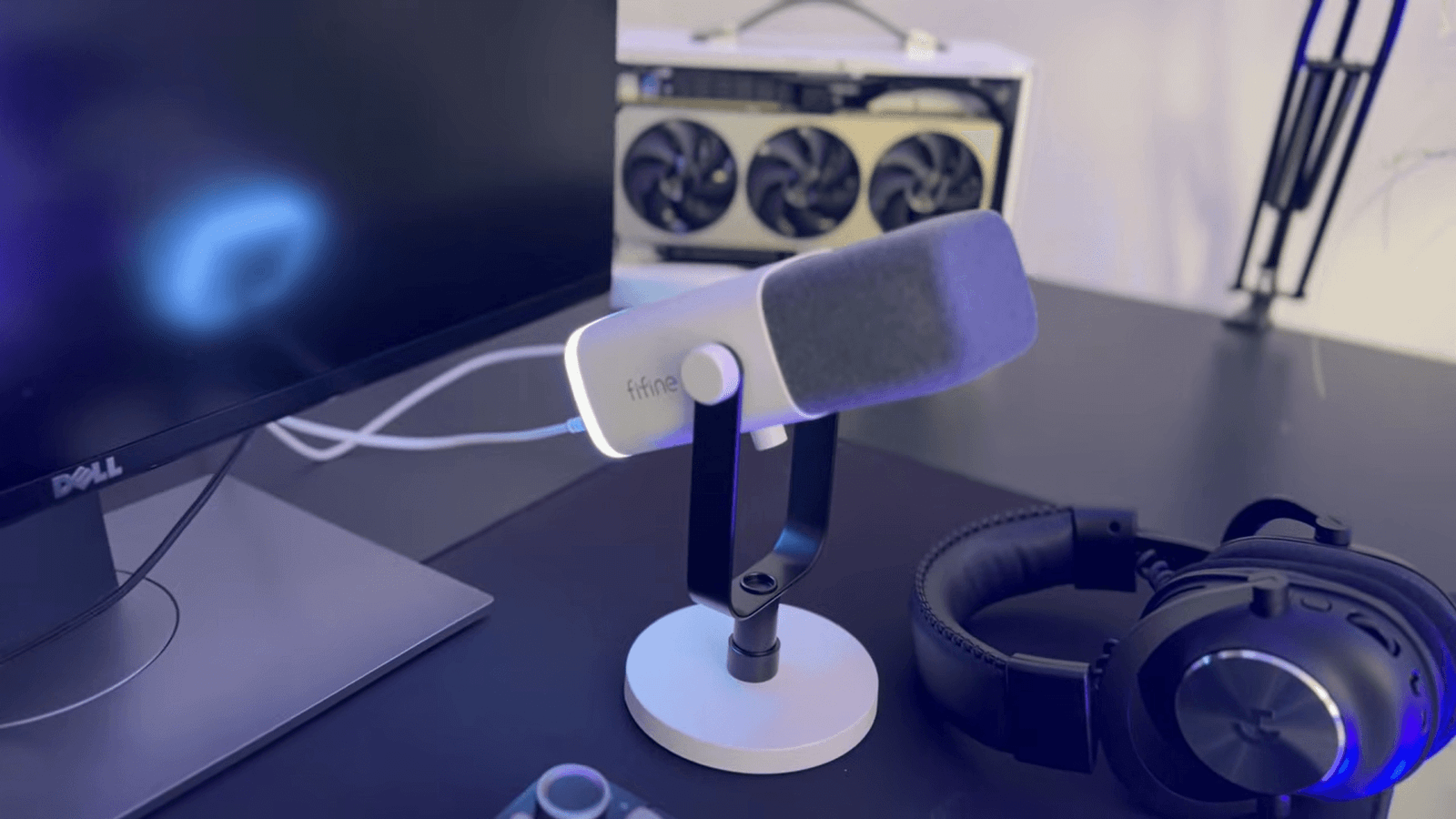
The FIFINE AM8 is a cardioid dynamic microphone designed primarily for gaming, streaming, podcasting, voice recording, and other spoken-word applications. It can connect through USB or XLR, giving beginners plug-and-play convenience while leaving an upgrade path to an audio interface later.
Key Features
- Dynamic microphone capsule
- Cardioid polar pattern
- USB-C and XLR connectivity
- 50Hz–16kHz frequency response
- 16-bit / 44.1–48kHz USB audio
- 3.5mm headphone monitoring
- Zero-latency monitoring
- Onboard microphone gain control
- Headphone volume control
- Touch-sensitive mute button
- RGB lighting
- Desktop stand included with the standard package
- 3/8-inch and 5/8-inch mounting compatibility
- Plug-and-play USB operation
- USB and XLR outputs can be used simultaneously
The combination of USB and XLR is arguably the AM8’s biggest advantage. You can start with USB and a computer, then move to an audio interface without immediately replacing the microphone.
What is the Price of the FIFINE AM8 XLR/USB Dynamic Microphone?
At the time of writing, FIFINE’s official site lists the AM8 XLR/USB Dynamic Microphone with a price tag of $57.99.
It shows that the FIFINE AM8 sits firmly in the budget microphone category. However, the exact price may vary depending on the retailer, country, package, and current promotion.
That price is important because the AM8 isn’t trying to compete directly with premium studio microphones. Its selling point is the amount of functionality you get for the money. You get USB and XLR connectivity, headphone monitoring, onboard controls, RGB, and a dynamic capsule without moving into a much higher price bracket.
How to Set Up FIFINE AM8?
The easiest way to set up the FIFINE AM8 Microphone is through USB. You don’t need an audio interface or special driver for the basic computer setup.
- Attach the AM8 to its stand or boom arm.
- Position the microphone close to your mouth.
- Connect the USB cable to the microphone.
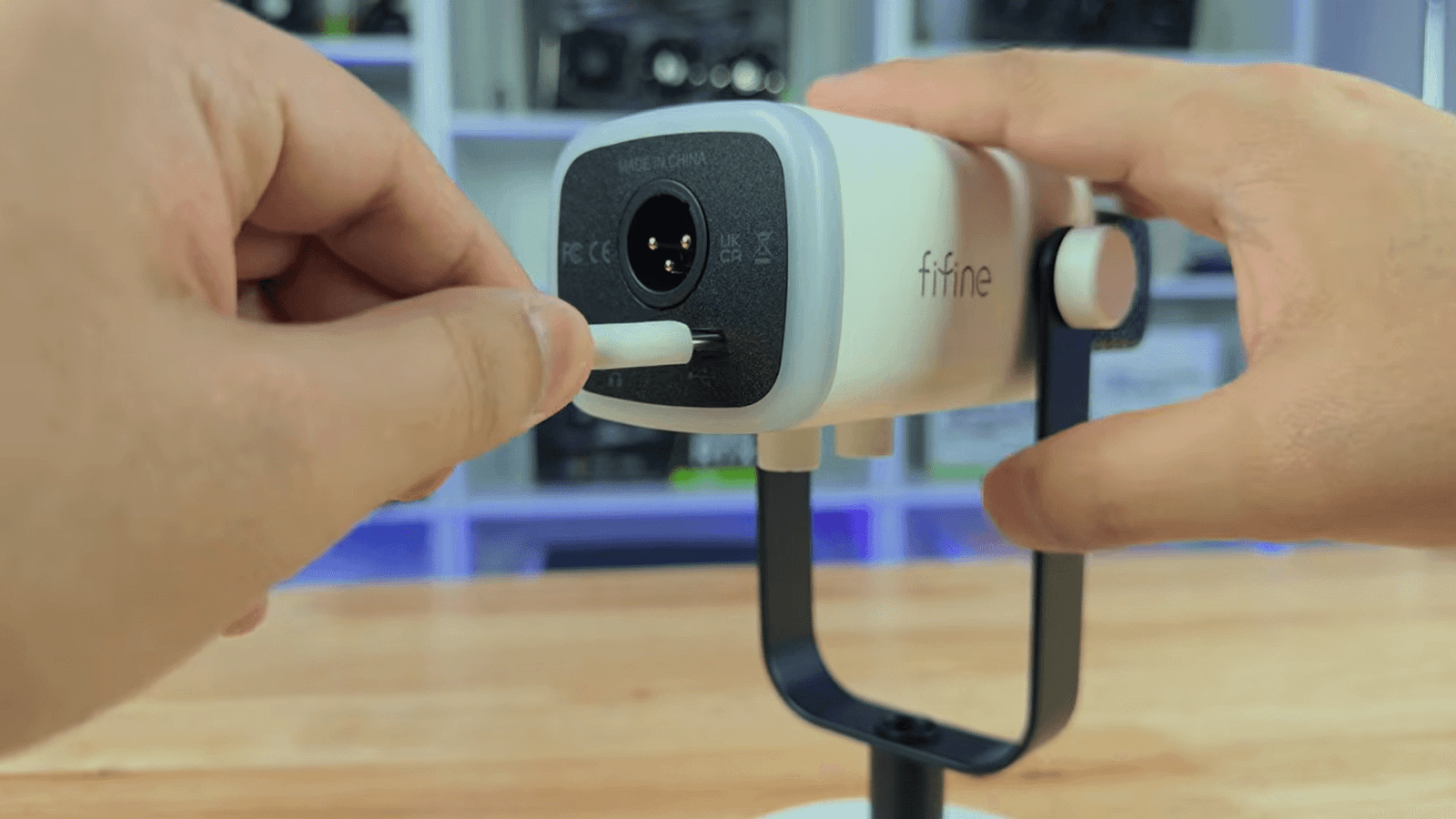
- Connect the other end to your gaming PC.
- Open your computer’s sound settings.
- Select FIFINE Microphone as the input device.
- Open your recording or streaming software.
- Select the AM8 as your microphone.
- Speak and watch the input meter.
- Adjust the microphone gain if necessary.
- Plug headphones into the AM8 for direct monitoring.
- Use the headphone control to set monitoring volume.
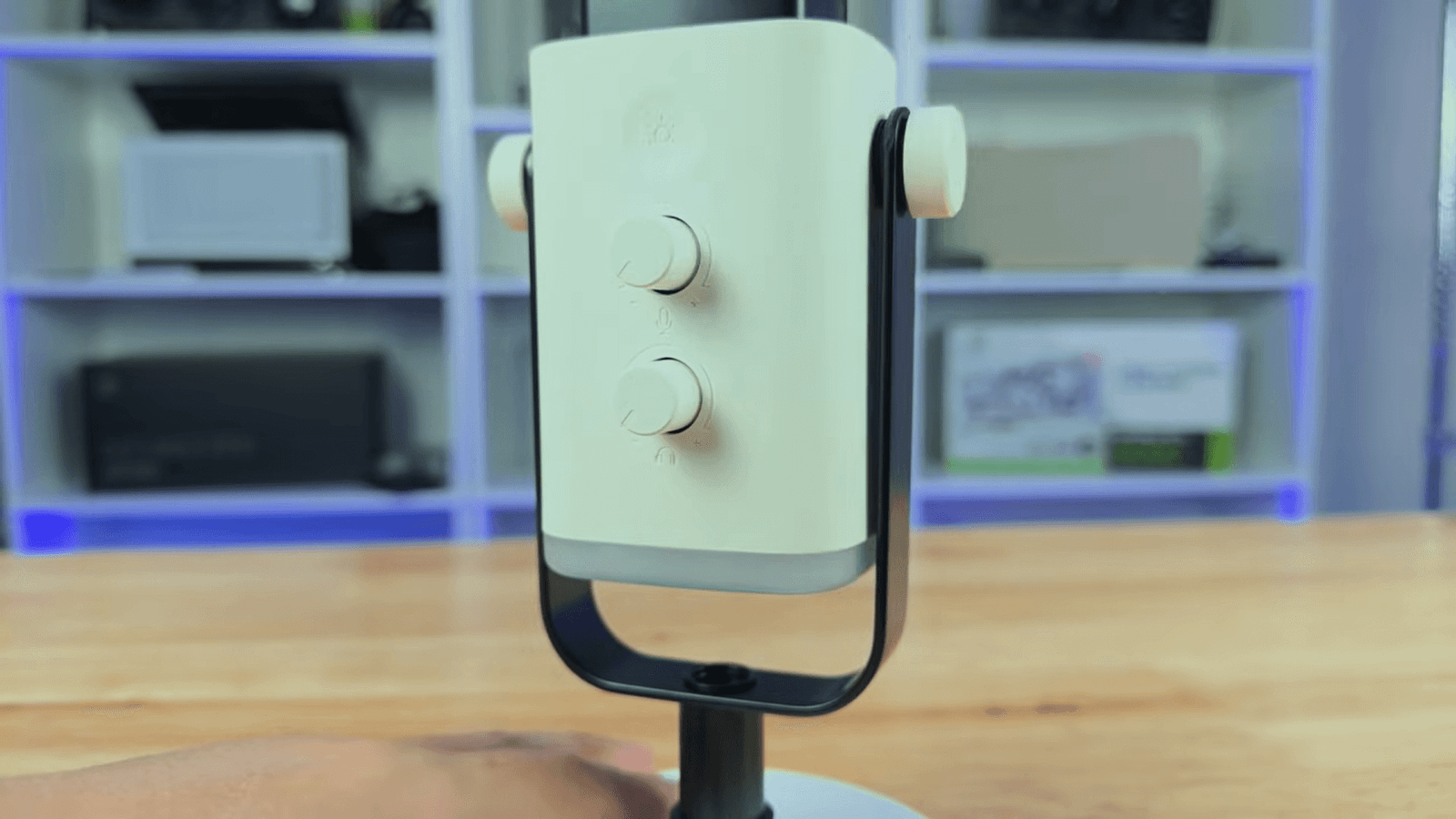
- Tap the mute control when you need to mute yourself.
How to Set Up FIFINE AM8 With XLR?
If you already own an audio interface, the process is slightly different:
- Connect an XLR cable to the AM8.
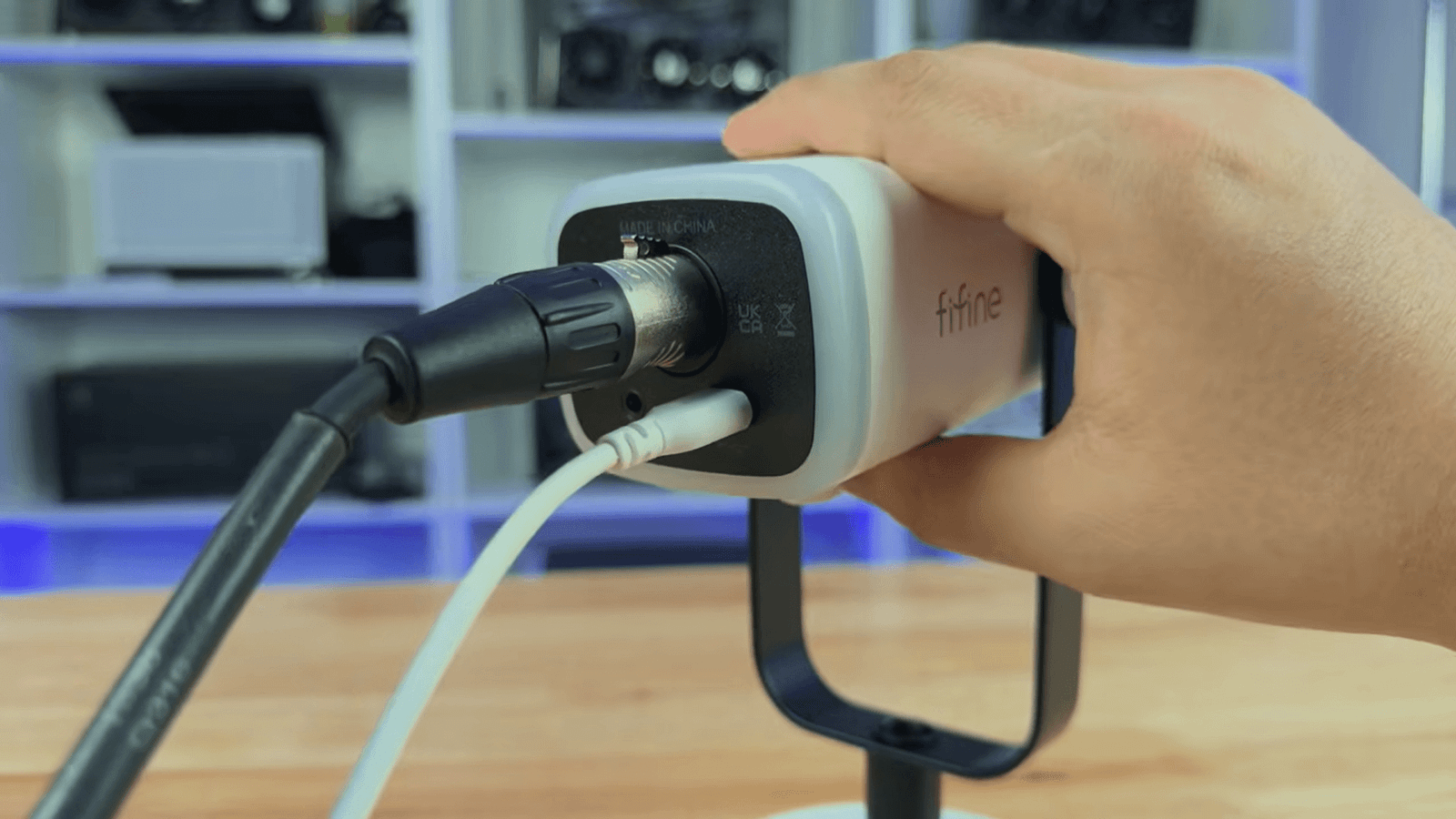
- Connect the other end to your audio interface.
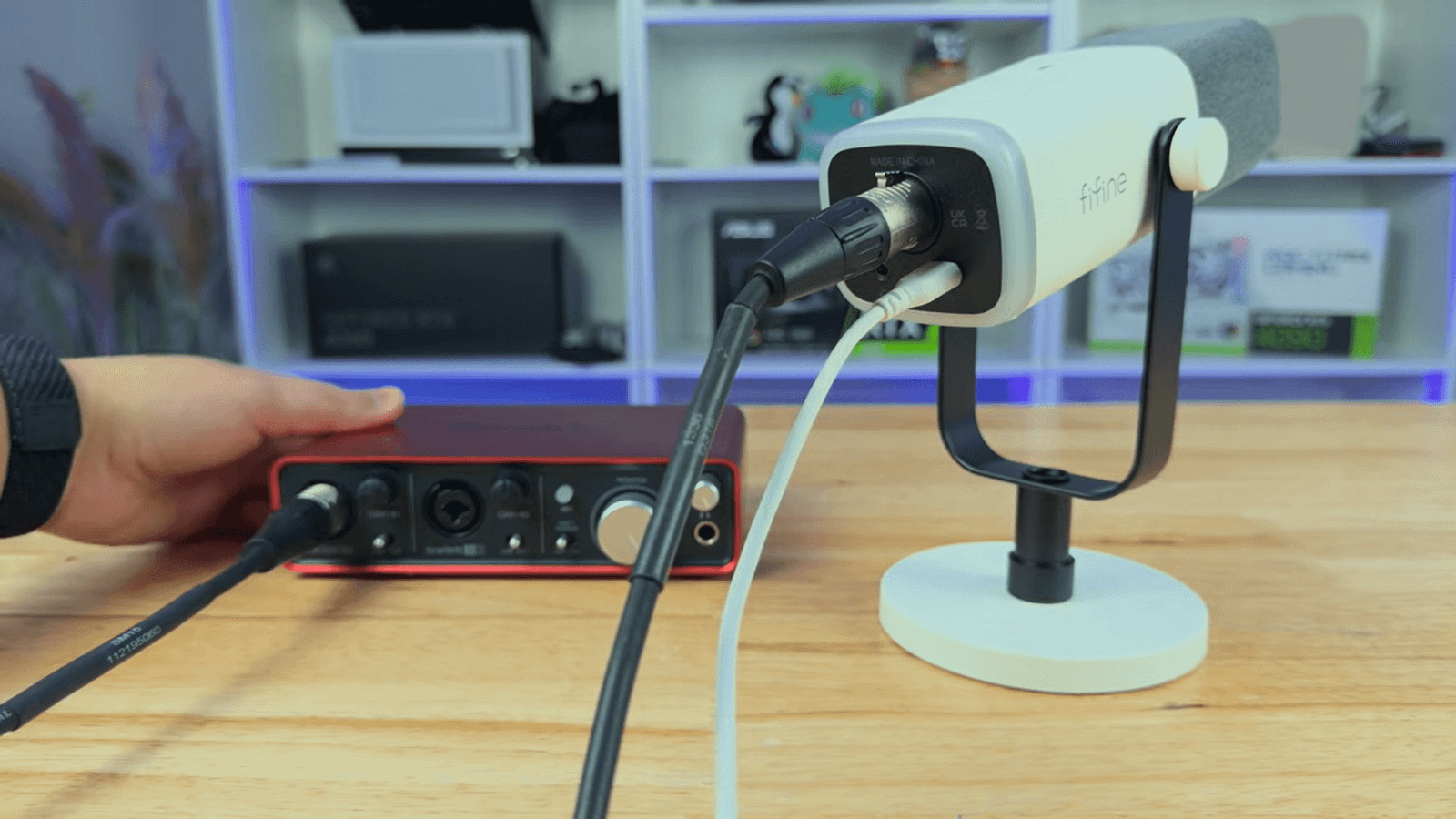
- Select the interface as your computer’s input.
- Set the input gain on the interface.
- Speak at your normal volume.
- Increase gain until your levels are healthy without clipping.
One thing you should know is that the AM8’s onboard USB controls don’t operate through XLR. The RGB lighting, mute button, microphone gain control, and headphone controls are USB functions; with XLR, you manage the audio through your interface or mixer.
What are the Specifications of the FIFINE AM8 XLR/USB Microphone?
| Specification | FIFINE AM8 |
|---|---|
| Microphone type | Dynamic |
| Polar pattern | Cardioid |
| Frequency response | 50Hz–16kHz |
| USB resolution | 16-bit |
| USB sample rate | 44.1–48kHz |
| Sensitivity | -50 ±3dB |
| Connection | USB-C and XLR |
| Headphone output | 3.5mm |
| Monitoring | Zero-latency |
| Controls | Gain, headphone volume, mute |
| Lighting | RGB |
| Mounting | 3/8-inch and 5/8-inch compatibility |
These specifications come from FIFINE’s current documentation, with independent testing also confirming the cardioid pattern, 50Hz–16kHz response, and 16-bit/44.1–48kHz USB conversion.
1. Sound Quality
This is where the AM8 punches above its price.
The microphone produces clear, full-sounding speech when you’re positioned correctly. Independent testing describes its sound as slightly V-shaped, which means the lower and higher frequencies are more prominent while the midrange is somewhat less forward. That can give voices warmth and clarity without requiring heavy processing.
The AM8 particularly benefits from close-mic technique. FIFINE recommends roughly 2–6 inches from the microphone, while independent testing found that moving farther away can reduce the low-end warmth and make the voice sound thinner.
So don’t put the AM8 several inches away on your desk in your gaming zone and then conclude that it sounds bad. Your microphone position makes a surprisingly large difference.
2. Build Quality
The build is good for the price, but this isn’t a microphone I would describe as built like a tank.
The body feels solid enough for everyday gaming and content creation, but some of the hardware is clearly designed around keeping costs down. FIFINE’s own testing notes weaknesses around the mounting tension, while independent testing has also highlighted the mount as one of the AM8’s shortcomings.
The standard package does include a desktop stand, and the microphone supports common 3/8-inch and 5/8-inch mounting threads, so you can move to a boom arm later if you want a cleaner setup.
3. Design
The AM8 has the familiar broadcast-style shape you’d expect from a dynamic microphone, but FIFINE adds RGB lighting to give it more of a gaming and streaming aesthetic.
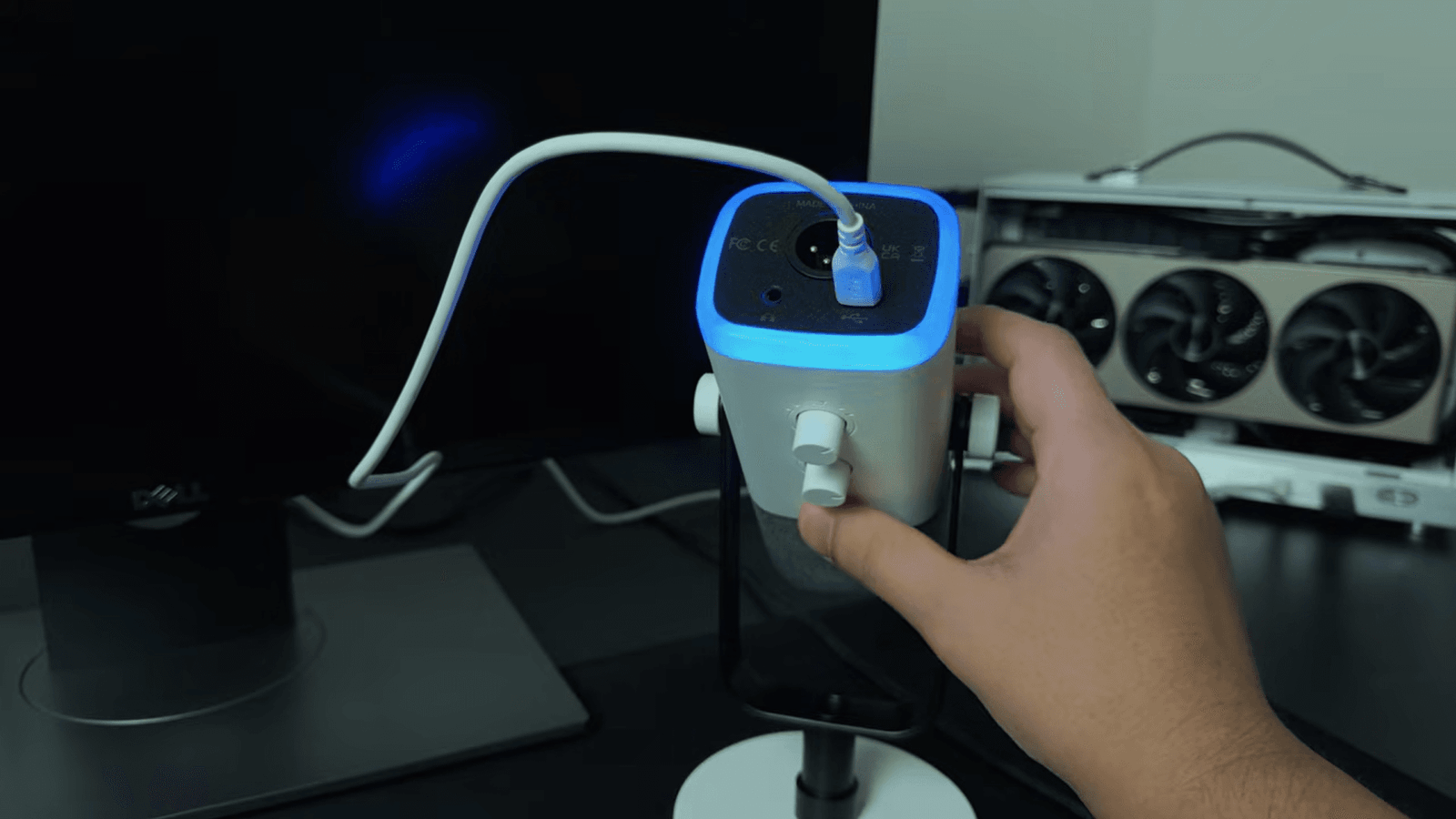
Hence, it can add beauty, especially when you have other components too, with RGB lighting like AIO Coolers, keyboards like Attack Shark X68 HE or Aula F75, and a gaming mouse.
The side controls are useful rather than purely decorative. USB users get access to microphone gain, headphone volume, mute, and RGB controls, while the 3.5mm headphone output allows direct monitoring.
The RGB won’t improve your audio, of course, but if you’re building a gaming setup, it does make the microphone fit the overall look.
Performance Benchmarks of FIFINE AM8 Microphone
Rather than asking whether the AM8 is simply “good,” it’s more useful to judge it according to what you’re actually doing with it.
1. For Gaming
The FIFINE AM8 is a strong choice for gaming, especially if you’re using USB.
Its cardioid pickup pattern helps focus the microphone on your voice rather than capturing everything around you. The dynamic capsule is also a sensible choice for rooms where you have keyboard clicks, fans, or other background sounds.
The slightly brighter presentation can help speech cut through game audio and Discord conversations. Independent testing also includes the AM8 among budget and gaming microphone comparisons.
- Verdict: Excellent for budget-conscious gamers who want clear voice chat without buying an interface.
2. For Streaming
Streaming is arguably where the AM8 makes the most sense.
You can connect it directly through USB, monitor yourself through headphones, and use software processing in OBS when necessary. FIFINE specifically recommends noise suppression, noise gating, and EQ adjustments for refining the AM8 in streaming environments.
The USB connection also means you don’t need a mixer or audio interface cluttering up your desk.
- Verdict: One of the AM8’s strongest use cases, particularly for beginner and intermediate streamers.
3. For Podcasting and YouTube
The AM8 works well for spoken-word recording, provided you use it correctly.
Keep it close to your mouth, maintain a consistent position, and avoid relying on the included desk stand if it forces the microphone too far away. Independent testing found that the microphone retains a fuller sound at close distances, while moving farther away can make the recording thinner.
For YouTube voiceovers, tutorials, commentary, and single-person podcasts, the AM8 can produce very usable results.
For professional studio production, however, you may eventually want a microphone with stronger build quality and more refined sonic characteristics.
- Verdict: Very good value for beginner and intermediate spoken-word creators.
How to Make the FIFINE AM8 Sound Better?
You don’t necessarily need expensive software to get noticeably better audio from the FIFINE AM8 XLR/USB Dynamic Microphone. You can start with these five changes:
- Keep it close: Position the microphone around 2–6 inches from your mouth and maintain a consistent distance.
- Speak into the correct end: Aim the front/top of the microphone toward your mouth rather than talking into the side incorrectly.
- Use a boom arm: It makes positioning easier and can reduce desk vibrations compared with the included desktop setup.
- Add light EQ: Try a high-pass filter around 80–120Hz, reduce muddy frequencies around 500Hz if necessary, and add a gentle presence boost.
- Use noise suppression carefully: In OBS, RNNoise can help reduce background noise, but don’t over-process your voice because aggressive suppression can make speech sound unnatural.
One more practical tip is that you have to fix microphone positioning before touching EQ. A well-positioned AM8 with basic processing will usually sound better than a poorly positioned AM8 with a complicated plugin chain.
Is the FIFINE AM8 Worth It?
The short answer is yes, but it depends on what you need from it.
| User | Worth It? |
|---|---|
| Gamers | Yes — highly recommended. USB makes it simple, and the dynamic cardioid design suits voice chat. |
| Streamers | Yes — excellent value. You get USB, monitoring, mute, and software-processing options. |
| YouTubers | Yes — recommended. It works particularly well for commentary, tutorials, and voice content. |
| Podcasters | Yes — for budget setups. Its spoken-word performance is strong, but professionals may want a more refined microphone. |
| Beginners | Absolutely. USB plug-and-play makes the learning curve very small. |
| People with noisy rooms | Yes, with realistic expectations. Its dynamic cardioid design can help reject unwanted sound, but microphone placement and room noise still matter. |
| People who already own an audio interface | Yes, with a caveat. XLR gives you an upgrade path, but the AM8’s onboard USB controls don’t work through XLR. |
| Musicians | Maybe. It can handle vocal recording and general use, but it’s primarily more compelling for spoken-word content than serious studio recording. |
The AM8 is especially attractive if you want one microphone that can grow with your setup. You can begin with USB and later move to XLR without replacing the microphone.
Final Thoughts on FIFINE AM8 Microphone
The FIFINE AM8 gets the most important things right: it sounds good for its price, is easy to use, supports both USB and XLR, and works across gaming, streaming, YouTube, and podcasting. Its close-mic performance is particularly impressive for a budget dynamic microphone.
However, it isn’t perfect. The mounting hardware could be better, the construction isn’t premium, and some onboard features disappear when you use XLR. But those compromises make more sense when you consider its price.
If you’re starting a content-creation setup and want a microphone you won’t immediately outgrow, the AM8 remains a very sensible option. For most beginners and budget-conscious creators, I would consider it worth buying.
Users Also Ask About Microphones
Keep the AM8 2–6 inches from your mouth, set it as Discord’s input device, adjust the input level, and avoid excessive noise suppression; correct positioning usually makes the biggest difference.
Connect the AM8 through USB using the appropriate adapter for your iPhone; older Lightning iPhones generally need a Lightning-to-USB Camera Adapter, while USB-C iPhones can use a compatible USB-C connection, although mobile compatibility can vary by model and app.
No. You can connect it directly to a computer through USB; an audio interface is only necessary if you want to use its XLR connection.
Yes. Its USB connectivity, cardioid dynamic capsule, headphone monitoring, and compatibility with OBS make it particularly suitable for streaming.
Yes. OBS can recognize the AM8 as an audio input, and you can add filters such as noise suppression, noise gate, gain, and EQ to shape its sound.
Its cardioid dynamic design provides useful background-noise rejection, but it won’t eliminate noise completely; close microphone placement and software processing can improve the result.
