

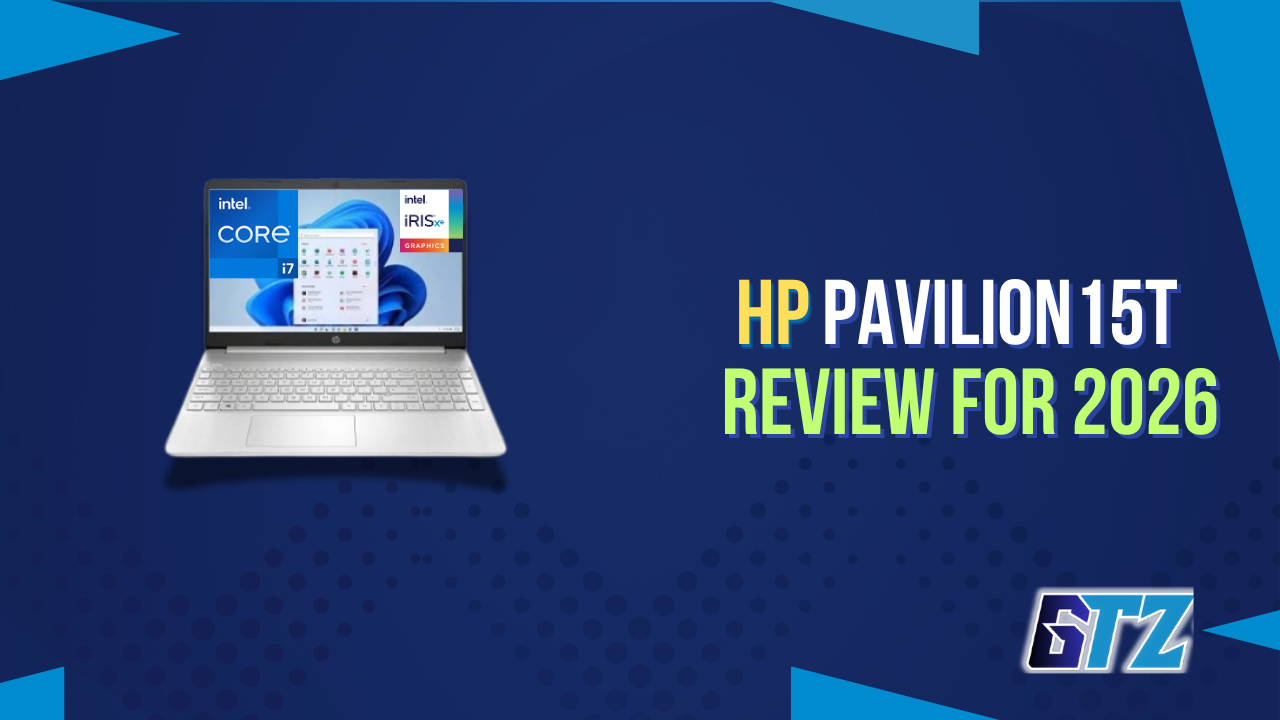
The HP Pavilion 15T still has some things going for it, especially its capable Intel processor, upgradeable RAM and SSD, and practical everyday performance. But in 2026, I wouldn’t judge it simply by how well it performs on paper—the bigger question is whether it still makes sense when newer laptops are available at similar prices.
In this review, I’ll look at the Pavilion 15T’s performance, display, battery life, upgradeability, build quality and overall value, and explain where it still makes sense to buy one. More importantly, I’ll tell you whether I think it’s worth buying in 2026 or whether your money would be better spent on a newer alternative.
⚡ Quick Verdict
Rating: 7.5 / 10
The HP Pavilion 15t delivers reliable everyday performance, a comfortable keyboard, and good port selection at a competitive price. Buy it if you need a capable home and office laptop under $700 with room to upgrade RAM. Skip it if you need all-day battery life over 8 hours, a sharp webcam for video calls, or a chassis that can take a physical beating—the all-plastic build shows its limits under pressure.
Specs at a Glance
| Spec | Detail |
|---|---|
| Model | HP Pavilion 15t-eg300 (15t-eg3000) |
| Processor | Intel Core i7-1355U (10-core, 12-thread, up to 5.0 GHz, Raptor Lake-U) |
| RAM | 16GB DDR4-3200 dual-channel (up to 32GB; 2 SODIMMs) |
| Storage | 256GB / 512GB / 1TB PCIe NVMe SSD (user-replaceable) |
| Display | 15.6″ FHD IPS, 1920×1080 (optional touch; avoid base TN variant) |
| Graphics | Intel Iris Xe G7 (96 EUs) |
| Battery | 41Wh; rated up to 8 hrs; real-world 5–7 hrs mixed use |
| Ports | 2× USB-A 3.0, 1× USB-C Gen 2 (DP 1.4 + PD), HDMI 2.1, 3.5mm combo |
| Webcam | 720p |
| Connectivity | Wi-Fi 6, Bluetooth 5.3 |
| OS | Windows 11 Home |
| Weight | 3.86 lbs (1.75 kg) |
| Dimensions | 14.17 × 9.29 × 0.71 inches |
| Starting Price | ~$529–$699 (mid-2024 to 2025 pricing; frequent sale discounts) |
2026 Availability Note: The 15t-eg300 series is aging out of HP’s lineup. HP introduced the OmniBook 5 as the Pavilion’s spiritual successor in 2025. The 15t is still available through Amazon and third-party sellers, often at a discount, but buyers wanting the freshest hardware should look at OmniBook 5 configurations. For those who simply want proven value at a low price, the Pavilion 15t remains a reasonable buy through 2026.
The Review of HP Pavilion 15T
The HP Pavilion 15t is a mid-range Windows laptop designed for students, professionals, and home users who need dependable everyday performance without paying premium prices. In this review, we’ll examine its design, performance, battery life, display, and overall value to help you decide whether it’s the right laptop for your needs.
Design & Build Quality HP Pavilion 15T
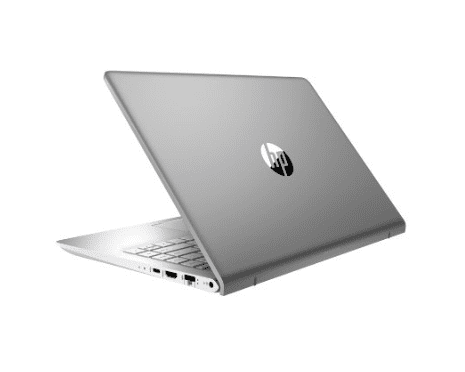
The build quality is a genuinely mixed bag here: a chassis that feels noticeably cheap under scrutiny, wrapped around a profile that’s actually one of the more portable options in its size class. It’s the kind of laptop that photographs better than it feels, and that gap between first impression and hands-on experience is worth understanding before you buy.
Here’s what stands out about the build:
- At 3.86 lbs, portable without being ultralight; fine for commuting in a padded sleeve, but not confidence-inspiring tossed in a bag with a textbook
- Chassis is entirely plastic, the silver finish photographs well, but some buyers are surprised at the feel in person
- Lid flexes noticeably when twisted, with visible color distortion on the panel under pressure
- Keyboard deck has a slightly spongy zone that becomes apparent under firm typing
- Profile is genuinely slim for a 15.6-inch machine, 18mm thin with narrow bezels
One standout detail: the hinge requires two hands to open from cold, which is a minor but daily annoyance. On the positive side, the hinge holds a set position firmly during use and doesn’t wobble the display during typing.
The fingerprint reader on the keyboard deck is a thoughtful inclusion at this price point and works reliably for Windows Hello logins. Color choices include Natural Silver and Warm Gold.
Everyday Productivity & Multitasking of The 15T
The i7-1355U handles everyday productivity work without breaking a sweat; spreadsheets, heavy multitasking, and video calls all feel smooth, with thermal throttling only showing up under sustained heavy loads.
Here’s what stands out in daily use:
- Under sustained heavy CPU load, thermal throttling does occur, which is standard for 15W-class processors in this chassis size and price category
- The Intel Core i7-1355U handles spreadsheets, browser sessions with 20+ tabs, and Office 365 work without any perceptible lag, provided the RAM is configured in dual-channel (which it is on most shipping configurations)
- The processor sustains high boost clocks under light loads; web browsing and document editing feel notably snappier than the base clock speed implies
- Notebookcheck data confirms the cooling solution manages heat well enough that the keyboard surface stays comfortable during office use
- For data work, light research, or all-day video conferencing, the Pavilion 15t holds up without complaints
Video Editing & Creative Work
In testing with DaVinci Resolve using 1080p timelines, the i7-1355U and Iris Xe graphics handle basic cuts and color grading at a reasonable pace. Export times are longer than laptops with dedicated GPUs, but for students or hobbyists editing family videos or YouTube shorts, the workflow isn’t painful. 4K timeline editing is technically possible but noticeably slower — not recommended as a primary editing machine at that resolution.
Light Gaming
Casual gaming is where the Iris Xe graphics surprise people. CS:GO and Dota 2 run at 60+ FPS on Medium settings. Red Dead Redemption 2 runs at roughly 30–35 FPS at low settings—playable but not smooth. The Pavilion 15t is not a gaming laptop in any serious sense, but it handles older titles and esports games at reduced settings better than most integrated graphics machines in its class.
Real-World Battery Life of The Pavilion
Rated at up to 8 hours, real-world battery life lands between 5 and 7 hours under mixed productivity use (browser, docs, video calls). Heavy CPU tasks drain the battery much faster. The 41Wh cell is on the smaller side for this screen size, which is the primary reason battery life feels slightly short compared to category competitors. USB-C charging (PD) is supported, which is a convenience win.
Pros and Cons
| PROS | CONS |
|---|---|
| Intel i7-1355U delivers genuinely responsive performance for productivity and moderate multitasking | All-plastic build flexes under pressure; lid twisting produces visible panel distortion |
| Two upgradeable SODIMM slots mean RAM can be expanded beyond the base configuration | Webcam is 720p only — substandard for frequent video conferencing in 2025 |
| SSD is user-replaceable, extending the machine’s useful life | Real-world battery life of 5–7 hours falls short of the 8-hour rated figure under typical use |
| Solid port selection including HDMI 2.1 and USB-C Gen 2 with DisplayPort and Power Delivery | No SD card reader — a genuine inconvenience for photographers and content creators |
| Fingerprint reader included at this price point | Base display configuration (TN panel) has poor viewing angles; only the IPS variants are worth buying |
| Keyboard has well-spaced keys and comfortable travel for extended typing sessions | Thermal throttling occurs under sustained heavy CPU workloads |
| Narrow display bezels give the screen an efficient, modern look | Keyboard deck has a soft zone that flexes under firm typing pressure |
| Often deeply discounted — sub-$550 deals are common during sales periods | Lid requires two hands to open; no one-hand operation |
Variants of HP Pavilion 15T
The “Pavilion 15t” name spans several generations, which is where most buyer confusion comes from. The eg-series (eg000–eg300) are recent Tiger Lake through Raptor Lake models on the same chassis as the eg300 above, while the cs-series (cs200, cs300) are older Whiskey Lake and Ice Lake generations still floating around refurbished channels.

HP Pavilion 15T-EG000
The entry point into the EG-series chassis, built on 11th-gen Tiger Lake silicon. Best bought only at a steep discount, since later eg-series models outperform it for little extra cost.
- CPU: Core i5-1135G7 or Core i7-1165G7, up to 4.7GHz
- Graphics: Intel Iris Xe (integrated only)
- RAM: 8GB up to 64GB DDR4-3200
- Storage: 512GB to 1TB PCIe NVMe SSD
- Display: base HD (1366×768) panel to avoid; FHD IPS and touch available as upgrades
HP Pavilion 15T-EG100
An incremental refresh of the EG000 on the same Tiger Lake platform, with higher clock speeds and IPS as the standard display rather than an upgrade to hunt for.
- CPU: up to Core i7-1195G7, turbos to 5.0GHz
- Graphics: Intel Iris Xe, with some configs adding an Nvidia MX350 (2GB)
- RAM: 16GB to 64GB DDR4-3200
- Storage: 512GB to 4TB PCIe NVMe SSD
- Display: FHD IPS standard; base TN option dropped from this generation
HP Pavilion 15T-EG200
Moves to 12th-gen Alder Lake and adds a proper discrete GPU, making it the pick for light gaming or GPU-accelerated video work.
- CPU: Core i7-1255U, 10-core, up to 4.7GHz
- Graphics: Nvidia GeForce MX550 (2GB GDDR6)
- RAM: 16GB up to 64GB DDR4-3200
- Storage: 512GB to 4TB PCIe NVMe SSD
- Battery: 41Wh, rated up to 8 hours
HP Pavilion 15T-CS200
A notably older Whiskey Lake machine, best considered only as a budget refurbished pick given how far behind it sits versus even the EG000.
- CPU: Core i7-8565U (8th-gen), quad-core, up to 4.6GHz
- Graphics: Intel UHD 620 (integrated only, no Iris Xe)
- RAM: 8GB to 16GB DDR4-2400, often with Optane caching
- Storage: 512GB SSD up to 1TB HDD on lower configs
- Display: 15.6″ HD or FHD panel depending on configuration
HP Pavilion 15T-CS300
A step up from the CS200 on 10th-gen Ice Lake, with better graphics and storage, it is still worth buying only secondhand or refurbished today.
- CPU: Core i7-1065G7 (10th-gen)
- Graphics: Intel Iris Plus (integrated)
- RAM: 16GB DDR4-2400
- Storage: 512GB PCIe NVMe SSD
- Battery: rated around 8 hours (real-world varies with battery age)
Which Pavilion 15t is best for you?
| Use case | Best variant | Why |
|---|---|---|
| Everyday productivity, home/office work | eg300 | Best all-round CPU (i7-1355U) and port selection for the price |
| Tightest budget, willing to accept older hardware | eg000 (on sale) | Cheapest entry into the eg-series chassis, especially discounted |
| Best value upgrade over eg000 | eg100 | Higher clocks, IPS standard, optional MX350 GPU, similar price |
| Light gaming or GPU-assisted video editing | eg200 | Only eg-series variant with a real discrete GPU (MX550) |
| Students needing dependable all-rounder | eg300 or eg100 | Balance of CPU performance, upgradeable RAM, and battery life |
| Secondhand/refurbished budget buy only | cs300 | Newer of the two cs-series options, Iris Plus graphics, NVMe SSD |
| Absolute rock-bottom refurbished price | cs200 | Cheapest available, but weakest CPU/graphics on this list |
| Maximum battery life priority | Skip the 15t entirely | Lenovo IdeaPad 5 or HP Pavilion Plus 14 instead — see comparison above |
| Serious gaming or 4K video editing | Skip the 15t entirely | No configuration here has enough GPU power for either |
The short version: eg300 or eg200 for most buyers today, eg100 if you find it meaningfully cheaper, and the cs-series only if it’s refurbished and heavily discounted — otherwise you’re paying old-generation prices for old-generation performance.
Who Should (and Shouldn’t) Buy This?
These are some factors to think about when deciding whether or not to purchase this laptop.
Buy the HP Pavilion 15t if:
- A student or remote worker who needs a dependable machine for productivity, research, and video calls from home
- Working with a budget under $700 and want Intel 13th-gen performance rather than entry-level hardware
- Planning to upgrade RAM over time — the dual-SODIMM design makes this easy
- Running light creative work (basic video editing, photo editing) without needing a dedicated GPU
Skip the HP Pavilion 15t if:
- Attending back-to-back video meetings all day — the 720p webcam looks noticeably bad in well-lit rooms, let alone dim ones
- Need 9+ hours of battery life away from a charger (look at Lenovo IdeaPad 5 or the HP Pavilion Plus 14 instead)
- Carry a laptop in a bag without a hard case regularly — the plastic chassis is not built for rough handling
- A serious gamer: there is no dedicated GPU in this chassis
- A photographer or videographer who regularly transfers files via SD card — there is no card reader
How Does it Compare?
Here are some comparisons with other laptops that have similar specifications.
HP Pavilion 15t vs Dell Inspiron 15 (3000/5000 Series)
The Dell Inspiron 15 5000 in a comparable configuration offers a similar Intel processor platform but typically has a sturdier build quality and a sharper webcam on newer models. The Pavilion 15t wins on port selection — the HDMI 2.1 and USB-C Gen 2 combination is more future-ready than what Dell ships at the same price tier.
Battery life is roughly comparable between the two. Buyers who prioritize chassis rigidity will prefer the Inspiron; buyers who want better connectivity will lean toward the Pavilion. For a deeper breakdown, see the full HP vs Dell computers comparison.
HP Pavilion 15t vs Lenovo IdeaPad 5
The IdeaPad 5 in a similar configuration consistently outperforms the Pavilion 15t on battery life — often reaching 9–10 hours in real use — and has a more rigid chassis. The Pavilion 15t matches it on raw CPU performance and typically offers a better port layout. If portability and battery endurance are the top priorities, the IdeaPad 5 is the better pick.
What I Think About HP Pavilion 15T?
Overall, I think the HP Pavilion 15T is still a good laptop, especially when you find the right configuration at a discounted price. The i7-1355U, upgradeable RAM, replaceable SSD and solid port selection make it a capable productivity machine.
However, I wouldn’t make it my first choice in 2026. The Pavilion 15T is an ageing platform, and HP has moved its mainstream consumer lineup toward newer OmniBook models. Current OmniBook 5 systems offer newer hardware, better build quality and substantially longer battery life.
- Good option: If I find an EG300 or EG200 at a heavily discounted price.
- Still capable: The i7-1355U is more than enough for everyday productivity and multitasking.
- Easy to upgrade: RAM and SSD can be replaced, which helps extend its useful life.
- Main drawbacks: The plastic chassis, 5–7-hour real-world battery life and 720p webcam are showing the laptop’s age.
- What I’d do in 2026: I’d compare its price against newer alternatives before buying. If the price difference is small, I’d take the newer laptop instead.
My verdict: The Pavilion 15T isn’t a bad laptop—it has aged reasonably well. But in 2026, I’d only buy it when the price makes its compromises worthwhile; otherwise, there are better and newer options to consider.
People Also Ask For Hp Pavilion 15t Laptop Review
Yes, for most college use cases — coursework, research, Office apps, light media editing, and casual streaming — the Pavilion 15t handles everything comfortably. The main caveat for students is battery life: 5–7 hours means carrying a charger to longer class days is wise.
It can handle basic to moderate 1080p video editing in apps like DaVinci Resolve or Adobe Premiere. Export times are slower than laptops with dedicated GPUs. It is not suitable as a primary machine for professional 4K editing workflows.
These are effectively the same product line — the 15t-eg3000 is the slightly newer sub-series designation used in some retail and direct sales channels. Both share the same Intel Raptor Lake-U platform, chassis design, and core specifications. Configuration options (RAM, SSD size, display type) vary between specific SKUs within both lines.
Only for casual and light gaming. The Intel Iris Xe integrated graphics can run esports titles like CS:GO and Dota 2 at 60+ FPS on medium settings, and older titles at reduced settings. Modern AAA games at acceptable frame rates are not realistic without a dedicated GPU.
HP introduced the OmniBook 5 series in 2025 as the evolution of the Pavilion laptop line, featuring newer Intel Core Ultra processors and AI-focused features. The Pavilion 15t (15t-eg300/eg3000) remains available through third-party sellers and is a solid value, especially at discounted prices — but buyers who want the latest HP consumer laptop generation should look at OmniBook 5.
Final Verdict on HP Pavilion 15t Laptop Review
The HP Pavilion 15T is still a good everyday laptop, particularly if you find an EG200 or EG300 configuration at a strong discount. Its capable Intel processor, upgradeable RAM, replaceable NVMe SSD and useful port selection give it enough flexibility for productivity and general use.
However, I wouldn’t choose it over a newer laptop if the prices are close. The 5–7-hour battery life, plastic construction, basic webcam and older hardware platform make it harder to recommend in 2026 when newer options can offer better efficiency, build quality and longevity.
My recommendation is simple: buy the Pavilion 15T if the discounted price makes its compromises worthwhile. Otherwise, I’d spend the extra money on a newer model that gives you better battery life, newer hardware and more years of useful life.
Where to buy: HP.com Direct, Amazon, Best Buy (check for current sale pricing — 20–30% discounts are common on this model heading into 2026). HP also sells AMD-powered Pavilion variants. If you’re considering those models, read our guide on whether AMD Ryzen 5 is a good choice before deciding.
