

If you’re looking at a gaming keyboard with 8000Hz polling and wondering whether it’s actually worth the extra money, you’re not alone. The number sounds impressive, but the real-world difference from the standard 1000Hz is much smaller than the marketing suggests. In this guide, I break down what polling rate actually changes, how much latency you really save at 4000Hz and 8000Hz, and whether you’ll notice the difference during gaming.
I’ll also explain what matters beyond polling rate, so you can decide whether to spend more on a faster polling rate or put that money toward better switches, actuation, or overall keyboard quality.
What Exactly Keyboard Polling Rate Is?
Polling rate is how often your keyboard reports its current state to your PC, measured in Hertz (Hz). A 1000 Hz keyboard sends an update every 1 millisecond. An 8000 Hz keyboard does it every 0.125 milliseconds.
- 125 Hz (standard office keyboards): reports every 8ms
- 500 Hz: reports every 2ms
- 1000 Hz (gaming standard): reports every 1ms
- 4000 Hz–8000 Hz (high-end gaming): reports every 0.25 ms–0.125 ms
This is purely about how often the keyboard “checks in.” It’s not the same as how fast a keypress actually registers, which also depends on the switch type, the debounce algorithm, and the firmware.
What is the Difference Between Polling Rate and Response Time?
Polling rate and response time get used interchangeably online, but they measure different parts of the chain.
- Polling rate = how often the keyboard reports to your PC (measured in Hz)
- Response time (input latency) = the total delay from physical keypress to the action appearing on screen, including switch travel, debounce, firmware processing, and USB transmission, plus polling
The polling rate is one ingredient in response time, not the whole recipe. A 1000 Hz keyboard with a fast switch and clean firmware can have lower real-world response time than an 8000 Hz board with a sluggish debounce setting. When you’re comparing specs, treat polling rate as a ceiling on how fast a keyboard could respond, not a guarantee of how fast it actually feels.
Why Polling Rate Matters for Gaming?
Going from a 125 Hz office board to a 1000 Hz gaming keyboard cuts theoretical reporting delay from 8 ms to 1 ms. That’s a difference competitive players can genuinely feel in fast-paced shooters, fighting games, and rhythm games.
The Jump That Barely Matters:
Beyond 1000Hz, the gains shrink fast. The gap between 1 ms and 0.125 ms is smaller than the natural variance in most people’s reaction time, and blind testing consistently shows players can’t reliably tell the two apart mid-match. Most professional gamers still compete on 1000 Hz keyboards — the practical standard hasn’t moved much even as the marketing has.
What’s the Best Polling Rate for a Gaming Keyboard?
For the vast majority of players, 1000 Hz is the best keyboard polling rate for gaming. It delivers all the responsiveness competitive play requires, without the extra CPU overhead, higher price tag, or occasional compatibility hiccups that some early 8000 Hz boards still carry.
Reserve 8000 Hz for a narrow group:
- Pro or semi-pro players on 240Hz+ monitors
- Rhythm game specialists chasing every fraction of a millisecond
- Enthusiasts who’ve already maxed out every other part of their setup
Is 1000 Hz Polling Rate Good for Gaming?
Yes. A 1000 Hz polling rate is good for gaming, full stop — for nearly every player and every genre, including competitive FPS and MOBA titles. It’s been the industry standard for over a decade, it’s supported by virtually every keyboard on the market, and it won’t strain your CPU the way constant 8000 Hz reporting can on lower-end systems. Unless you’re chasing marginal gains as a sponsored player, 1000 Hz is not a compromise.
What Actually Changes on 1000 Hz Vs 8000 Hz?
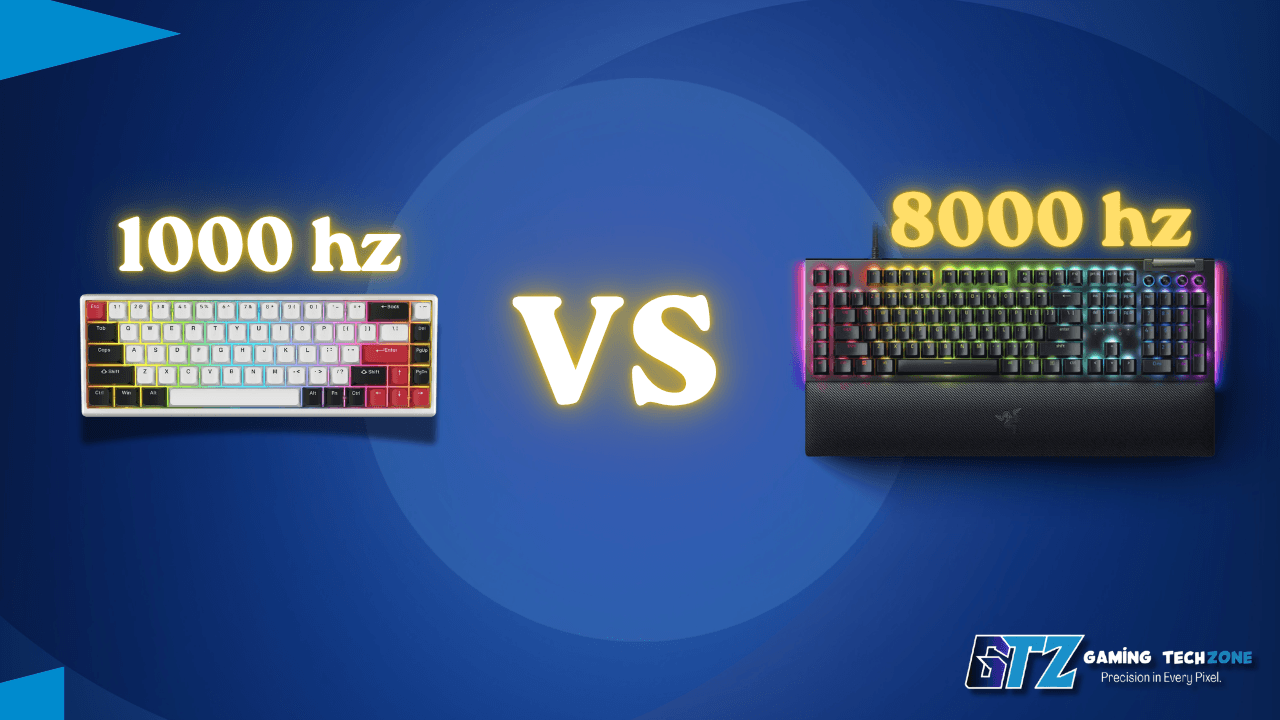
| Options | 1000Hz | 8000Hz |
| Report interval | 1ms | 0.125ms |
| CPU overhead | Negligible | Slightly higher, can matter on weaker CPUs |
| Price impact | None – it’s standard | Often $50–$100+ premium |
| Real-world feel | Indistinguishable for most players | Marginal edge for elite/competitive use |
| Compatibility | Universal | A few boards still default back to 1000Hz to avoid stutter |
Pros:
- Universally supported
- No CPU tax
- Cheaper
- Plenty fast for 99% of players.
cons:
- Not the “biggest number” on the spec sheetwhich matters to some buyers psychologically more than practically.
8000 Hz pros:
- Lowest theoretical latency available
- Future-proofs your setup
- Useful for high-refresh-rate competitive setups.
8000 Hz Cons:
- Higher cost
- Can add CPU load on weaker rigs
- Gains are often imperceptible outside lab conditions.
What Really Affects Keyboard Latency Beyond Hz?
The “8000 Hz = 0.125ms” math on spec sheets is technically accurate but practically misleading. Real input lag is a chain of steps: key travel and actuation point, debounce delay, firmware processing, USB transmission, then polling.
A well-tuned 1000 Hz keyboard with quality switches and clean firmware often feels just as snappy as a cheaper 8000 Hz board with sloppy debounce settings. If responsiveness is the real goal, switch type and actuation distance deserve just as much attention as the Hz number. This is where Hall effect keyboards with adjustable actuation and rapid trigger genuinely earn their reputation.
How to Check and Change Your Keyboard’s Polling Rate?
Most gaming keyboards set the polling rate through companion software (Razer Synapse, Wooting’s Wootility, Keychron’s launcher, and similar tools).
- Open the manufacturer’s configuration software
- Find the Performance or Polling Rate setting
- Select 1000 Hz unless you have a specific competitive reason to go higher
- Test in-game — if you notice stutter or input hiccups at a higher Hz, drop it back down
Does Wired or Wireless Affect Polling Rate?
For years, going wireless meant sacrificing top-tier polling rate, since most 2.4 GHz wireless keyboards capped out around 1000 Hz while wired boards pushed higher. That gap started closing in January 2026, when Keychron’s CES-announced Q Ultra and V Ultra series became the first mainstream boards to hit full 8000 Hz polling over 2.4 GHz wireless.
If you’re torn between a tethered board and a cable-free setup, it’s worth comparing wired and wireless keyboards for gaming options side by side before assuming wired is automatically faster.
Best Gaming Keyboards by Polling Rate (2026)
These are the 4 best options for polling rates gaming keyboards.
Wooting 80HE
Hall effect magnetic switches with adjustable actuation from 0.1 mm to 4.0 mm and the industry’s most refined rapid trigger implementation.
- Pros: best-in-class rapid trigger, fully customizable actuation, hot-swappable, durable build
- Cons: wired only, premium price (~$200), can run loud
- Best for: competitive FPS and rhythm game players who want every edge
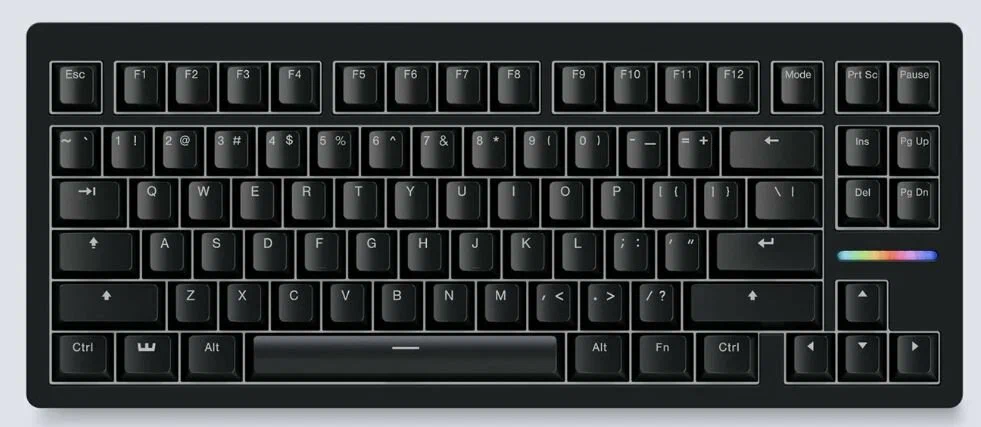
Razer Huntsman V3 Pro (8 KHz)
Gen-2 analog optical switches paired with true 8000 Hz polling and an adjustable Rapid Trigger mode.
- Pros: blazing-fast switches, mature software ecosystem, esports pedigree
- Cons: wired only, premium price (~$250)
- Best for: players already in Razer’s ecosystem who want flagship-level speed
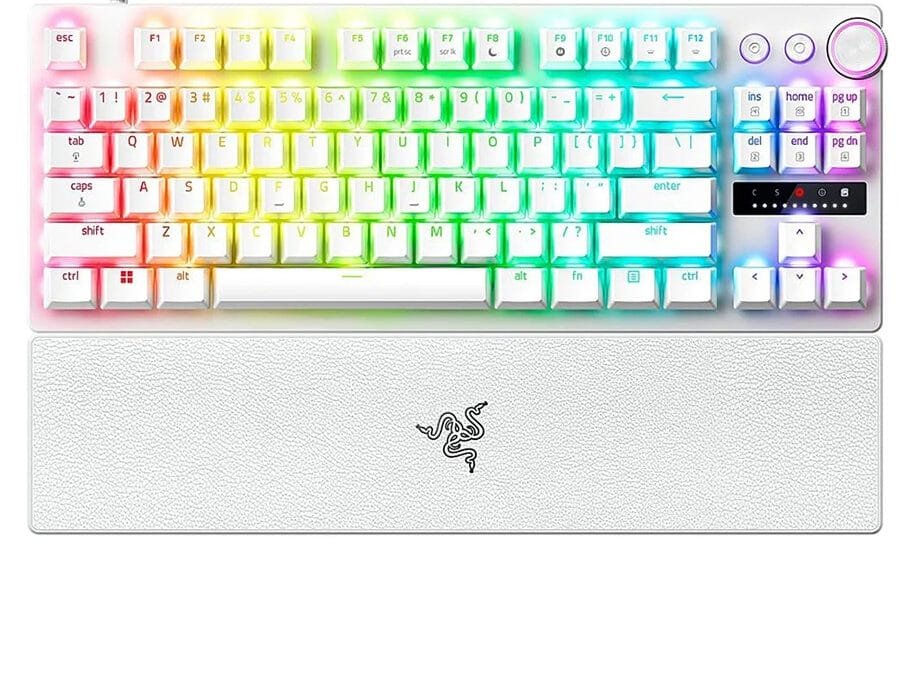
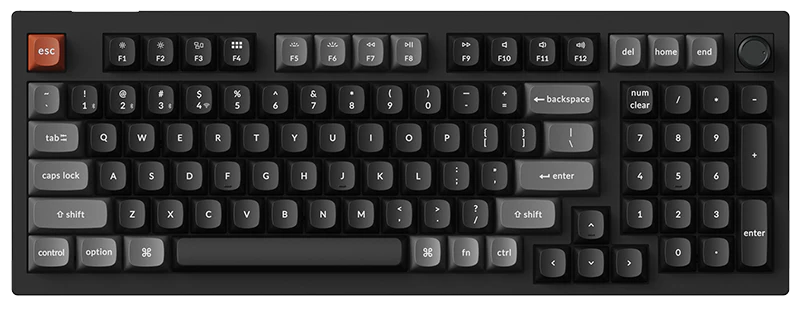
Keychron Q Ultra / V Ultra
Unveiled at CES 2026 (shipping began January 6), the Q Ultra and V Ultra are Keychron’s first keyboards built on ZMK firmware instead of QMK – and the first mainstream boards to hit a true 8000 Hz polling rate over 2.4 GHz wireless, matching wired-level speed.
Keychron states up to 660 hours of battery life at that polling rate. The Q Ultra line uses Hall effect magnetic switches in an aluminum case; the V Ultra is the more affordable, tri-mode (wired/2.4 GHz/Bluetooth) alternative.
Note: the full 8000 Hz rate is only available over the 2.4 GHz dongle or wired USB-C — Bluetooth mode doesn’t reach it.
- Pros: closes the wired-vs-wireless latency gap, exceptional battery life, Hall effect switches on the Q Ultra line
- Cons: ZMK is newer with a smaller community/mod ecosystem than QMK, pricing starts around $230 for entry models
- Best for: gamers who refuse to compromise on a cable-free desk
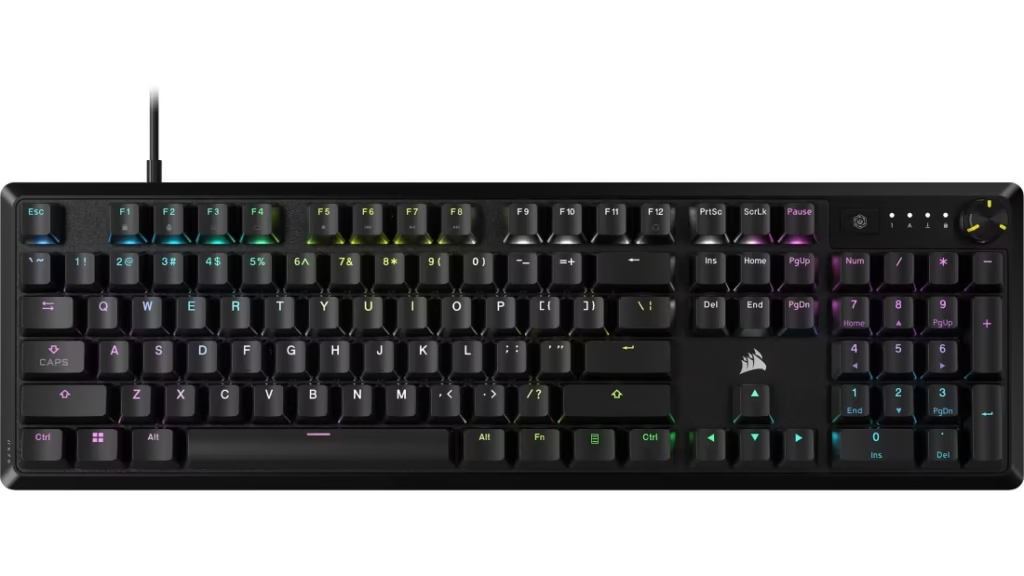
Corsair K70 CORE
The Corsair K70 Core is a dependable 1000 Hz mechanical board for players who don’t need 8K polling to compete.
- Pros: solid build quality, reliable 1000 Hz performance, accessible pricing
- Cons: no Hall effect or rapid trigger features, fewer customization options
- Best for: budget-conscious gamers who still want a serious gaming keyboard
If you’d rather skip the build-it-yourself decisions entirely, our best prebuilt keyboards picks are tuned for performance straight out of the box, too. And if a smaller footprint is the priority, compact boards run the same switch tech as their full-size siblings — polling rate isn’t a layout limitation.
Comparison Table
| Keyboard | Max Polling Rate | Switch Type | Approx. Price | Best For |
|---|---|---|---|---|
| Wooting 80HE | 8000Hz | Hall effect (magnetic) | ~$200 | Competitive FPS/rhythm |
| Razer Huntsman V3 Pro 8KHz | 8000Hz | Analog optical | ~$250 | Esports-grade speed |
| Keychron Q Ultra / V Ultra | 8000Hz (wired + 2.4GHz wireless) | Hall effect (Q Ultra) / mechanical (V Ultra) | From ~$230 | Wireless without compromise |
| Corsair K70 CORE | 1000Hz | Mechanical | Budget-friendly | Everyday competitive play |
My Honest Answer: Do You Really Need 8000 Hz?
After looking at the actual difference between 1000Hz and 8000Hz, I don’t think most gamers should pay extra just for a higher polling rate. I would stick with 1000Hz because it already delivers a 1ms reporting interval and is more than enough for competitive gaming.
- 1000Hz is my recommendation for most gamers because the real-world difference is difficult to notice beyond this point.
- 8000Hz makes sense for a smaller group of competitive players using 240Hz+ monitors or chasing every possible latency advantage.
- I would rather spend the extra money on better switches, faster actuation, or a quality keyboard than pay a premium just for the 8000Hz number.
- Polling rate isn’t everything. Switches, actuation distance, debounce, and firmware also have a major impact on how responsive a keyboard actually feels.
My take: 8000Hz is a legitimate feature, but for most players, 1000Hz is the smarter value and the setting I’d actually use.
Ready to find the right board for your setup and budget? Browse our full breakdown of the best gaming keyboards for every budget and pick the one that actually matches how you play — not just how fast it claims to be.
Questions Most People Ask About Polling Rates
1000Hz is the best polling rate for a gaming keyboard for almost all players. It matches competitive-level responsiveness without the cost or CPU overhead of 8000Hz.
Yes. 1000Hz has been the gaming industry standard for over a decade and remains more than fast enough for FPS, MOBA, and fighting game genres.
Use 1000Hz by default. Only move up to 4000Hz or 8000Hz if you’re a competitive player on a high-refresh-rate monitor and your system can handle the extra CPU load without stutter.
The theoretical latency drops, but blind testing shows most players can’t reliably feel the difference between 1000Hz and 8000Hz during actual matches. It’s a real spec, just a small one in practice.
Yes, slightly. Running at 8000Hz forces your CPU to process input reports eight times more often than at 1000Hz. On modern gaming PCs this is usually negligible, but on CPU-limited systems it can cause minor frame-time instability.
Sources
- PC Gamer — Wooting 80HE review
- Windows Central — Razer Huntsman V3 Pro 8KHz review
- RTINGS.com — Gaming keyboard comparison database
- Notebookcheck — Keychron Q3 Ultra pricing and battery life confirmation
- Keychron.com — Q Ultra 8K series official specifications
- Tom’s Hardware — Keychron Q Ultra series launch coverage (CES 2026)
