

If you’re building a gaming PC in 2026, you don’t necessarily need to chase 1440p or 4K to get a great gaming experience. For many gamers, especially competitive players, a well-balanced 1080p system can deliver the high frame rates they actually care about without forcing them to spend heavily on expensive hardware.
In this guide, I’ll break down what you can realistically get at different 1080p gaming PC budgets, which components deserve the most of your money, and where it makes sense to spend more. I’ll also explain why I still recommend 1080p in 2026, when you should move to 1440p, and which type of gamer each budget is best suited for.
What Makes a Great 1080p Gaming PC in 2026?
Before jumping into specific builds, it helps to understand what components actually matter for 1080p gaming — and where you can save money without hurting performance.
GPU:
At 1080p, your GPU is the most important component. You don’t need a flagship card. The sweet spot in 2026 is the NVIDIA RTX 5060 (starting around $299) or the AMD RX 9060 XT — both handle 1080p Ultra settings with ease and support modern upscaling tech (DLSS 4 for NVIDIA, FSR 4 for AMD).
The RTX 5060 Ti is a step up worth considering if you want headroom for high-refresh gaming at lower quality settings in demanding titles.
For users who are confused about which GPU they should buy, here is our detailed guide on Nvidia vs AMD.
CPU:
A 6-core processor is the sweet spot for 1080p gaming. The AMD Ryzen 5 9600X and Ryzen 5 7600X3D are both excellent picks—fast, efficient, and affordable on the AM5 platform. The 7600X3D’s 3D V-Cache gives it a meaningful edge in CPU-limited scenarios. Intel’s Core i5-14600KF is still competitive and often cheaper on the used market.
The key insight: spending more than $300 on a CPU for a 1080p build is usually wasted money. The GPU matters more here.
RAM:
For pure 1080p gaming, 16GB of DDR5 gets the job done. But 32GB DDR5-6000 is the smarter buy for new builds in 2026 — game RAM requirements keep creeping up, and the price gap has narrowed considerably. Dual-channel configuration is essential; never run a single stick.
Storage:
A 1TB NVMe SSD should be the baseline. Modern games routinely top 100GB each, and PCIe 4.0 or Gen5 NVMe drives load maps and assets dramatically faster than older SATA drives. Storage doesn’t directly boost FPS, but it dramatically changes how the game feels to play.
Editors Recommendation
💡 Where Most Gamers Should Spend Their Money. If your budget falls between $800 and $1,000, prioritize a stronger GPU such as the RTX 5060 Ti and pair it with a capable AM5 processor like the Ryzen 5 9600X or Ryzen 5 7600X3D. For pure 1080p gaming, investing beyond this tier often produces diminishing returns. Instead, consider upgrading your monitor, storage, or peripherals for a noticeably better overall gaming experience.
Best 1080p Gaming PC Builds by Budget
These are some of the best picks according to your budget needs.
Budget Pick: $650–$750
Key components: AMD Ryzen 5 7600 | AMD RX 7600 XT (8GB) | 16GB DDR5-5600 | 512GB NVMe SSD
This under $800 category tier delivers genuine 1080p 60fps gaming across most modern titles and handles esports games like Valorant or CS2 at well over 100fps. The Ryzen 5 7600 on AM5 gives you a real upgrade path later — you can drop in a faster CPU without changing the motherboard.
Best for: First-time builders, casual gamers, or anyone on a strict budget.
Pros:
- Best price-to-performance at this tier
- AM5 platform means easy future CPU upgrades
- Runs esports titles at 144 Hz+ with ease
Cons:
- 512 GB storage fills up fast with modern games
- Struggles with ultra settings in the most demanding AAA titles
- 16 GB RAM is manageable but not future-proof
Mid-Range Sweet Spot: $800–$1,000
Key components: AMD Ryzen 5 7600X3D or Ryzen 5 9600X | NVIDIA RTX 5060 Ti (8GB or 16GB) | 32GB DDR5-6000 | 1TB PCIe 4.0 NVMe SSD
This is the build most experienced PC builders recommend in 2026. The RTX 5060 Ti averages well over 60fps at 1440p Ultra settings across 14 tested games, meaning it absolutely dominates 1080p.
Pair it with the Ryzen 5 7600X3D’s 96MB L3 cache, and you’ve got a setup that handles everything thrown at it today — and for the next 2–3 years comfortably.
The 16GB vs 32GB debate for the RTX 5060 matters more than people think. In VRAM-heavy titles or with ray tracing enabled, the 16GB version avoids the stutters that the 8GB model can suffer.
Best for: The majority of 1080p gamers who want high settings and high refresh rates.
Pros:
- Handles every current game at 1080p Ultra, 100fps+
- 3D V-Cache CPU eliminates CPU bottlenecks
- 32GB RAM future-proofs the build
- Real 1440p capability if you upgrade your monitor later
Cons:
- The RTX 5060’s 8GB VRAM version can struggle with VRAM-heavy titles
- Slightly above entry-level prices for first-time builders
- Overkill if you only play esports titles
Performance Tier: $1,200–$1,500
Key components: AMD Ryzen 5 9600X | NVIDIA RTX 5060 (16GB VRAM variant) or RTX 5070 | 32GB DDR5-6000 | 1TB–2TB PCIe 5.0 NVMe SSD
At $1,200–$1,500, you’re not just building for 1080p—you’re future-proofing. This tier runs 1080p Ultra at 120fps+ in virtually every AAA title while also handling 1440p at high settings.
The RTX 5070 starts to make sense here if you’re eyeing a monitor upgrade in the near future. One practical note: don’t waste money on an X-series motherboard or elaborate RGB at this tier. Put the budget into GPU and VRAM.
Best for: Competitive gamers targeting 144 Hz+ monitors, streamers, and those planning a long-term build.
Pros:
- 120fps+ at 1080p in all current AAA titles
- AM5 + PCIe 5.0 ready for next-gen components
- Comfortable 1440p headroom
- DLSS 4 Multi-Frame Generation delivers massive FPS boosts in supported titles
Cons:
- Diminishing returns vs. $800–$1,000 tier for pure 1080p gaming
- RTX 5070 may be overkill if you’re staying at 1080p long-term
- Higher power draw requires a quality 650W+ PSU
Which Should You Choose Between Prebuilt and DIY?
Building your own PC is the better choice if you want the best value. You’ll typically save $150–$300 compared to a similar prebuilt, and assembling it usually takes 3–4 hours with only basic tools. Most problems are easy to solve with the help of online guides.
A prebuilt PC is a better option if convenience is your priority. It comes ready to use with a single-system warranty and no assembly required, but you’ll usually pay a 15–20% premium for similar hardware.
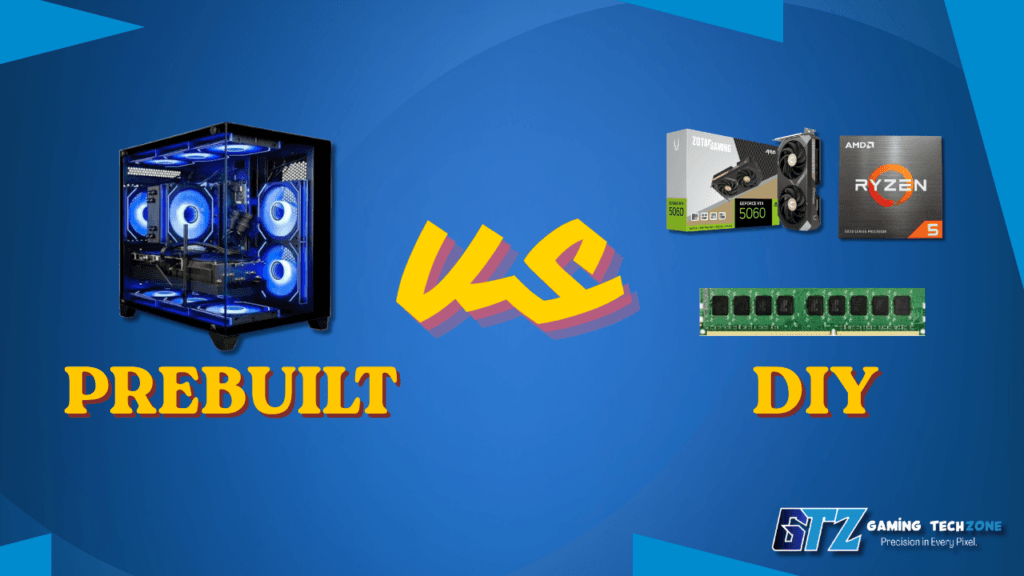
Choose DIY if:
- You want the best performance per dollar
- Enjoy the build process
- Want specific components.
Choose prebuilt if:
- You value time over money
- Lack confidence building
- Want a single warranty contact.
Comparison Table: 1080p Gaming PC Builds at a Glance
| Build Tier | GPU | CPU | RAM | Price Range | Best Use Case |
|---|---|---|---|---|---|
| Budget | RX 7600 XT | Ryzen 5 7600 | 16GB DDR5 | $500–$600 | Esports + casual AAA |
| Sweet Spot | RTX 5060 Ti | Ryzen 7 7600X3D | 32GB DDR5 | $800–$1,000 | All 1080p, entry 1440p |
| Performance | RTX 5070 | Ryzen 5 9600X | 32GB DDR5 | $1,200–$1,500 | High-FPS 1080p + 1440p |
| Prebuilt Option | RTX 5060 Ti | Ryzen 7 9800X3D | 32GB DDR5 | $1,100–$1,300 | Plug-and-play 1080p |
What are The Common Mistakes to Avoid When Buying 1080p Gaming PC?
Overspending on the CPU: At 1080p, the GPU is the bottleneck in almost every game. Spending $400+ on a CPU while pairing it with a budget GPU is one of the most common and costly errors first-time builders make.
Ignoring VRAM: The RTX 5060’s 8GB model can struggle in VRAM-heavy titles — particularly with textures, ray tracing, or mods. The 16GB version costs more but removes a significant bottleneck in 2026 and beyond.
Buying a cheap PSU: A $40 no-name power supply is not the place to cut corners. A failing PSU can damage every component in your system. Stick with trusted brands: Seasonic, Corsair, be quiet!, and EVGA (where still available).
Skipping on monitor quality: A 144Hz 1080p IPS monitor transforms the experience. If you’re spending $800 on a PC and using a $80 60Hz TN panel, you’re leaving half the gaming experience on the table.
Do I Personally Recommend 1080p Gaming in 2026?
Yes. If I were building a gaming PC today and my main goal was high FPS without overspending, I would still choose 1080p. The hardware needed to drive 1080p at high refresh rates is much more affordable, and I don’t think every gamer needs to move to 1440p or 4K.
What makes 1080p still worth it:
- High FPS is easier to achieve: Mid-range GPUs can push well beyond 100 FPS in many games, while esports titles can reach 144Hz and higher.
- You get better value: You don’t need to spend your entire budget on a high-end GPU just to enjoy modern games.
- $800–$1,000 is the sweet spot: This is where I’d look if I wanted a strong 1080p gaming PC with high settings and high refresh rates.
- Budget builds still work: Even the $500–$600 range can provide a solid 1080p experience, although you’ll need to lower settings in the most demanding AAA games.
- Competitive gamers benefit the most: If you play games such as Valorant, CS2, or Apex, I’d rather have a high-refresh 1080p monitor than spend heavily on resolution.
- You can spend the savings elsewhere: I’d rather put some of the budget toward 32GB RAM, a 1TB SSD, and a good 144Hz monitor than overspend on hardware that I don’t need.
Common Questions Gamers Ask About 1080p Gaming PCs
Yes, absolutely. 1080p remains the dominant gaming resolution globally, and hardware that targets it is more affordable and capable than ever. For competitive gaming especially — where high frame rates matter more than resolution — a 1080p setup is often the smarter choice over 1440p or 4K.
For consistent 144fps+ at 1080p Ultra in demanding AAA titles, the RTX 5060 Ti or RX 9060 XT are the recommended picks in 2026. For esports titles (Valorant, CS2, Apex), even the base RX 7600 XT comfortably exceeds 144fps.
16GB DDR5 is the minimum for 1080p gaming in 2026. For new builds, 32GB DDR5-6000 is worth the modest extra cost — RAM requirements in games are creeping up, and it gives your system breathing room for streaming or multitasking alongside gaming.
DIY saves $150–$300 and gives you full control over components. Prebuilts offer convenience and a single warranty contact. If you’re comfortable with a 3–4 hour build and basic troubleshooting, DIY provides significantly better value at every budget tier.
Yes. A $500 build with an RX 7600 XT and Ryzen 5 7600 runs most modern games at 1080p High settings, and virtually all esports titles at 100fps+. You’ll make compromises on ultra settings in the most demanding titles, but day-to-day gaming experience is solid.
Find Your Perfect 1080p Gaming PC
After looking at the different budgets, hardware combinations, and use cases in this guide, I still think 1080p gaming is an excellent choice in 2026. You don’t need an expensive PC to enjoy high frame rates, and you can put the money you save toward other parts of your setup.
For me, the biggest advantage of 1080p is value. A well-balanced mid-range PC can deliver high FPS without requiring the kind of GPU investment that 1440p or 4K gaming demands.
Don’t upgrade to 1440p or 4K simply because they’re newer or more popular resolutions. If high FPS, competitive gaming, and getting the most performance for your money are your priorities, I’d confidently build for 1080p in 2026. If you have a larger budget and care more about visual detail, then 1440p becomes the next logical step.
Sources & Research
To ensure accuracy, pricing context, and up-to-date hardware recommendations, this guide was researched using specifications, benchmark data, and industry analysis from the following sources:
- NVIDIA GeForce RTX 5060 & RTX 5060 Ti official specifications and feature documentation
- AMD Radeon RX 9060 XT official specifications and product information
- AMD Ryzen 9000 Series processor specifications and platform documentation
- TechPowerUp GPU Database and gaming benchmark analysis
- Tom’s Hardware CPU and GPU performance hierarchies
- Hardware Unboxed gaming benchmark reviews and performance testing
- Gamers Nexus hardware analysis and real-world gaming performance evaluations
- PC Gamer component reviews and gaming hardware recommendations
- TechSpot gaming benchmarks and hardware comparison testing
- Manufacturer specifications from AMD, NVIDIA, Corsair, Seasonic, MSI, ASUS, Gigabyte, and ASRock
Note: Hardware pricing and availability can change frequently based on region, retailer promotions, and market conditions. Performance figures may vary depending on game settings, drivers, cooling solutions, and overall system configuration.
Updated Till | June 2026.
