

Most prebuilt gaming PCs look powerful on paper. But start throttling the moment you actually push them. In 2026, that gap between advertised specs and real-world performance still catches a lot of buyers off guard.
We analyzed today’s top prebuilt gaming desktops testing thermals, component quality, and sustained performance under load to find the systems that genuinely deliver. Whether you’re aiming for smooth 1080p esports gameplay or uncompromising 4K with ray tracing, these are the prebuilts that are actually worth your money.
What Actually Matters in a 2026 Gaming PC?
Gaming desktops in 2026 are designed around performance efficiency and long-term reliability. Manufacturers carefully balance CPU power, GPU capability, and cooling design to deliver consistent performance even during extended gaming sessions.
These systems typically include high-end graphics processors, fast NVMe storage drives, and advanced motherboard technologies. As a result, gamers can enjoy faster load times, stable frame rates, and improved visual effects in modern games.
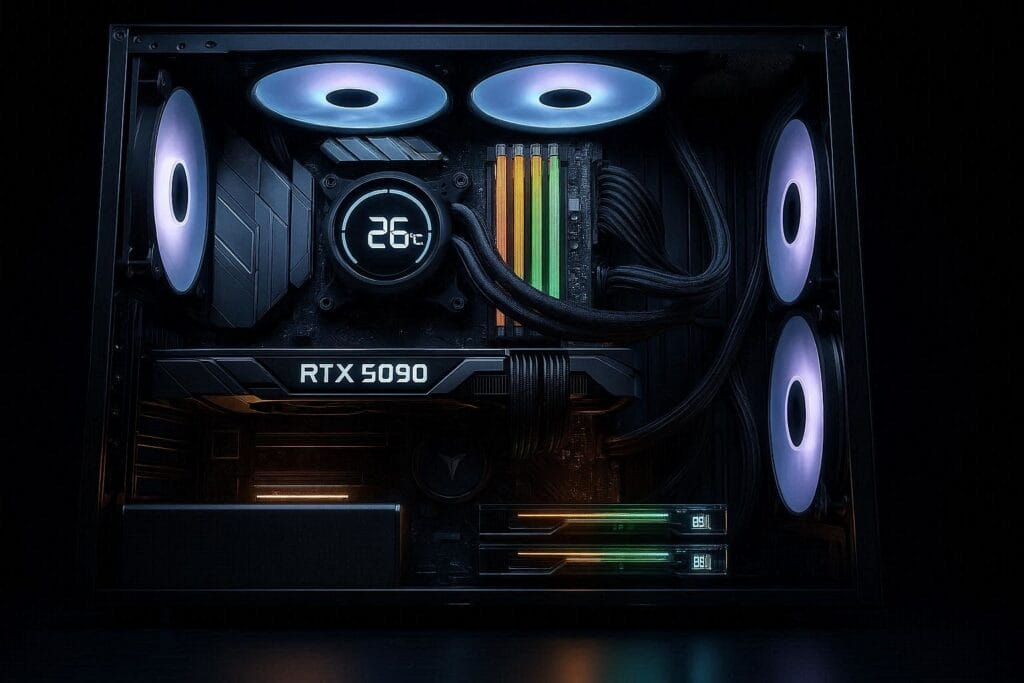
Before jumping into recommendations, here’s what separates a great prebuilt from a disappointing one:
- GPU: Still the single most important component for gaming. The RTX 50-series introduced DLSS 4 with Multi Frame Generation, which dramatically boosts frame rates in supported titles. If you’re targeting 1440p or 4K, don’t go below an RTX 5070.
- CPU: Modern games benefit more from single-core speed than raw core count. Intel Core Ultra 7/9 and AMD Ryzen 9000 series both deliver excellent gaming performance, the difference between them in-game is typically under 5%.
- RAM: 32GB DDR5 is the new baseline for future-proofed builds. 16GB works today but will feel tight within two to three years as game engines become more memory-hungry.
- Storage: PCIe Gen5 NVMe SSDs offer extremely fast data transfer speeds, reducing loading times and improving overall system responsiveness.
- Cooling: This is where many prebuilts quietly fail. A system that runs a sustained 90°C under load will throttle performance and shorten hardware lifespan. Look for dual-chamber designs or all-in-one liquid coolers on CPU-intensive configs.
- PSU Quality: Especially relevant with RTX 5090 builds that GPU alone can spike to 575W. Any high-end system should include an ATX 3.1-compliant unit rated at minimum 1000W, ideally 1200W.
The 5 Best Prebuilt Gaming Desktops in 2026
The following systems represent powerful gaming desktops currently available with modern hardware configurations. They indicate how different brands approach performance, cooling, and system design.
1. Alienware Aurora R17
The Aurora R17 remains the machine to beat if you want a premium, no-compromise desktop that looks as good as it performs. Alienware’s proprietary Legend 3.0 chassis genuinely improves airflow compared to previous generations, and the system holds stable clock speeds during extended 4K sessions.
Key Specs:
- GPU: NVIDIA RTX 5080
- CPU: Intel Core Ultra 9
- RAM: 32GB DDR5
- Cooling: High-airflow dual-zone chassis with AlienFX RGB (5–8 zones)
Considerations: Consistent 4K performance with ray tracing enabled. AlienFX lighting is polished and syncs seamlessly with peripherals. The “Hyperefficient Voltage Regulation” feature genuinely reduces idle power draw without impacting peak gaming performance.
What to Watch: Premium pricing. You’re paying for the brand and the chassis design — budget-conscious buyers can get similar GPU performance from a CyberPowerPC build for several hundred dollars less.
Best For: Gamers who want a turnkey 4K system with long-term manufacturer support and don’t want to touch the internals.
2. HP Omen 45L 2026 Edition
HP quietly built one of the most thermally efficient consumer gaming desktops available. The Cryo Chamber design physically separates the GPU and CPU heat zones, which keeps both components operating well below thermal limits even during simultaneous heavy loads.
Key Specs:
- GPU: NVIDIA RTX 5070 Ti
- CPU: Intel Core Ultra 7
- RAM: 32GB DDR5
- Cooling: Cryo Chamber dual-zone thermal separation
Considerations: This is the easiest large-brand prebuilt to self-upgrade — fully tool-less access, no proprietary connectors blocking GPU removal, and a modular internal layout that actually makes sense. Runs quieter than most competitors at similar load levels.
What to Watch: The RTX 5070 Ti sits just below the 5080 in 4K performance. If you’re aiming for maximum 4K frame rates in demanding titles, the gap is noticeable. For 1440p gaming, it’s untouchable at this price tier.
Best For: Gamers who prioritize thermal performance and plan to upgrade components over a three-to-five year ownership cycle.
3. Lenovo Legion Tower 9i
What sets the Legion Tower 9i apart isn’t the GPU or CPU on paper, it’s the Lenovo LA3 AI chip running underneath. This dedicated processor monitors on-screen content in real time and dynamically shifts power allocation between the CPU and GPU depending on what the game demands.
In practice, this means consistently higher frame rates in CPU-heavy competitive games like Valorant, CS2, and Apex Legends.
Key Specs:
- GPU: NVIDIA RTX 5070
- CPU: Intel Core Ultra 7
- RAM: 32GB DDR5
- Unique: LA3 AI chip with Smart FPS dynamic power allocation
Considerations: Competitive game performance is genuinely class-leading at this GPU tier. The AI chip isn’t marketing fluff, frame rate consistency in CPU-bound scenarios is measurably better than competing systems with similar specs.
What to Watch: The RTX 5070 is a 1440p card at heart. Hitting 4K ultra settings in graphically demanding AAA titles will require dialing back some visual options.
Best For: Esports players and competitive gamers who want the highest possible frame rates in multiplayer games without paying for enthusiast-tier hardware.
4. ASUS ROG G700
The ASUS ROG G700 is a machine for gamers who simply refuse to compromise. The ROG G700 ships with the RTX 5090 currently the most powerful consumer GPU available paired with a Ryzen 9 9950X and 64GB of DDR5 memory.
It handles every modern game at 4K with maximum visual settings, full ray tracing, and frame rates that stay well above 60fps even in the most demanding titles.
Key Specs:
- GPU: NVIDIA RTX 5090
- CPU: AMD Ryzen 9 9950X
- RAM: 64GB DDR5
- Cooling: Advanced closed-loop liquid cooling
Considerations: Aura Sync ecosystem integration is the most complete in the market for RGB cohesion across peripherals. Overclocking headroom is significant if you want to push further. This system will remain relevant for longer than any other pick in this list.
What to Watch: The price. This is a serious investment, and the performance premium over an RTX 5080 build is meaningful but not doubling.
Best For: Content creators who also game heavily, or enthusiast players who want the best single-GPU 4K experience available today.
⚠️BUYER’S WARNING: PSU CHECK
The RTX 5090 can draw up to 575W alone. The RTX 5090 draws up to 575W under full load. Verify your system ships with a 1000W+ ATX 3.1-compliant PSU. Using older ATX 2.x adapters creates a real risk of cable overheating and unexpected shutdowns under transient load spikes.
5. CyberPowerPC Infinity X
CyberPowerPC’s secret weapon is standardization. While Alienware and HP use proprietary chassis designs and custom connectors, CyberPowerPC builds around off-the-shelf parts from ASUS, MSI, and Phanteks.
That means easier future upgrades, competitive pricing, and a system that doesn’t lock you into a proprietary ecosystem.
Key Specs:
- GPU: NVIDIA RTX 5060
- CPU: AMD Ryzen 7 9700X
- RAM: 16GB DDR5
- Storage: Fast NVMe SSD
Considerations: Exceptional price-to-performance ratio. For 1080p and 1440p gaming, this system punches well above its weight. The Ryzen 7 9700X is a strong CPU that won’t bottleneck the RTX 5060.
What to Watch: 16GB RAM will feel limiting sooner than you’d like. Budget for a RAM upgrade within 12 to 18 months. 4K gaming at high settings is not this system’s strength.
Best For: First-time PC gamers, console converts, or anyone with a strict budget who wants a capable 1080p/1440p gaming system without overpaying.
Quick Comparison Table
| System | GPU | CPU | RAM | Target Resolution | Best For |
|---|---|---|---|---|---|
| Alienware Aurora R17 | RTX 5080 | Intel Core Ultra 9 | 32GB DDR5 | 4K | Premium all-rounder |
| HP Omen 45L 2026 | RTX 5070 Ti | Intel Core Ultra 7 | 32GB DDR5 | 1440p–4K | Thermal performance |
| Lenovo Legion Tower 9i | RTX 5070 | Intel Core Ultra 7 | 32GB DDR5 | 1440p | Esports/competitive |
| ASUS ROG G700 | RTX 5090 | Ryzen 9 9950X | 64GB DDR5 | 4K Ultra | Enthusiast gaming |
| CyberPowerPC Infinity X | RTX 5060 | Ryzen 7 9700X | 16GB DDR5 | 1080p–1440p | Budget buyers |
PROS and CONS of Buying Prebuilt PC
| Pros | Cons |
|---|---|
| Competitive pricing vs DIY builds in many cases, especially with RTX 50-series bundles | Cooling quality varies — some systems throttle under sustained load |
| No compatibility issues — everything is pre-tested and ready to use | PSU quality can be inconsistent, especially in high-end GPU builds |
| Full system warranty and centralized customer support | Limited upgrade flexibility in proprietary designs (Alienware, some OEMs) |
| Optimized out-of-the-box performance with tuned BIOS and airflow | You often pay extra for branding, design, and RGB ecosystems |
| Easier access to latest GPUs like RTX 5080/5090 during shortages | Component transparency can be unclear (RAM speed, SSD, PSU tier) |
How to Choose the Right Gaming Desktop?
Selecting the right gaming system depends on gaming preferences, display resolution, and long-term upgrade plans.
Understanding these factors helps buyers choose a system that meets both current and future gaming requirements.
1. Define Your Gaming Goals
Different types of games require different hardware strengths.
Examples include:
- Competitive Gaming: Prioritize high frame rates and strong processors.
- AAA Story Games: Focus on powerful graphics cards for visual quality.
- Streaming and Content Creation: Choose systems with higher RAM capacity.
2. Consider GPU Performance
The graphics card is the most important component for gaming performance.
RTX 5060 and RTX 5070 systems are excellent for 1440p gaming, while RTX 5080 and RTX 5090 machines deliver outstanding 4K gaming performance.
3. Storage and Upgrade Options
Modern games require large amounts of storage space. Systems with at least 1TB SSD storage offer better usability for growing game libraries.
Upgrade potential is also valuable because it allows users to improve their systems without purchasing an entirely new desktop.
💡PRO TIP
Check whether your chosen system’s motherboard includes WiFi 7 support. With a compatible router, WiFi 7 now delivers latency performance that rivals wired Ethernet — genuinely useful for competitive gaming in spaces where running a cable isn’t practical.
Final Words on Prebuilt Gaming Systems
The best prebuilt gaming PC in 2026 depends entirely on what you’re playing, at what resolution, and how much you’re willing to spend. For most gamers, the HP Omen 45L or Lenovo Legion Tower 9i hits the sweet spot between performance, upgradability, and value.
Enthusiasts who want the absolute best should look at the ASUS ROG G700, just budget for the power supply requirements that come with it.
Whichever system you choose, prioritize cooling quality and upgrade flexibility. A well-cooled system with room to grow will serve you better over five years than a raw-spec leader that throttles under sustained load.
Commonly Asked Questions About Prebuilt Gaming PCs
Yes, modern systems provide powerful hardware, professional assembly, and warranty support, making them convenient and reliable for most gamers.
A strong gaming system should include a modern GPU such as RTX 5060 or higher, at least 16GB to 32GB DDR5 RAM, and a fast NVMe SSD.
Most gaming desktops allow upgrades such as additional storage, more RAM, or new graphics cards as technology improves.
While many games run well with 16GB RAM, 32GB provides better multitasking and future-proof performance for modern gaming systems.
Many gamers prefer 1440p resolution because it balances visual quality and performance, while high-end systems can comfortably support 4K gaming.
